
ACES Color Space Explained: What the Academy Color Encoding System Is?
The film world often faces color mismatches between cameras, screens, and edits. This leads to inconsistent shades and lost details in movies or videos. To solve this, the ACES system provides a unified standard to manage colors accurately from start to finish.
Many beginners struggle to understand the ACES color workflow in production. This guide explains ACES clearly to show how it works and how to implement it in standard software.
Part 1. What is ACES?
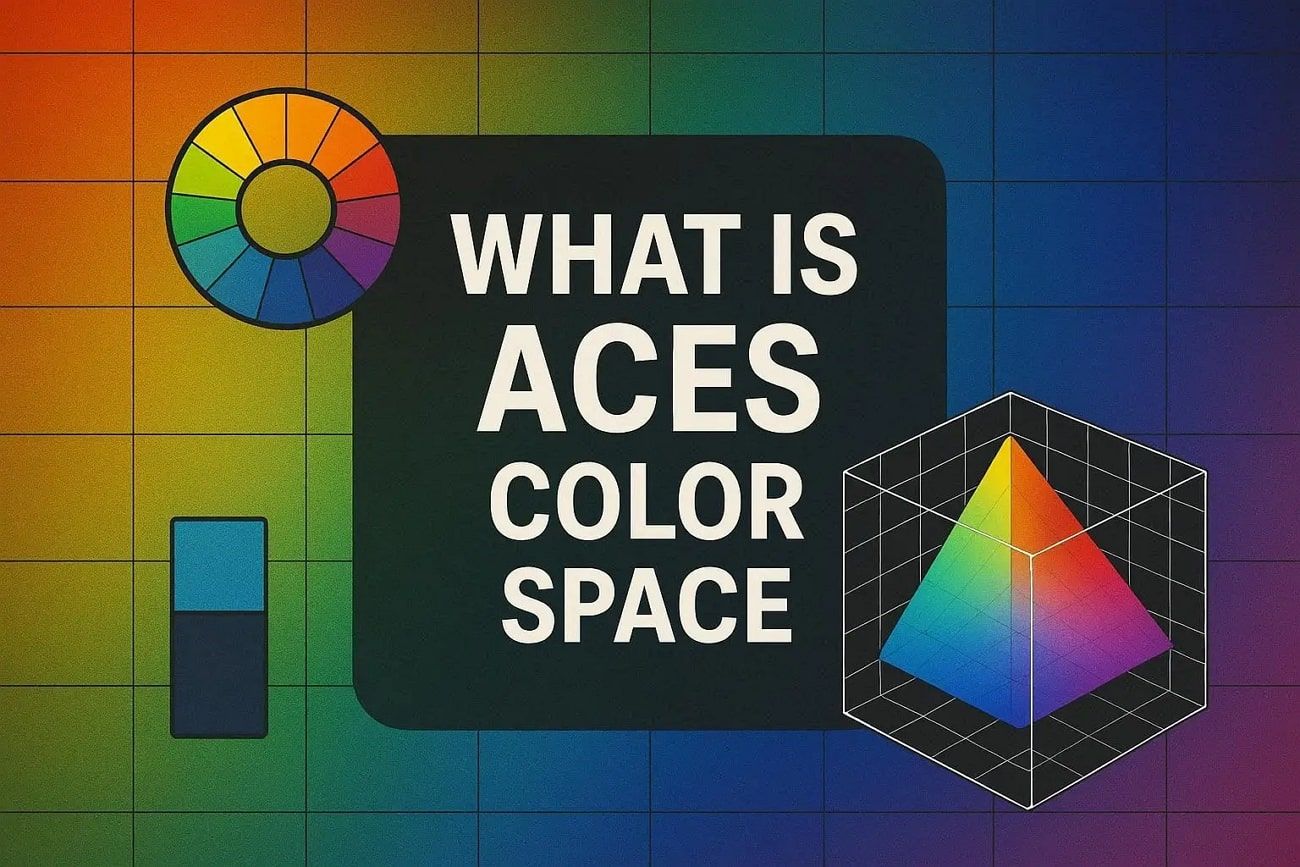
ACES, short for Academy Color Encoding System, is used in various fields, including film and VFX. It ensures colors remain consistent from camera capture to post-production and final delivery. In addition, experts describe ACES as a color management system, with ACES2065-1 serving as its core interchange color space. This allows representation of more colors and brightness than sRGB or Rec.709 displays.
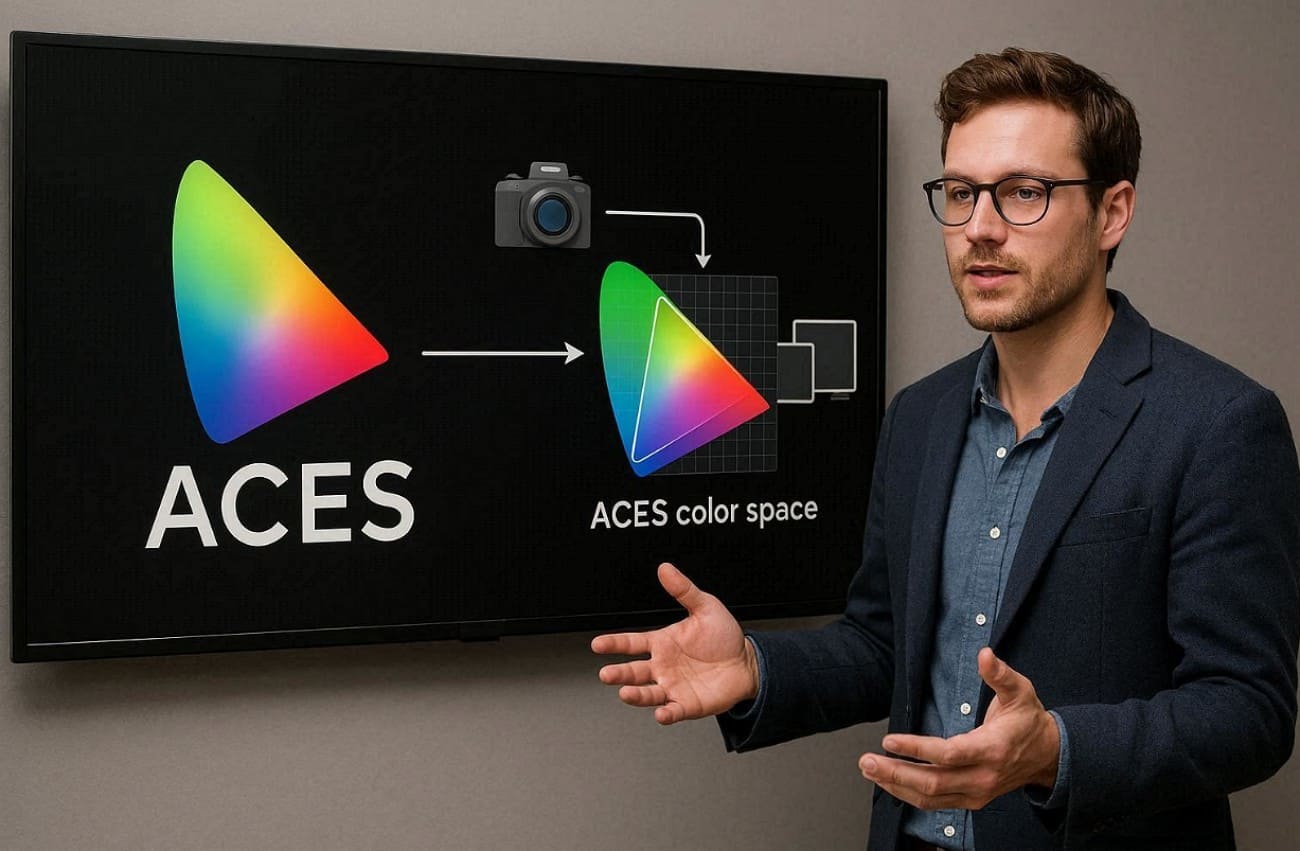
Moreover, cameras and CGI renders are converted using ACES transforms before creative processing begins. After editing, the content is transformed to suit specific displays like HDR TVs or cinema projectors. ACES also simplifies color management, making professional workflows visually accurate across devices.
Part 2. What is Color Space?
A color space is a structured system that defines all colors a device can represent accurately. It maps each color to numeric values, such as RGB or CMYK combinations. Color spaces define a specific range of colors, called a gamut, for consistency. The color space helps map them without loss or mix-ups.
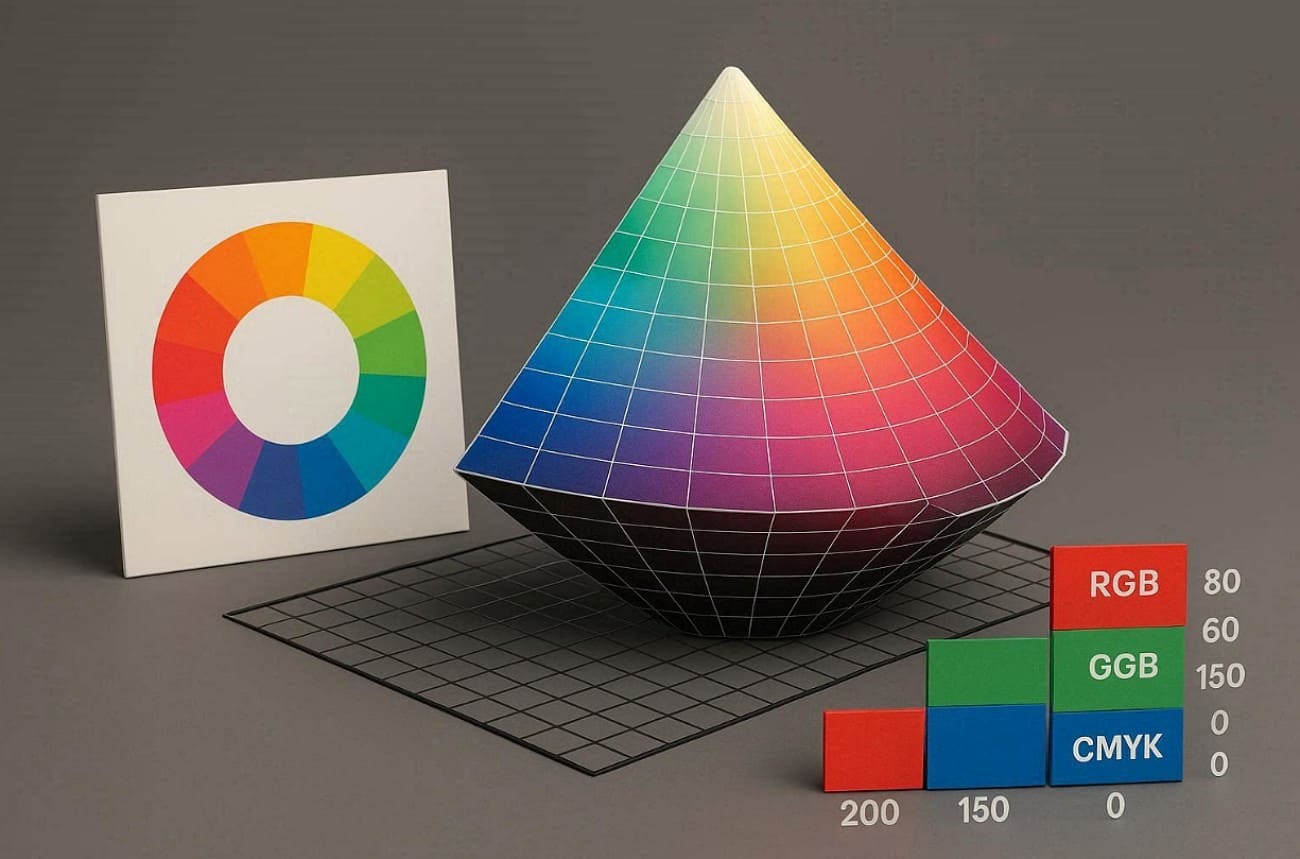
Common types include sRGB for web use, Adobe RGB for photos, and ProPhoto RGB for edits. Apart from that, others cover DCI-P3 and lab-based ones like CIELAB or CIEXYZ. A color model like RGB or HSV gives basic mathematical parts for colors.
Part 3. What is the ACES Workflow?
The ACES workflow manages images entirely using the Academy Color Encoding System. It spans every stage from camera or CG capture and goes to grading, VFX, delivery, and storage. This ensures a unified approach to color management throughout the entire production pipeline.
This process turns sources like cameras and CGI into one shared ACES color space. Work happens there before shifting to the final displays for smooth results. Every step uses the same color rules to keep the look steady and ready for new tech like HDR.
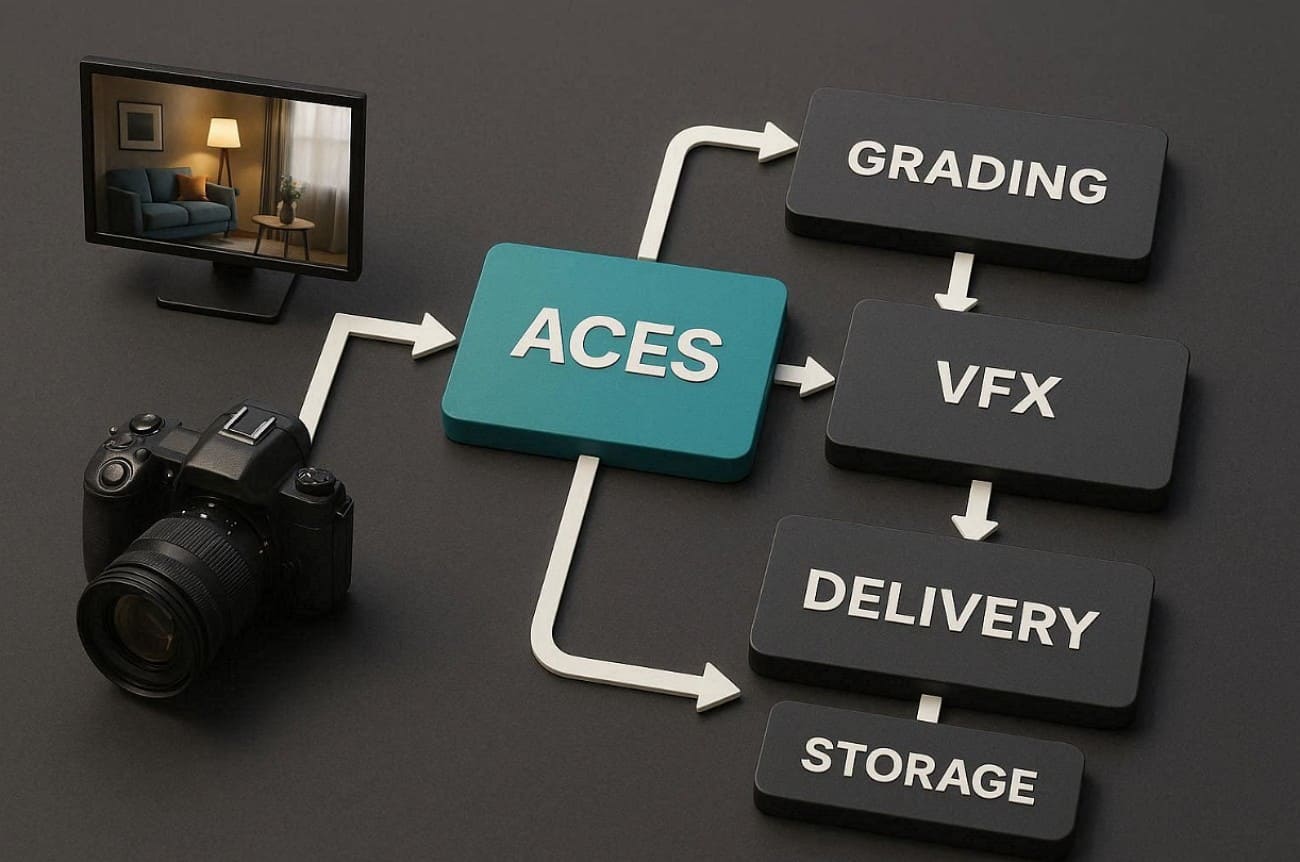
A simple flow shows camera data moving through the Input Device Transform first. Then, ACES working spaces handle grading and VFX work. Next comes Reference Rendering Transform, followed by Output Device Transform to match screens.
This separates color science from creative choices, so teams can exchange shots easily. Besides, the Input Device Transform maps camera data into ACES, typically targeting ACES2065-1 as a reference.
Tips: How to Balance Quality and Speed For Large Scene Rendering?
Beyond the setup, one practical challenge with ACES is its extremely high hardware demands. Since you need to deal with high-bit-depth files and heavy data math, rendering them locally can quickly become a problem, often dragging down your production timeline.
This is where a cloud rendering service like Fox Renderfarm really fits into the ACES workflow. It’s built to handle high-bit-depth rendering and complex VFX shots. By rendering these massive CGI scenes through the cloud nodes of the render farm, you can maintain your ACES standards and hit your deadlines, without compromising on the final frames quality.

Part 4. How to Use ACES in Popular Software?
Many editing and grading tools, like DaVinci Resolve, already support ACES to simplify complex color handling. Instead of manual fixes, ACES software manages colors through a unified processing structure. This approach helps creators work freely without worrying about mismatched displays or sources.
By using ACES, projects keep a stable look while supporting a wider color gamut efficiently. So, the following section explains how popular programs apply this system during real workflows:
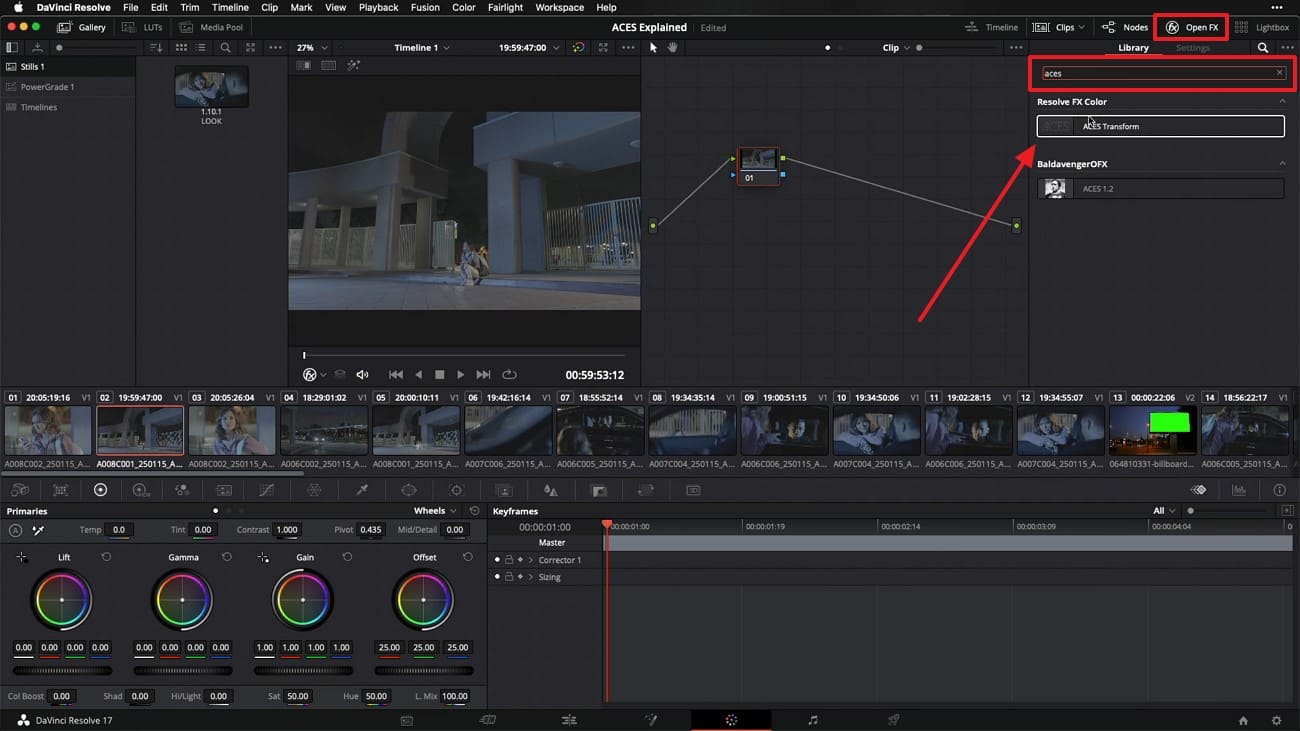
Step 1: Click the “Open FX” tab and search for “Aces” in the “Library” search bar. Afterward, drag the “Aces Transform” and drop it into the empty node of the project.
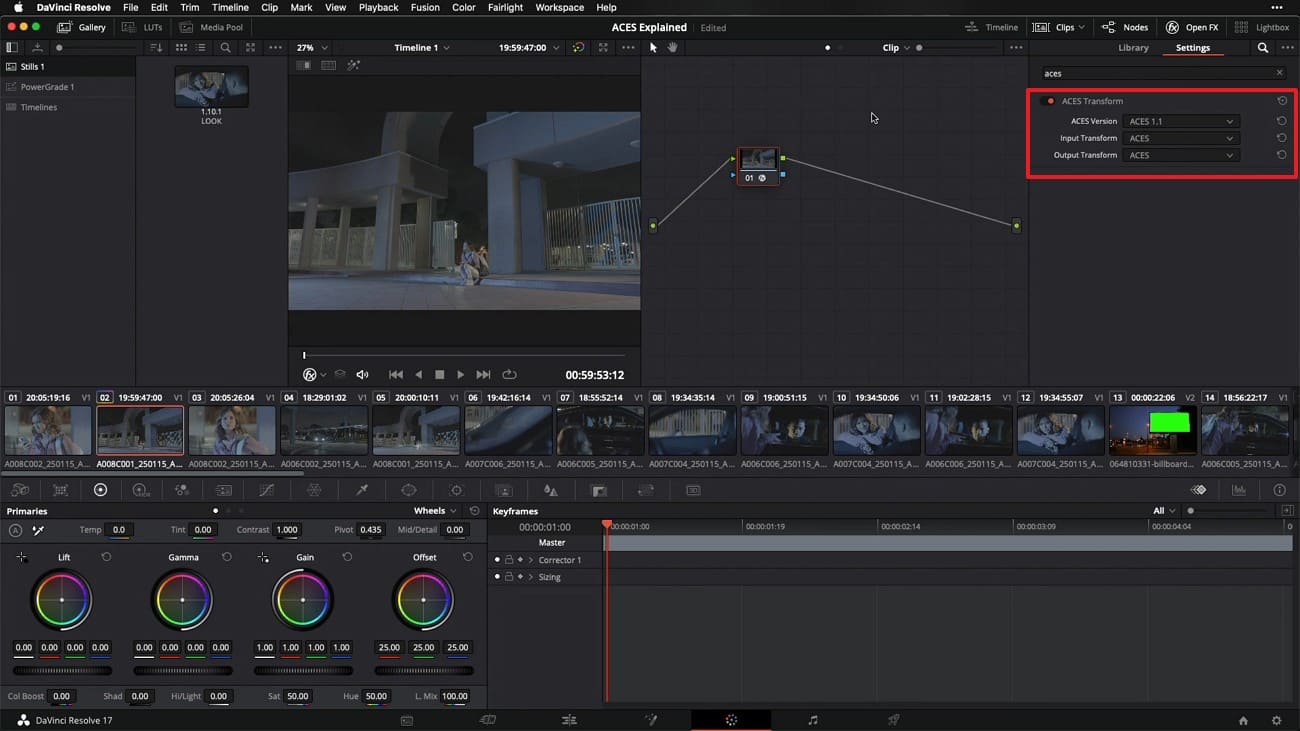
Step 2: Set the “ACES Version,” “Input Transform,” and “Output Transform” according to the color page of the source material.
Part 5. Differences Between ACES and sRGB
ACES and sRGB are designed for very different purposes in color handling workflows. Understanding these differences helps creators choose the right system, especially when using ACES Academy standards. Below is a table to understand differences between ACES and sRGB:
|
Feature |
ACES (Academy Color Encoding System) |
sRGB |
|
Gamut |
Ultra wide using AP0 primaries, larger than the display gamut but not matching human vision |
Narrow, optimized for standard monitors and web |
|
Dynamic Range |
HDR, scene referred linear light handling |
SDR, display referred with gamma 2.2 |
|
Encoding |
Uses linear and log-based encodings with high bit depth, 16- or 32-bit float |
Non-linear encoding, typically 8-bit |
|
Workflow |
Uses IDT, RRT, and ODT transforms for flexibility |
Direct display mapping without transforms |
|
Use Case |
Film, VFX, CGI pipelines, and long-term archiving |
Web content, consumer TVs, and basic photos |
|
White Point |
D60, balanced daylight neutral |
D65, slightly cooler daylight |
|
Interoperability |
Vendor neutral and future proof across platforms |
Device-specific with limited portability |
|
Bit Depth Support |
Supports up to 32-bit float for high precision |
Primarily 8-bit, with optional 10- or 16-bit support |
Part 6. FAQs about ACES Color Space
1. Is ACES better than sRGB?
ACES is better for advanced grading, VFX, HDR work, and long-term professional projects. It offers a broader color range to preserve highlights and shadows and supports consistent multi-device workflows.
sRGB suits web delivery, social media, and simple projects where ease matters most today.
2. What is the ACES color one piece?
ACES refers to a unified color management system that ensures consistent image handling across different applications. It means all footage stays within one standard color framework during production and postproduction. This avoids mismatched colors when moving shots between cameras, software displays, and grading stages.
3. What does ACES stand for?
ACES stands for Academy Color Encoding System, used across film and VFX. The name reflects its creation by the Academy to standardize professional color workflows globally. It even represents a unified system ensuring consistent colors from capture to final display outputs.
Conclusion
In summary, this guide explained how to maintain color consistency across projects using clear standards. You learned why proper color handling matters for films, videos, and future displays. Creators now grasp how to pick and use it right for top results.
Apart from that, high-end ACES projects demand massive computational power to handle data-heavy renders. In this case, Fox Renderfarm offers reliable cloud rendering. It supports high-bit-depth workflows, complex VFX shots, and large-scale CGI without slowing production timelines.
Welcome to join us

Recommended reading
Top 9 Best And Free Blender Render Farms of 2025
2024-12-30
What is Jibaro? Reveal the Story and Techniques Behind the Production of Jibaro "Love, Death & Robots"
2025-11-03
Top 10 Free And Best Cloud Rendering Services in 2026
2025-12-26
9 Best & Free 3D Rendering Software for Architects & Designers
2025-12-08
Top 8 After Effects Render Farm Recommended of 2025
2025-02-10
Easy Cel Shading Tutorial for Cartoon in Blender Within 2 Minutes
2025-11-26
Shocked! The Secret Behind Using 3D to Make 2D Animation was Revealed!
2026-01-06
How to Render High-quality Images in Blender
2024-12-04
Partners


Next: A Beginner’s Guide to Previsualization for Film and Animation
Interested