5 Best Redshift Render Farm: Maximize Speed and Efficiency
 Ryan Thompson
Most often, a small 3D studio faces a big deadline with a complex animation project. Their computers cannot finish the work fast enough, and the quality cannot drop. Here, a Redshift render farm solves this problem by providing a network of powerful computers that process Redshift projects quickly while keeping every detail sharp. So, to choose the right one in 2026, review the 5 Redshift render farms explained in this ultimate guide.
Part 1. Why Choose a Redshift Render Farm in 2026?
In 2026, the best Redshift Farms are driven by GPU acceleration and high‑VRAM requirements. The Market Research Intellect report also claims that the Render Farm Market, which totaled $6.16B in 2025, may reach $15.36B by 2033, growing at 16.45% annually. Besides this, here is a concise list that highlights the need to choose Redshift render farm in this era:
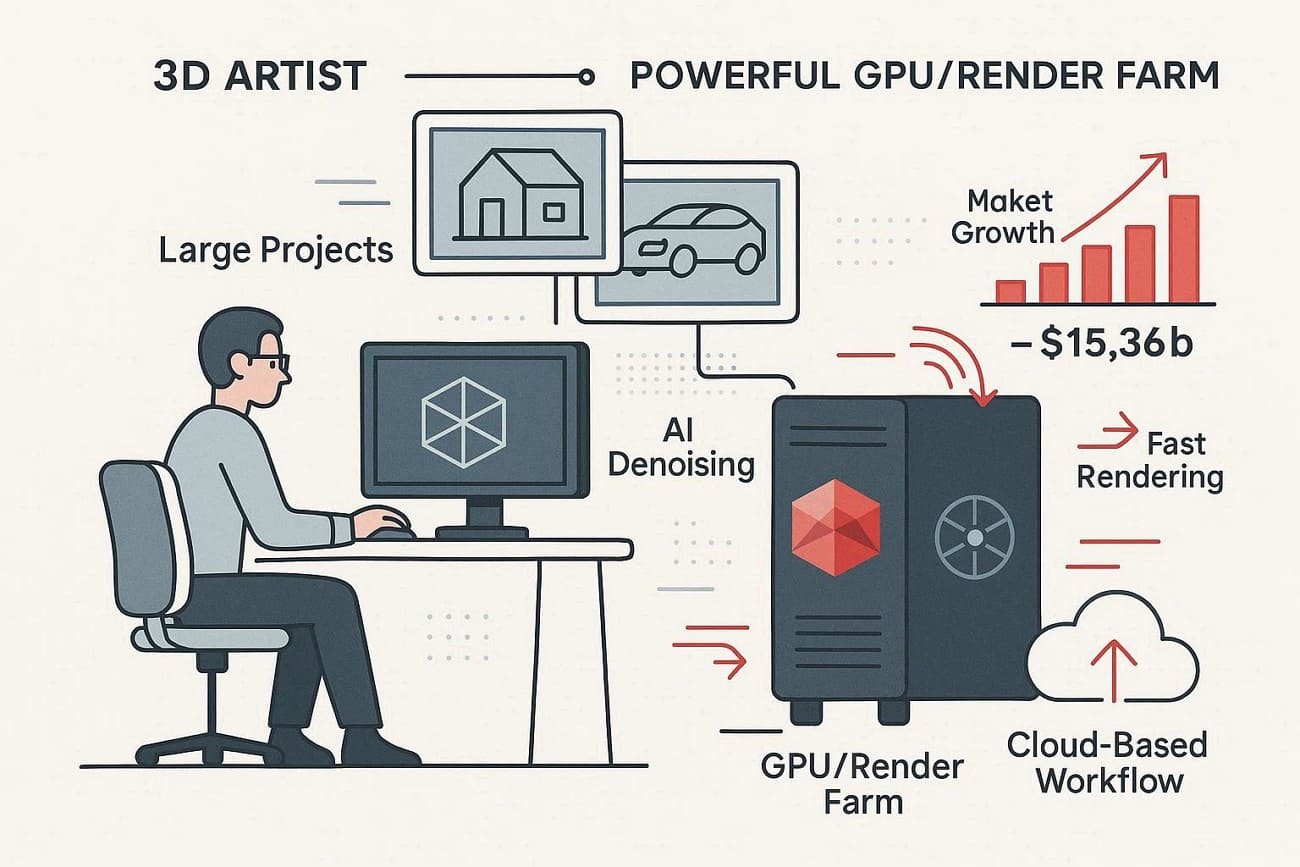
- Significantly reduces render times for complex scenes.
- Easily handle large projects or multiple frames simultaneously.
- Works seamlessly with Maya, Cinema 4D, 3ds Max, Blender, and Houdini.
- Pay only for what you use; no hardware investment is needed.
- Access upgraded GPUs and the newest Redshift features automatically.
- Supports AI denoising, volumetrics, and advanced GPU rendering pipelines.
Part 2. Key Features of a Redshift Render Farm to Look For
Many top cloud rendering services offer high-spec servers to boost CPU and GPU performance. Along with this, here are some other factors you need to consider when choosing the best render engine for Redshift:
|
Factors |
What to Check (Redshift‑specific) |
|
Software Support |
Redshift version, host DCC (Maya/C4D/Houdini), OS match |
|
GPU Hardware |
GPU model (RTX gen), VRAM per GPU, GPUs per node |
|
Speed & Scaling |
Nodes per job, typical queue times, priority options |
|
Pricing Model |
Billing type, free trial, discounts, cost estimator |
|
Security & Support |
Encryption, NDAs, certs, 24/7 Redshift‑savvy support |
Part 3. Choosing the Best Redshift Render Farm for Your Needs
Superrenders claim that in 2026, new AI tools will be implemented to enable even faster rendering in Redshift. So, as AI boosts Redshift speed, choosing a farm that maximizes these tools is crucial. Thus, here are some of the foremost Redshift farms you can opt for to accelerate your projects and handle complex scenes:
1. Fox Renderfarm
Best For: Studios and VFX artists who need high GPU power and secure Redshift rendering.
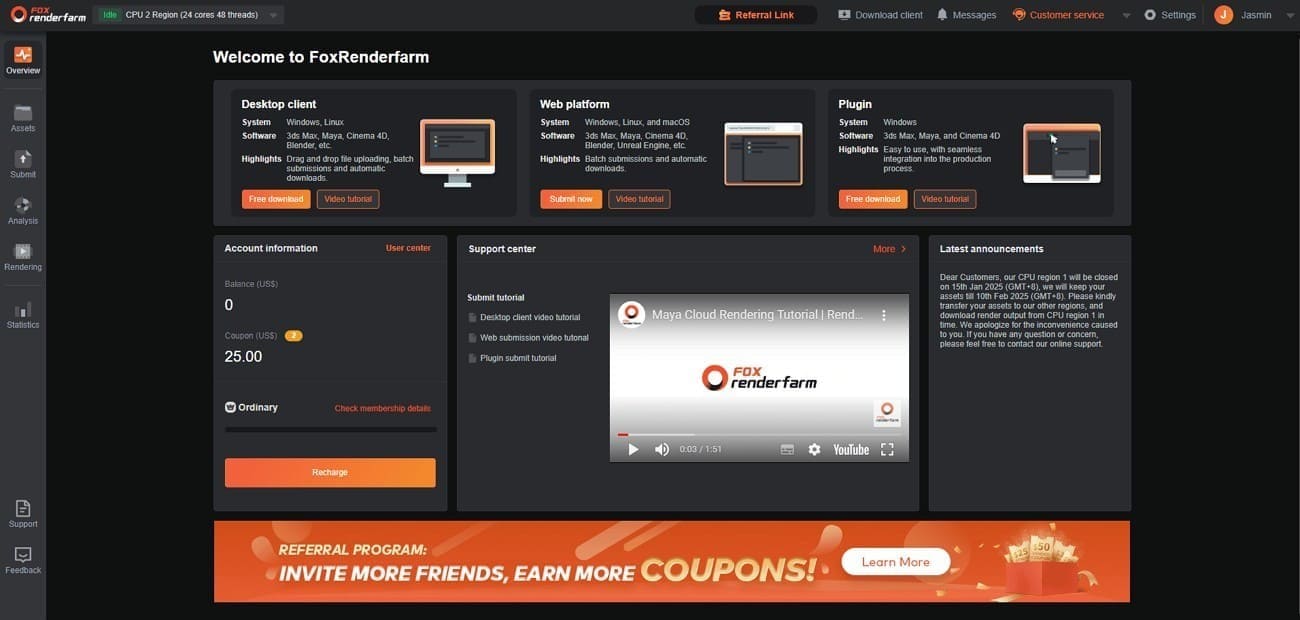
Fox Renderfarm is a professional Redshift cloud rendering service that delivers fast, scalable, and secure rendering for 3D projects. Since 2011, this solution has been offering support for CPU and GPU rendering, including famous GPU renderers like Redshift.
Software Support
- Host DCCs: Full support for Maya (2018-2026), Cinema 4D (R19-2026), Houdini (18-21.0+), and 3ds Max.
- Redshift Versioning: Supports the latest Redshift 2026 builds, including advanced features like AI Denoising, Texture Displacement, and RTX Ray Reconstruction.
- OS Support: Windows and Linux render pipelines, while macOS users can prepare and upload projects through compatible DCC export workflows.
GPU Hardware
- Models: Uses high‑end NVIDIA RTX 40‑ and 50‑series GPUs suitable for demanding Redshift projects.
- Node Density: Provides multi-GPU nodes (typically dual- or quad-configuration) to maximize Redshift's linear scaling.
- VRAM Capacity: High-VRAM GPUs allow large textures, proxies, and complex scenes to render without memory overflow errors.
- NVLink/High-Speed Interconnect: Fast GPU communication and data transfer between nodes help handle heavy scenes and large asset caches more efficiently.
Speed & Scaling
- Parallel Rendering: You can assign many nodes to a single Redshift job, which can reduce multi‑day renders to under an hour in some cases.
- Priority Levels: Offers Diamond, Platinum, Gold, and Silver tiers. Higher tiers grant immediate access to more hardware for “emergency” render situations.
Pricing Model
For rendering in Redshift, it uses a “Membership” credit system that rewards high-volume users.
- Billing: Billed per Node-Hour for GPU tasks. “Ordinary” plan rates range from $0.051 (CPU) to $0.9 (GPU) per node/hour.
- Discounts: Up to 40% on first recharges and $25 credits on the free trials.
Security & Support
- Security Standards: TPN-Accredited (Trusted Partner Network) and ISO 27001 certified.
- Data Handling: Proprietary Raysync technology ensures that your gigabytes of Redshift proxy files and textures are encrypted and transferred up to 100x faster than standard FTP.
- 24/7 Redshift Support: The technical team consists of 3D TDs reachable via WhatsApp, Skype, and Live Chat.
2. iRender
Best For: 3D artists and studios needing full control, custom plugins, or high‑VRAM hardware.
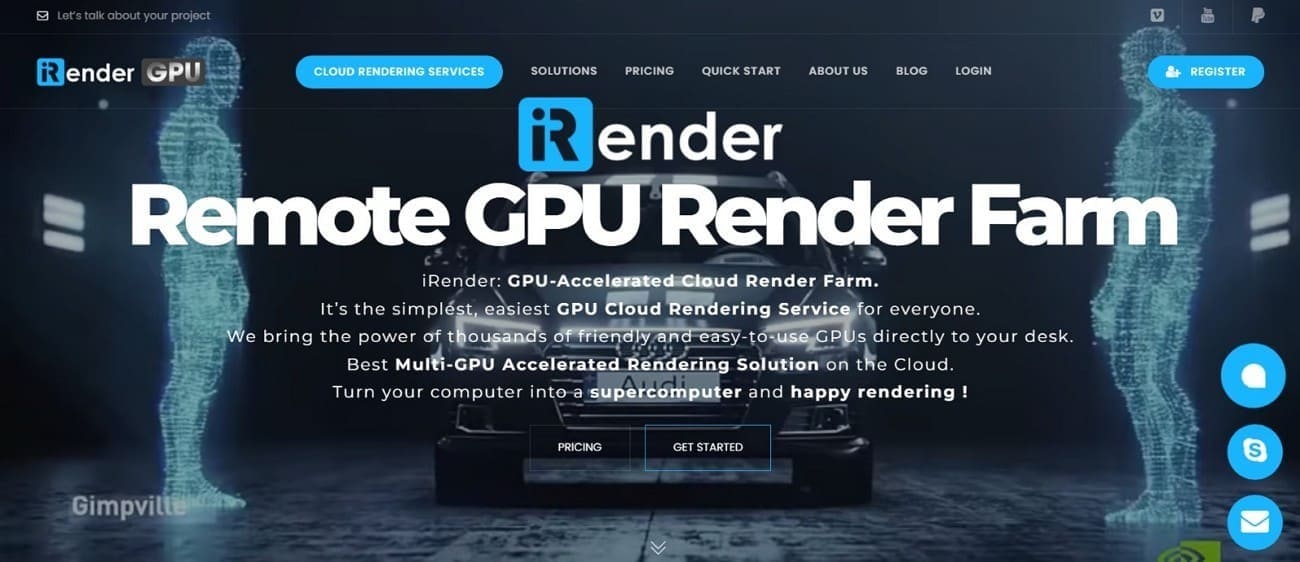
iRender is another cloud-based rendering service that provides remote GPU and CPU servers for 3D rendering, video production, VFX, and architectural visualization. As a Redshift farm, it supports major 3D software and allows artists, designers, and studios to offload heavy rendering tasks to high-performance virtual machines.
Software Support
- DCCs & Engines: Seamlessly supports Maya 2026, Cinema 4D 2026, and Houdini 21, alongside Redshift 2026.3, Octane, and V-Ray.
- Custom Pipelines: You can install proprietary Python scripts, specialized plugins like Golaem or Yeti, and custom builds of Redshift.
- Pre-Installed Options: Offers Cinema 4D and Redshift pre-installed to save setup time, often with free licensing for specific server packages.
GPU Hardware
- Models: High-performance clusters featuring NVIDIA RTX 4090 (24GB) and the flagship RTX 5090 (32GB).
- Node Specs: Servers come equipped with AMD Ryzen Threadripper PRO 5975WX CPUs and 256GB of RAM to ensure zero bottlenecking during scene translation.
Speed & Scaling
- Linear Performance: Offers server packages ranging from single-GPU to 8x RTX 4090/5090 configurations.
- No Queue Times: Once you boot your rented server, it is yours exclusively. There is no waiting for other users' jobs to finish.
Pricing Model
- Hourly Rental: Billed per hour (or even per second) based on the server's power. Prices range from ~$8.2/hr for single-GPU nodes to ~$52/hr for 8-GPU powerhouses.
- First-Time Bonus: Frequently offers a 50% to 100% bonus on the first top-up if made within 24 hours of registration.
Security & Support
- Security Standards: ISO 27001 certified with Tier III data center status (99.99% uptime). They provide formal NDAs for studio-level protection.
- 24/7 Elite Support: A dedicated technical team is available via Live Chat and WhatsApp.
3. RebusFarm
Best For: Studios and freelancers needing reliable software integration and 24/7 expert support.
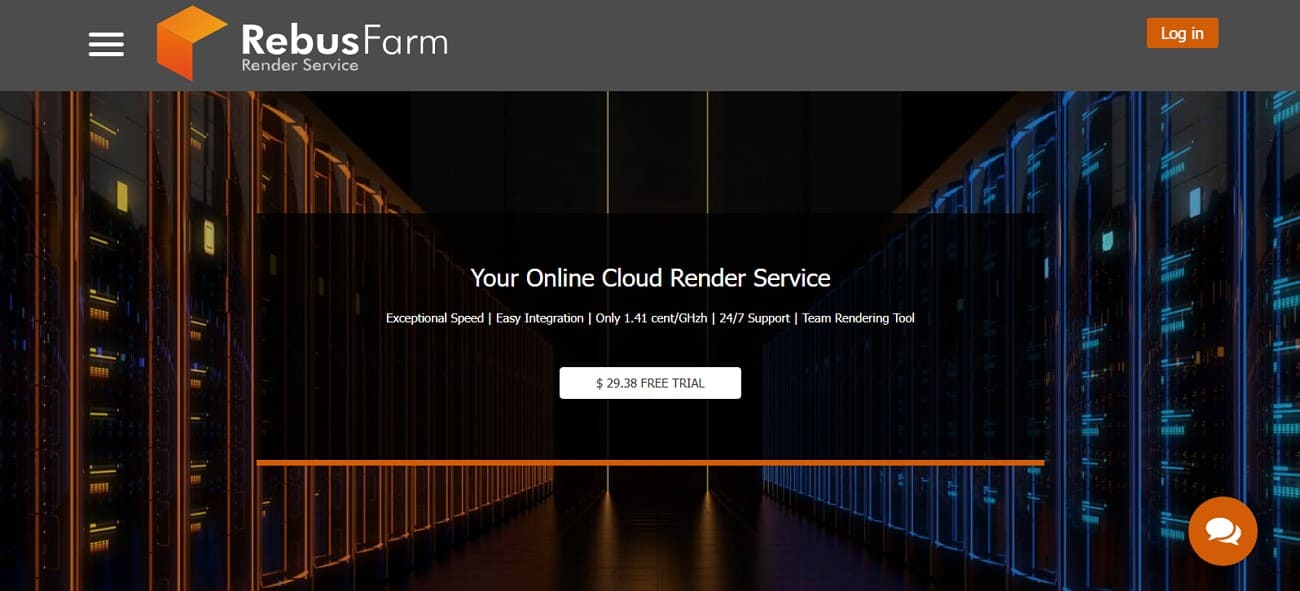
As one of the best render engines for Redshift, RebusFarm is a German-based cloud rendering service. It provides fast, scalable, and secure rendering for 3D projects, animations, VFX, and architectural visualizations. In addition, it allows artists and studios to offload heavy rendering tasks to powerful remote servers.
Software Support
- Redshift Versions: Full support for Redshift 2.6, 3.0, 3.5, 3.6, and 2025 versions.
- Host DCCs: Seamless integration for Cinema 4D, Maya, 3ds Max, and Houdini.
- Advanced Features: Native support for RS-proxies, automatic asset re-pathing, and specialized 3rd party plugins like X-Particles and Forest Pack.
GPU Hardware
Rebus Redshift farm uses consistent, high-performance hardware to ensure uniform, reliable frame rates.
- GPU Nodes: Each high-performance node is equipped with 8x NVIDIA cards. In 2026, they upgraded their fleet to include RTX 4080/4090 and Blackwell-architecture (RTX 50-series) cards.
- CPU Nodes: For the pre-render and scene translation phases, nodes use AMD Ryzen Threadripper 3970X (32 cores) to prevent CPU bottlenecks.
- Memory: Nodes are equipped with ample RAM (typically 128GB to 256GB) to handle massive Redshift scene files and high-resolution textures.
Speed & Scaling
- Massive Parallelism: You can distribute a single Redshift job across hundreds of nodes simultaneously, making it ideal for high-frame-count animations.
- Control Center: A real-time web and mobile interface allows you to monitor frame progress, preview rendered images, and adjust priorities on the fly
Pricing Model
It has the “RenderPoint” (RP) system (1 RP = ~$1.18).
- GPU Rates: Pricing starts at approximately 0.53 cents per OBh (OctaneBench hour equivalent).
- Cost Predictability: You can use the Render Cost Estimation tool in Maya/C4D, which renders 3 random frames to give you a pinpoint-accurate price for the full job.
- Free Trial: All new users receive a $29 (25 RP) free trial upon registration.
Security & Support
- 24/7 Expert Support: They offer real-time human support via Live Chat, Email, and Phone.
- Data Security: Strictly adheres to GDPR and provides formal NDAs.
4. GarageFarm
Best For: Freelancers and indie studios needing affordable, automated Redshift rendering with 24/7 support.
Founded in 2010 by Tomek Swidzinski and Minhee, GarageFarm is known as the rising cloud-based rendering service among Redshift farms. It allows users to offload rendering tasks to remote high-performance servers, eliminating the need for expensive local hardware.
Software Support
- Redshift Versions: Supports all major builds, including Redshift 2+, 3+, and 3.5+.
- Host DCCs: Deep integration for Cinema 4D, Maya (up to 2026), 3ds Max, Blender, and Houdini.
- Advanced Features: Native support for Redshift Proxies, the Takes system in C4D, and Tiles rendering for massive high-resolution still images.
GPU Hardware
- CPU Nodes: 4x CPU’s, 176 cores, 256 GB RAM
- GPU Nodes: 8x P100 & 2x A5000 cards, 120 GB RAM
- Power: Offers access to over 2,000,000 CUDA cores (20,000 CPU cores) for massive parallel processing.
Speed & Scaling
- Priority Tiers:
-
- Low: Best for non-urgent work; utilizes up to 15 GPU nodes.
- Medium: Balanced speed with up to 30 GPU nodes.
- High: “Emergency” speed, granting access to 60+ GPU nodes simultaneously to crush tight deadlines.
- renderBeamer: Their proprietary app manages high-speed file transfers and automatically downloads finished frames as they are completed, so you can begin compositing immediately.
Pricing Model
For rendering in Redshift, it offers affordable pricing and uses OBh (OctaneBench hour) for GPU tasks.
- Low Priority: ~$0.004 per OBh.
- High Priority: ~$0.012 per OBh.
- Free Trial: New users typically receive $25-$50 in free credits to test their Redshift scenes without risk.
- Discounts: Progressive discounts for large projects and a dedicated program for students and academic institutions.
Security & Support
- ISO 27001 Certified: They hold international certification for information security, ensuring your project data is handled with industry-standard care.
- 24/7 Human Support: Offers real-time chat with 3D Technical Directors.
5. Drop & Render
Best For: Cinema 4D designers wanting quiet background rendering with 300,000+ GPU cores.
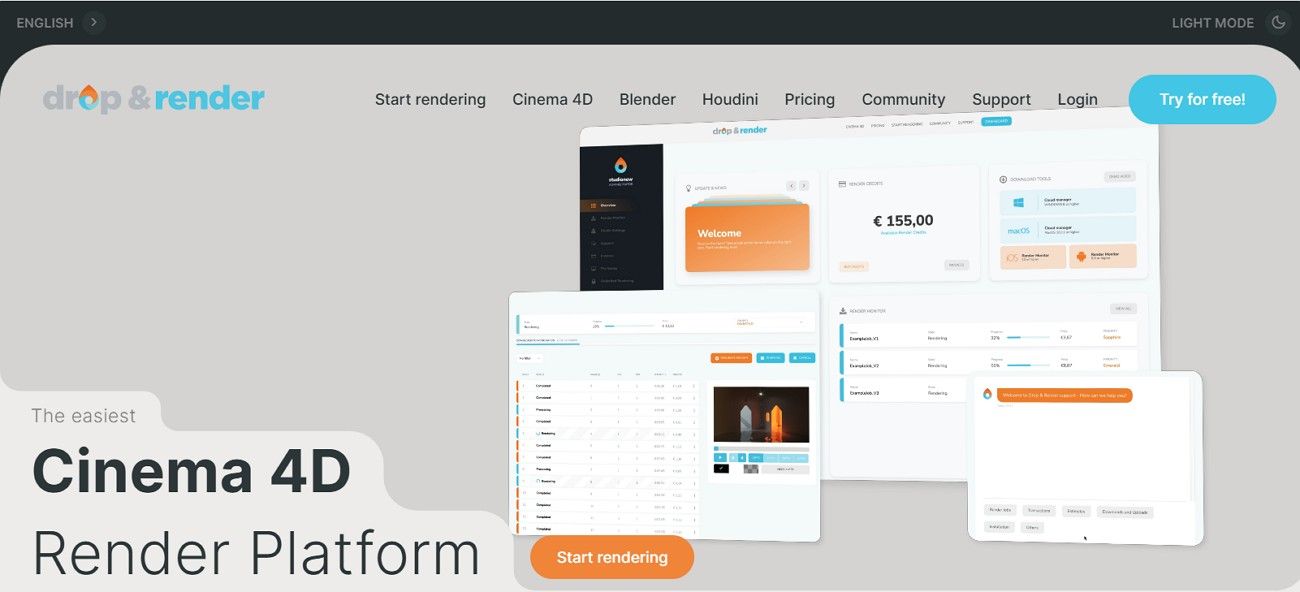
Drop & Render is a cloud-based rendering service that focuses on fast, easy, and automated 3D rendering. Unlike other Redshift farms, it lets users drag and drop their 3D scenes, and the system handles all rendering tasks automatically.
Software Support
- Official Maxon Partner: Offers the deepest integration available for Cinema 4D (R20-2026).
- Redshift Specialty: Specifically optimized for Redshift, supporting AOVs, Redshift Proxies, and over 60+ legacy versions of the engine.
- Intelligent Versioning: Their plugin automatically detects your exact C4D build and every 3rd party plugin version
GPU Hardware
- Cutting-Edge Nodes: Features a fleet of nodes equipped with Dual NVIDIA RTX 4090 (24GB) and the newly added RTX 5090 (32GB) cards.
- High-Speed RAM: Nodes come with 128GB to 256GB of system RAM, ensuring stability during the initial scene preparation of heavy project files.
Speed & Scaling
The in-app plugin performs a Smart Check to validate textures and caches before the job even leaves your machine.
Pricing Model
- Priority Tiers: (Octanebench 2020)
-
- Sapphire (Low): ~$0.003/point/hr (Best value for solo artists)
- Emerald (Medium): ~$0.0048/point/hr (150% speed boost)
- Diamond (High): ~$0.009/point/hr (250% speed boost for tight deadlines)
- Trial & Bonuses: New users receive 10 free credits to start, with substantial volume bonuses for studio-sized top-ups.
Security & Support
- 24/7 Human Support: Their team is composed of 3D artists and C4D specialists reachable via live chat 7 days a week.
- Security Standards: Fully GDPR compliant with encrypted data transfers. They automatically provide standard NDAs for every user.
Part 4. How to Render Projects on a Redshift Render Farm?
Rendering in Redshift Farm is easy, but your version must match to avoid errors. Here is the step-by-step workflow for the most common render farm, Fox Renderfarm:
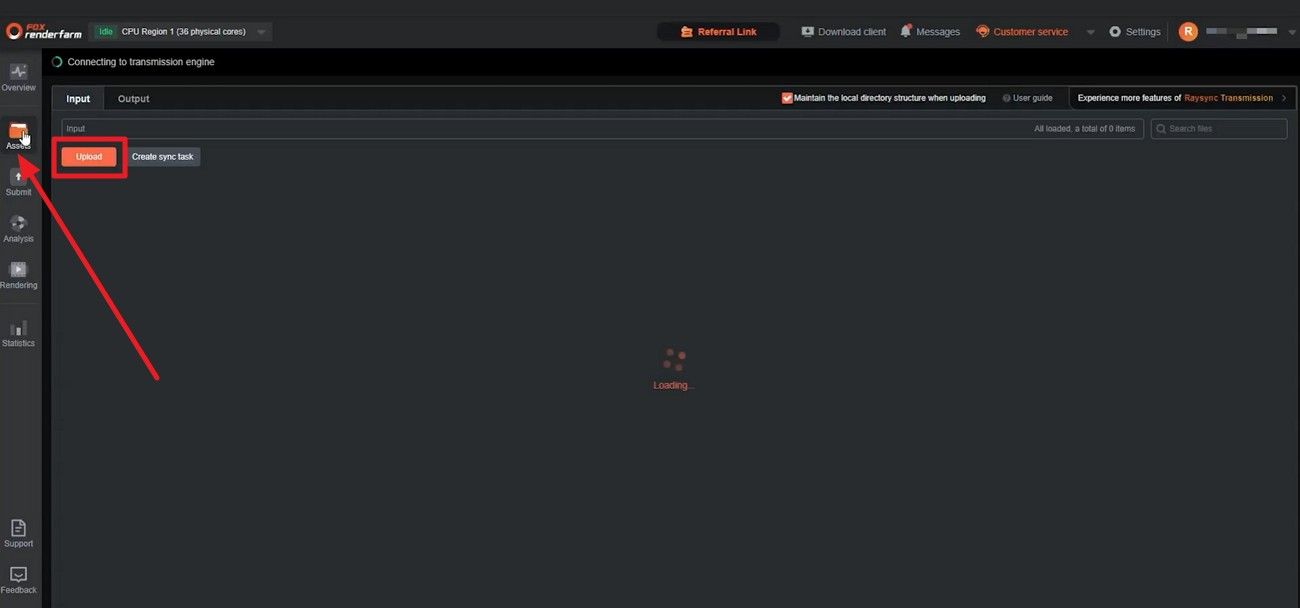
Step 1. Install the Fox Renderfarm desktop app, and during installation, the client will automatically detect your Maya/C4D versions. It will also install the Raytool plugin into your software’s shelf. After that, log in and head to the “Assets” tab and press the “Upload” button to upload the project file that needs to be rendered.
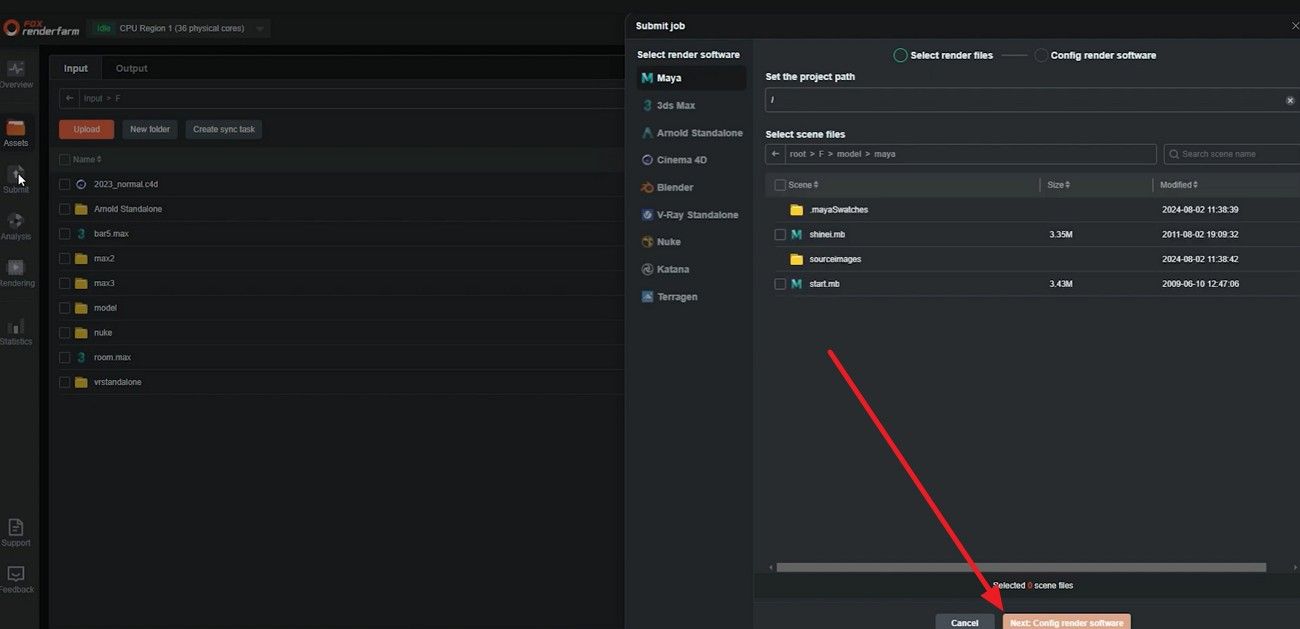
Step 2. Once uploaded, choose the “Submit” section and select the software to which the project files belong.
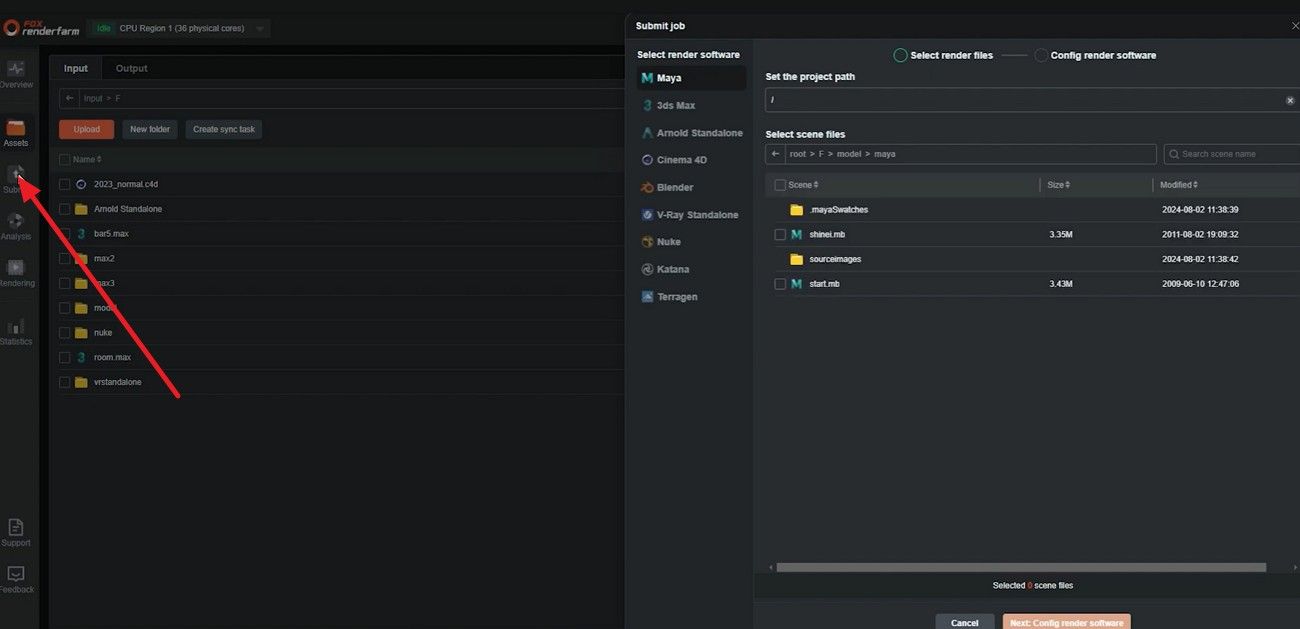
Step 3. After that, choose the file you seek to render and press the “Next. Config Render Software” button.
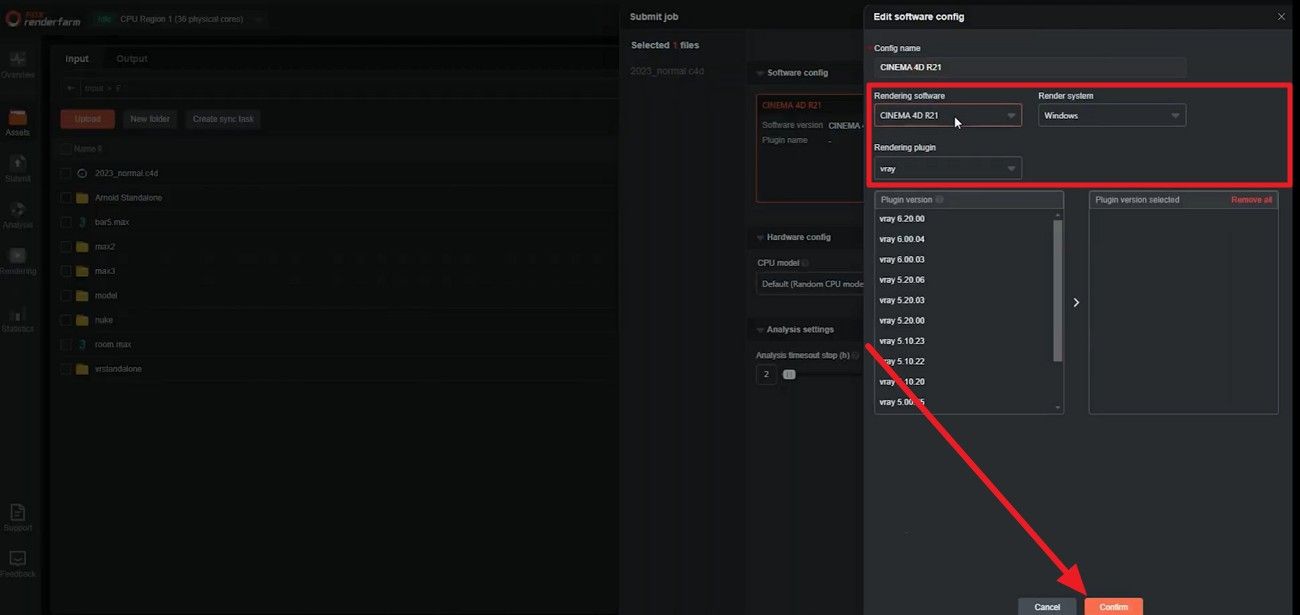
Step 4. Now, set the software configuration name, and in the popup menu, choose the “Rendering Software and Name.” There, select the rendering plugins, then click the “Confirm” button.
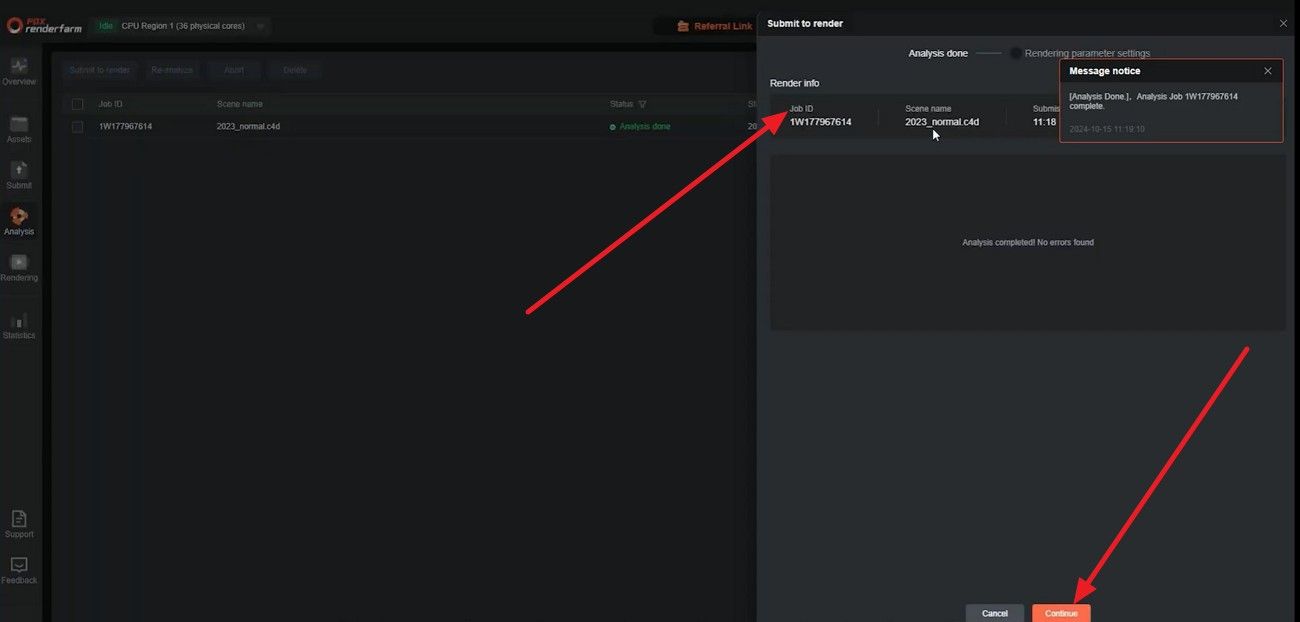
Step 5. Press the "Go Analysis" button, choose "Ok", and access the analysis interface. View the details by picking the "Job" option and then press the "Continue" button to set rendering parameters.
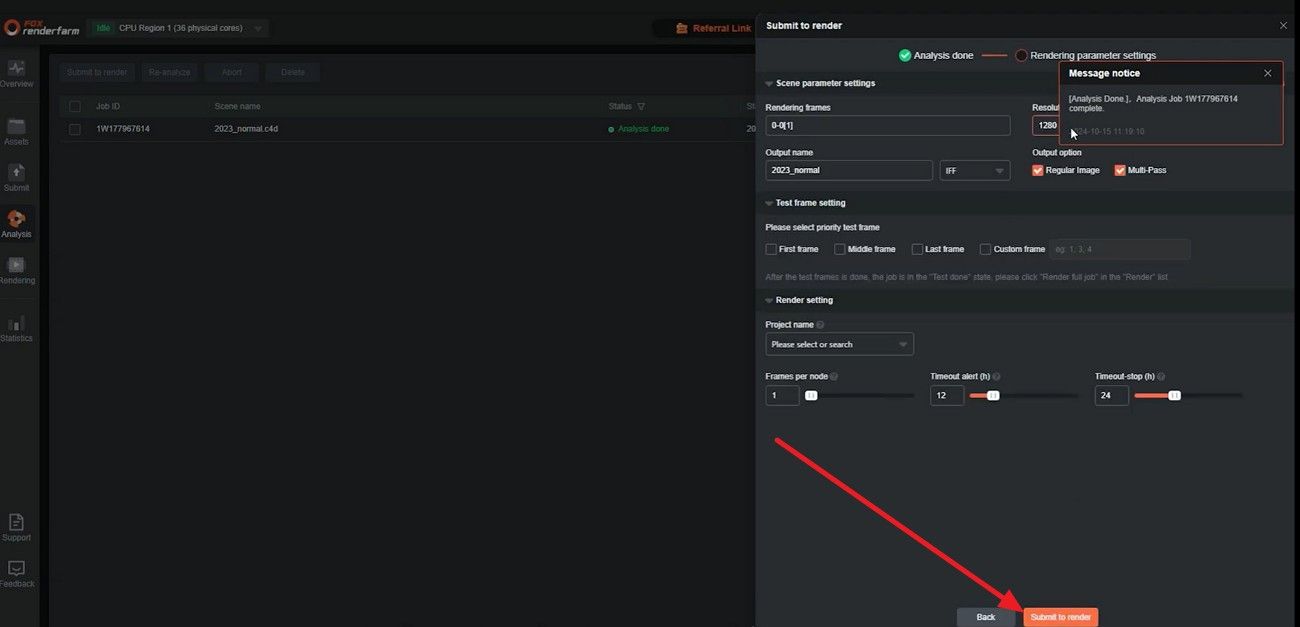
Step 6. After selecting the desired settings, click the “Submit to Render” button, then select the “Job” option to view details until it ends.
Part 5. FAQs About Redshift Render Farm
1. What is a Redshift render farm?
A Redshift render farm is a cloud service that speeds up 3D rendering tasks. It uses multiple powerful GPUs to render complex scenes faster than a typical local computer.
2. How is Redshift render farm pricing calculated?
Pricing is usually based on the number of GPU hours or frames you render. Ideally, different farms may charge based on project size, duration, or the rendering hardware used.
3. Is it safe to send client projects to a Redshift render farm?
Yes, most farms offer encryption and secure storage to protect client project files. Additionally, always choose a trusted service with clear security policies to ensure data safety.
Conclusion
In conclusion, this guide has explained what a Redshift render farm is and why one needs it in 2026. Additionally, some considerations are discussed to help you decide which render farm meets your Redshift rendering needs.
Services like Fox Renderfarm, with reliable GPU performance, software support, and secure cloud infrastructure, are examples of solutions that many professionals trust for efficient rendering.