Top 5 Cinema 4D Render Farm for Fast Rendering
 Ryan Thompson
Are you struggling with the long render times in Cinema 4D and looking for a seamless solution? Here, a reliable Cinema 4D render farm offers fast performance, secure servers, and cost-effective solutions.
Therefore, whether you work alone or in the studio, picking the right render farm ensures the project is completed on time. In this regard, this guide explains and compares 5 professional Cinema 4D render farm for guidance in 2026.

Part 1. What Is Cinema 4D Render Farm?
Know that Cinema 4D render farms are networks of powerful computers that finish projects faster than a single PC. For that, it has many machines running Cinema 4D, plugins, and render engines such as Redshift, Octane, V‑Ray, and Corona. A report indicates that Cinema 4D render farms offer fast cloud rendering, finishing projects up to 90% quicker than a local PC.
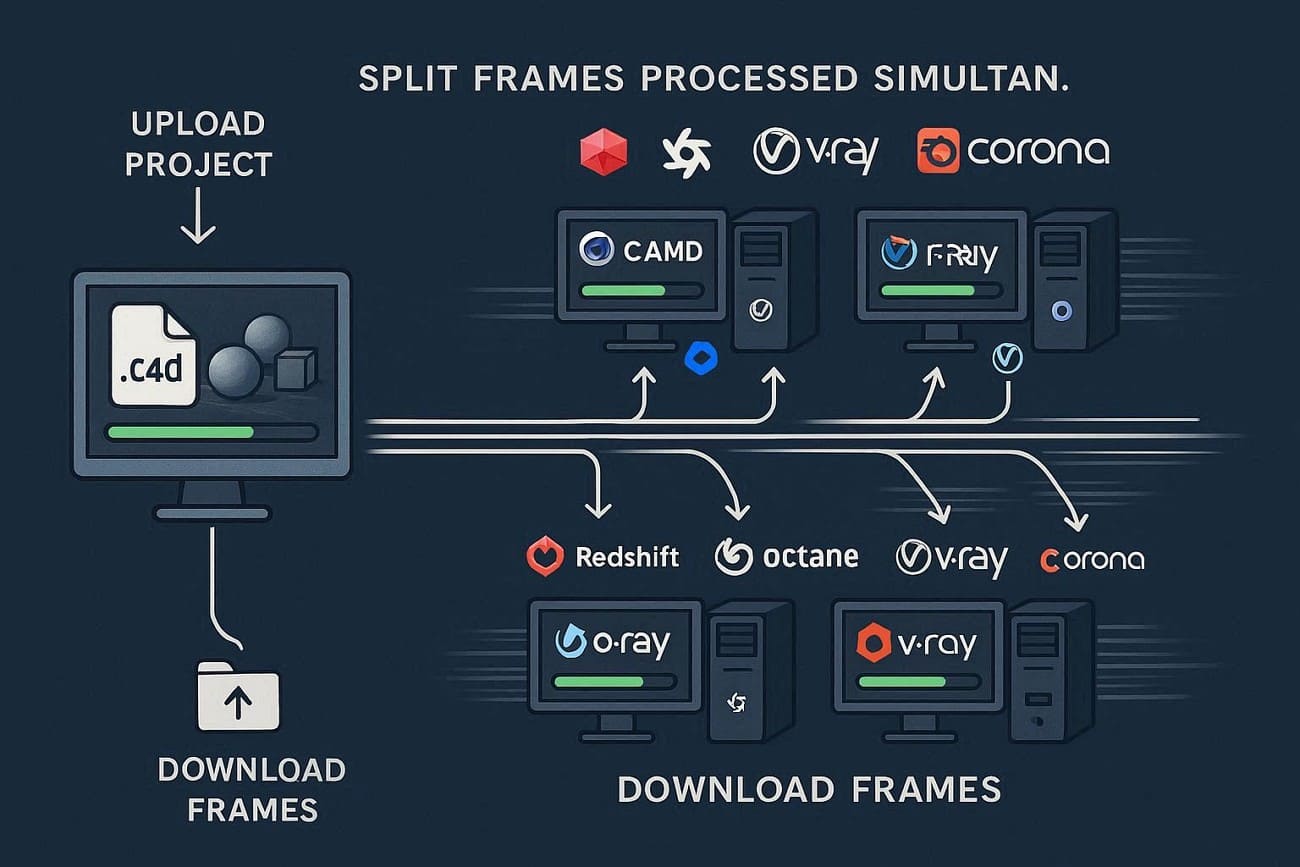
Hence, your projects are split across these machines, so many frames finish at once. You upload your .c4d file, the farm processes it, and then you download the completed frames or image sequence.
5 Key Benefits of Using a Cinema 4D Render Farm
According to the Market Reports, the global render farm market may rise from USD 14.24M in 2024 to USD 48.62M by 2033, growing 14.62% yearly. Since its future is promising, here are some benefits you will get while rendering in Cinema 4D farms:
- A farm splits frames across multiple machines, finishing projects in hours rather than days.
- Your PC stays free, so you can model, edit, or revise while frames render.
- Use top CPUs and GPUs on demand without buying or maintaining expensive hardware.
- Add dozens or hundreds of nodes for large animations or 4k/8k projects.
- Pay only once for render time used, with clear estimates for budgeting and clients.
Part 2. 5 Top Features to Look for in a Cinema 4D Render Farm
A Wise Guy report states that Chaos Group released V-Ray 6 with AI denoising, faster rendering, and a better cloud workflow for studios. Alongside this improvement, the best render engine for Cinema 4D also supports multiple engines, fast GPU/CPU nodes, and secure cloud storage.
Therefore, here are 5 key factors that you need to look at when picking the Cinema 4D farm to ensure speed, reliability, and efficiency:
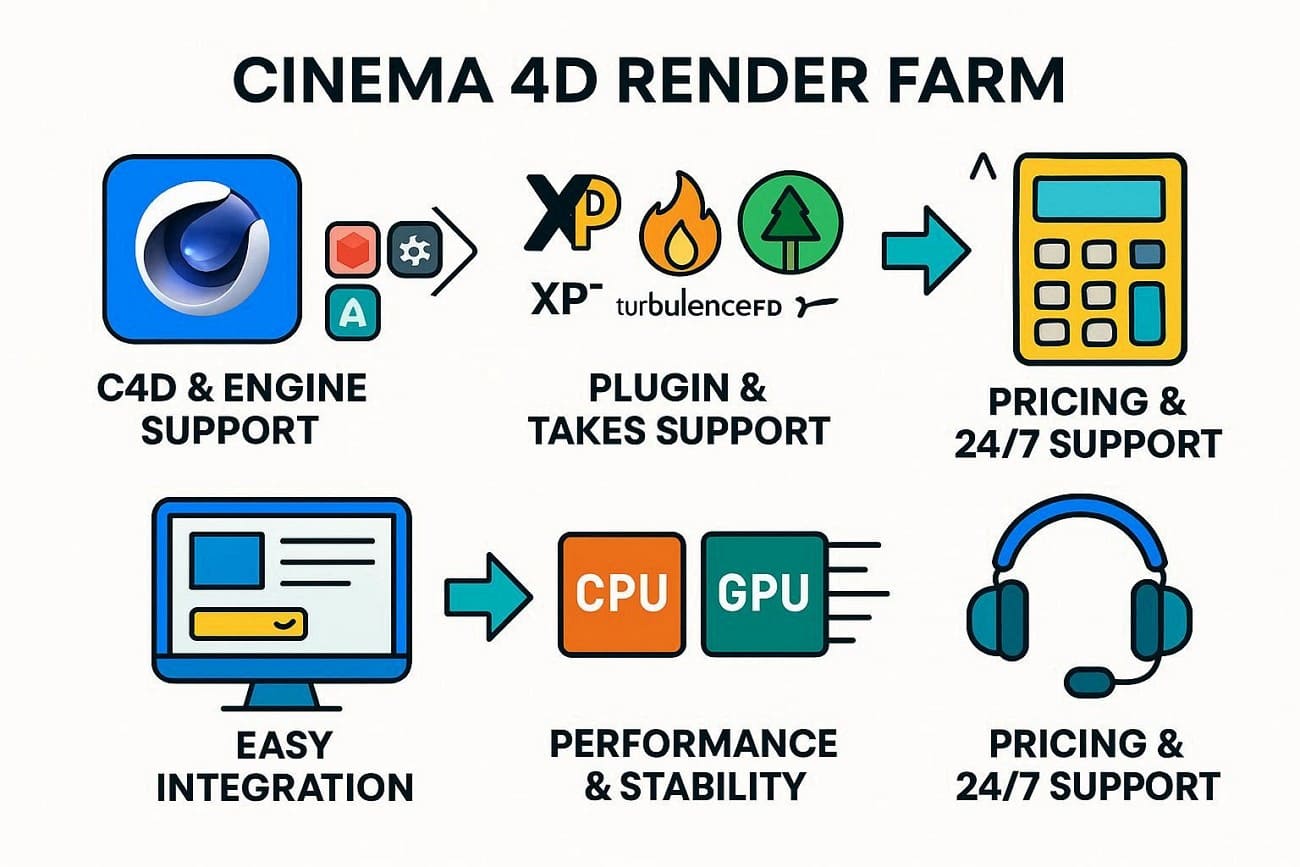
- C4D & Engine Support: Ensure the farm supports your Cinema 4D version and render engines such as Redshift, Octane, or Arnold. In addition, check the multi-version support to open old projects without upgrading scenes just to render.
- Plugin & Takes Support: Choose a farm that works with the plugins you use, such as X-Particles, TurbulenceFD, and Forester. While seeking that, look for takes and multi-pass support to render variations without complex workarounds.
- Easy Use & Integration: Confirm that the render farm works with a C4D plugin for one-click submission and automatic asset handling. Plus, a clear dashboard with live previews and pause/resume options saves time and reduces errors.
- Performance & Stability: Opt for a render farm with modern CPU/GPU hardware and the ability to scale nodes for big deadlines. The farm should handle queues, retries, and node failures without delaying the full job.
- Pricing & Support: Last but not least, determine the clear pricing per node, per GPU, or per hour, and use the calculator to estimate overall costs. Alongside that, verify if the farm offers 24/7 support for CAD and plugins to help fix the failed frames before deadlines.
Part 4. 5 Best Cinema 4D Render Farm 2026: Save Time with Top Cloud Services
The top 5 Cinema 4D render farms for 2026 are Fox Renderfarm, Drop & Render, RebusFarm, Ranch Computing, and GarageFarm. So, if you want to know what makes them ideal Cinema 4D farms, review the given details:
1. Fox Renderfarm
Best For: Enterprise studios and motion designers who need high GPU power and top-level security for complex C4D projects.
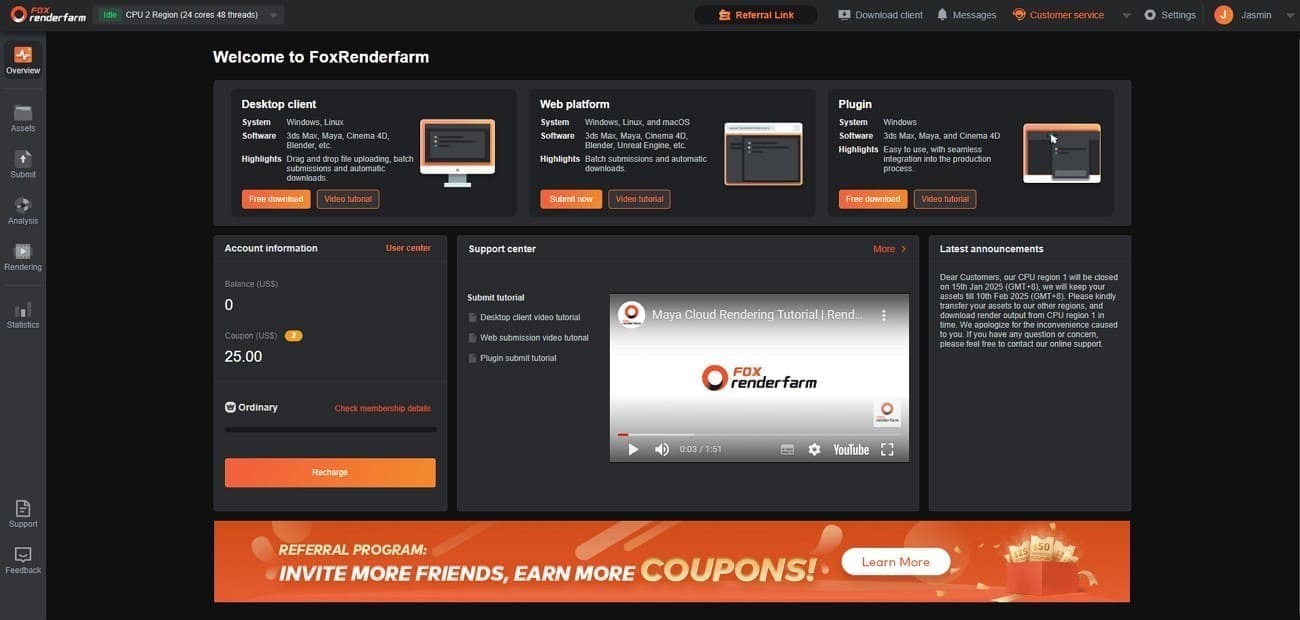
Fox Renderfarm is a TPN-accredited cloud rendering service that has been operating since 2011. This C4D render farm provides powerful, secure CPU & GPU rendering for animation, film, and visual effects studios.
C4D & Engine Support
- Version Range and Render Engines: Supports Cinema 4D from R14 through 2026, covering legacy and current releases, with rendering engines such as Redshift, OctaneRender, V Ray 7, Arnold, and Corona 14+.
- Multi-Engine Flexibility: Offers both CPU and GPU nodes, so C4D users can switch between different engines under a single account without creating separate projects.
- Legacy & Cross-Version Support: Older C4D scenes from R14 onward open and render without forced upgrades, protecting years of archived project work.
Plugin & Takes Support
- Plugin Compatibility: Supports an extensive list of Cinema 4D plugins, including X-Particles, TurbulenceFD, Forester, Laubwerk, Cycles 4D, TerraformFX, Signal, Phoenix FD, RealFlow, and the full Greyscalegorilla (GSG) Plus suite. Any missing plugin can be requested via support and added before rendering begins.
- Simulation & Particle Handling: Supports locally cached simulations from X-Particles and TurbulenceFD, ensuring stable, frame-accurate results when uploading complex dynamic scenes.
- Environment & Scatter Plugins: Fully compatible with Forester, Laubwerk, and GSG Plus tools, so large landscape or architectural visualization scenes render without missing object errors.
- Asset Checking: The Desktop Client automatically collects all textures, caches, and referenced assets, then runs a deep pre-render analysis to detect missing files, broken paths, or unsupported plugin versions before a single frame is charged.
- Takes Rendering: Fully supports the Cinema 4D Takes system and multi-pass outputs, letting each take render as a separate job or in a single batch without duplicating or re-saving scene files.
Easy Use & Integration
- Workflow: Provides a “Desktop Client” that acts as a bridge, enabling one-click submission and automatically gathering all C4D assets and uploading them.
- Dashboard Control: This Cinema 4D render farm features a real-time dashboard that shows live previews and job status. Moreover, it lets you pause and resume, or reprioritize, tasks while they’re in the queue.
- Smart Analysis: The Analysis setup alerts you to issues such as missing assets or plugins before rendering, preventing wasted frames.
Performance & Stability
- Hardware: Includes thousands of nodes, GPU nodes use NVIDIA RTX 4090/3090, CPU nodes use high-core Intel Xeon or AMD Threadripper.
- Scalability: This farm can launch hundreds of nodes for one job to meet tight film or broadcast deadlines.
- Reliability: Has automatic retries for failed frames and fast SSDs (360 Gbps) to avoid I/O slowdowns in heavy scenes.
- Smart Load Balancing: Automatically distributes frames across available nodes and instantly reassigns work if any node fails mid-render, ensuring no job stalls or requires manual intervention.
Pricing & Support
- Pricing: CPU $0.051-$0.0306/core‑hour, GPU $1.8-$0.9/node‑hour, with $25 free trial credit for new users.
- Support: Offers 24/7 live support through chat, Skype, and Telegram with a C4D specialist helping with plugin or shader issues in real-time.
2. Ranch Computing
Best For: Freelancer 3D artists and mid-sized studios seeking automated plugin-and-render with EU-level security.
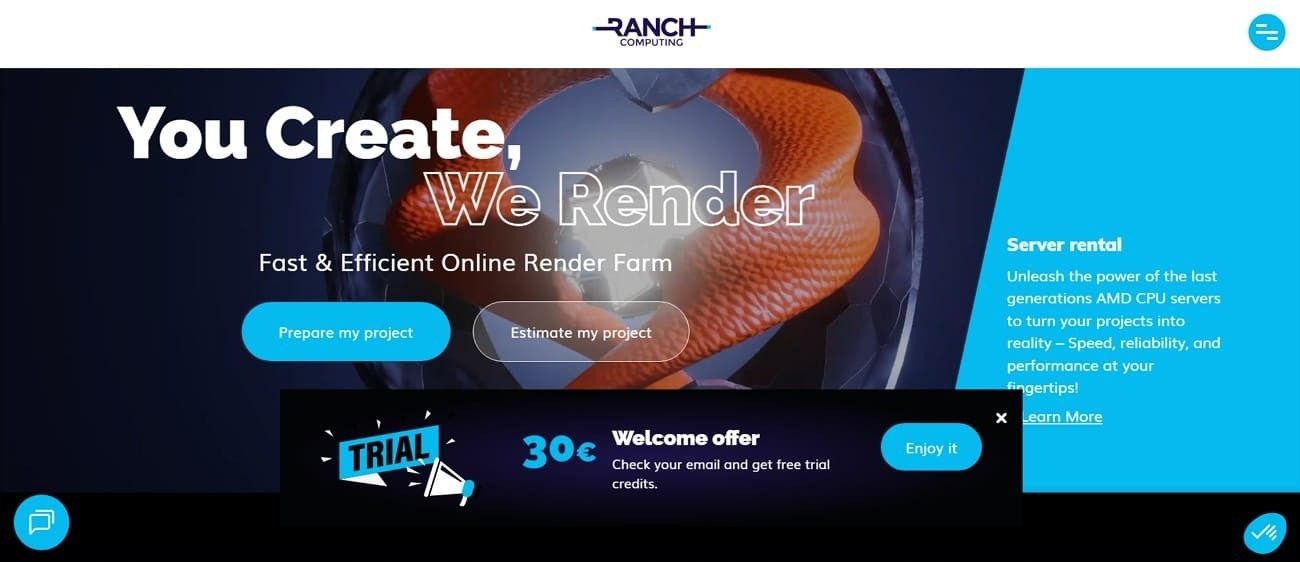
Ranch Computing is another best render engine for Cinema 4D that is a Paris-based, specialized render farm service founded in 2006. Hence, it allows users to offload heavy rendering tasks for software like Blender, Maya, and Houdini to powerful cloud servers.
C4D & Engine Support
- Version Range and Render Engines: Fully supports Cinema 4D R20 through 2026 with native support for Redshift, OctaneRender, Arnold, V-Ray 7, and Corona 13+.
- Legacy Support: They also support older Cinema 4D versions, such as R18/R19, so older projects open without updates.
Plugin & Takes Support
- Simulations & Particles: Supports Insydium Fused (X-Particles, Cycles 4D, TerraformFX) and TurbulenceFD. Cache simulations locally before upload to ensure stable rendering.
- Environment Plugins: Fully compatible with Forester, Laubwerk, and Greyscalegorilla (Plus) tools.
- Takes System: Entirely integrated; their RANCHecker plugin lets you render Takes as separate or batch jobs without saving multiple files.
Easy Use & Integration
- RANCHecker Plugin: A built-in Cinema 4D tool checks for missing textures, unbaked MoGraph, and errors before you render and pay.
- RANCHSync: This lightweight desktop app uploads your projects and automatically downloads finished frames to your computer.
- Dashboard: Has a clean interface that shows live frame previews, remaining time, and lets you change priority during rendering.
Performance & Stability
- Hardware: For rendering in Cinema 4D, it has massive CPU/GPU clusters. GPU nodes are powered by NVIDIA RTX 4090 and 3090 cards.
- Speed Features: Offers Strip Rendering, which splits a single 4k/8k image across multiple nodes for much faster results.
Pricing & Support
- Pricing Model: Transparent “per GHz-hour” (CPU) and “per OB-hour” (OctaneBench for GPU) pricing.
- Overall Price: CPU: €0.011–€0.016 per GHz-hour; GPU: €0.005–€0.010 per OB-hour, based on priority.
- Free Trial: New accounts get 30 free RenderPoints (~$32) to test rendering.
- Support: 24/7 support from real 3D artists via chat, email, and phone, helping fix C4D X-Ref and texture errors.
3. GarageFarm
Best For: Freelancers and motion designers needing fast renders with expert support for complex setups.
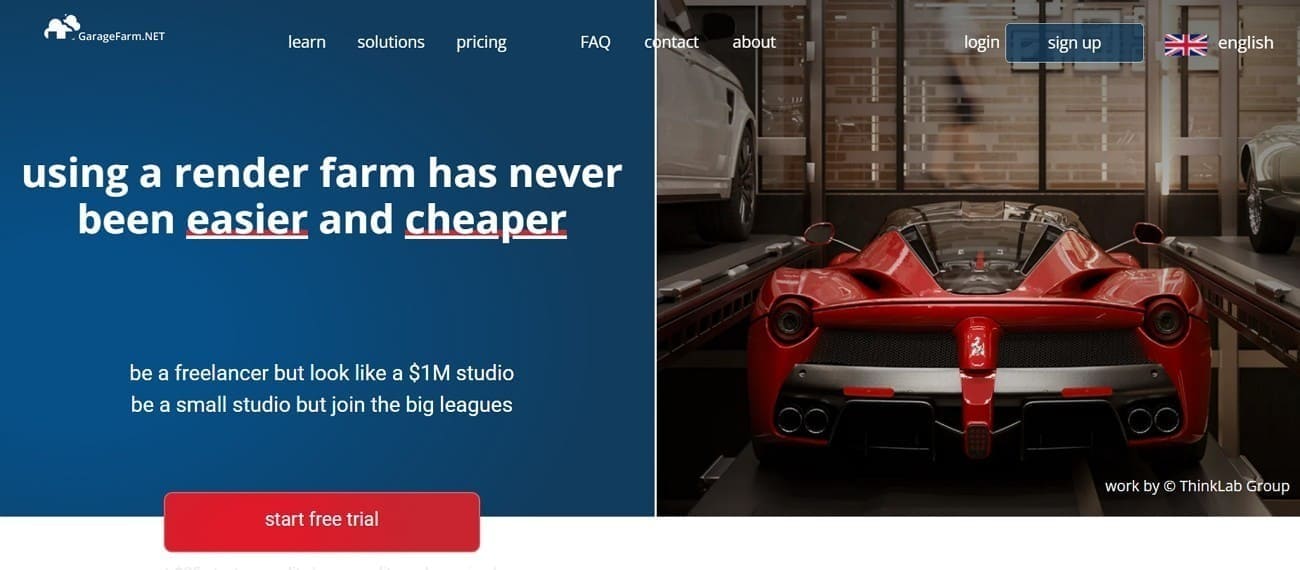
Like all Cinema 4D farms, GarageFarm is a cloud-based, ISO-certified rendering service offering both CPU and GPU rendering. It provides massive, scalable, and affordable computing power to speed up rendering times for animation and high-resolution work.
C4D & Engine Support
- Version Range: This farm supports major Cinema 4D versions like R18 - R26, S22 - S26, and 2023-2026+.
- Render Engines: Supports Redshift, OctaneRender, Arnold, V-Ray 7, and Corona 14+.
- Supported OS: Fully accessible on Windows and Mac to ensure effortless rendering for Cinema 4D Lite and Cinema 4D Studio users.
Plugin & Takes Support
- Essential Plugins: Full compatibility with the Greyscalegorilla (GSG) Plus suite (Signal, Light Kit Pro, HDRI Link, etc.) and Insydium Fused (X-Particles, Cycles 4D).
- Simulations: Supports TurbulenceFD, Phoenix FD, and RealFlow.
- Takes System: GarageFarm features C4D Takes, letting you submit multiple takes as a single job or as separate tasks for every scene, depending on your workflow.
Easy Use & Integration
- renderBeamer Plugin: Their C4D plugin runs a Smart Check to catch missing assets, uncached MoGraph, or output path errors before uploading.
- Automation: Once the analysis is complete, the project is zipped and uploaded, with finished frames downloading to your computer in real time.
- Dashboard: Includes a detailed web manager to preview frames, change priorities, and track node activity mid-render.
Performance & Stability
- Hardware: This Cinema 4D render farm provides CPU clusters and GPU nodes. CPU: 4× CPUs, 176 cores, 256 GB RAM; GPU: 8× P100 + 2× A5000, 120 GB RAM.
- Memory: Nodes offers 120-240 GB of RAM, enough for most C4D motion graphics or high-poly arch-viz projects.
- Reliability: Uses Smart Load Balancing to distribute frames, automatically reassigning jobs if a node fails.
Pricing & Support
- Pricing Model: Transparent ‘per GHz-hour’ (CPU) and “per OB-hour” (OctaneBench for GPU) model. Low: ~$0.024/GHz‑h & ~$0.004/OB‑h; High: ~$0.072/GHz‑h & ~$0.012/OB‑h.
- Free Trial: New users get a $25–$50 trial credit to test the farm at full speed without watermarks.
- Support: 24/7 support from real “Render Wranglers” via chat or email, crucial for meeting tight deadlines.
4. RebusFarm
Best For: Motion designers and studios wanting a seamless, hassle-free workflow that extends their workstation.
RebusFarm is another Germany-based cloud rendering service established in 2006 and still providing CPU and GPU rendering power to 3D artists and architects. For rendering in Cinema 4D, it integrates directly with major 3D software such as Blender, Maya, and Cinema 4D via the Farminizer plugin.

C4D & Engine Support
- Version Range: Supports all Cinema 4D versions, from R14 through 2026.
- Render Engines: Features Redshift, OctaneRender, Arnold, V-Ray 7, and Corona 14+.
Plugin & Takes Support
- Plugin Ecosystem: Has a vast plugin list, including X-Particles, Cycles 4D, Forester, Laubwerk, and Greyscalegorilla Plus.
- Takes System: This farm supports C4D Takes; the Rebus Farminizer detects all takes and renders them as separate jobs or in a single batch.
Easy Use & Integration
- The Farminizer: Its plugin in C4D offers One-click submission with Smart Check to catch missing textures, unbaked caches, or errors before upload.
- RebusDrop: A background desktop app that uploads projects and downloads finished frames automatically to your local folder.
- ControlCenter: Comes with a detailed web dashboard with live frame previews, cost tracking, and priority or render settings changes without re-uploading.
Performance & Stability
- Hardware: Features AMD Threadripper 3970X for CPU and NVIDIA Quadro RTX 6000 for GPU rendering.
- Stability: Unlike other Cinema 4D farms, their system auto-handles node failures and redistributes frames instantly.
- Scalability: Can use 500+ nodes per job at peak, perfect for 8K stills or long animations.
Pricing & Support
- Pricing Model: Uses RenderPoints (~$1.18 each). CPU rendering: 1.41 ¢/GHz‑h; GPU rendering: 0.53 ¢/OB‑h.
- Transparency: Includes a cost estimator that renders sample frames to give an accurate price before you start.
- Discounts: New Rebus Render Cloud users get 25 free RenderPoints upon registration. Plus, it offers up to 60% off for bulk credits and 50% off for students.
- Support: 24/7 support via chat, email, and phone from 3D technicians who fix C4D errors in real-time.
5. Drop & Render
Best For: C4D power users seeking a farm that feels like a built-in, local rendering option.
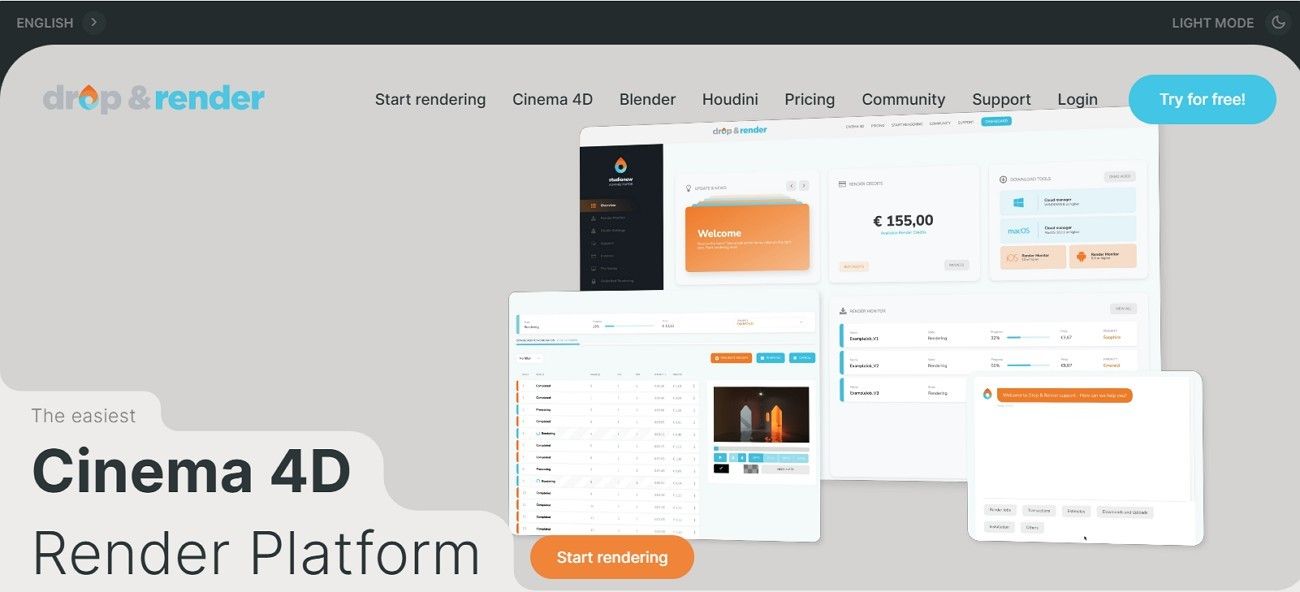
As the name suggests, this is a simple, specialized, 24/7 cloud-based render farm designed for Cinema 4D, Blender, and Houdini. It features seamless integration via plugins that allow users to submit jobs directly from their software.
C4D & Engine Support
- Version Range: This Cinema 4D render farm supports Cinema 4D R17 through 2026.
- Render Engines: Offers support for Redshift (deepest integration), OctaneRender, Arnold, V-Ray 7, and Corona 14+.
Plugin & Takes Support
- Plugin Ecosystem: Includes X-Particles, Forester, TurbulenceFD, Signal, and Greyscalegorilla (GSG) Plus, etc.
- Takes System: Supports the Cinema 4D Takes system; select your takes and submit them through the plugin. The farm automatically detects multiple takes and renders them as separate jobs without manual setup.
- Tile Rendering: Splits frames up to 32K into tiles rendered across nodes and auto-stitched.
Easy Use & Integration
- In-App Submission: The workflow is handled via a C4D plugin; just hit “Submit” and the farm handles the rest.
- Upfront Validation: The plugin runs a Smart Check to catch missing textures or unsupported plugins before upload.
- Direct-to-Disk: Finished frames download automatically to your local folder in the background; no website or FTP needed.
Performance & Stability
- Hardware: Provides GPU rendering with NVIDIA RTX 4090/3090 and CPU nodes with high-core AMD EPYC processors.
- Memory Specs: Nodes start at 128 GB RAM, with up to 256 GB+ available for heavy simulations.
- Smart Sync: Uploads only changes; re-submitting after a tweak sends just the .c4d file, not existing textures.
Pricing & Support
- Pricing Model: Priority Tiers (OctaneBench 2020): Sapphire ~$0.003/point‑h, Emerald ~$0.0048/point‑h, Diamond ~$0.009/point‑h.
- Free Trial: New users get 10 free credits to test the workflow.
- Support: 24/7 support from C4D specialists with deep knowledge of internal bugs and X-Ref path issues.
For rendering in Cinema 4D, if you want to choose the best render farm, adhere to the given comparison table:
|
Metric |
Fox Renderfarm |
Ranch Computing |
GarageFarm |
RebusFarm |
Drop & Render |
|
C4D Version Support |
Very broad |
Broad |
Broad |
Broad |
Broad |
|
Rendering Speed |
Very fast |
Fast |
Medium-fast |
Fast |
Fast |
|
Queue Priority |
High |
Medium |
Medium |
Medium |
Medium |
|
Ease of Use |
Very easy |
Moderate |
Easy |
Easy (plugin) |
Easy |
|
Free Trial |
Generous credits |
Limited credits |
Trial credits |
Trial credits |
Trial credits |
|
Data Centers |
Global |
EU |
Global |
Global |
EU |
|
Security Level |
Studio-grade (TPN) |
Professional |
Standard |
Professional |
Standard |
|
Ideal Use Case |
Large or professional projects |
Plugin-heavy workflows |
Budget projects |
Complex scenes |
Simple C4D workflows |
Even though all the farms meet the 3D artists' needs, if you are a beginner motion designer seeking affordable opinion, Fox Renderfarm is suggested. This farm is designed with an intuitive interface and offers free trials and cost-effective plans to handle heavy tasks.
FAQ about Cinema 4D Render Farm
1. Do I need a plugin?
Most render farms provide a Cinema 4D submission plugin. It helps upload scenes, check errors, and manage takes more reliably than manual uploads.
2. How is pricing calculated?
Pricing is typically based on CPU GHz-hours or GPU usage (such as OctaneBench hours). Some farms instead use credit systems that convert render time into prepaid points.
3. Can I track renders live?
Yes, most services offer a web dashboard showing frame previews, render progress, node activity, and estimated remaining time.
Conclusion
In conclusion, many solo artists and studios look for the best Cinema 4D render farm, and this guide has explained a few options in detail. From Fox Renderfarm to GarageFarm and Drop & Render, all the farms offer massive C4D versions and plugin support. However, if you seek an affordable, scalable, and secure cloud rendering service, using Fox Renderfarm is recommended.