Blender
 Cinema 4D
 Arnold
 3ds Max
 Houdini
 V-Ray
V-Ray Maya
Maya Unreal Engine
 Nuke
NukeHow to Sculpt Facial Features in ZBrush(2)
Continue part 1 of How to Sculpt Facial Features in ZBrush, the smarter and cheaper cloud rendering services provider, Fox Renderfarm still shares with you the tutorial about how to sculpt facial features in ZBrush.
3. Face Sculpting

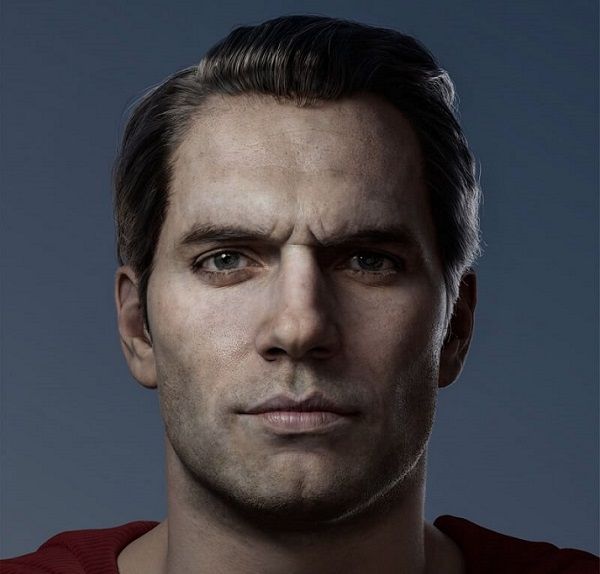
After roughly adjusting the main shape of the skull, we can start shaping the eyes and nose. The skull will help us to be more precise when carving every element, so pay attention to the skull. We can use Standard or Clay brushes or other favorite brushes to trim the area around the eyebrows.
Next, start to sculpt the closed eyes. The closed eyes can let us see the eye and face area more clearly. This step can be made with the Pinch brush. First, the basic shape is sculpted, and then the nostrils and the main cartilage area.
At this point, look at the skull under the model again to observe how the bone structure has changed. Carefully observe the nasal area. We can find that the bones here are very short. Obviously, the nostrils and the tip of the nose are composed of cartilage and muscle.
Next is sculpting the shape of the mouth. Firstly, draw some muscles around it, roughly at this stage.
4. Muscles Sculpting

The goal of this step is still to build the foundation of the main muscles and keep as much shape as possible simply. If the produced neck has a problem, then the head is prone to problems. So it is very important to learn this aspect of deconstruction, and the movement of the neck muscles will affect the facial expression.
Draw a mask under the head via pressing the Ctrl key to draw on the mesh; press the Ctrl key to invert the mask and click on the canvas; use the Move tool to stretch the selected area downwards to shape the neck. When finished, press the Ctrl key, click and drag the canvas to completely erase the mask for sculpting; use the smooth brush to soften the model, and then use the moving brush to complete the main shape.
Some of the main muscles of the head need very powerful muscles to maintain the movement of the head. This is an important point to remember during the creative process. Especially when turning the head, the dynamics of the neck muscles are very obvious. Don't waste too much time in this step to create too many complicated shapes. Keep everything simple.