Best Render Farm for Game Development: Top 5 Services Reviewed
 Ryan Thompson
Game development comes with tight deadlines and increasing visual demands. From cinematic cutscenes to high-quality assets, rendering can quickly be a tough problem when handled on a single machine, which often slows down production. In this case, a render farm for game development solves this problem by distributing rendering tasks across powerful servers, significantly reducing render time and improving workflow efficiency.
In this guide, we compare the best render farms for game development, review key factors like software support, performance, and pricing. By the end, you’ll know how to choose the right render farm for your game production needs.
Part 1. What Is a Render Farm for Game Development?
A render farm for game development is a group of many computers that work as one system to complete heavy graphics tasks faster than a single PC. Each computer, called a render node, runs 3D tools such as Autodesk Maya, Blender, and Autodesk 3ds Max. In addition, these systems also include render engines and plugins with strong CPU and GPU power.
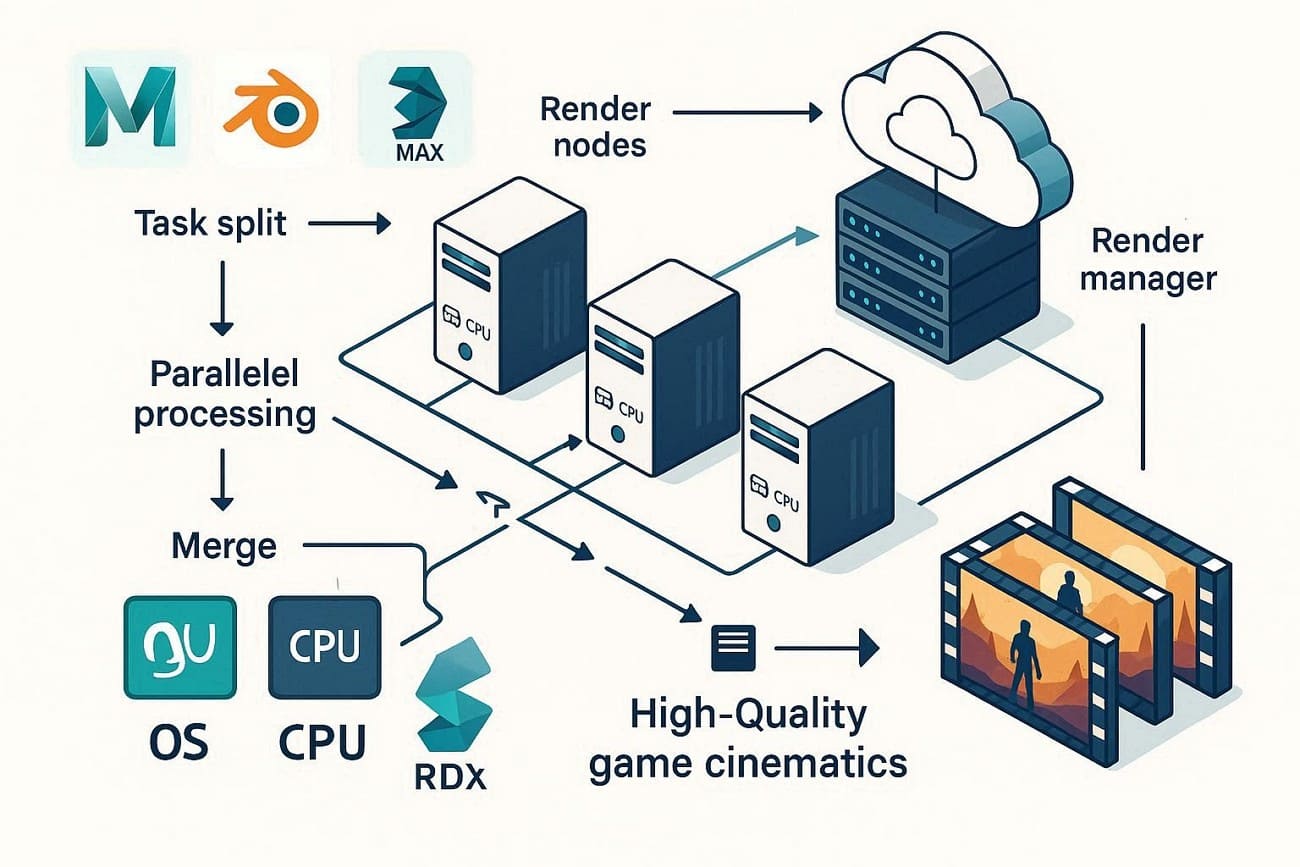
Thus, studios use such a GPU render farm for game cinematics and in film and TV projects to create high-quality visual content. In terms of work, one big render job is split into many tasks, and machines process tasks in parallel, then the results are combined. To know more about this in detail, review the comprehensive workflow mentioned below:
- Artists set models, lights, camera, and materials in Autodesk Maya, Blender, or Autodesk 3ds Max for project scenes.
- Project files are moved to the cloud server, and managers such as AWS, Thinkbox Deadline, or Pixar Tractor control the queue.
- Animation splits into frames. Images or lightmaps are split into tiles or scene parts.
- Each node takes one task, loads scene data, and then renders the assigned part.
- Frames return to storage and form video or assets for Unity or Unreal Engine.
Part 2. How to Choose the Best Render Farm for Game Development?
Modern render farms use advanced cloud rendering technologies to handle large workloads more efficiently. Features like smart scheduling, GPU acceleration, and automated resource management help distribute tasks across multiple machines, reducing render time and improving overall performance.
With so many options available, choosing the best render farm for game development becomes essential. To make the right decision, here are the key factors you should consider:
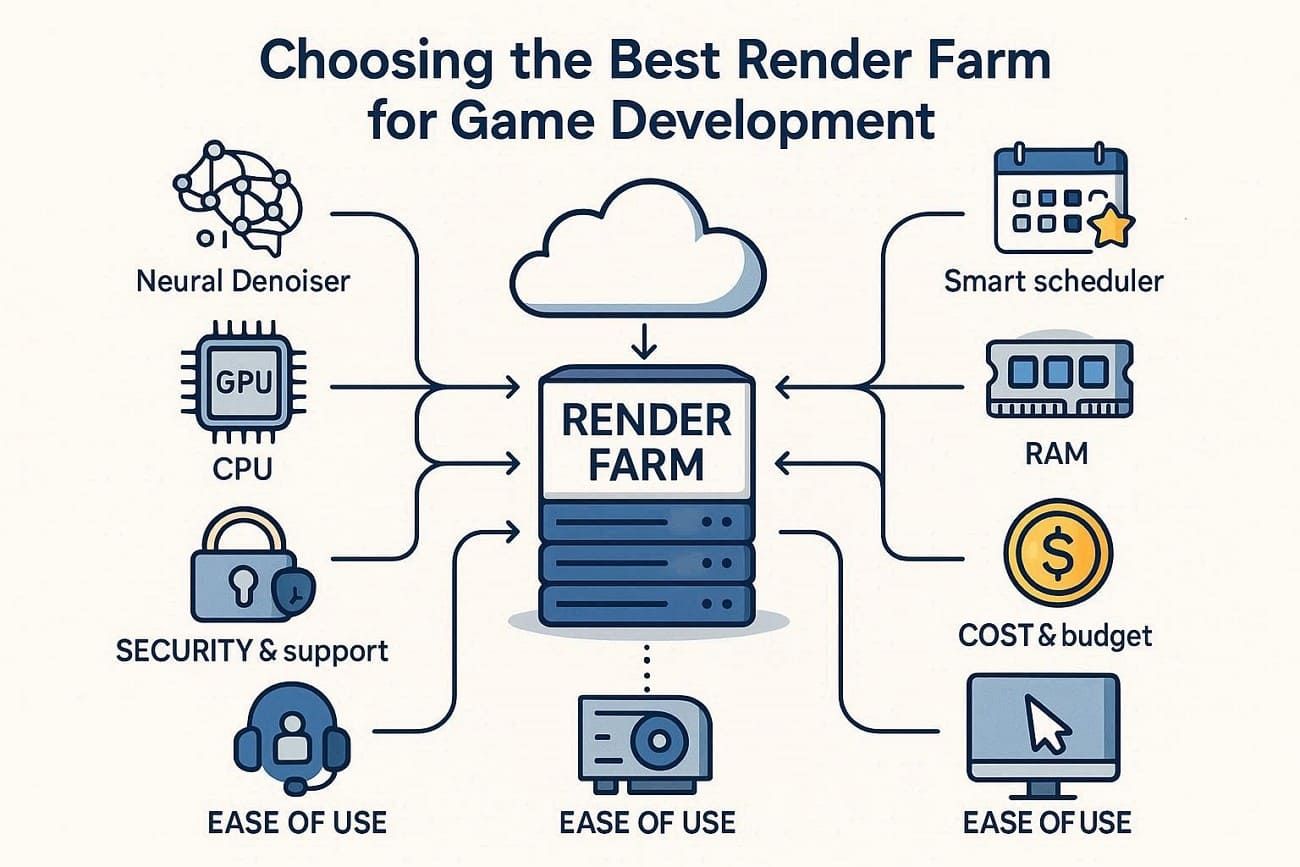
- Tool Compatibility: Make sure that the frame works with your DCC software, render engines, and game tools. Moreover, check plugin support and whether it handles tasks like lightmap baking and custom exports.
- Performance & Scaling: Monitor GPU, CPU, RAM, and storage speeds to determine how quickly tasks are complete. Likewise, see whether the farm can easily add or remove nodes and handle large jobs overnight.
- Cost & Budget: Always compare the prices per CPU, GPU, or node hours to match your project needs. Additionally, check for the hidden costs, spending limits, and the option to pause or cancel jobs.
- Security & Support: Artists use render farms for powerful processing, but they may also face risks such as data theft and unauthorized access. So, ensure encrypted data, backups, access control, and compliance standards. Look for NDA options and 24/7 support for technical issues with assets.
- Ease of Use: Finally, check whether uploading, tracking, and downloading jobs are simple for your team. Furthermore, see whether the farm offers plugins, project versioning, and guides to help you get started quickly.
Part 3. Top 5 Render Farms for Game Development Platforms in 2026
In a report, Wise Guy states that rising demand in gaming and animation fuels the need for scalable cloud services from top tech providers. The same report also highlights that North America leads the cloud rendering market, with Europe following closely and other global regions growing rapidly.
Since the hype is real and emerging, choosing the right one is key. Here are the 5 best cloud render farms for Unity games or other game types you can choose in 2026:
1. Fox Renderfarm
Best For: Studios, game developers and freelancers who need secure, TPN-approved cloud rendering for big cinematic projects.
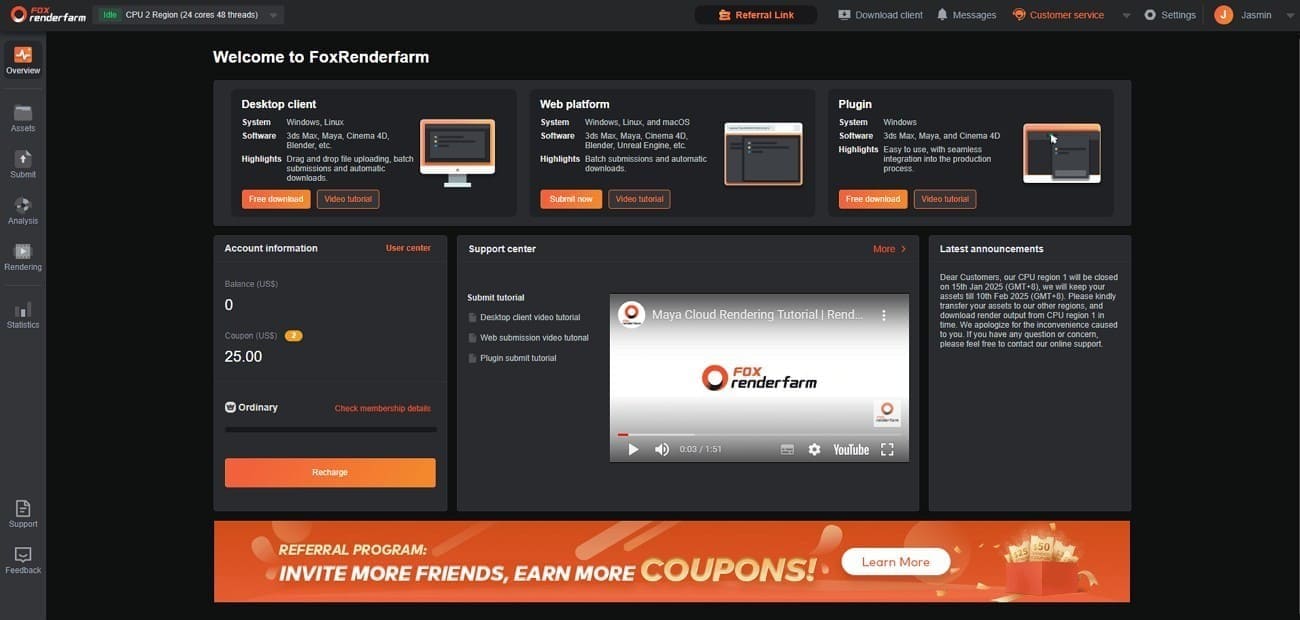
As a TPN-trusted cloud rendering service provider, Fox Renderfarm has been offering powerful CPU and GPU rendering for 3D animation and VFX projects since 2011. It fully supports major game development software such as Unreal Engine, Unity, Maya, and Blender, along with popular plugins like V-Ray, Redshift, and Arnold. With thousands of high-performance nodes, this professional render farm handles complex scenes, detailed characters, and dynamic effects quickly.
Tool Compatibility
- Engine Support: Offer support for Unreal Engine, enabling cinematic renders and asset preparation.
- Plugins: Multiple, including Arnold, V-Ray, Redshift, Corona, Forest Pack, and RailClone. Also allows for custom plugin installation upon request.
- Lightmap Baking: Handles heavy tasks such as lightmap baking and GI caching to ensure consistent lighting.
Performance & Scaling
- Infrastructure: Operates 30,000+ nodes, CPUs, and GPUs like the NVIDIA RTX 4090 and 5090 (with 24GB–32GB VRAM).
- Scaling: Allows for massive parallel processing, and you can assign dozens or hundreds of nodes to a single job to complete overnight tasks in 5 minutes.
- Resource Allocation: Priority tiers like Diamond, Platinum, and Gold enable you to scale up hardware access for urgent deadlines.
Cost & Budget
- Pricing Structure: This “render farm for lightmap baking Unreal” has a pay-as-you-go model. CPU costs $0.0306–$0.051 per core hour, while GPU costs $0.90–$1.80 per node hour.
- Discounts: Large projects get volume discounts, and new users usually receive a $25 free trial credit.
- Cost Control: Has an online cost calculator and lets users set limits or pause jobs to control spending.
Security & Support
- Certifications: TPN-Accredited and ISO27001 certified, meeting strict security standards.
- Privacy: Offers NDAs to protect intellectual property and uses encrypted data transmission.
- Support: 24/7 technical support via live chat, email, and Skype to resolve assets and plugin conflicts.
Ease of Use
- Workflow: Desktop Client, which integrates directly with your local pipeline.
- Automation: Includes Raytool, which automatically analyzes your scenes for missing assets or version mismatches before uploading.
- Monitoring: Has a real-time web dashboard to render progress. Download completed files via high-speed transmission tools (Raysync).
2. Ranch Computing
Best For: Technical artists and small studios who want full control over software versions and scene checks.
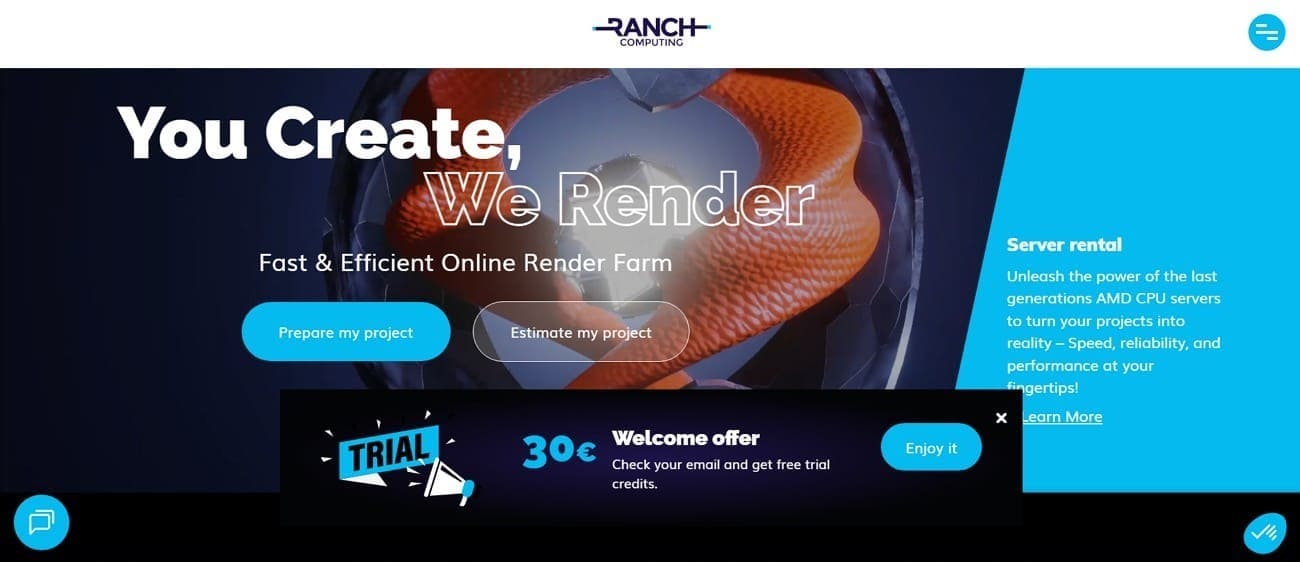
This is a real-time render farm for game trailers, also known as an online render farm and cloud rendering service, based in Paris, France. Established in 2006, it offers CPU and GPU computing power and support for 250 software versions and plugins.
Tool Compatibility
- DCC Support: Offers integration for 3ds Max, Blender, Cinema 4D, Houdini, and Maya.
- Render Engines: Features Arnold, Redshift, V-Ray, RenderMan, and Corona.
- Engine Versions: Let you choose exact software versions, avoiding shader or lighting problems from mismatched builds.
- Plugins: Supports plugins such as XGen, Yeti, Golaem, and Bifrost, and checks all caches before rendering.
Performance & Scaling
- Hardware: Uses 41700 CPU cores and GPUs like NVIDIA RTX 3090, 4090, and 5090.
- OctaneBench Power: Has OctaneBench points as the performance and pricing reference for its GPU farm.
- Scaling: Offer Low, Medium, and High priorities; High uses up to 64 CPUs or 120 GPUs.
Cost & Budget
- Pricing Model: Prepaid credits with no subscription. CPU costs €0.009 per GHz‑hour; GPU costs €0.005–€0.07 per OB‑hour.
- Volume Bonuses: Purchasing large credits can grant bonuses of 70% extra credits.
- Trial: New users get €30 in free credits to run test frames.
Security & Support
- Data Protection: All Transfers are encrypted via HTTPS and offer NDAs for high-security projects.
- Technical Support: Has a team of 3D artists, not just IT generalists. This ensures staff can identify and fix issues caused by V-Ray or Maya plugin errors.
- Uptime: As the affordable GPU cloud rendering game dev, its 24/7 monitoring recycles stuck nodes automatically.
Ease of Use
- RANCHecker: A plugin inside Maya, Blender, etc., collects assets, checks versions, and packs everything into one .vux file.
- RANCHSync: Desktop app lets you upload your archive and automatically downloads completed frames to your local drive.
- Real-time Monitoring: Track each frame online and see low-res previous to spot errors quickly.
3. TurboRender
Best For: Freelancers and small teams who seek easy workflow and high-quality results for archviz and motion graphics.
Being compatible with Windows, Max, and Linux, it's an online, cloud-based rendering service. It offers CPU and GPU rendering for popular software, easy file uploads, 24/7 support, and high-performance computing nodes.
Tool Compatibility
- DCC Support: Support 3ds Max, Maya, Cinema 4D, Blender, After Effects, and Houdini.
- Render Engines: Compatible with V-Ray, Corona, Arnold, Redshift, Octane, and Cycles.
- Plugin Library: Includes specialized plugins for 3ds Max, Cinema 4D, and After Effects to facilitate file preparation and submission.
Performance & Scaling
- Server Fleet: Access to over 1,000 high-performance servers featuring Dual Xeon E5-2670 processors for CPU tasks.
- GPU ^ CPU Power: Has Xeon Gold 6336Y and 6448Y (CPU), Xeon Gold 5220, and Xeon Gold 6240R.
- Memory: Nodes typically come with 64GB to 128GB of RAM.
Cost & Budget
- Pricing Structure: This render farm for game development uses time-based and credit-based billing. CPU rendering starts around $0.87 per hour, while GPU rendering starts around $4.37 per hour.
Security & Support
- Privacy: Has an NDA, a standard for protecting intellectual property in game development.
- Encrypted Servers: Use secure online servers to protect your assets during the upload and rendering processes.
- Support: 24/7 technical support via 3D artists.
Ease of Use
- Simple Workflow: Features an automated, simple process; you upload project files to the web dashboard, and the system renders the settings automatically. It then runs multiple renders, tracks progress, and downloads completed frames once finished.
4. Pixel Plow
Best For: Indie creators, freelancers, and students seeking low-cost, high-quality rendering with a simple setup.
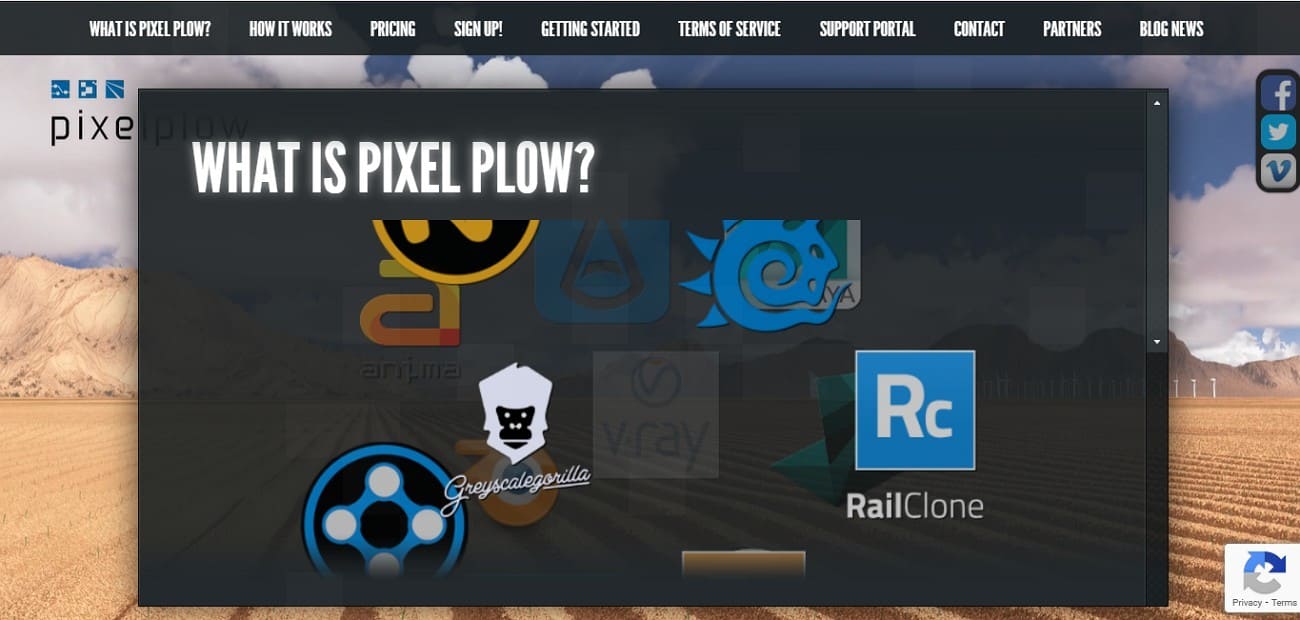
Pixel Plow is a cloud-based, pay-as-you-go Unreal Engine render farm service that supports major software such as Blender, Maya, and Cinema 4D. It uses a local desktop app to submit jobs and allows users to adjust power levels to finish frames directly on their computer.
Tool Compatibility
- DCC Support: Supports Blender, Maya, 3ds Max, Cinema 4D, Modo, Lightwave, and Softimage.
- Specialized Software: Also supports Terragen 4 and Axyz Anima for large 3D scenes.
- Render Engines: Fully supports V-Ray, Arnold, Redshift, and Cycles.
- Plugin Support: Comes with X-Particles, Forest Pack Pro, RailClone Pro, and Greyscalegorilla.
Performance & Scaling
- GPU Power: GPU nodes use NVIDIA RTX 2060 Super, 3090, and 4090 with 32-96 GB RAM for game assets.
- Power Levels: Users select a “Power” level (1–100); higher levels allocate more compute resources, while lower levels reduce resource usage and overall cost.
Cost & Budget
- Pay-As-You-Go: Pay-as-you-go billing charges per second of compute time. CPU costs $0.0075 per GHz-hour, GPU $0.0025–$0.018 per OB-hour.
- Budget Control: No subscription or minimum deposit is required, and you can adjust power or rate during a job.
Security & Support
- Data Encryption: On this render farm for game development, transfer occurs over an AES 256-bit encrypted tunnel between your computer and the farm.
- Privacy: Follow a purge policy; delivered frames are deleted from their servers immediately after validation.
- Support: Features a Support Portal and offers technical help via Email and online tickets.
Ease of Use - Seamless Usage: Prepare your scene locally and submit it using the Pixel Plow agent, which automatically uploads and encrypts files. Later, finished frames are checked, compressed, and downloaded in real-time while the Agent manages everything until completion.
5. SheepIt Render Farm
Best For: Hobbyists, students, and independent Blender artists with small budgets and flexible project timelines.
Known as the GPU render farm for game cinematics, it's a free, community-driven, distributed rendering service, mainly for the Blender projects. It uses a point-based system where you earn credits by rendering other projects, then use them to render your own for free.

Tool Compatibility
- Software Support: Only Blender is supported.
- Render Engines: Fully supports Cycles, Eevee, and Workbench.
- Version Support: Blender 4.5 and 5.0 alongside legacy versions.
- Assets: Projects must be submitted as .blend files with all textures and fonts packed, supporting custom OCIO setups.
Performance & Scaling
- Distributed Power: 600 machines are connected on average at any given time.
- Hardware Variability: Ranges from older CPUs to high-end RTX 40-series and 50-series GPUs. The system automatically assigns frames to nodes, matching available VRAM and processing power.
- Scalability: Queue unlimited projects, but only 2 render runs at once, sometimes limited to one.
Cost & Budget
- Pricing: This cloud render farm for Unity games is 100% free, with no mandatory fees.
- Point System: Works on a point system; earn by rendering for others, spend on your project.
- Priority: Your position is determined by your point balance.
Security & Support
- Privacy: No privacy is guaranteed; your files go to strangers' computers, so it's unsafe for confidential work.
- Support: No 24/7 support is available; help is provided via Discord and volunteer-run community forums.
- Safety: The client is open-source, and strict rules block NSFW or harmful content to protect volunteers.
Ease of Use
- Setup: Simple, download a small client for Windows, macOS, Linux, or Docker; Blender is not needed.
- Submission: Upload projects on the web dashboard, track progress, see previews, and download frames as they finish.
- Automation: The system automatically reassigns frames if a volunteer’s computer goes offline during rendering.
Part 4. Render Farm for Game Development - Features Compared
Selecting the right render farm depends on factors like performance, cost, security, and software compatibility. To help you evaluate the best render farm for game production, review the comparison table below.
|
Metrics |
Fox Renderfarm |
Ranch Computing |
TurboRender |
Pixel Plow |
SheepIt Render Farm |
|
Primary Focus |
Enterprise CPU/GPU rendering for film, VFX, and games |
Pro CPU/GPU rendering for CG and VFX |
General cloud rendering for DCC tools |
Low-cost metered cloud rendering |
Free community Blender rendering |
|
DCC Coverage |
3ds Max, Maya, C4D, Blender, Houdini, Unreal Engine, etc. |
3ds Max, Maya, C4D, Blender, Houdini |
3ds Max, Maya, C4D, Blender, AE, Houdini |
Major apps, mainly Max and Blender |
Blender only |
|
Cost Level |
Flexible pay-as-you-go for studios, freelancers and students |
Mid with education and studio discounts |
Mid, depending on server tier |
Very low cost |
Free but queue-limited |
|
Scale & Speed |
Large global farm with fast parallel scaling |
Strong infrastructure with priority tiers |
Scalable cloud nodes |
Scaling via job priority |
Depends on volunteer machines |
|
Security |
Enterprise-grade security and data protection |
Secure transfers with project isolation |
Encrypted transfers |
Basic cloud security |
Files processed on community PCs |
|
Ease Of Use |
Desktop client, plugins, auto scene checks, live monitoring |
Web tools with some setup complexity |
Simple UI with manual tuning |
Technical workflow |
Simple but manual queue control |
|
Best For |
Studios needing scalable and secure rendering |
High-end CG studios |
Freelancers and small teams |
Budget-focused power users |
Blender hobbyists and students |
For those who seek an ideal real-time render farm for game trailers, Fox Renderfarm offers the best overall balance of DCC coverage and render engine support. Overall, it offers ISO27001-certified security, 24/7 technical support, and competitive, scalable pricing for both GPU and CPU rendering.
FAQs about Render Farm for Game Development
1. Can I use my own plugins or custom scripts?
Yes. For example, Fox Renderfarm supports most of DCC plugins and allows custom scripts or export pipelines within its rendering environment.
2. How do farms handle large scene files?
Many render farms provide compression, pre-flight checks, and automatic asset collection to ensure textures, caches, and dependencies are included before rendering begins.
3. Can I scale my project up or down?
Yes, most professional render farm like Fox Renderfarm allow you to increase node usage during heavy workloads and reduce resources later to control rendering costs.
Conclusion
In conclusion, choosing the best render farm for game development depends on your project scale, workflow, and performance needs. Each option offers different strengths, whether it's pricing, speed, or software compatibility. By comparing these factors, you can find the right solution to support your production pipeline.
Among the options reviewed, Fox Renderfarm stands out as a well-balanced render farm, offering strong performance, scalable cloud rendering power, and broad support for tools like Unreal Engine, Blender, and Maya. For teams working with tight deadlines and complex scenes, Fox Renderfarm serves as a reliable cloud rendering solution to speed up rendering and improve overall efficiency.