


Prerender and Postproduction Tasks
Product Function Explanation: Prerender and Postproduction Tasks
Prerender and postproduction tasks are independent tasks executed before and after the main rendering task, respectively. Utilizing this prerender and postproduction task workflow achieves the following objectives and effects:
1.Prerender Tasks: Reduce the time required for processing related files and other cumbersome scene preparation steps during actual rendering, significantly improving rendering efficiency. Examples include generating XGen caches in Maya, creating DCC caches in UE, or modifying scene render settings. For rendering tasks heavily dependent on pre-processing, this effectively lowers the error rate.
2.Postproduction Tasks: Simplify the postproduction pipeline and reduce certain post-processing workloads, such as sequence compositing or sequence denoising. This enhances team productivity and further improves delivery efficiency and flexibility.
1. Web Client Operation Guide
(1) Prerender and postproduction settings becomes visible after normal job analysis
The submission form on the web client has added a third step: [prerender and postproduction settings]. This step appears after a job is successfully analyzed.
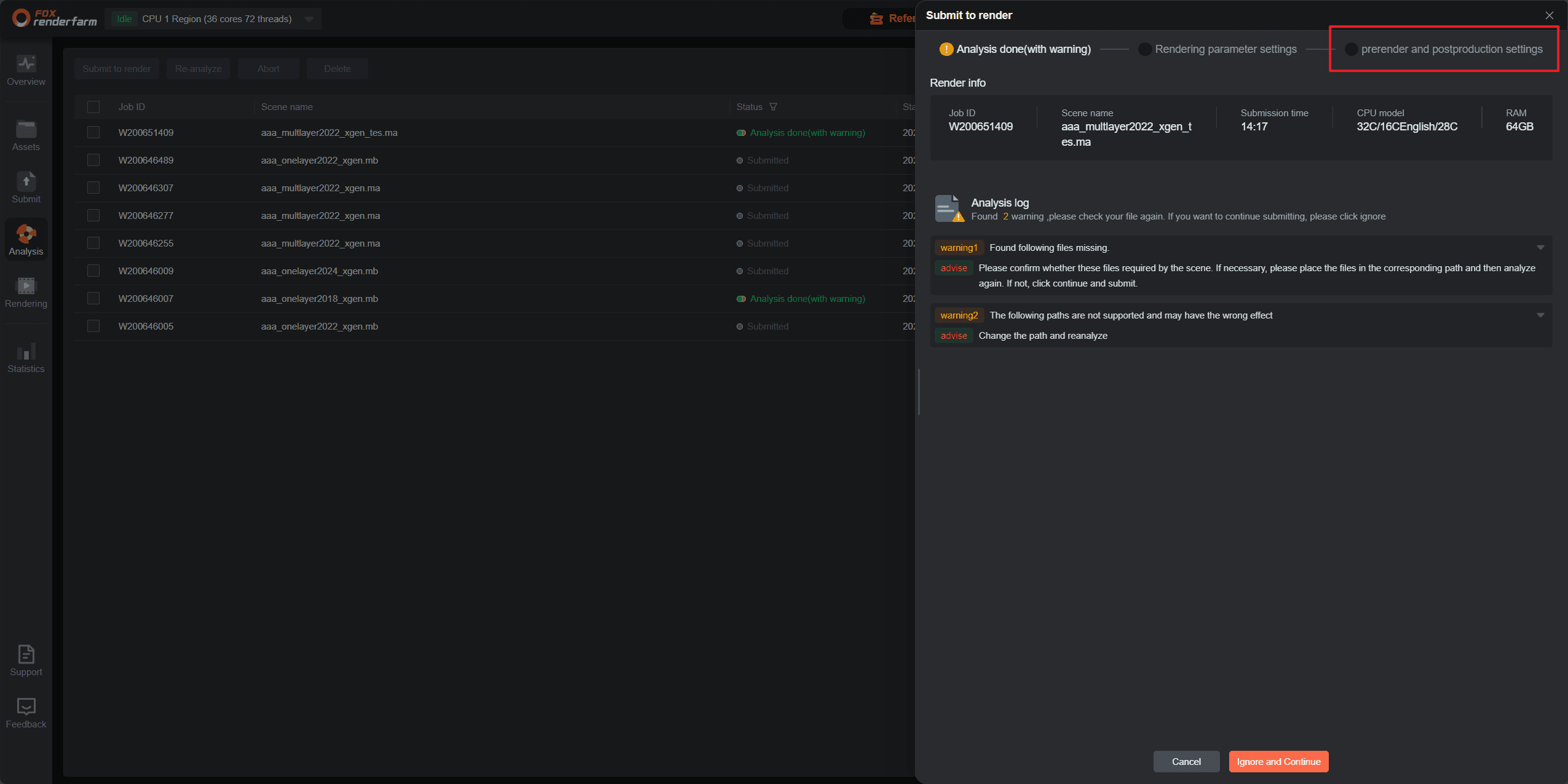
(2) Setting up prerender and postproductio
(Content related to the setup interface would go here.)
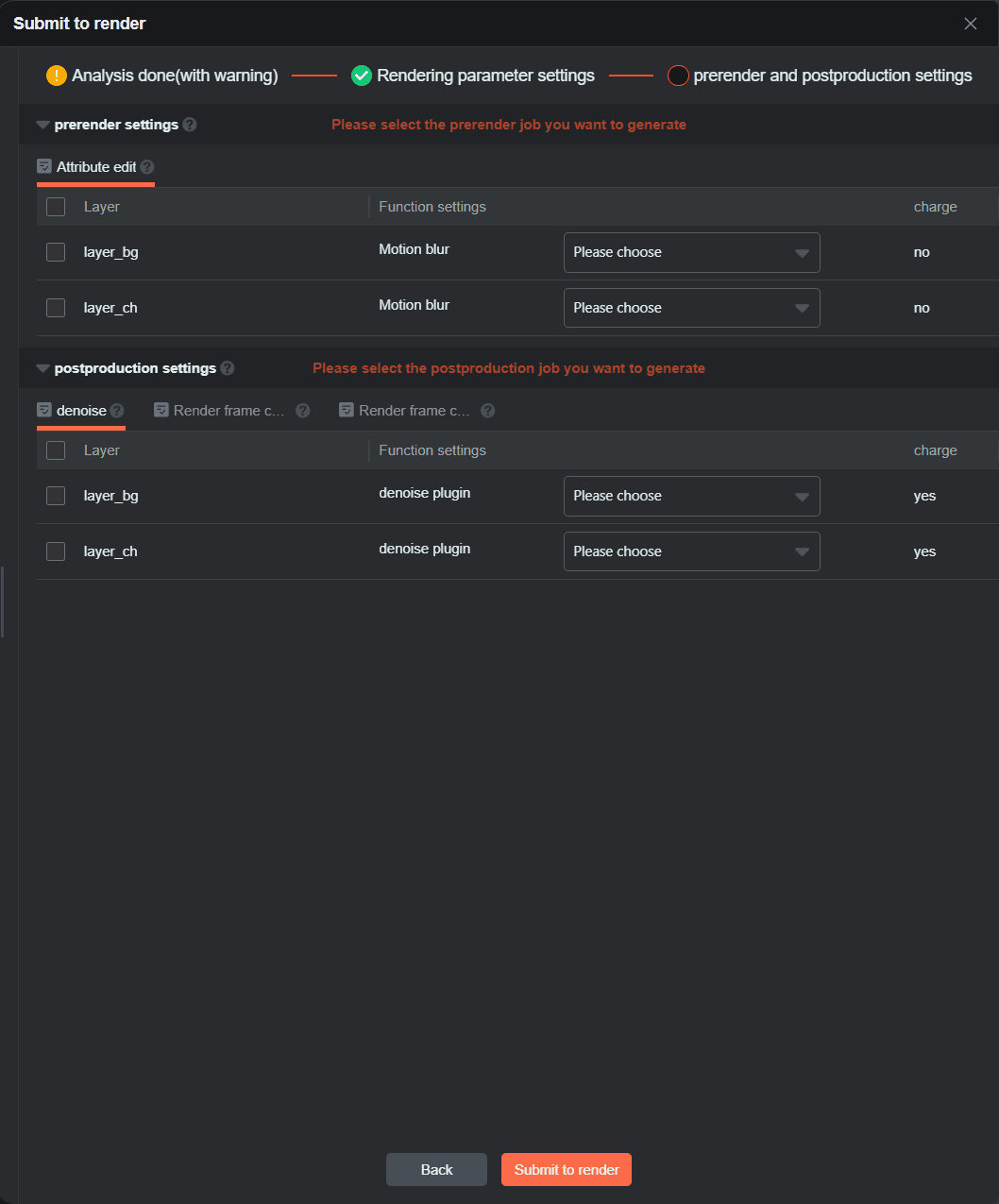
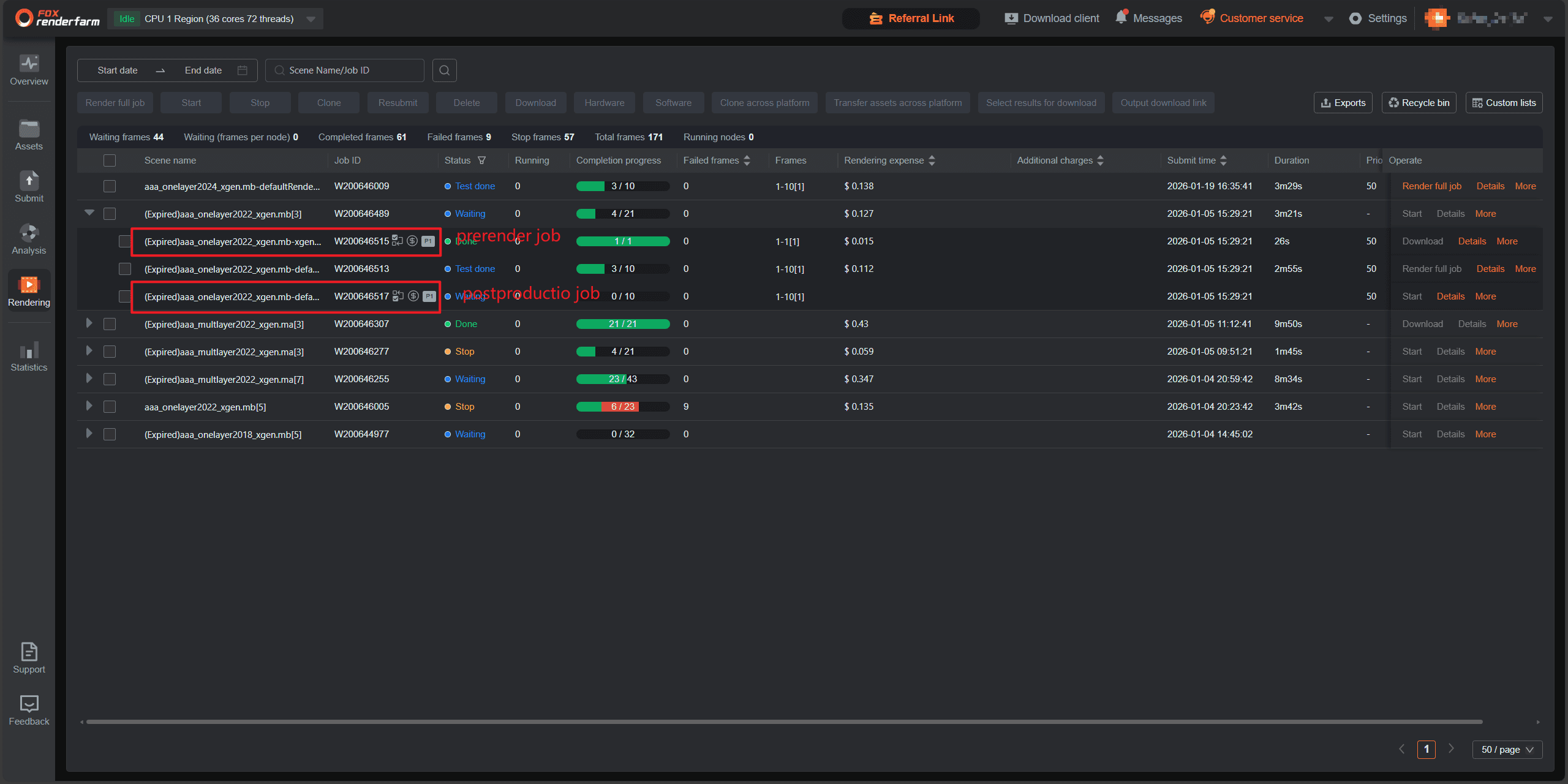
(3) Viewing prerender and postproductio task
Each prerender or postproductio task is a separate job, residing under the same parent job as the main rendering job.
● P Number: Indicates the execution order among tasks; a smaller number means earlier execution.
● Task Type: Specifies whether it's a prerender or postproductio task.
● Chargeable/Non-chargeable: Indicates if the task incurs charges. The billing method for pre/post tasks is consistent with regular rendering jobs.
(A visual representation of the task list would typically be here.)
2. Business Logic for Pre/Post Task Operations:
1. Prerender and postproductio tasks do not support configuring priority frames, tile rendering, or single-machine multi-frame rendering.
2. Prerender Tasks only support: Start, Stop, Resubmit, and Delete operations.
3. Postproductio Tasks only support: Start, Stop, Resubmit, Delete, and Download operations.
4. When cloning a rendering job, you can choose to submit any incomplete prerender tasks from the original job along with all postproductio tasks.
5. Batch operations (Start, Stop, Resubmit, Delete) are only supported for tasks of the same type (Prerender / Render / Postproductio).