7 Best 3D Animation Software for Beginners
 Ryan Thompson
Choosing the right 3D animation software for beginners is important when starting your animation journey. The right tool can make it easier to learn basic concepts, build simple scenes, and create your first animations without unnecessary complexity.
In this guide, we compare the 7 best 3D animation software for beginners, covering different needs such as character animation, motion graphics, and simple 3D projects.
Part 1. Quick Comparison: 7 Best 3D Animation Software for Beginners
Before exploring each option in depth, let’s compare all the main 3D animation softwares side by side first:
|
Tool |
Render Engines |
Library Size |
Physics/Dynamics |
Browser Accessibility |
|
Blender |
2 (Cycles, Eevee) |
Large add-on pool |
✓ |
✗ |
|
Maya |
Arnold integrated |
Sample rigs |
✓ |
✗ |
|
Cinema 4D |
1 main |
Presets, MoGraph |
✓ |
✗ |
|
Daz 3D |
Iray |
Huge asset store |
Basic |
✗ |
|
Cascadeur |
✗ |
✗ |
Strong |
✗ |
|
Animaker |
Cloud |
100M+ |
✗ |
✓ |
|
Renderforest |
Cloud |
1200+ templates |
✗ |
✓ |
Part 2. Top 7 3D Animation Programs for Beginners in 2026
The following options do not teach animation in the same way. Some reward patience and depth, while others shorten the road to visible results. That difference matters when you are still building confidence with 3D animation programs.
1. Blender
Best For: Beginners who want full creative control without paying anything.
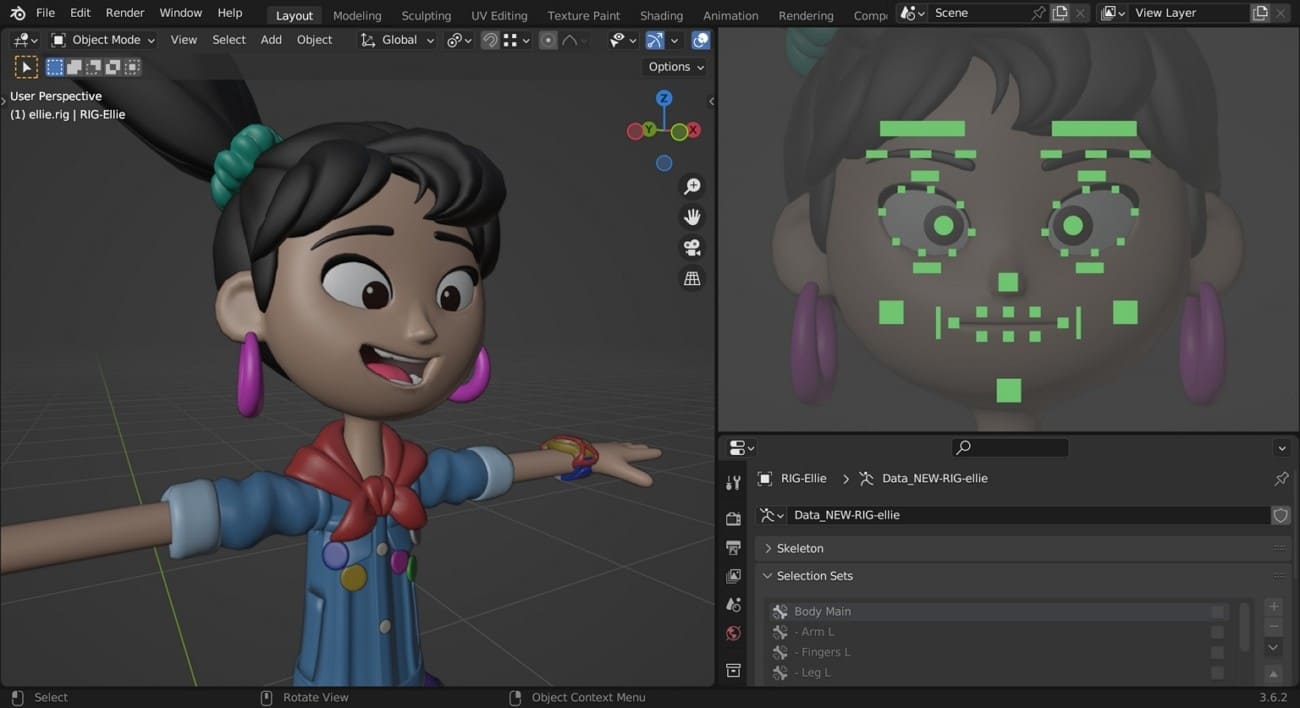
Being an open-source project, Blender is a good option when the first-time learner is serious. It includes modelling, rigging, animation, rendering, simulation, and editing under a single roof. That will provide novices with space to develop and not to change platforms too soon. It is a deep, flexible, and long-term program in comparison with most of the 3D animation programs.
Key Features
- Learn full production workflows with modelling, rigging, animation, simulation, rendering, compositing, and video editing tools.
- Build custom workflows faster with extensions, Python scripting, and a large open-source add-on ecosystem.
- Use the software commercially without subscription limits, license fees, or feature restrictions on core tools.
Pro and Cons
|
Pros |
Cons |
|
Costs nothing, so you can practice seriously without worrying about upgrades. |
The interface feels dense and overwhelming during the first few weeks. |
|
Supports long-term growth from first practice scenes to advanced personal projects. |
Learning so many tools in one package can take time at the beginning. |
Pricing Model
- Completely free to download and use for personal or commercial work.
- No trial period, subscription tier, or beginner plan blocks access.
- Open-source licensing supports long-term learning without recurring software costs.
- Many learning resources and add-ons are also available at no cost.
2. Maya
Best For: Students preparing for studio-level animation and industry workflows.
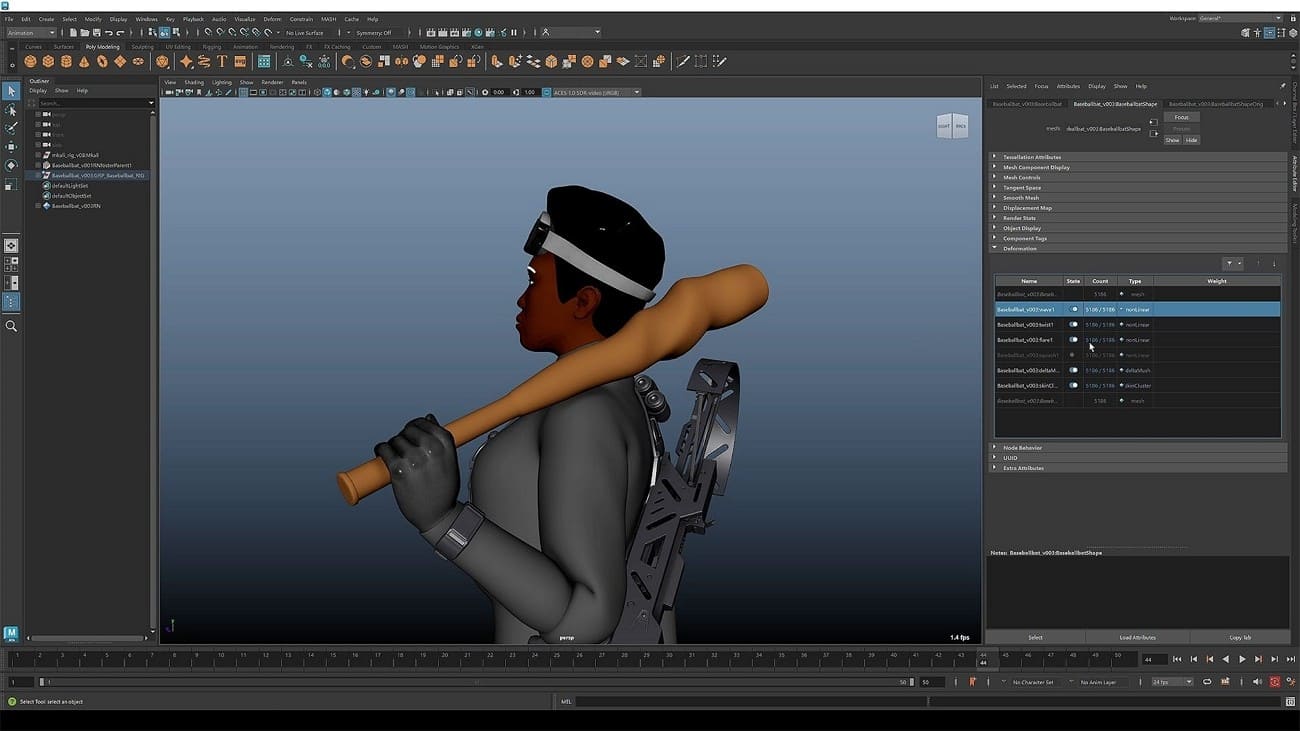
A more advanced learning path makes Maya useful for beginners with long-term professional goals. It supports character animation, modelling, rigging, effects, and scene production for studio-style projects. Although more time is spent on learning, the skills can be easily transferred to actual production settings. This is a powerful industry-oriented entry point for learners who are studying 3D animation software.
Key Features
- Create character performances with professional rigging, animation, and simulation tools built for film-style pipelines.
- Build complex scenes with modelling, effects, and rendering workflows inside one production-oriented environment.
- Access free educational licensing when eligible through Autodesk’s student and educator programs.
Pro and Cons
|
Pros |
Cons |
|
Builds habits that transfer well into studio and production environments. |
The learning curve feels steeper than simpler beginner tools. |
|
Gives eligible students access to professional-grade features for practice. |
Full commercial pricing becomes expensive after educational access ends. |
Pricing Model
- Eligible students and educators receive free one-year educational access through Autodesk’s official program.
- Offers tokens at around a 6-token/day ratio for flexible access to 100+ products.
- A free 30-day trial allows users to test features before purchasing.
- Standard paid access currently starts at $255 per month on Autodesk.
3. Cinema 4D
Best For: Beginners who want easier motion graphics and cleaner workflows.
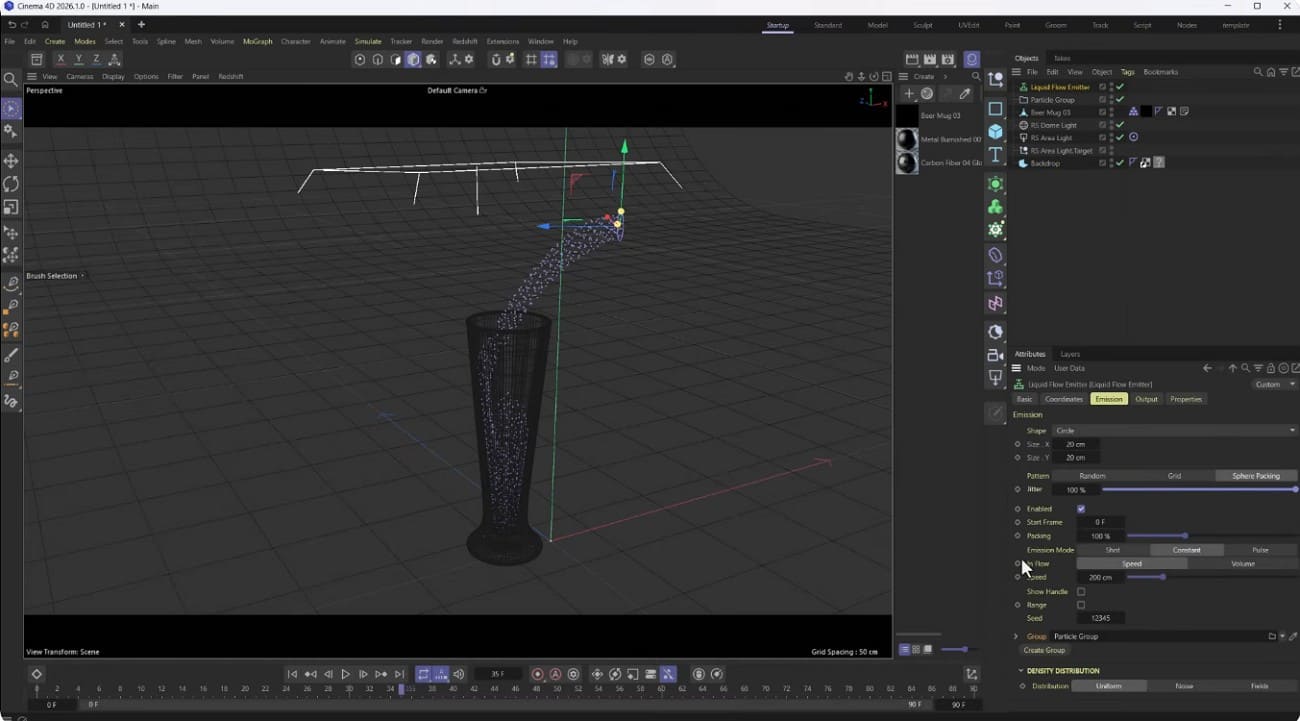
The interface is much easier to use, and this aspect makes many beginners feel at home in a much shorter duration. Cinema 4D is popular in motion graphics, visual design, and animation work, where speed and polish are required. It is not as overwhelming as some of the heavier tools. For users comparing the best 3D animation software, this one suits creative beginners who value clarity and momentum.
Key Features
- Create motion graphics efficiently with tools designed for accessible design, animation, and visualization workflows.
- Combine modelling, simulation, rendering, and animation inside a stable professional 3D production environment.
- Learn with educational licensing options made for students, teachers, and classroom-based training.
Pro and Cons
|
Pros |
Cons |
|
Feels more approachable than many heavy professional animation suites. |
Full access is paid, so budget-sensitive beginners may hesitate. |
|
Works especially well for motion graphics and polished design visuals. |
It is less appealing for people who want a fully free learning path. |
Pricing Model
- Paid subscriptions are available through Maxon’s pricing plans.
- A trial is available for users who want to test the software first.
- Student, teacher, and classroom licensing options are also offered.
- Final price varies by region, billing cycle, and selected plan.
4. Daz 3D
Best For: Character-focused beginners who want faster visual results early.
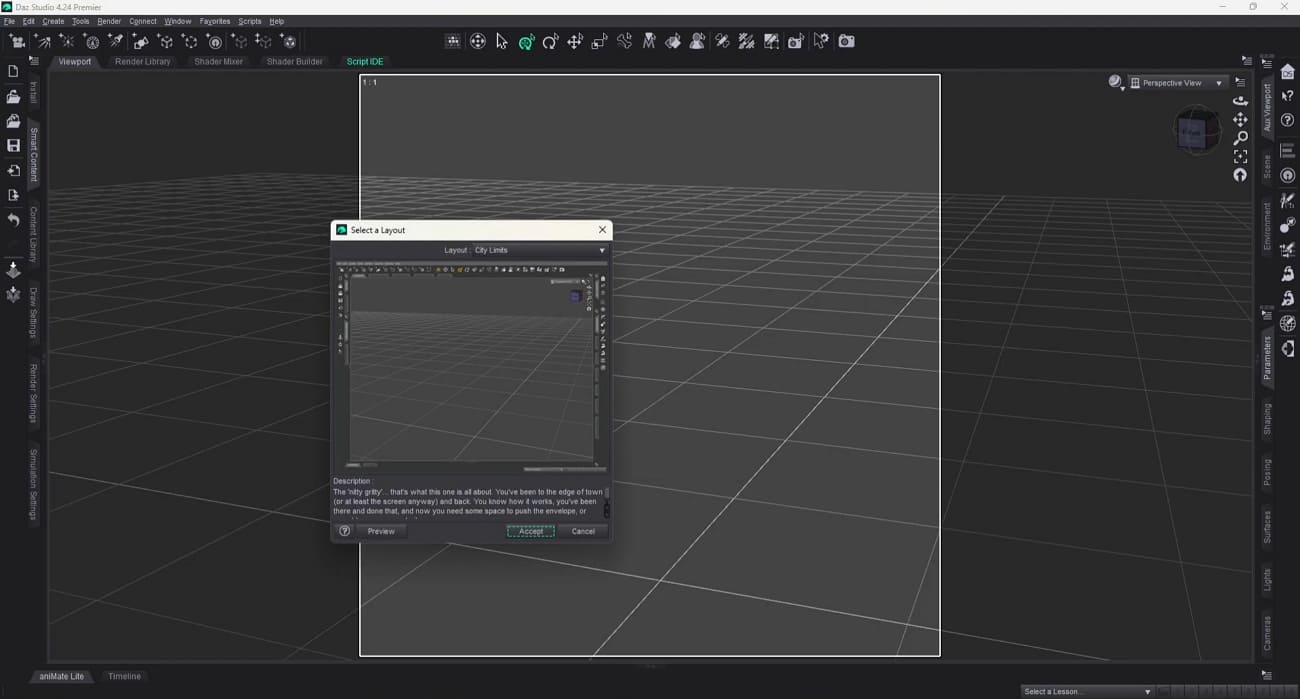
Ready-made figures and simple scene-building tools make Daz 3D easier to approach. Beginners can pose characters, test expressions, add outfits, and build visual scenes without deep technical setup. That makes it useful for early creative practice and character storytelling. If you want a good 3D animation program for fast character-based experiments, this one is a practical option.
Key Features
- Use ready-made characters, poses, outfits, and environments to build scenes with less manual setup.
- Adjust facial expressions, body poses, and scene composition for faster character-focused visual storytelling.
- Render scenes with Iray and expand projects through a large marketplace of purchasable assets.
Pro and Cons
|
Pros |
Cons |
|
Produces polished character visuals without requiring advanced modelling skills at the start. |
The content system can still feel confusing for complete beginners. |
|
Large asset libraries and tutorials help users build scenes faster. |
Running detailed scenes smoothly may require stronger hardware. |
Pricing Model
- Core software is free to download and use for 3D character work.
- Individual characters and assets generally start around $10 each.
- Regular discounts and bundles reduce asset prices for users building larger content libraries.
- $69/year for Daz Plus and $199/year for Daz Premier.
5. Cascadeur
Best For: Beginners learning realistic body motion and physics-based animation.
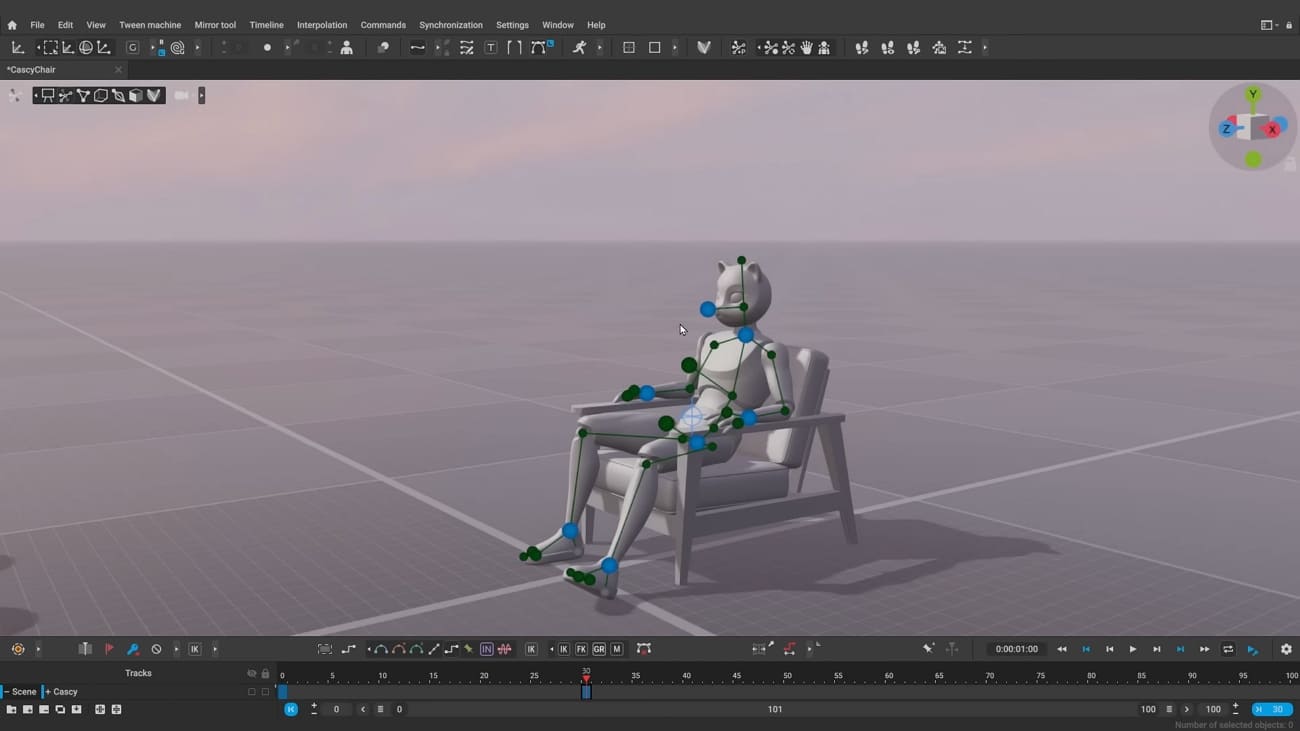
Physics-aware tools make Cascadeur different from more traditional beginner software. It helps users create or clean up movement with better balance, weight, and body motion. That makes learning feel more guided, especially for action-heavy scenes. For learners comparing 3D model animation software, this tool offers a smart entry point into believable motion and posing practice.
Key Features
- Quick Rigging Tool can auto-rig skeletons from Daz3D, Mixamo, Unreal, and similar sources.
- Animation Unbaking converts dense baked keys into cleaner keys that are easier to edit
- AutoPosing predicts full-body positions after you move a few main control points.
Pro and Cons
|
Pros |
Cons |
|
Physics-based support helps beginners create more natural-looking body motion. |
Works less well for creatures, props, or broader scene-building needs. |
|
Exports clean animation that fits well into major 3D programs. |
Cannot build new blend shapes directly inside the software. |
Pricing Model
- The free plan includes complete animation tools but limits export options for commercial projects.
- The Indie plan costs $19/month and suits solo creators handling smaller commercial work.
- Teams and Pro plans cost $49/month, with unlimited commercial use and a 30-minute onboarding call for Teams.
6. Animaker
Best For: Non-technical beginners who want simple browser-based animation creation.
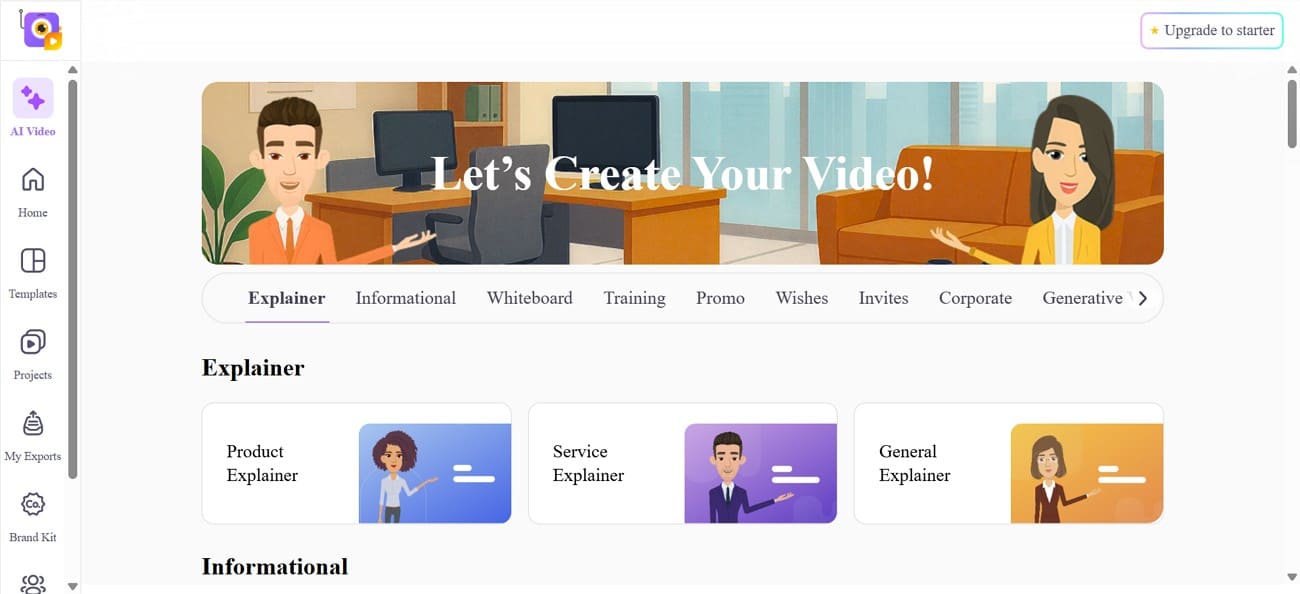
A template-driven workflow makes Animaker easier for users with limited technical experience. It runs in the browser and focuses on speed, stock assets, and guided creation tools. That helps beginners make polished content without learning a full desktop suite first. For newcomers interested in animation, it offers a lighter and more accessible starting point.
Key Features
- Provides access to over 100M stock assets, including videos, icons, and music tracks.
- Packs 25+ video tools, from basic trim and crop features to green screen and effects.
- Lets teams create training, explainer, and marketing videos faster with browser-based editing tools.
Pro and Cons
|
Pros |
Cons |
|
The drag-and-drop interface feels simple for beginners to understand quickly. |
Free exports add a visible watermark on finished animations. |
|
A free plan allows a few short videos each month for practice. |
Character movement feels more template-based, with less custom animation freedom. |
Pricing Model
- The Basic plan costs $15/month and includes 50 Gen AI Asset Credits with 10 AI Video Generations.
- The Starter plan at $25/month increases quality, AI limits, and allows 90-second generative video creation.
- The Pro plan at $43/month targets business use with 2K output and commercial rights.
7. Renderforest
Best For: Beginners who need quick animated content with minimal setup.
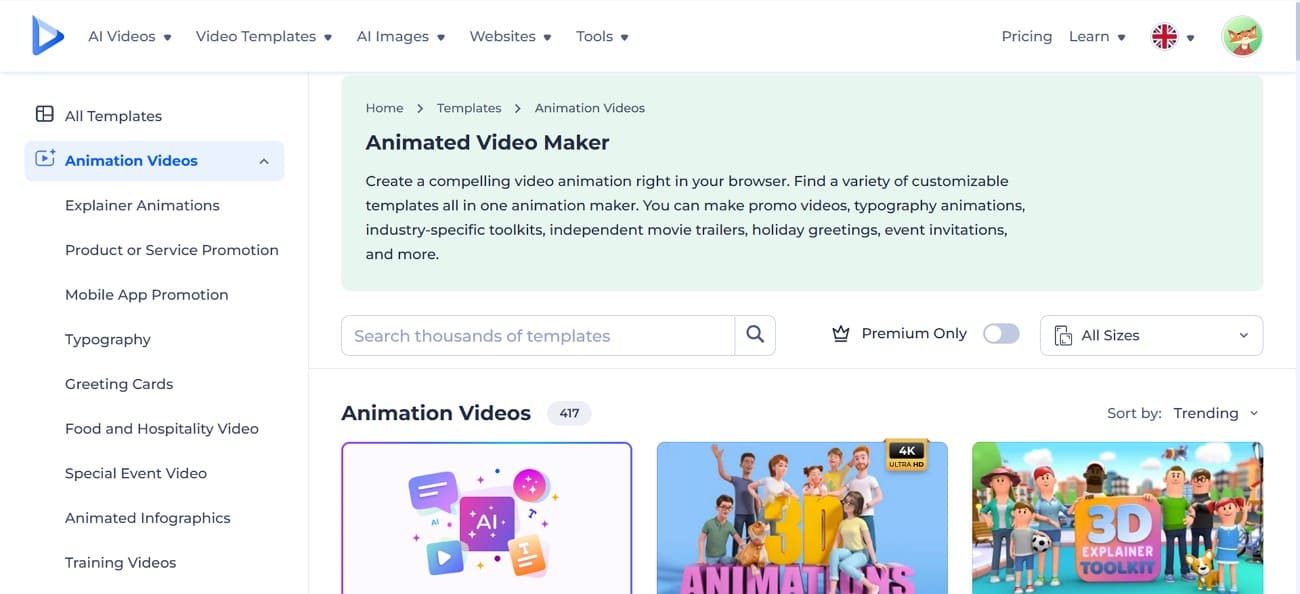
Fast online creation is the main reason many beginners choose Renderforest first. It uses templates, browser-based editing, and built-in creative tools to speed up short projects. This makes it useful for promos, social visuals, and presentation-style animations. Among modern 3D animation tools, it suits users who care more about speed than manual control.
Key Features
- Includes dedicated “Factory of 3D Animations” packs for quick 3D-style scenes and characters.
- Supports Full HD and 4K exports on paid plans for sharper animation output.
- Offers 1,200+ studio-quality templates, including 3D explainer and logo animation toolkits.
Pro and Cons
|
Pros |
Cons |
|
Template variety covers promos, logos, slideshows, and presentations. |
Camera control is locked inside each chosen template. |
|
Color palettes auto-update across all scenes instantly. |
Rendering queue sometimes delays peak-time project exports. |
Pricing Model
- The Lite plan at $14/month is a starter tier for individuals testing premium creative tools.
- The Pro plan at $29/month suits freelancers handling commercial projects and larger output needs.
- The Pro AI plan at $59/month is aimed at heavier AI experimentation and advanced workflows.
- The Business plan at $119/month is built for teams, resellers, and 4K delivery.
Pro Tip: What to Do When Your PC Is Too Slow for Rendering
Many beginners find that as 3D scenes become more complex, rendering can quickly overwhelm a standard laptop or desktop. Long wait times and system slowdowns make it difficult to continue working efficiently.
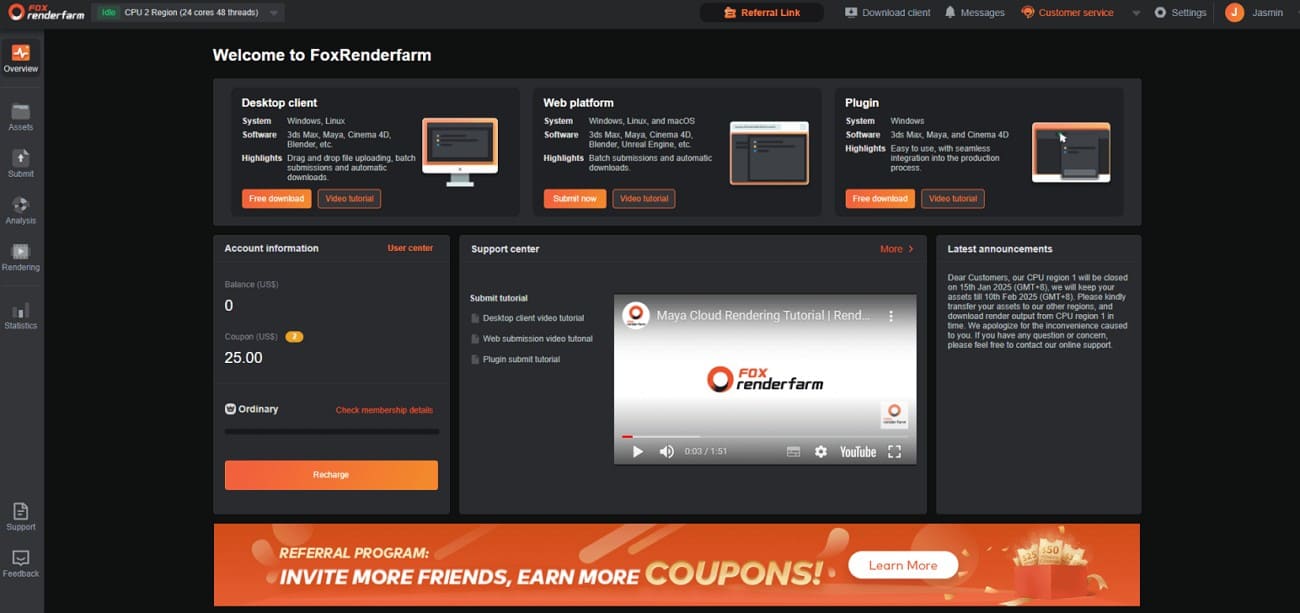
In this case, using a cloud render farm like Fox Renderfarm can be a practical solution. Instead of relying on local hardware, you can upload your project and let powerful remote servers handle the rendering process. This approach, known as cloud rendering, allows you to produce high-quality frames without slowing down your own device.
Because rendering is handled externally, you can continue modeling or animating while your project is being processed. Fox Renderfarm also supports beginner-friendly tools like Blender, Maya, Cinema 4D, making it easier to integrate into existing workflows. For those just starting out, a render farm provides a simple way to handle more demanding projects without upgrading hardware.
Key Features
- You can upload your project files confidently because the service follows strict ISO27001 security standards.
- Developers can hook their own tools into the service using straightforward, flexible API connections.
- Projects are stored on fast SSD drives, helping avoid slowdowns when reading or saving render data.
- Allows users to pause or resume jobs from a web dashboard instead of restarting long renders.
- It offers 99.99% uptime across supported systems and keeps renderers available to run at any hour.
FAQs about 3D Animation Software
Q1. Which 3D animation software is the most beginner-friendly?
Blender is popular among beginners because it is free and widely documented. Some learners prefer simpler interfaces like Cinema 4D and Animaker when starting completely fresh.
Q2. Can I create professional animations with free software?
Yes, many indie creators produce strong work with Blender and other free tools. The real limits are usually skill, time, and project scope, not just software price alone.
Q3. Is Maya really free for students?
Autodesk offers Maya educational licenses that are free for eligible students and educators. You must verify enrolment, renew regularly, and accept restrictions on commercial project usage.
Q4. Is Fox Renderfarm a good option for beginner animators?
Yes, Fox Renderfarm helps beginners render heavy scenes faster without buying powerful local hardware. It is most useful once your projects exceed what your own computer can handle. If you already struggle with long render times, starting cloud rendering early makes sense.
Conclusion
Choosing the right 3D animation software for beginners depends on your goals, skill level, and the type of projects you want to create. Each of these tools supports different workflows, from character animation to motion graphics and simple 3D scenes. Starting with one beginner-friendly platform and gradually exploring others is a practical way to build your skills.
As your projects become more complex, especially during rendering, hardware limitations may start to appear. In such cases, using a render farm like Fox Renderfarm allows you to handle rendering more efficiently without relying on high-end local hardware.