Best Render Farm for Architecture: Fast, Secure, and Cost-Effective Solutions
 Ryan Thompson
Architects often put in long hours to deliver high-quality 3D renders on tight deadlines. Therefore, a reliable architecture render farm can assist with fast, secure, and cost-effective solutions. These services can split large projects across many powerful computers and deliver results in hours rather than days. So, if you are on the hunt for the best architecture farm, this guide will review the 5 best options.
Part 1. What Is a Render Farm for Architecture and Why Use It?
Before you look for the best architecture render farms, know that a render farm is a group of computers that work together to create images and animations. Each computer handles a part of the project, so big, detailed scenes finish much faster than on a single PC. Thus, architects get high-quality results without waiting days, and their own computers remain free to handle other tasks.
>> Related: What Is a Render Farm? A Beginner’s Guide to Cloud Rendering
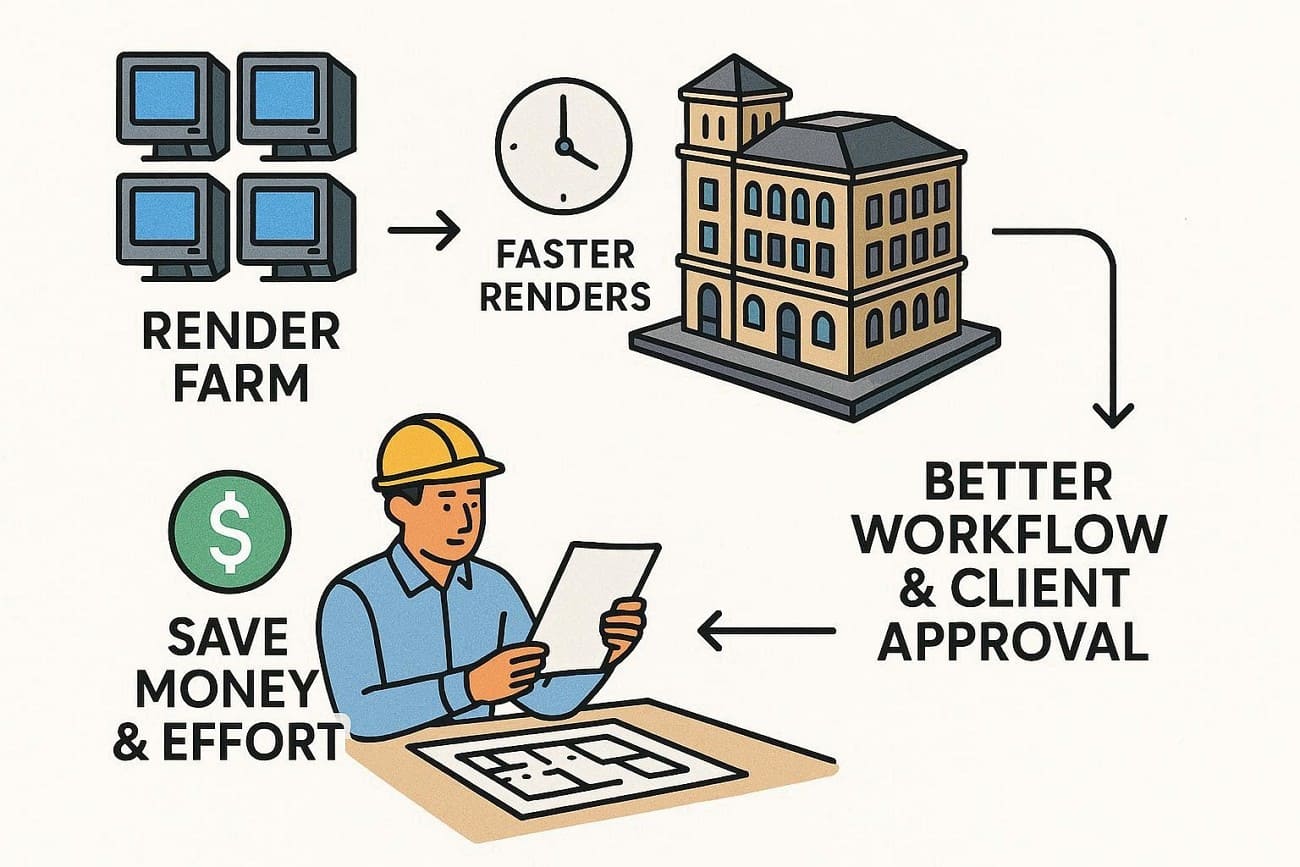
Render farms also save money and effort, as you pay only for what you use, scale up for big projects, and avoid buying expensive hardware. So, this helps architects deliver better visuals, meet deadlines, and get faster client approvals. To further justify it, Forbes has also claimed that 3D rendering is now a vital part of design, and render farms help speed up the workflow.
Part 2. How to Choose the Right Render Farm for Architecture
According to a survey by Market Reports, architects hold a 25% share and specialize in realistic renders, 3D tours, and construction visuals. Given its rising popularity and benefits, choosing the best render engine for architecture is a must.
Therefore, review the 5 key considerations that you need to consider to ensure high-quality and cost-effective architectural renders:
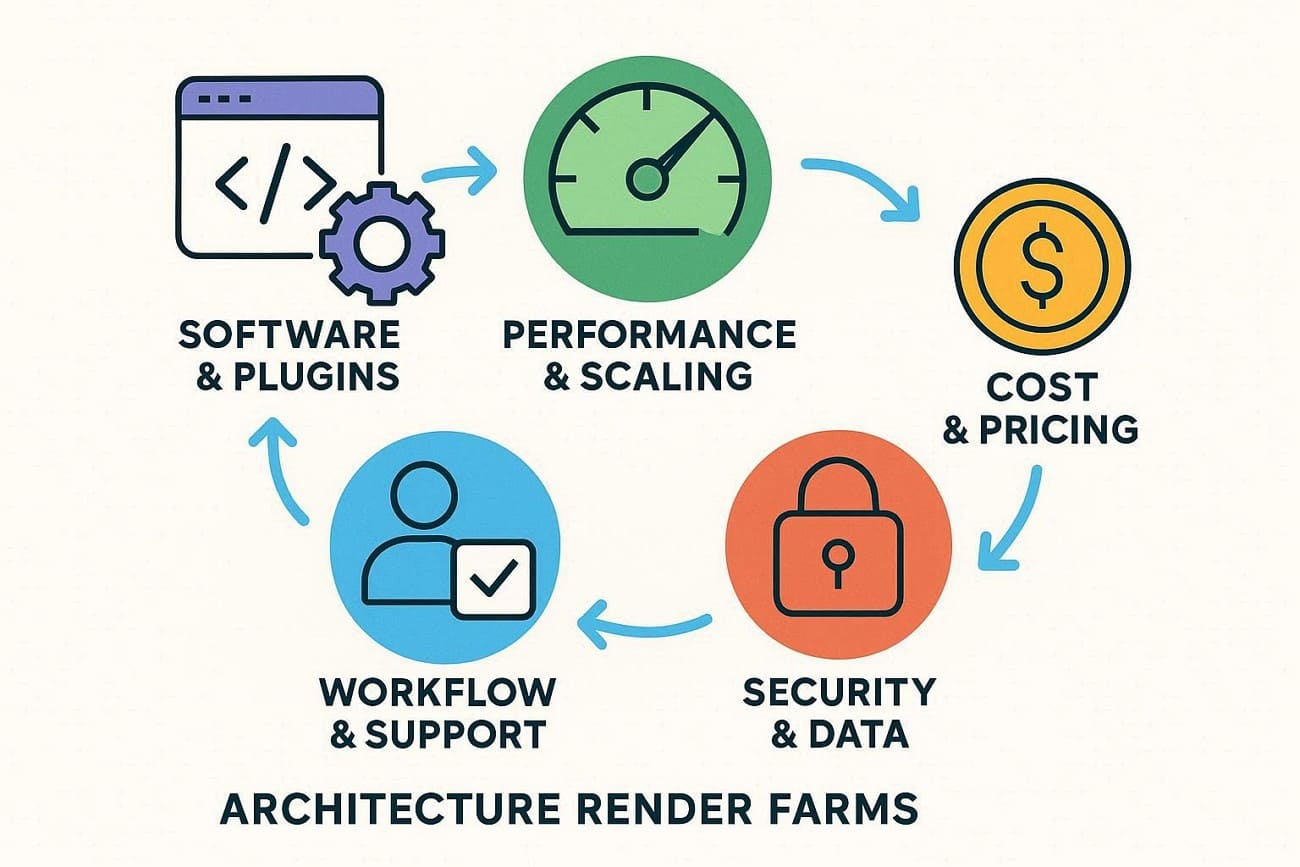
- Software and Plugin Support: Ensure the render farm works with your 3D software, such as 3ds Max, SketchUp, Blender, or Cinema 4D. Moreover, check that it supports the renderer and important plugins like Forest Pack or RailClone to avoid broken scenes.
- Performance and Scaling: Determine that the farm you are picking has massive CPU, GPU, and node counts, and high per-job speed. As you identify these factors, make sure you can scale up to meet tight deadlines and secure higher queue priorities when needed.
- Cost and Pricing: Compare hourly or credit pricing and any minimum fee to determine whether it meets your budget. Additionally, watch for extra costs like storage, data transfer, or priority changes to keep your budget safe.
- Security and Data Location: Always verify encryption, access controls, and certifications such as ISO 27001 or GDPR. Furthermore, consider where data centers are if your project has legal or NDA rules.
- Workflow and Support: Pick a render farm service with easy upload tools, scene checks, and dashboards to track frames. In addition, make sure support is fast and knowledgeable about architectural rendering issues.
Part 3. 5 Best Render Farms for Architecture 2026: Optimize Your Project Workflow
For cloud rendering in architecture, this section offers the 5 best render farms you can easily choose in 2026. So, review their specifications or workflow and determine if it suits your expertise, needs, and budget.
1. Fox Renderfarm
Best For: Big architectural first and top visualization studios needing fast rendering and strong security for 4K/8K images and VR tours.
Fox Renderfarm is a TPN-accredited cloud rendering service designed for professional production workflows. For architectural visualization, it delivers high-speed CPU and GPU rendering for large-scale scenes, high-resolution stills, and animation walkthroughs.
Founded in 2011, this render farm supports major software such as 3ds Max, Maya, Blender, Cinema 4D, and key render engines including V-Ray, Corona, Redshift, and Arnold, ensuring a secure and stable rendering pipeline for architecture projects.
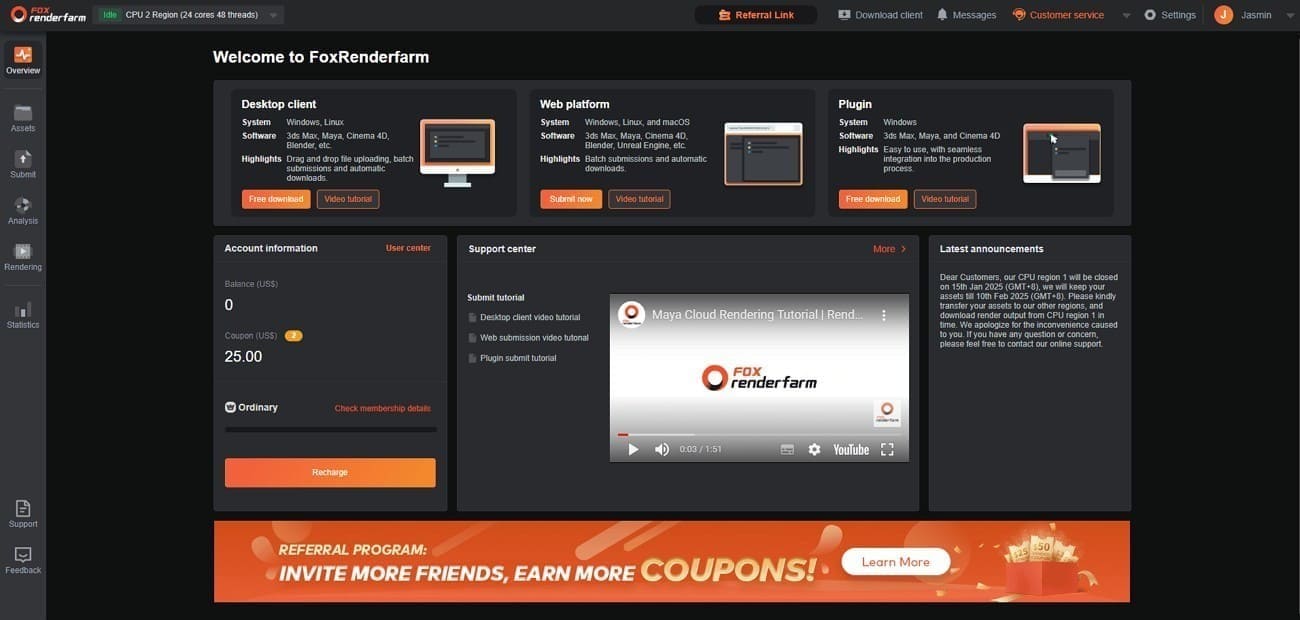
Software and Plugin Support
- Architecture Stack: Supports 3ds Max, Cinema 4D, SketchUp, Blender, etc.
- Engine Mastery: Fully optimized for V-Ray 6/7, Corona, and Arnold, and supports Unreal Engine for real-time architecture projects.
- Essential Plugins: Architectural plugins such as Forest Pack, RailClone, Anima, and Quixel Megascans are pre-installed and stay up to date.
Performance and Scaling
- Massive Infrastructure: According to the Raysync case study, this farm has access to over 30,000 physical servers. Thus, this lets architects render thousands of 3D tour frames at the same time.
- High-Spec Nodes: CPU nodes feature up to 36+ physical cores, while GPU regions utilize NVIDIA RTX 4090 and 5090 cards.
Cost and Pricing
- Tiered Pricing: Pay-as-you-go with CPU from $0.0306–$0.051 per core/hour and GPU from $0.90–$1.80 per node/hour.
- Estimator Tools: A cost calculator lets you enter your computer specs to get an accurate quote for your project.
- Welcome Bonus: New accounts get a $25 free coupon to test frames and check costs before full use.
Security and Data Location
- Elite Accreditation: For rendering in architecture, it has TPN accreditation and ISO 27001 certification, keeping clients' NDAs secure both physically and digitally.
- Data Protection: Features bank-grade encryption for all data in transit and at rest.
Workflow and Support - Raysync Technology: Uses proprietary Raysync to upload large textures and geometry files 10X faster than standard FTP.
- Desktop Client: The “Raytool” plugin works with 3ds Max and C4D for one-click submission, bundling all XRefs, textures, and IES lights.
- 24/7 Human Support: A 24/7 support team available via WhatsApp, Skype, and Live Chat. Moreover, specialists handle architectural issues like light-cache flickers or missing Forest Pack proxies.
2. RenderStreet
Best For: Freelancers and mid-sized studios using Blender or Modo who need fast on-demand power and unlimited monthly rendering plans.
As one of the best render engines for architecture, RenderStreet is a cloud-based render farm that specializes in Blender and Modo 3D rendering services. In this regard, it allows direct submission from the 3D software, along with support for large-batch rendering, NFTs, and animation.
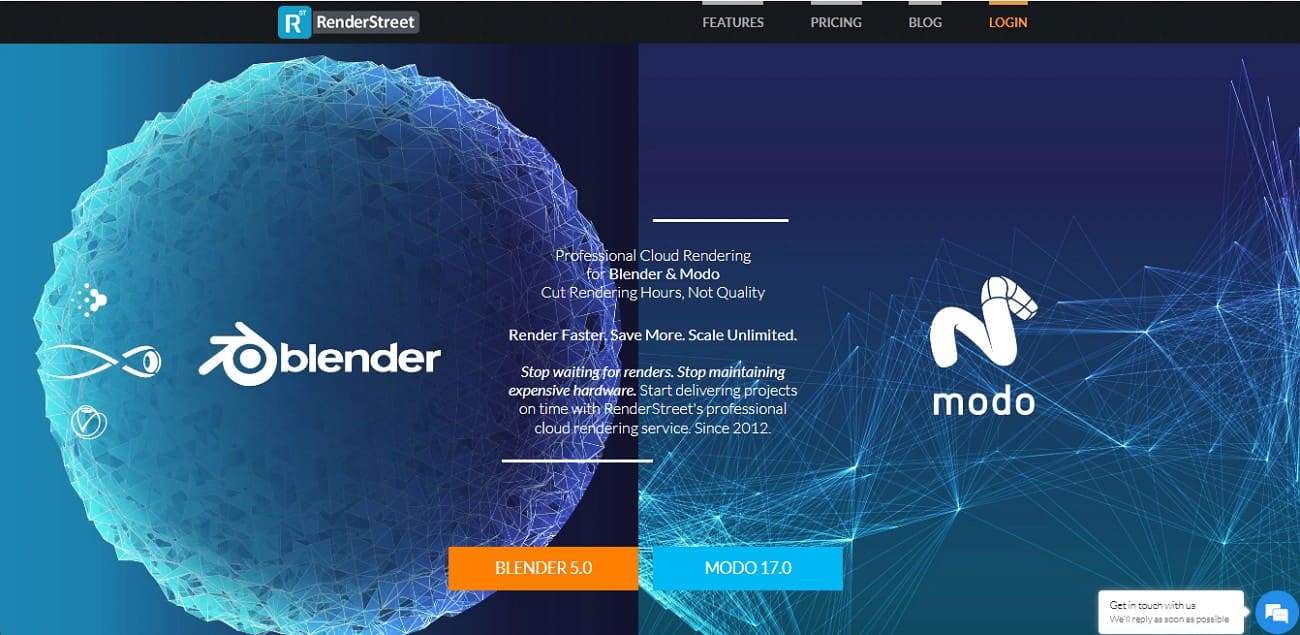
Software and Plugin Support
- Primary Focus: Supports Blender 5.0 and Modo version up to 17.0.
- Render Engines: Optimized for Cycles, Eevee Next, and Modo’s native engine. It also supports V-Ray Standalone.
- Plugins: Supports Blender add-ons, with its “RenderWheels” system handling scene dependencies.
Performance and Scaling
- Hardware: Uses NVIDIA L40 GPUs, which are professional datacenter cards with large VRAM capacity and high-thread Intel Xeon or AMD Ryzen CPU nodes.
- Scalability: The RenderWheel system spread large projects across hundreds of servers, cutting render time by up to 75-90%.
Cost and Pricing
- The “Unmetered” Plan: RenderStreet One plan offers unlimited rendering for a flat fee of $59.97/month.
- Trial Price: $1 for one full day of access to RenderStreet One
- On-Demand Pricing: Pay-as-you-go plans for CPU and GPU, charged by hour or usage instead of a fixed monthly fee.
- Transparency: Billed by the minute with no hidden storage or data transfer fees.
Security and Data Location
- Privacy: This architecture render farm enforces NDAs and secures all uploads and downloads with AES-256 encryption.
- Data Centers: Cloud infrastructure provides 99.8% uptime, ensuring architectural files remain private and secure.
Workflow and Support
- Blender Add-on: One-click Blender add-ons that gather assets, bake caches, and start the render without leaving Blender.
- In-Browser Previews: Show real-time animation previews and lets you monitor frames in your web browsers.
- Support: 24/7 support with 99% project success, known for fixing Blender cache and simulation errors.
3. MyArchitectAI
Best For: Architects, interior designers, and real estate pros who need fast, high-quality concepts or marketing renders.
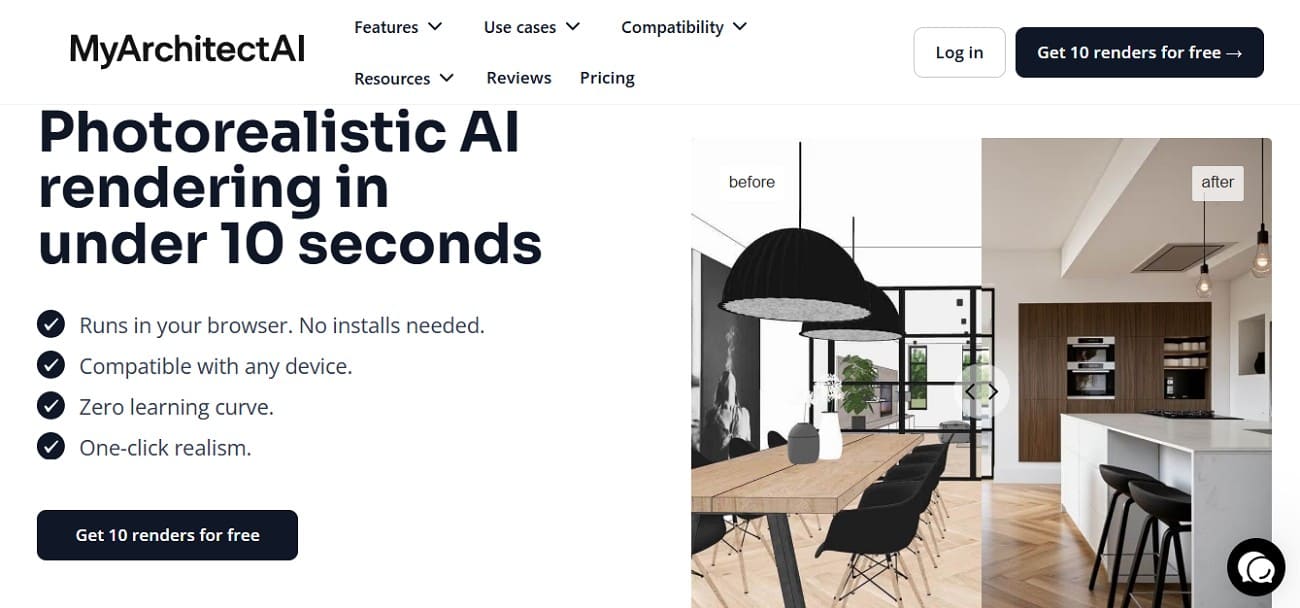
MyArchitectAI is another of the best architecture farms, a cloud-based AI platform. It transforms 3D models, 2D sketches, and CAD drawings into photorealistic architectural and interior visualizations in 10 seconds.
Software and Plugin Support
- Input Compatibility: Supports 3D models. 2D Sketches and line drawings from SketchUp, Revit, Rhino, and Chief Architect.
- File Formats: Accepts standard image formats, including JPG, PNG, and WEBP.
- Plugin Status: SketchUp plugin is in development to allow direct syncing.
- Engine Type: No V-Ray or Corona; it uses a proprietary AI Rendering Engine.
Performance and Scaling
- Render Speed: Delivers 4K photorealistic renders in under 10 seconds.
- Scaling: Being cloud-based, it handles thousands of renders at once without a traditional queue.
Cost and Pricing
- Free Plan: Offers 10 free renders per month with standard quality.
- Professional Plan: Approximately $29/month (or $249/year) for unlimited renders.
- Team/Enterprise: Starting around $25-$209/year, offering centralized billing.
- Transparency: No per-frame fees or hidden storage costs; the subscription includes all rendering expenses.
Security and Data Location
- IP Ownership: You keep full ownership of all renders; the platform doesn’t claim any rights to your designs.
- Data Privacy: Uses encryption and does not use your designs to train AI.
Workflow and Support
- User Interface: Intuitive interface, simply upload a design, select an architectural style, or use a text prompt.
- Editing Toolkit: Includes an AI Enhancer to sharpen details and a Style Transfer engine to mimic the look of the reference image.
- Support: Offers 24/7 live chat and email support.
4. Super Renders Farm
Best For: Freelancer animators and architectural visualization artists who need a reliable one-stop service with support for many third-party plugins.
Super Renders Farm is a cloud-based rendering service that offers high-performance CPU and GPU for rendering in architecture. With speeds up to 20X faster, it makes rendering animations and architectural projects effortless for 3D artists and VFX professionals.
Software and Plugin Support
- Core Software: Support 3ds Max (2014–2026), Cinema 4D (R18–2026), Maya, Blender, and SketchUp.
- Render Engines: Optimized for V-Ray 6/7, Corona, Redshift, Arnold, and Octane.
- Plugins: 250+ plugins, including Forest Pack, RailClone, TyFlow, X-Particles, and Phoenix FD.
Performance and Scaling
- CPU Infrastructure: Features CPU: 2x Intel Xeon E5-2699 V4 with RAM: 64GB - 256GB.
- GPU Power: Latest NVIDIA RTX 4090 cards (24GB VRAM), ideal for heavy GPU-based architectural scenes.
- Throughput: Uses high-speed storage and a 20 GB LAN, which reduces wait time for textures to load on render nodes.
Cost and Pricing
- Competitive Rates: Credit system ($1 = 1 credit), with CPU from $0.004 per GHz-hour and GPU from $0.003 per OctaneBench-hour.
- Cost Calculator: Has an online estimator where you enter your computer specs to get a cost estimate.
- Discounts: Offers 5% and 30% discounts for large-credit projects.
Security and Data Location
- Data Privacy: NDA-ready; files are encrypted during transfer and storage.
- Retention: Files are automatically deleted after a set period following project completion.
Workflow and Support
- Integration and Monitoring: The Desktop app auto-checks scenes, collects assets, and uploads files. Plus, the dashboard shows real-time progress with frame downloads.
- 24/7 Support: Responsive via live chat, email, and phone.
5. SheepIt Render Farm
Best For: Hobbyists, students, and indie artists with no budget who work on Blender projects and can accept longer render times.
With this architecture render farm, you can prioritize your own animations or still-image projects to boost rendering time. Being a free, open-source, community-driven, distributed render farm, SheepIt Render Farm is ideal for Blender users.
Software and Plugin Support
- Software Support: Blender only, supports Blender 5.0 and 4.5 versions.
- Render Engines: Features Cycles, Eevee Next, and Workbench.
- Supported Plugins: Has multiple built-in Blender add-ons; third-party plugins require an external license.
Performance and Scaling
- Distributed Power: Relies on a Peer-to-Peer (P2P) network of volunteer computers.
- Scaling: Performance depends on the number of active users.
Cost and Pricing
- Pricing: Free, no subscription or hidden costs.
- Point System: SheepIt operates on a “give and take” points economy. You earn points by letting your computer render other projects. Then use the points to render your own frames.
Security and Data Location
- Security: Not suitable for projects under NDA, as your frames are sent to strangers’ computers.
- Data Location: Completely decentralized, distributed across dozens of countries.
Workflow and Support
- Submission: You use a dedicated Blender plugin to “Pack” your assets and upload the project.
- Management: Web-based dashboard tracks the progress, no “Render Wrangler” support team.
- Support: Community-driven only, managed through their Discord server and community forums.
If you want to know what the best render farm is for architecture, review the given table and decide for yourself:
|
Render Farm |
Fox Renderfarm |
RenderStreet |
MyArchitectAI |
|
Software Support |
Broad multi-software support across major DCC apps and archviz tools |
Blender and Modo only |
Accepts CAD images and models |
|
Quality Control |
Supports GI, render passes, high-resolution output, and scene validation |
Good Cycles and Eevee output |
AI output often needs correction |
|
Speed and Scale |
Large parallel render infrastructure with high concurrency |
Scales by purchased render hours |
Fast image generation instead of rendering |
|
Security Level |
Enterprise workflow protection with certifications and NDA suitability |
Standard cloud security |
SaaS privacy protection |
|
Architecture Suitability |
Designed for professional architectural production |
Suitable mainly for Blender archviz |
Suitable for concept previews |
|
Best Use Case |
Commercial architectural stills and animations |
Blender interiors and exteriors |
Mood boards and design concepts |
|
Render Farm |
Super Renders Farm |
SheepIt Render Farm |
|
Software Support |
Multiple DCC apps and renderers |
Blender only |
|
Quality Control |
Depends on user settings and preparation |
Output varies by volunteer machines |
|
Speed and Scale |
Large node pool but shared capacity |
Depends on active users online |
|
Security Level |
Standard commercial protection |
No guaranteed security or NDA support |
|
Architecture Suitability |
Suitable for small and mid-sized projects |
Suitable for practice and testing |
|
Best Use Case |
Budget architectural rendering |
Students and hobby projects |
If you want a name for the best architecture render farm, experts believe that it's Fox Renderfarm. This is because it excels in security, massive performance, and an archviz-focused workflow. Most of all, it supports major software and delivers reliable, professional results.
Part 4. 5 Tips for Optimizing Renders in a Render Farm for Architecture
After picking the best render farm, follow the listed expert’s tips for rendering in architecture:
- Remove unused objects, simplify high-poly assets, and use proper texture resolution to save money.
- Split projects into layers, passes, or zones to speed up rendering and simplify compositing.
- Render low-res test frames first to check settings before running full high-res jobs.
- Use the same renderer, GI method, and plugins as the local setup to avoid shading issues.
- Set urgent jobs as high priority, track costs, and adjust settings to stay within the budget.
FAQ about Render Farm for Architecture
1. Do I need a fast internet connection?
Yes, a stable, high-speed connection significantly reduces upload and download time for large scene files, textures, and cache data.
2. Can I cancel a render job once it starts?
Most render farms allow you to pause or stop a job. You are typically billed only for the frames or render time already completed.
3. Will the results look the same as on my local machine?
Usually yes. If you use the same renderer version, settings, plugins, and assets as your local setup, the cloud output should closely match your local render.
Conclusion
Choosing the best render farm for architecture depends on your project scale, software pipeline, and turnaround requirements. The five render farms reviewed above each serve different needs, from small studios to enterprise-level production.
With its scalable cloud infrastructure, TPN-accredited security, and wide support for 3D software and render engines, Fox Renderfarm is particularly suitable for architectural visualization teams seeking performance and stability.