Top 5 Corona Render Farm Services for Animation and ArchViz
 Ryan Thompson
In 2026, many artists face slow renderings and high costs when working on complex Corona projects. Therefore, choosing the right Corona render farm can save time and money while maintaining high quality. These render farm offer fast processing, easy file upload, and clear pricing plans.
If you want reliable render farm options, this guide will uncover the 5 best Corona render farm to choose the one that suits you.

Part 1. What Is a Corona Render Farm?
Corona render farms are essentially a group of computers configured to render scenes with Corona Renderer. It takes your 3ds Max or Cinema 4D files and renders frames across multiple machines simultaneously, rather than having a single PC handle all the work.
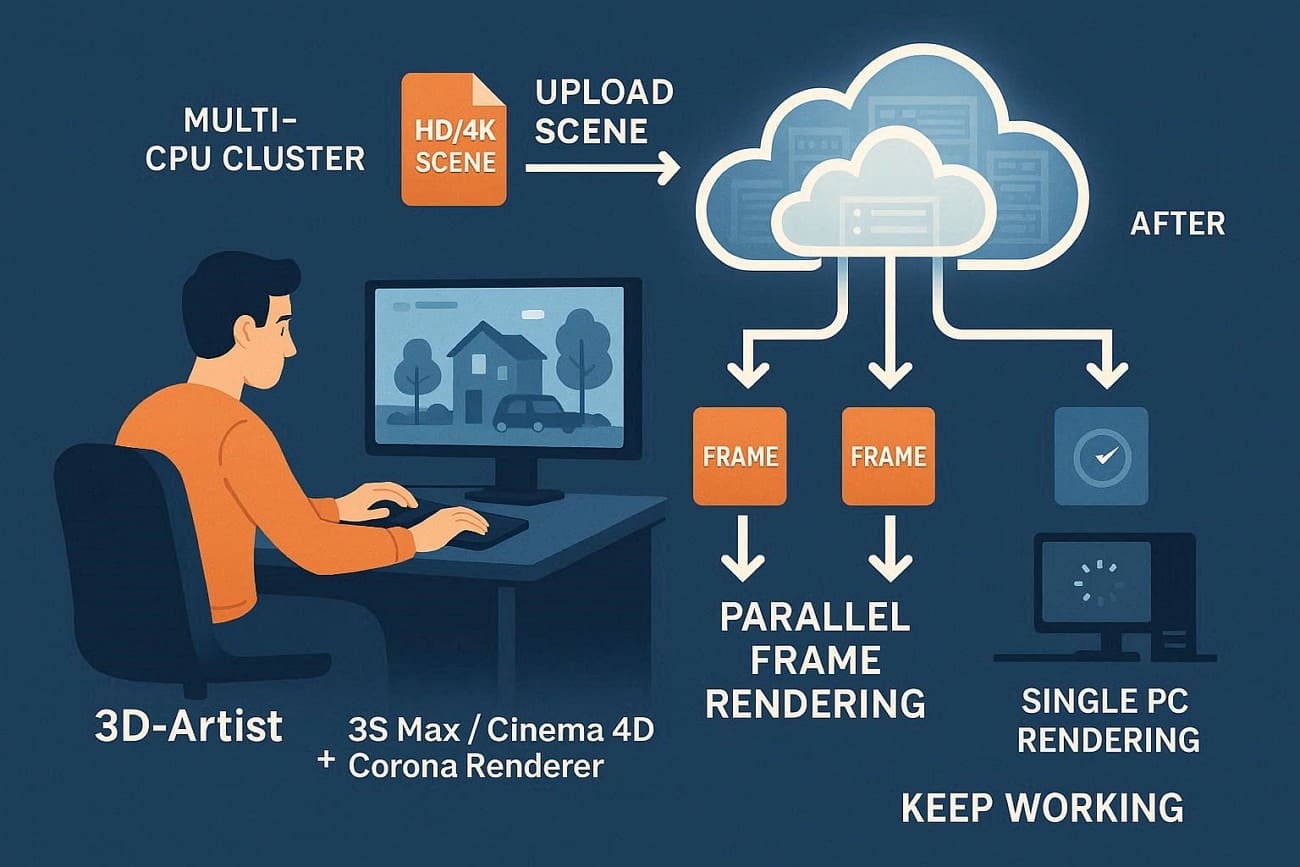
For artists and renderers, these farms let you send big scenes or animations to the farm while you keep using your own PC. A report says that about 45% more rendering work now goes to cloud or specialized render farms to handle HD, 4K, and interactive projects.
With this cloud rendering service, you can use your usual Corona settings and features, like proxies, UHD cache, and multiple cameras, but faster and more easily.
Part 2. How to Select the Best Corona Render Farm?
Using a Corona render farm is very important in the architectural visualization (ArchViz) industry, according to Chaos. Since Corona is CPU-based, it requires substantial computational power for complex scenes. Therefore, an ideal render farm helps artists finish projects faster and meet tight deadlines.

So, for effortless rendering in Corona, review the listed considerations and learn how to pick an ideal Corona farm:
- Corona and 3D Support: Check that the farm uses the exact Corona version, such as 10 or 11. Additionally, it should fully support your 3D software, usually 3ds Max or Cinema 4D.
- Hardware, Speed, and Scaling: Always choose a farm with modern CPUs with many cores and enough RAM for large scenes. Plus, the farm should allow many machines at once to finish renders faster.
- Workflow and Ease of Use: Pick a render farm with tools and plugins to send jobs directly from 3ds Max or C4D. Alongside that, a clear dashboard should let you easily edit frames, cameras, and node limits.
- Pricing and Reliability: Make sure to compare prices per core or machines and watch for hidden fees like storage or data transfer. Farms that finish jobs correctly the first time often save time and money overall.
- Security and Support: Use farms with robust security for client or NDA projects, including encryption and access controls. Furthermore, look for responsive support that is familiar with Corona and offers guides for common issues.
Part 3. 5 Best Corona Render Farm Services for Architects and 3D Designers
The top Corona render farm services, based on performance, support, and popularity, include Fox Renderfarm, AnimaRender, etc. So, if you want to know what the other best render farm for Corona is, adhere to the 5 listed options:
1. Fox Renderfarm
Best For: ArchViz professionals and studios needing strong CPU power for photorealistic renders with secure data.
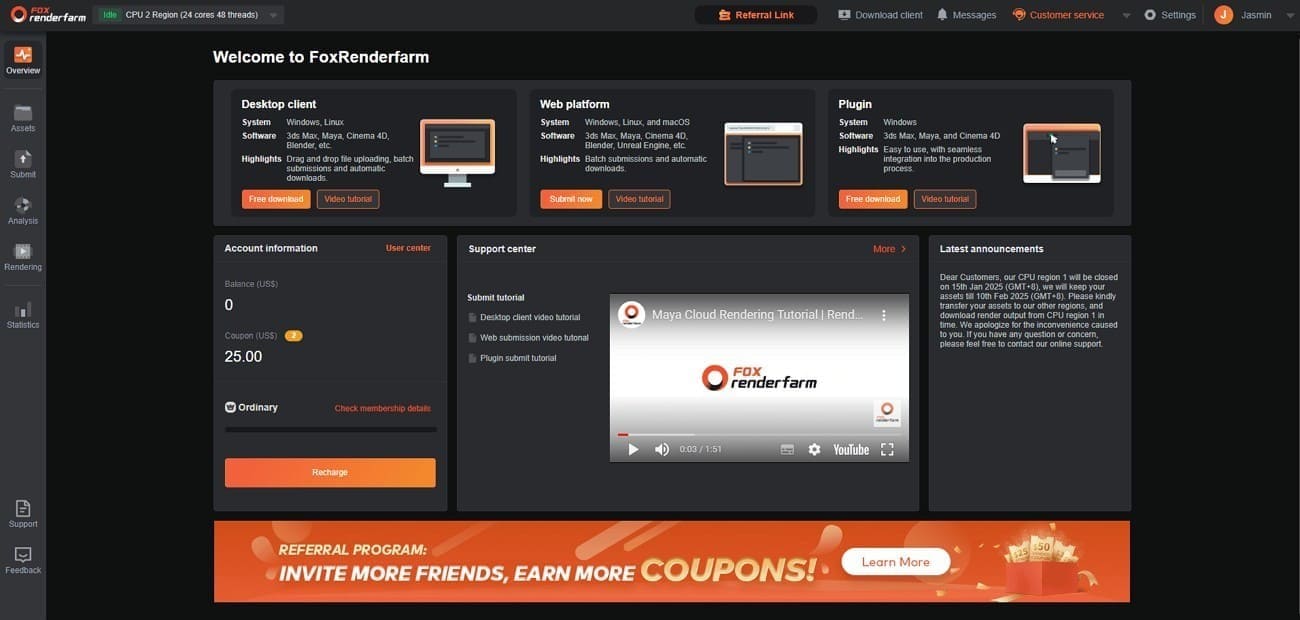
Since 2011, Fox Renderfarm has been providing powerful CPU and GPU rendering for Corona projects. Plus, this TPN-accredited cloud rendering service supports major software such as Blender and Maya, offers high-speed transfers, and offers flexible pricing.
Corona and 3D Support
- Version Range: Fully supports Corona 10, 11, and 12.
- Host Software: Has native support for 3ds Max (2014–2026) and Cinema 4D (R18–2026).
Hardware, Speed, and Scaling
- CPU Clusters: The render farm has over 30,000 servers with fast Intel Xeon and AMD EPYC processors.
- Core Count: Each machine typically has 24 to 36 cores (up to 72 threads), making it ideal for Corona’s multi-core rendering.
- Memory: Standard machines have 64GB or 128GB of RAM, and 256GB machines are available for very large scenes with heavy detail.
- Scaling: You can use hundreds of machines at once, so a 300-frame walkthrough can finish as fast as one frame on your PC.
Workflow and Ease of Use
- Seamless Workflow: Users can send scenes from 3ds Max or Cinema 4D via the Fox Renderfarm Client, which packages projects and automatically checks files.
- High-Speed Processing: This Corona render farm offers optimized Corona CPU rendering using thousands of machines to meet tight deadlines.
- Smart Analysis: Before rendering, the farm automatically checks for Corona issues, such as missing files or unbaked MoGraph.
- Dashboard: A web and desktop dashboard lets you check LightMix, preview frames, and pause or prioritize camera shots.
Pricing and Reliability
- Tiered Pricing: Charges $0.051 per core-hour for ordinary users and $0.0306 for high-volume users.
- Transparency: Use the built-in Cost Estimator for quotes with no hidden storage or data fees.
- Reliability: Offers 99.99% uptime and automatically retries failed frames on a new machine at no extra cost.
Security and Support
- Security Standards: TPN-Accredited (Trusted Partner Network) and ISO 27001 certified.
- Data Protection: Provides encrypted data transfers and private storage to keep architectural designs secure.
- 24/7 Support: Live technical support is available via WhatsApp, Skype, and Live Chat with a 15-minute response time.
2. Render4you
Best For: ArchViz pros and studios needing hands-on support to finish complex Corona projects on time.
It's another one of the best render farms for Corona, which offers high-performance GPU and CPU rendering for 3D projects. Plus, it is designed to accelerate workflows for applications like Blender, Maya, 3ds Max, Cinema 4D, and V-Ray.

Corona and 3D Support
- Version Range: Full support for Corona 10 through 12+.
- Host Software: Integration for 3ds Max (2016–2026) and Cinema 4D (R20–2026).
- Specialized Features: It supports Corona LUTs, Scene States, and Scatter, keeping your architectural renders accurate and realistic.
Hardware, Speed, and Scaling
- CPU Infrastructure: Features Dual Intel Xeon, EPYC, and Threadripper nodes. Besides, it provides an estimated 2 million Cinebench R20 points of raw power.
- High-RAM Nodes: Every node is equipped with 128GB to 512GB of RAM.
- GPU Capacity: Corona is CPU-based, but Render4you also offers RTX 4090 nodes for AI denoising and GPU engines such as Redshift and Octane.
Workflow and Ease of Use
- In-App Plugins: This render farm offers a lightweight plugin for 3ds Max or Cinema 4D that automatically relinks assets and detects versions.
- Cloud Sync: For rendering in Corona, it supports direct project sync via Dropbox, Google Drive, WeTransfer, or their automated FTP upload tool.
- Live Previews: Its dashboard lets you monitor frames and download them in real time to quickly check lighting and materials.
Pricing and Reliability
- Transparent Pricing: CPU starts at about €0.007 per GHz-hour, and GPU at about €0.0045 per OctaneBench-hour.
- Free Trial: New users get €25 free credit to test scene compatibility and rendering speed before paying.
Security and Support
- Personalized Support: 24/7 live support via Skype, TeamViewer, and phone, where technicians can directly help fix Corona scene crashes.
- Data Security: Based in Germany, Render4you adheres to strict GDPR requirements and uses AES-256 encryption to secure all data transfers.
- Confidentiality: Mandatory NDAs protect files stored on secure NAS systems, which are automatically deleted 7 days after completion.
3. Megarender
Best For: 3ds Max and Corona users needing high-RAM nodes and an automated, hands-off workflow for large architectural scenes.
Megarender is an online, cloud-based 3D render farm established in 2014. As one of the best render engines for Corona, it supports software like 3ds Max, Maya, Blender, and Cinema4D with fast, distributed rendering.

Corona and 3D Support
- Version Range: Fully supports Corona 10 through 13, often supporting new Corona hotfixes within 48 hours.
- Host Software: Deep integration for 3ds Max (2009–2026) and Blender (up to version 5.0).
Hardware, Speed, and Scaling
- CPU Infrastructure: Fleet uses AMD Threadripper 3990X CPUs (64 cores/128 threads).
- High-RAM Availability: Each Corona-optimized node features 256GB of RAM, ideal for 8K textures.
- Distributed Rendering: Split a 4K/8K frame across multiple nodes (up to 80 CPU cores) to render high-res stills in minutes.
Workflow and Ease of Use
- The Megarender Plugin: A 3ds Max plugin that gathers all assets and packages the scene into a single archive for one-click submission.
- Automated Wizard: After upload, a “Settings Wizard’ mirrors 3ds Max, letting you verify render passes, resolution, and output formats before rendering.
- Real-time Monitoring: Web dashboard shows live previews of rendering buckets, letting you spot errors early and stop the job to save credits.
Pricing and Reliability
- Flexible Plans: Unlike other Corona farms, it offers pay-as-you-go cloud rendering for Corona, with costs based on speed tier and number of servers.
- Cost Estimator: A Project Cost Calculator that estimates your final bill using your PC's specs.
- Welcome Bonus: New users get a $30 free trial to render 1–2 test images at no cost, confirmed via phone or email.
Security and Support
- Data Security: Runs from secure data centers with AES-256 encryption, and automatically deletes project files after 7 days.
- 24/7 Technical Support: Responsive tech support team via live chat, trained to fix Corona issues like light-cache flicker and displacement errors.
4. AnimaRender
Best For: Freelancers and small studios needing a reliable partner with 15-second support for mid-sized Corona projects.
This is also an online, 24/7, GPU and CPU-based cloud rendering service designed for 3D artists, designers, and studios. Hence, it supports software like 3ds Max, Blender, Cinema 4D, and Maya, and offers high-speed rendering with dedicated hardware.
Corona and 3D Support
- Version Range: This Corona render farm fully supports Corona 11 and 12.
- Host Software: Support for 3ds Max, Cinema 4D, Maya, and Blender.
- Asset Handling: Handles all standard Corona assets, including Chaos Cosmos proxies, custom LUTs, and IES files.
Hardware, Speed, and Scaling
- CPU Infrastructure: CPU farm is built on a mix of Dual AMD EPYC 7642 (96 cores per node) and AMD Threadripper 3970X servers.
- Memory Specs: Nodes are equipped with 256GB of RAM as standard.
- GPU Power: For GPU-based denoising or secondary engines, they offer nodes equipped with RTX 3070 Ti and 2080 Ti cards.
Workflow and Ease of Use
- AnimaManager: Desktop app for Windows and Mac enables one-click submission, auto-bakes caches, collects textures, and manages uploads/downloads.
- Plugin Integration: For rendering in Corona, it includes a plugin for 3ds Max or C4D that lets you submit renders directly without using a web browser.
- Live Monitoring: Dashboard provides live frame previews and lets you download completed frames to catch lighting errors early.
Pricing and Reliability
- Tiered Pricing: Uses AnimaPoints ($1 = 1 AP); CPU costs $1.24–$6.20/hr, GPU ~$4.95/hr, billed by server time, not frames.
- Transparency: Billing is calculated per second, ensuring you only pay for the exact compute time used.
- Welcome Bonus and Volume Discounts: New users receive a $15 free trial credit, and topping up $1,000 grants a 40% bonus.
Security and Support
- Support Speed: Offer 24/7 live chat with a 15-second response time, one of the fastest in the industry for urgent deadlines.
- Encrypted Transfers: Uses SSL/TLS encryption for all data flowing between the user's workstation and the farm nodes.
5. VSOCloud
Best For: Large film, VFX, and animation studios needing massive node concurrency and top-tier security certifications.
As one of the best render engines for Corona, VSOCloud is a specialized cloud rendering and creative services platform designed for the film, television, and animation industries. It provides high-performance computing resources for rendering 3D scenes and is particularly known for its extensive use in Asia.

Corona and 3D Support
- Version Range: Optimized for Corona 10 through 12 and 2026 service packs.
- Host Software: Native support for 3ds Max, Cinema 4D, Maya, Blender, and Houdini.
Hardware, Speed, and Scaling
- Node Count: Access to over 5,000+ CPU nodes and 2,000+ GPU cards.
- CPU Specs: Standard nodes feature Intel Xeon E5 v2 / v3 CPUs with 40 cores per node (2 CPUs per node).
- Memory: Configurations range from 64GB to 256GB of RAM
Workflow and Ease of Use
- Desktop Client: Features a specialized drag-and-drop management client that automates the packaging of scene files and assets.
- Auto-Download: Once a frame is rendered, the client automatically pulls the file back to your local storage, mimicking a local network render.
Pricing and Reliability
- Pricing Model: Competitive global rates: CPU ~$0.08/core-hour, GPU ~$1.35/card-hour.
- Trial Offer: New accounts typically receive a $20–$25 free trial to test the pipeline and transmission speeds.
Security and Support
- TPN Certified: TPN-accredited, ensuring physical and digital security for pre-release film and TV content.
- Data Privacy: Uses AES-256 encryption for all data at rest and in transit.
- 24/7 Support: Provides round-the-clock technical support via Skype, Email, and Live Chat.
If you want to know what the best render farm for Corona is, refer to the detailed comparison table:
|
Metrics |
Fox Renderfarm |
Render4you |
Megarender |
|
Corona Support |
3ds Max and C4D, multiple versions |
3ds Max and C4D |
3ds Max, multiple versions |
|
Focus |
Professional cloud ArchViz and VFX |
Corona-focused rendering |
General Corona rendering |
|
Performance |
30k+ nodes, high-end CPU clusters |
Powerful CPU cloud nodes |
Fast Threadripper CPU nodes |
|
Scaling |
Hundreds to thousands of nodes per job |
Good batch scaling |
Studio-level scaling |
|
Free Credits |
About $25 welcome credit |
About a €25 trial credit |
About a $30 trial credit |
|
Security |
TPN-accredited, studio-grade security |
Encryption and NDA support |
Commercial data protection |
|
Ease Of Use |
Client app and web dashboard with auto checks |
Plugin and web panel |
Simple web submission |
|
Best For Corona |
Best overall professional Corona projects |
Balanced Corona workloads |
Budget-friendly Corona rendering |
|
Metrics |
AnimaRender |
VSOCloud |
|
Corona Support |
3ds Max and C4D |
3ds Max and C4D |
|
Focus |
Small studio workloads |
Large studio and film production |
|
Performance |
Standard CPU nodes |
5k+ CPU nodes and a large GPU pool |
|
Scaling |
Moderate scaling |
Very high concurrency |
|
Free Credits |
Occasional promotions |
Trial credits available |
|
Security |
Basic security |
TPN-level security and encryption |
|
Ease Of Use |
Desktop manager and plugin |
Desktop client with drag and drop |
|
Best For Corona |
Small local projects |
High volume and mixed studio workloads |
For those seeking a recommendation for the ideal Corona render farm, Fox Renderfarm is the suggested choice. This is because the farm is not just affordable but fully scalable, offers seamless use, and is entirely encrypted.
Part 4. Future Trends in Corona Render Farm Technology
Corona farms are evolving from pure CPU rendering to hybrid, intelligent, cloud-first workflows. In fact, its future is shaped by AI, cloud, and Chaos’s own roadmap around Corona. DiMarket says that Cloud render farms now use AI for denoising, scene analysis, and predictive rendering, reducing times and improving quality.
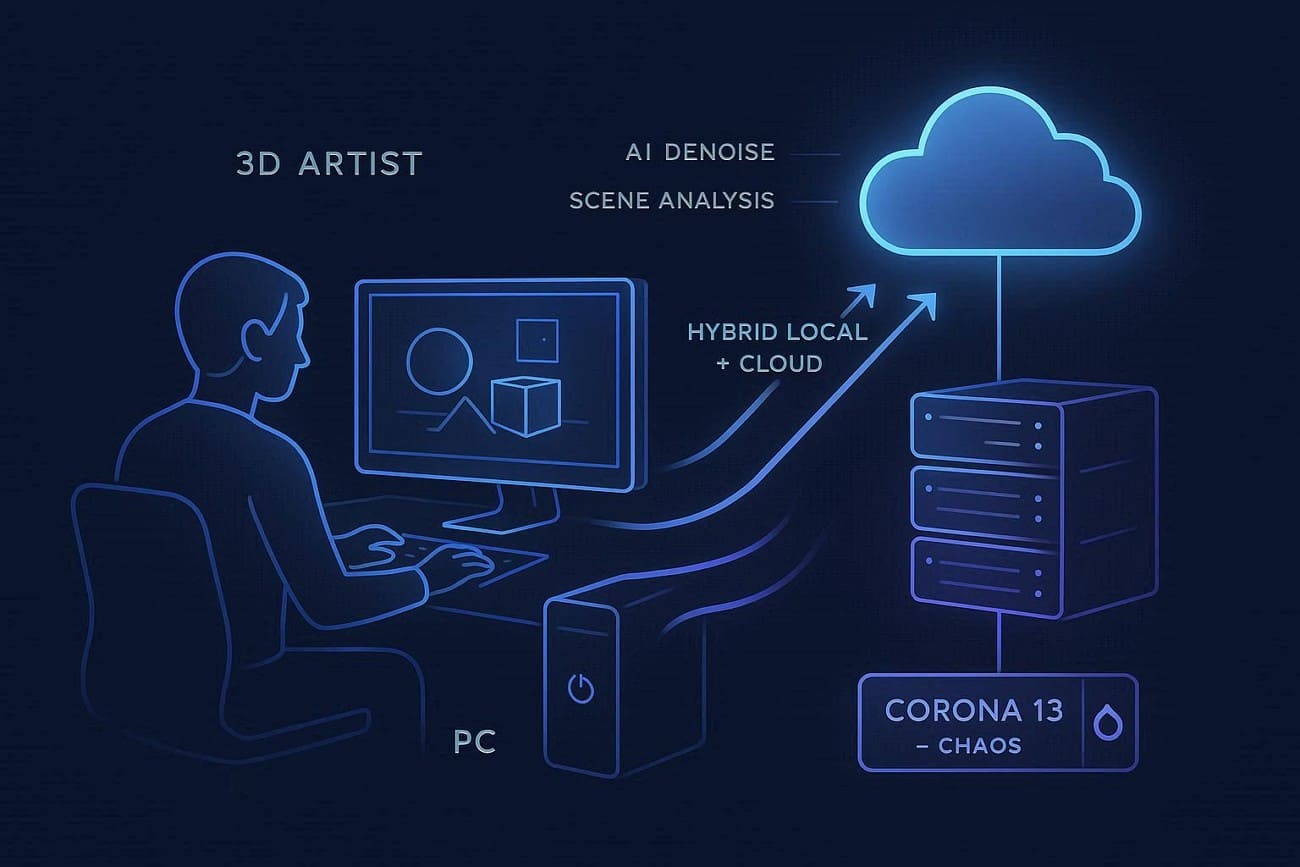
Whereas MotionMedia reports claim that Corona 13 introduces AI-enhanced workflows, with AI post-processing and upscaling likely becoming standard on render farms. Bearing the hype, RenderNow has concluded that there will be rapid growth in cloud render farms. This will favor hybrid setups that dynamically mix local machines with cloud nodes.
FAQ about Corona Render Farm
1. How do Corona render farms handle large 8K textures?
Most farms provide high-RAM nodes (128-256GB+) and optimized file handling to prevent crashes with heavy textures.
2. Can I test my scene before committing to a full render?
Yes, many render farms offer free trial credits or sample renders to check compatibility and speed.
3. How is data security ensured?
Top render farms use AES-256 encryption, comply with GDPR, enforce NDAs, and automatically delete project files after a set period.
Conclusion
To sum up, picking the right Corona render farm is needed in 2026 to render high-quality, complex architectural and VFX projects efficiently. Therefore, of all the render farm compared in this guide, Fox Renderfarm excels. This is because it combines top-tier performance, 24/7 expert support, and secure, scalable infrastructure for demanding projects.