Matte Painting Explained: Definition, History, and Workflow
 Ryan Thompson
In films, games, and other visual media, matte painting is the method of making a realistic background and environment. The art began in the early 20th century, using painted glass panels before cameras to make up a scene. Nowadays, artists can use digital tools to blend photographs, 3D imagery, and textures to present a smooth outcome.
Historical knowledge of its process and evolution helps artists create better scenes with depth, scale, and realism. In this guide, we will introduce everything about matte painting, then you can understand what matte painting is and how it works to create worlds.
Part 1. What Is Matte Painting in Visual Effects and Why Is It Used
Matte painting is a visual effects method in films, TV, and games to form either real or imaginary sets. It depicts fantasy sceneries, science fiction cities, or unfeasible places by matching painted or computer-generated backgrounds with real-time shots.
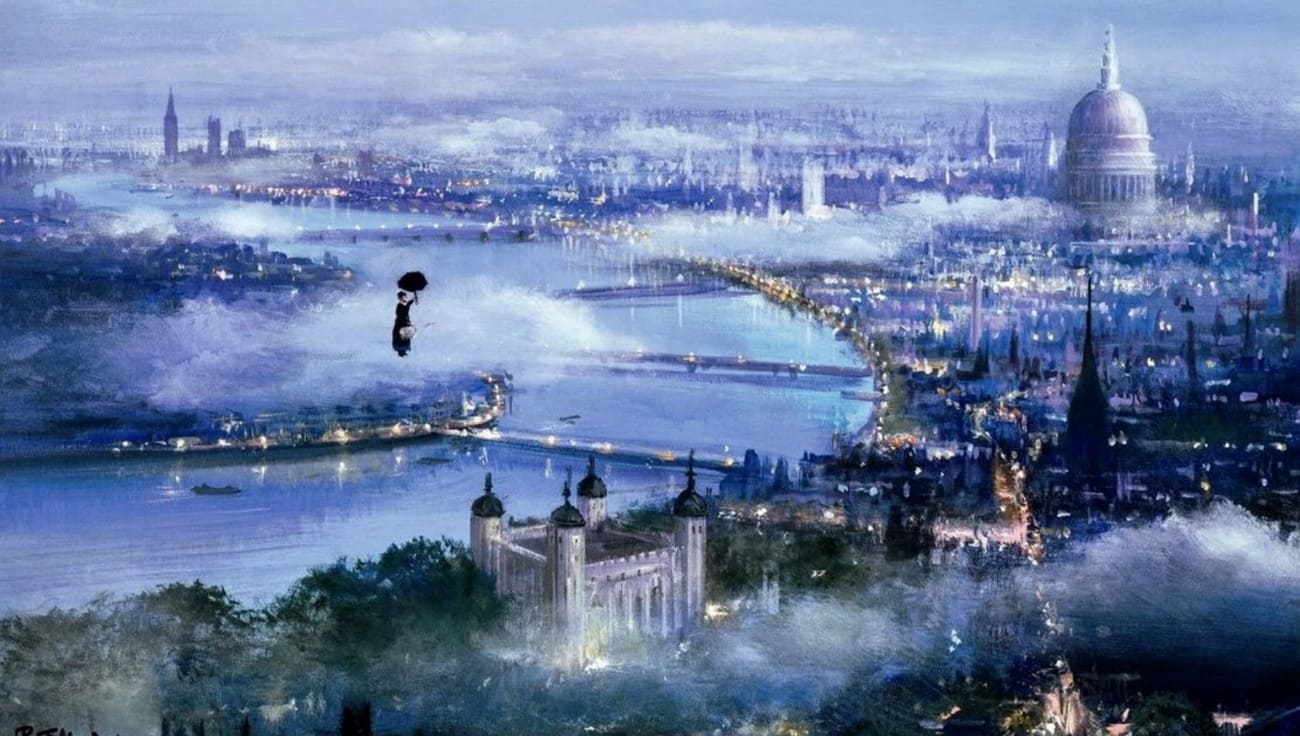
This expands a scene or constructs scenes that are prohibitively costly or physically difficult to build. Originally created on glass, modern matte painting uses digital tools, 3D elements, and photos to create detailed, believable worlds.
Part 2. How Did Matte Painting Evolve From Glass Panels to Digital Environments
Matte painting has evolved from hand-painted glass backdrops to complex digital environments, but the goal has always been the same. Its goal is to create believable worlds without building them physically.
Early Glass Mattes (1900s–1930s)
Norman Dawn used the first known film matte in 1907 (Missions of California), painting missing architecture on glass in front of the camera. Filmmakers added skies, buildings, and landscapes to extend sets and cheaply fix locations.
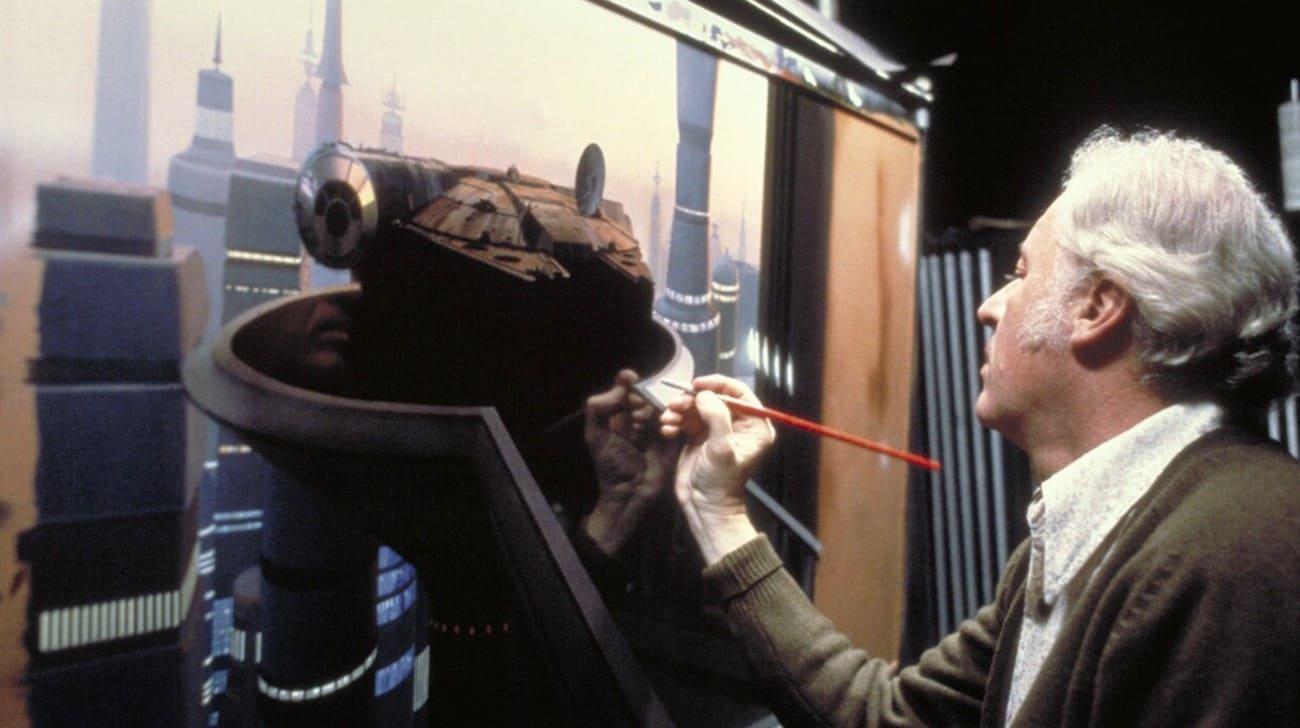
Golden Age of Matte Painting (1930s–1970s)
Matte paintings were employed by Hollywood in such iconic scenes as the Emerald City (The Wizard of Oz) and Xanadu (Citizen Kane). Impossible sets were made with artists combining live-action shots with oil or acrylic on glass or boards.
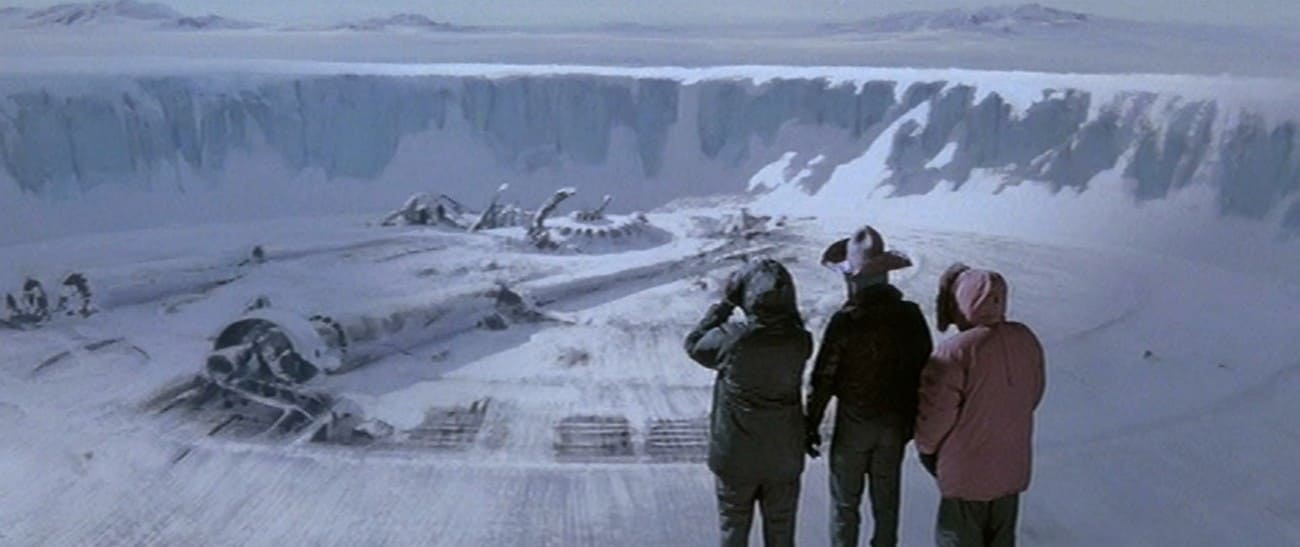
Transition to Digital (1980s–1990s)
Painters scanned traditional work and used computers. Early digital examples include Young Sherlock Holmes (1985). Films like The Abyss and Terminator 2 pushed digital mattes, slowly replacing optical methods.
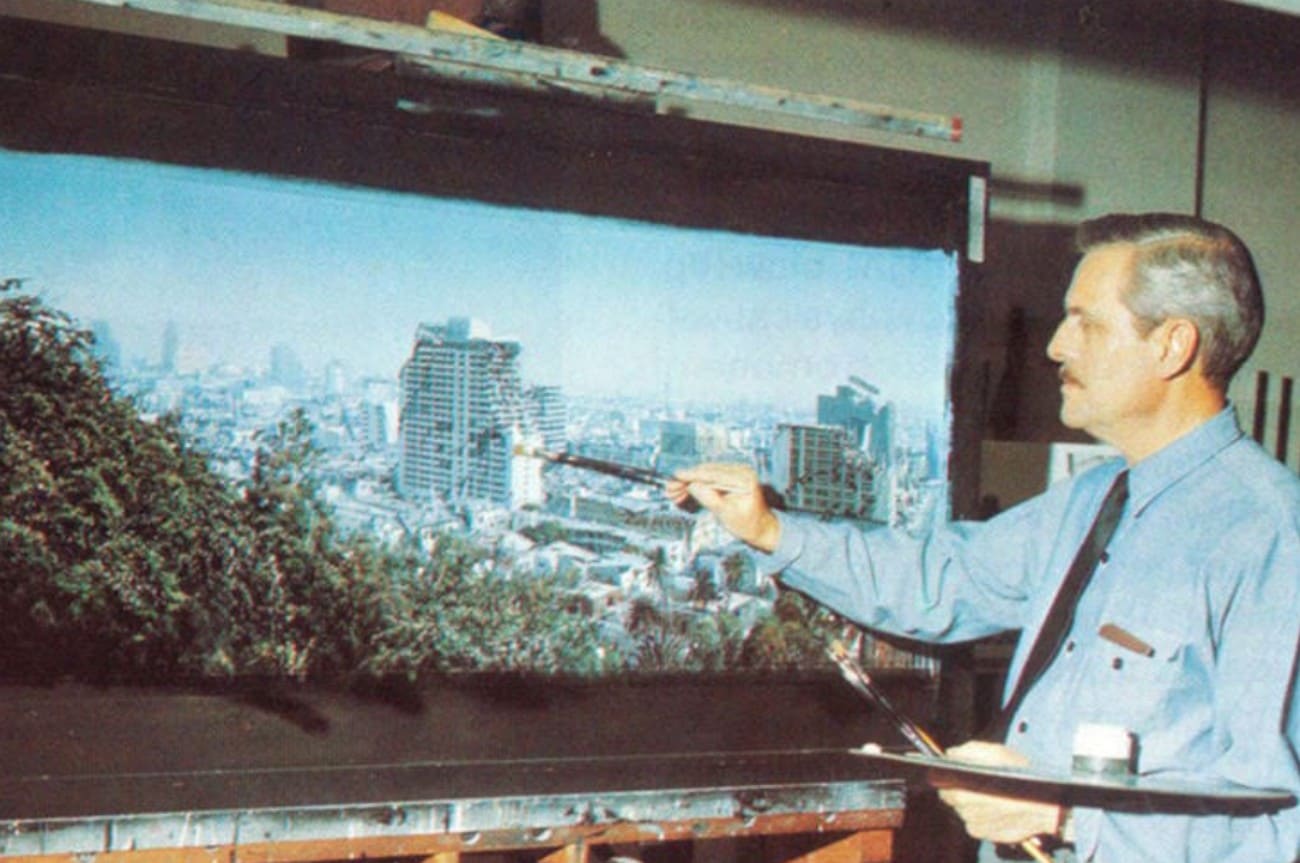
Modern Digital Matte Painting (2000s–Today)
Today, artists use Photoshop, Nuke, 3D tools, and photo bashing to create detailed digital environments. These can be projected onto 3D models for camera moves. Digital matte painting now enhances 3D worlds in matte filmmaking, games, and streaming, not just static backdrops.
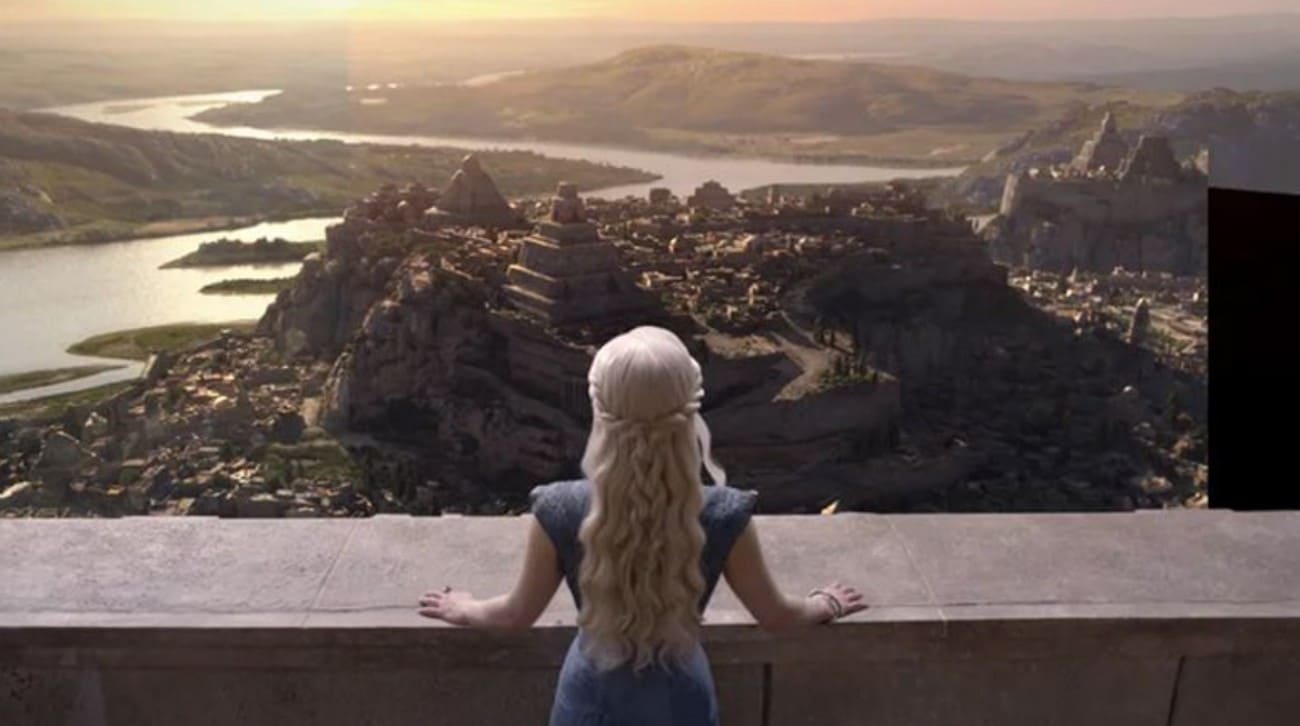
Part 3. How Does Matte Painting Work in Professional Studios Step-by-Step
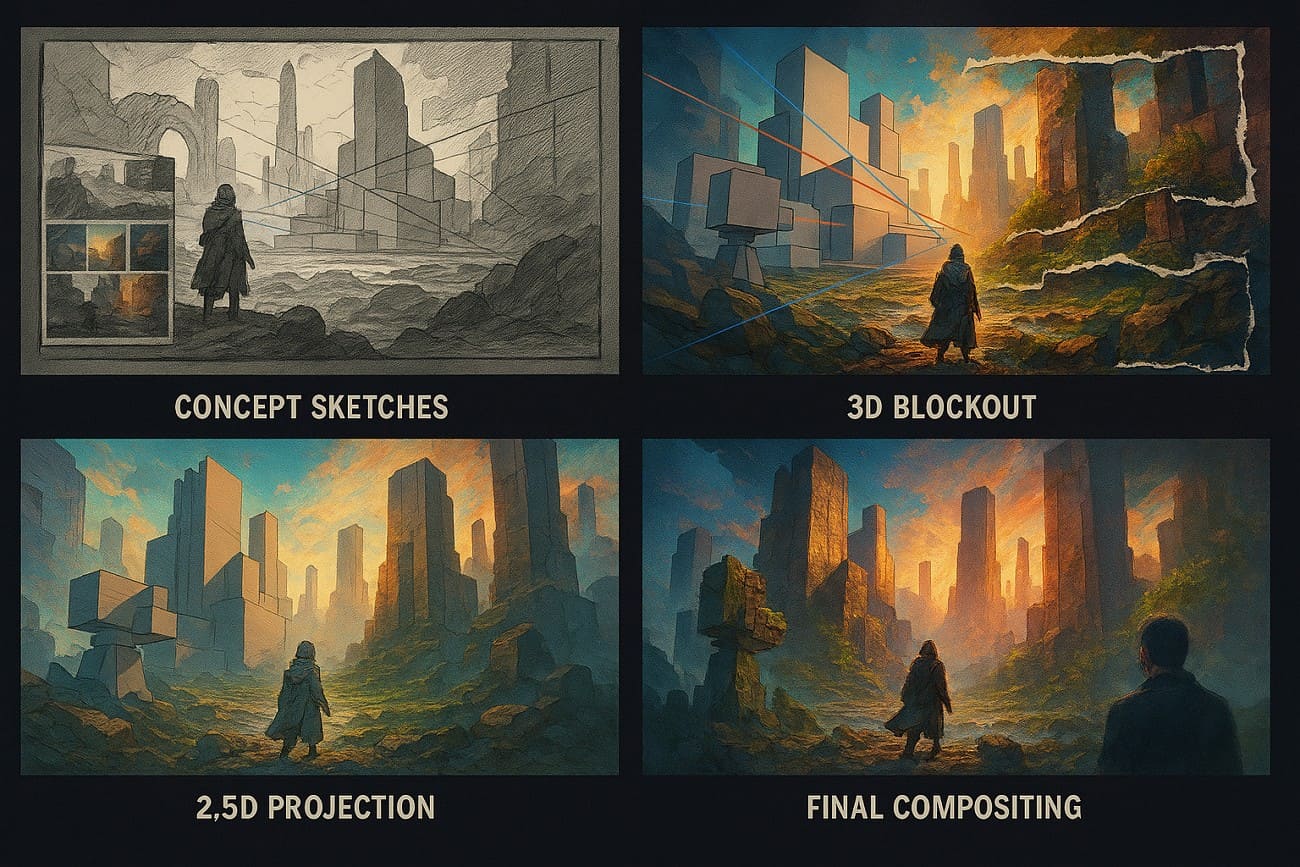
The current use of digital matte painting is a sequential process that integrates the use of traditional art with 3D and compositing applications. Its purpose is to transform a crude concept into a finished shot that would fit perfectly with real-life action shots. The following is the typical industry workflow, which is employed in studios such as ILM, Weta, and DNEG.
1. Concept and References
Start with the director’s brief that explains camera, mood, time, and what to add or replace. Collect photos and sketches to plan composition, landscapes, buildings, and lighting before work begins.
2. Base 3D Layout
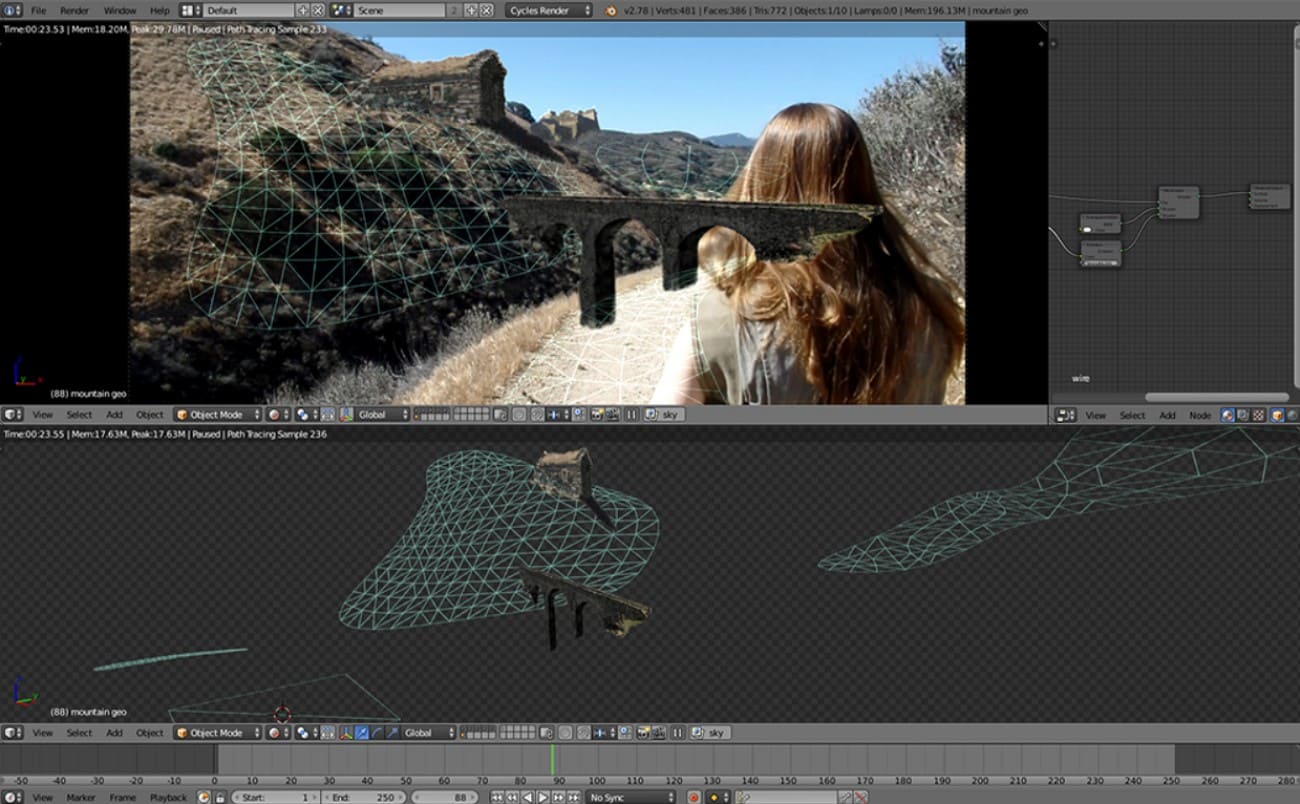
Create a simple 3D blockout in tools like Maya or Blender to match the camera and perspective. This sets the horizon, scale, and parallax, and provides depth and mask passes for painting.
3. Painting and Photo-Bashing
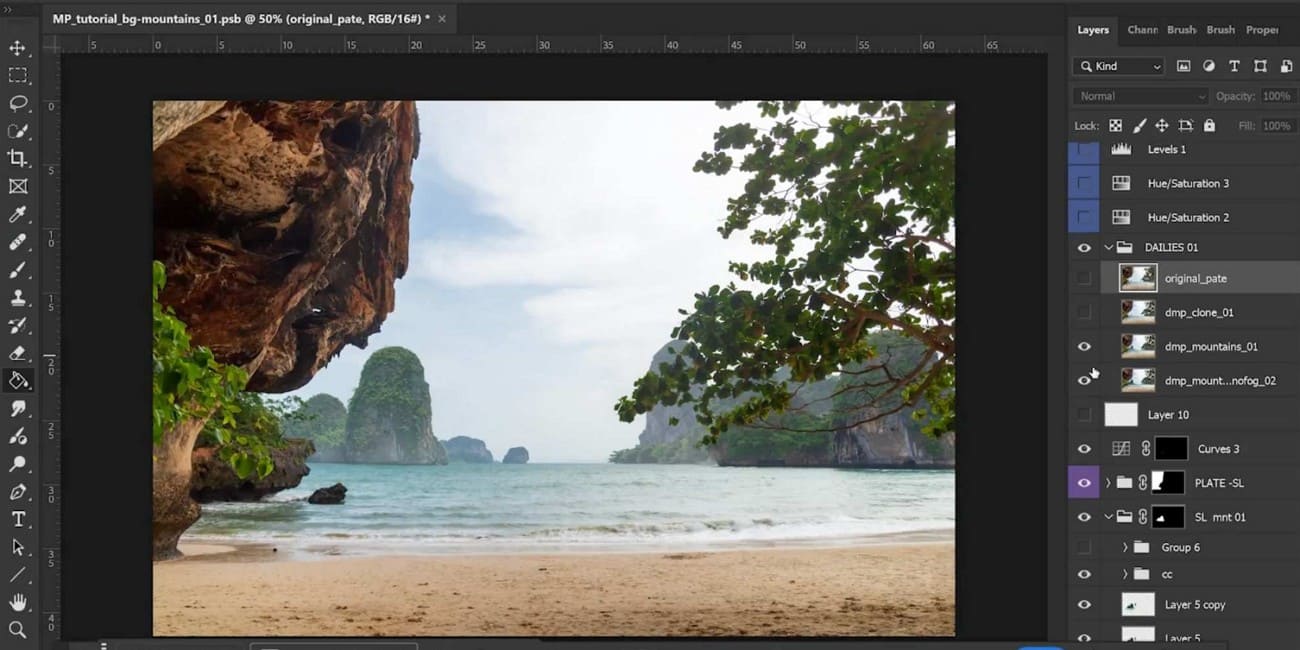
Use software such as Photoshop to combine photographs, textures, and paintings. Adjust color, light, and perspective. Provide details where photographs do not provide sufficient coverage.
4. 2.5D Projection
For moving shots, project the painting onto simple 3D shapes in Maya, Blender, or Nuke. This adds depth and parallax while keeping rendering simple.
However, once shots involve high-resolution textures, multiple projections, or large environment assets, local machines can quickly become a bottleneck. In professional pipelines, render farm is often used in production to speed up test renders and iterations.
5. Compositing and Final Touches
Merge the matte painting with live footage and CG, and adjust color, lighting, and add atmosphere like fog or glow. Review with supervisors to ensure the scene looks natural and seamless.
At this stage, consistency across multiple shots and versions is critical. Using a stable cloud rendering service like Fox Renderfarm allows teams to batch-render multiple shots in parallel, maintain consistent output quality.

Part 4. What Software and Tools Do Professional Matte Painters Use
These are common matte painting tools, grouped by purpose for easy study.
1. Image Editing & Painting Software
These are the key tools used for matte painting and combining images effectively.
- Adobe Photoshop - Standard software for matte painting
- GIMP - Free option instead of Photoshop
- Krita - Good choice for digital paint and textures
- Corel Painter - Software with a natural paint style
2. 3D Software [For Camera Projection & Depth]
Such tools add realism, depth, and camera motion to create believable and cinematic visual scenes.
- Autodesk Maya - Camera projection and scene setup
- Blender - Free 3D software for models and projection
- Cinema 4D - Common choice for motion and environment work
- 3ds Max - Tools for environment models and layout
3. Compositing Software
These tools combine matte paintings with live action footage for seamless and realistic final scenes.
- Nuke - Standard software for compositing
- Adobe After Effects - Common choice for motion shots
- Fusion - Node-based compositing option
4. Photo & Texture Resources
High-quality images help create realistic matte paintings with better detail, depth, and believable visual results.
- Photographic Libraries - Stock photos and HDRIs
- Texture Websites - Images for rocks, walls, and skies
- Custom Photography - Photos taken by artists for real detail
5. Digital Input Devices
These tools enhance precision, provide natural brush control, and help artists create detailed, smooth, and accurate artwork.
- Graphics Tablets - Wacom, Huion, XP-Pen
- Pen Displays - Wacom Cintiq
6. Lighting & Rendering Tools
Such tools help match light, shadows, and atmosphere to create realistic and cohesive scenes.
For high-resolution stills or shot sequences, local rendering can be slow. In practice, artists often pair these render engines with cloud rendering service such as Fox Renderfarm to handle heavier workloads more efficiently.
7. Color & Reference Tools
These tools ensure visual consistency and realism across all elements in a scene or composition.
- Color Calibration Tools
- Reference Boards - PureRef
Part 5. Where Is Matte Painting Used in Film Games VR and Architecture
Matte painting is a key part of visual storytelling, which started in early cinema as hand-painted glass panels and now works as a digital art form. While it began in film, it is now used in many visual industries. Below are the primary uses that vary from matte painting in film to video games.
1. Film and Television
Film and television are still the main use of matte painting, which creates impossible or too costly backgrounds or those that are impossible to build physically.
- Set Extensions: Expand small or incomplete physical sets into vast landscapes.
- World Building: Construct imaginary worlds such as science fiction, fantasy, or historical.
- Background Replacement: Replaces the green or blue screens with a realistic environment.
2. Video Games
In games, it is often referred to as “Environment Art” and is essential to maintain high performance without sacrificing original quality.
- Skyboxes: Creates 360-degree distant backgrounds like mountains, distant cities, and galaxies that players see but cannot reach.
- Cinematics: High-quality matte paintings are used in cut scenes to achieve a cinematic look, similar to real films.
- 2.5D Backgrounds: This technique employs parallax scrolling, in which layers move at different speeds to create depth in 2D games.
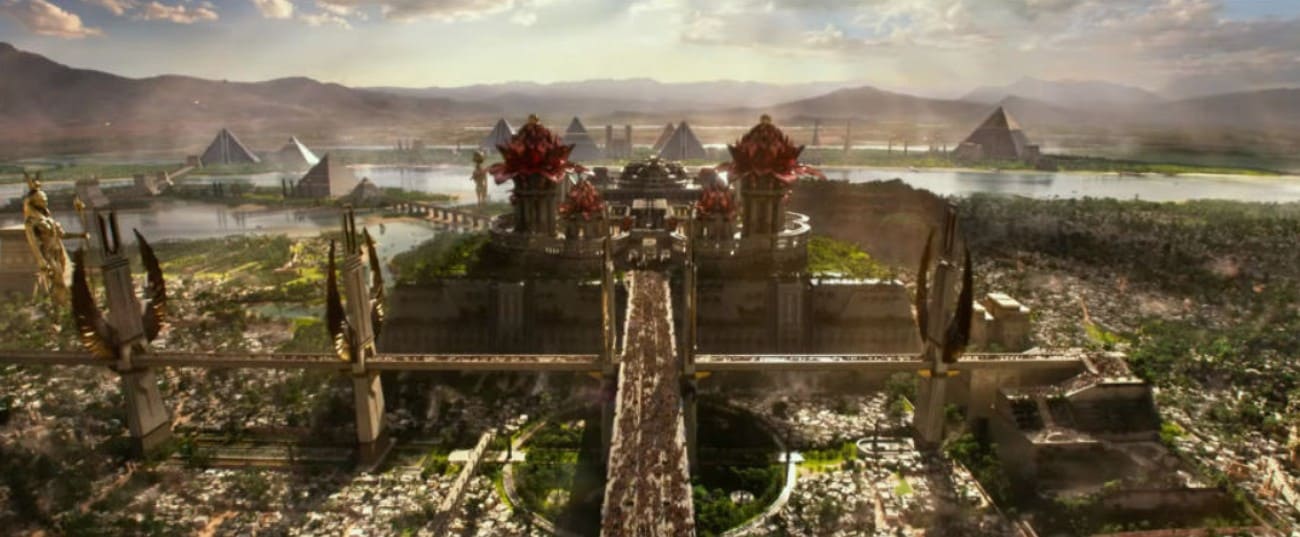
3. Advertising and Marketing
Unlike matte paintings in movies, commercials often have a low budget and a short timeline. So, this technique offers a cheaper alternative to real locations.
- Commercial Backdrops: Show a car on a mountain road or a watch in a penthouse without leaving the studio.
- Key Art: High-resolution digital painting for movie posters, game covers, and billboards.
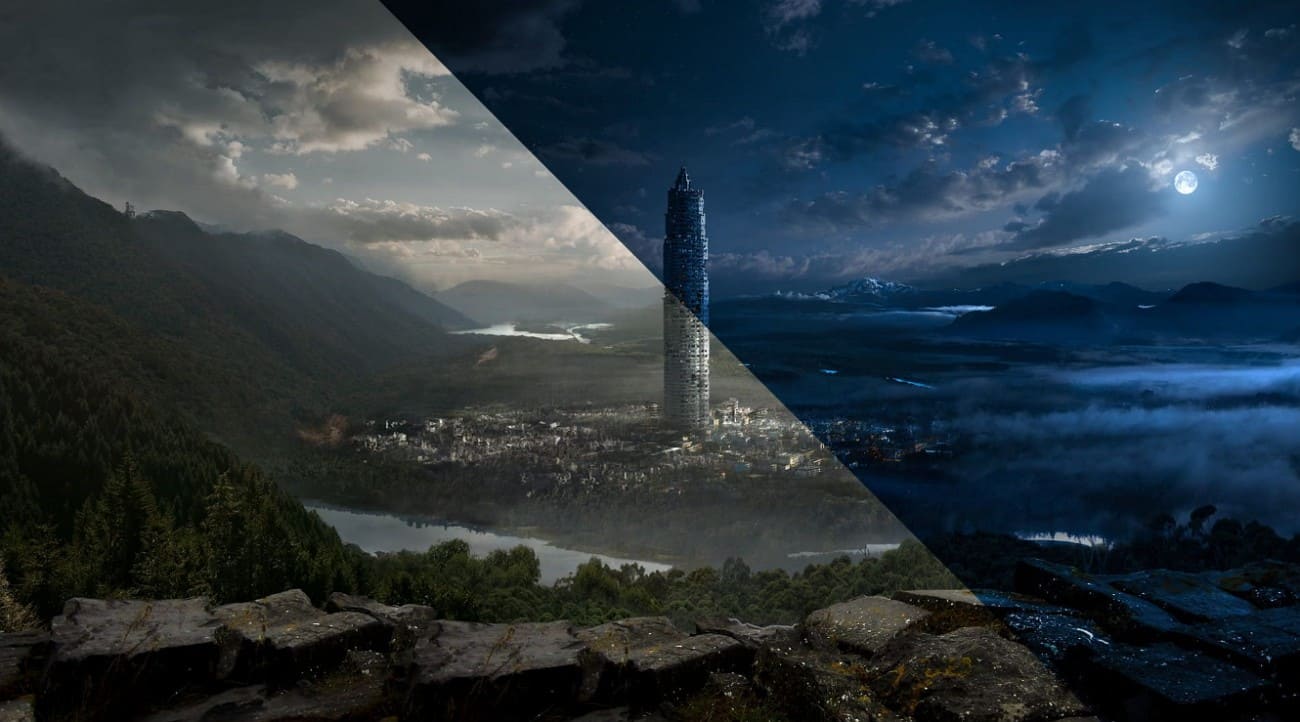
4. Architecture and Real Estate
Architects use matte painting to show clients a finished project before construction starts.
- Architectural Visualization: Enhance 3D building performance through realistic performances like gardens, urban landscapes, and lighting.
- Recovery: Reconstruct archaeological or historic buildings digitally to display in museums or documentaries.

5. Emerging Tech: VR, AR, and Virtual Production
The most recent application of matte painting is in designing immersive environments.
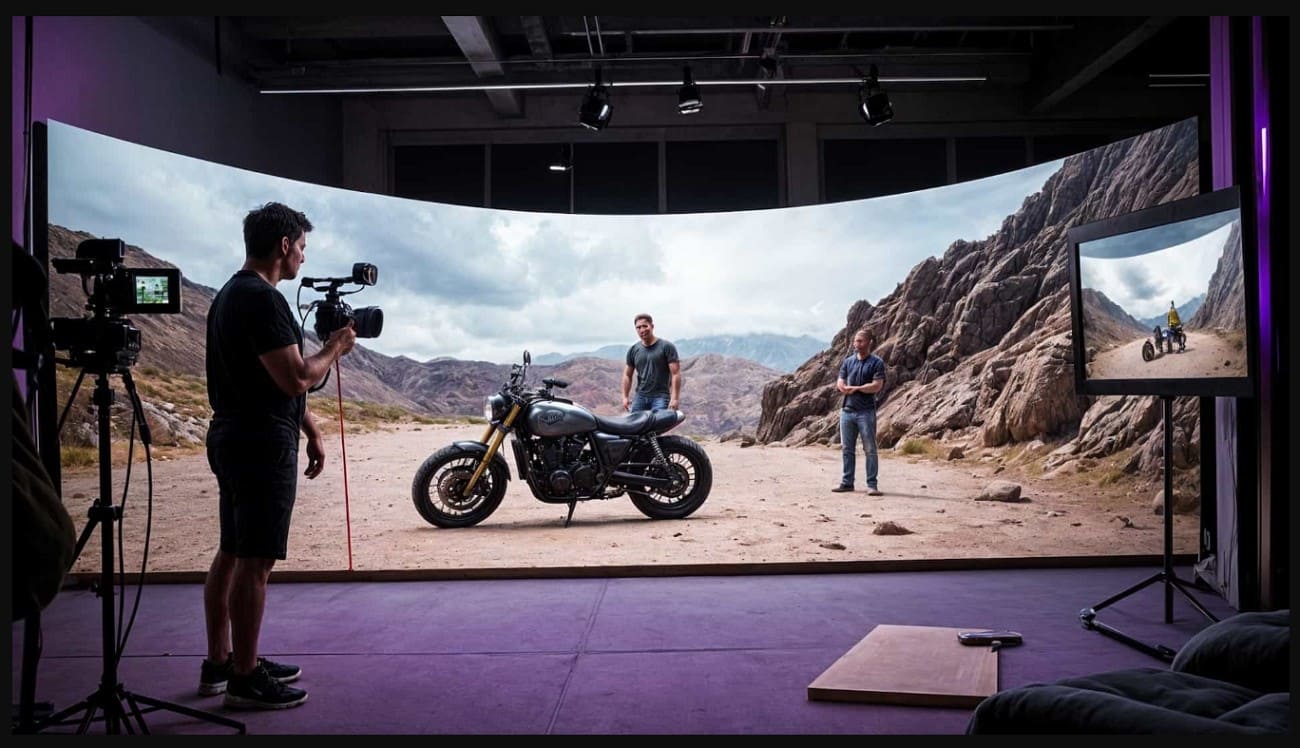
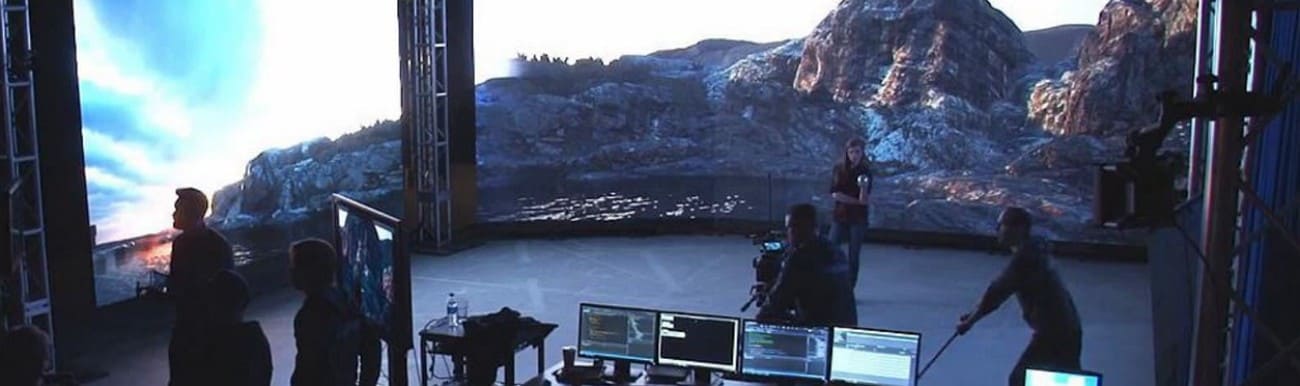
- Virtual Production: Matter painters project the set onto big LEDs to help the actors see the surroundings.
- VR Environments: Distant scenery will use 360-degree matte paintings to keep VR immersive and minimize the need to render 3D scenery.
Part 6. How Can You Learn Matte Painting and Become a Professional Artist
Learning matte painting combines traditional art skills with modern digital tools. The focus is on creating realistic scenes by understanding light and physics. Here is a clear roadmap to go from beginner to professional matte painter.
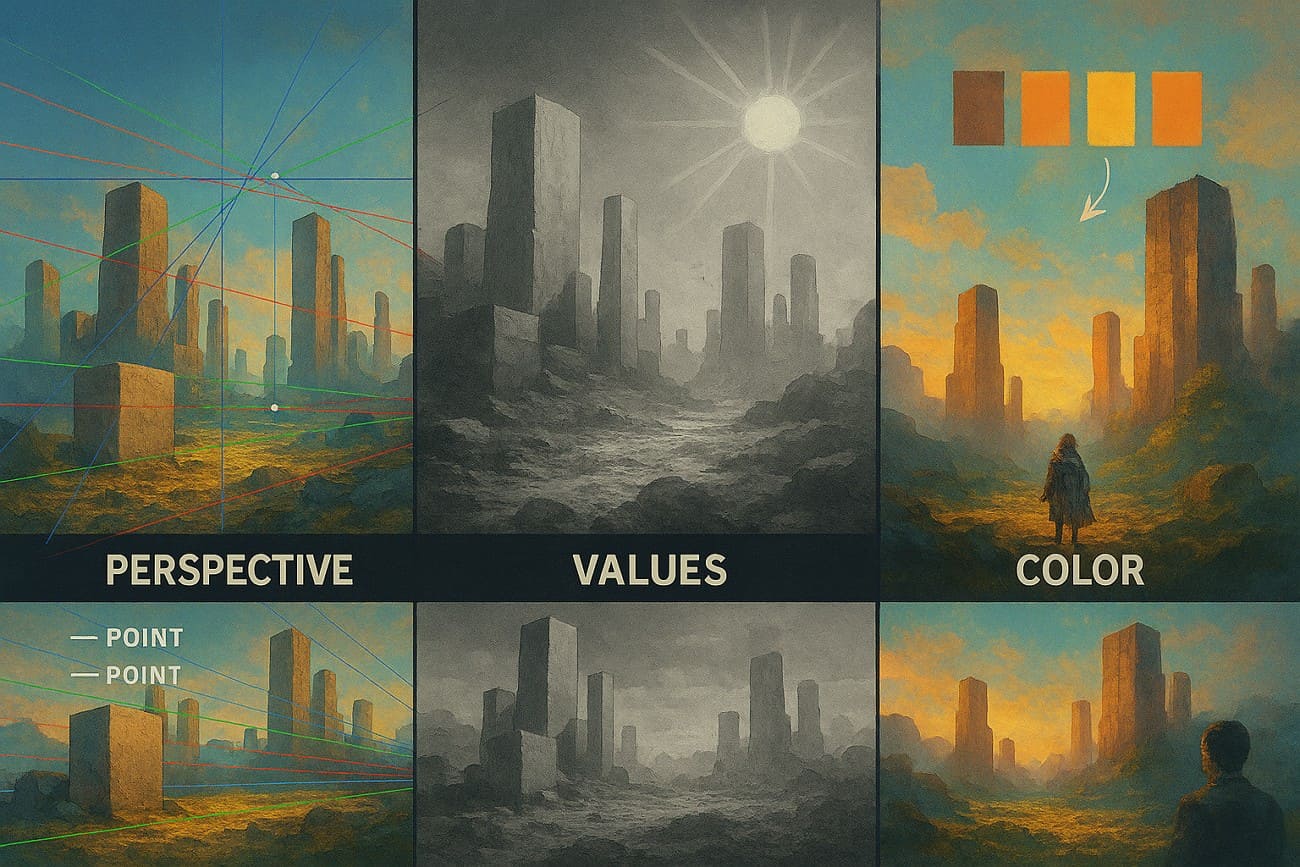
Step 1. Learn Perspective, Lighting, and Color Theory
Before you touch complex 3D software, it's important for you first to learn how images are constructed:
- Perspective: It is a crucial skill, and you must master 1, 2, and 3-point perspectives so that painted elements fit correctly in 3D space.
- Values and Lighting: Learn how light changes over distance, and distant objects should appear lighter, calmer, and less detailed.
- Color Theory: Pay heed to how to match the color temperature of photos so they appear taken at the same time and place.
Step 2. Learn Photoshop and Digital Matte Painting Tools
Adobe Photoshop is the standard software used for Digital Matte Painting.
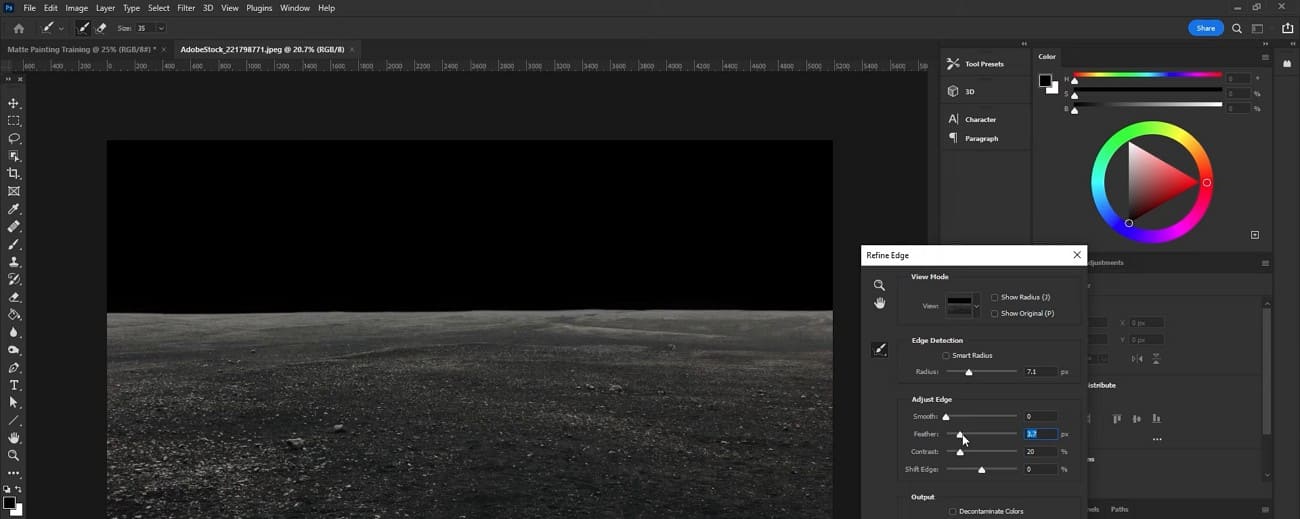
- Photo Bashing: Combine parts of different high-resolution images to create a seamless and realistic new image.
- Non-Destructive Workflow: Use Layer Masks and Adjustment Layers to hide changes without permanently altering the original pixels.
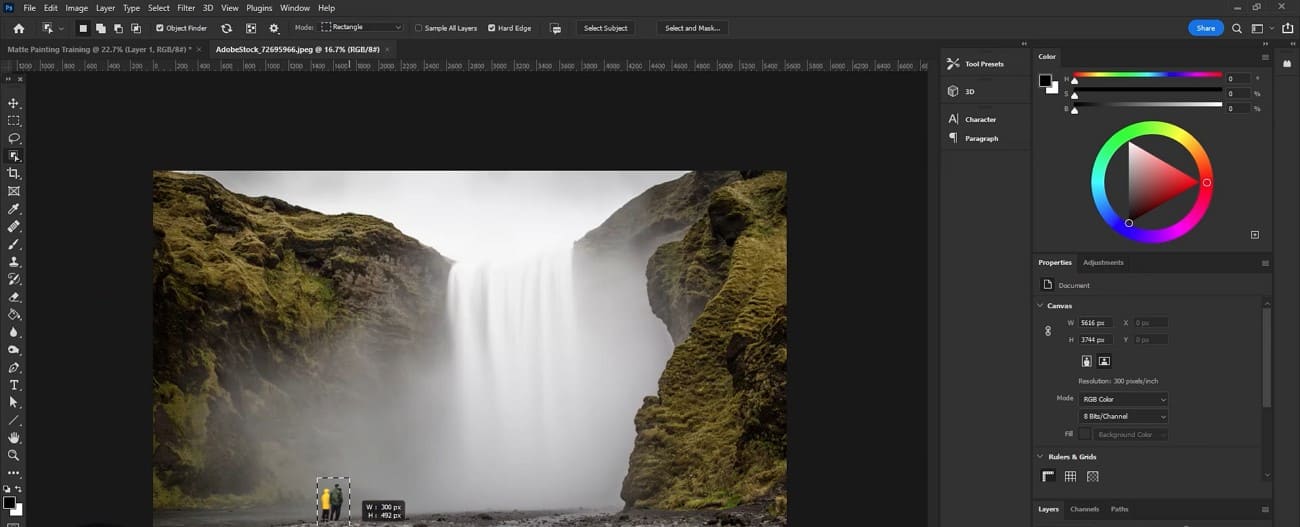
- Plate Prepping: Remove unwanted objects like wires or cards from photos to make a clean-based image.
Step 3. Learn 3D Projection and Compositing
Modern matte painting is rarely flat; it often employs Camera Projection to create depth and realism.
- 3D Software: Build simple 3D shapes that match your painting’s perspective. Then project your 2D painting onto them so the camera can move without breaking the illusion.
- Compositing: Add motion to your painting, such as birds, snow, or flickering lights, to bring it to life.
Part 7. FAQs about Matte Painting
1. What is digital matte painting?
DMP creates realistic or imaginary backgrounds for films, games, or animations digitally. It combines photos, painting, and computer tools to make detailed scenes for visual storytelling.
2. Can AI replace matte painting?
No, AI can help create ideas or textures, but cannot fully replace human creativity and judgment. Humans guide design, lighting, and storytelling, which AI cannot fully understand or execute on its own.
3. Do matte painters need 3D skills?
Yes, 3D skills help place paintings in space and allow camera movement in scenes. 3D knowledge makes a realistic perspective, depth, and projection for complex visual effects shots.
4. What industries hire matte painters?
Film, television, and video games hire matte painters to create realistic or fantasy backgrounds. Advertising, VR, AR, and architecture also use matte painters for visuals and environment designs.
Conclusion
To wrap up, Matte painting combines traditional painting, digital tools, and 3D techniques. This guide has explained what it is, how to learn, and what its applications are, so review for guidance.
However, for high-quality rendering of your matte painting projects, consider using Fox Renderfarm. This render farm provides powerful GPU rendering, fast turnaround times, and studio-grade reliability, making it ideal for handling large matte painting scenes.