 Blender
 Cinema 4D
 Arnold
 3ds Max
 Houdini
 V-Ray
V-Ray Maya
Maya Unreal Engine
 Nuke
Nuke Pricing
 New User Bonus
 Cost Estimator



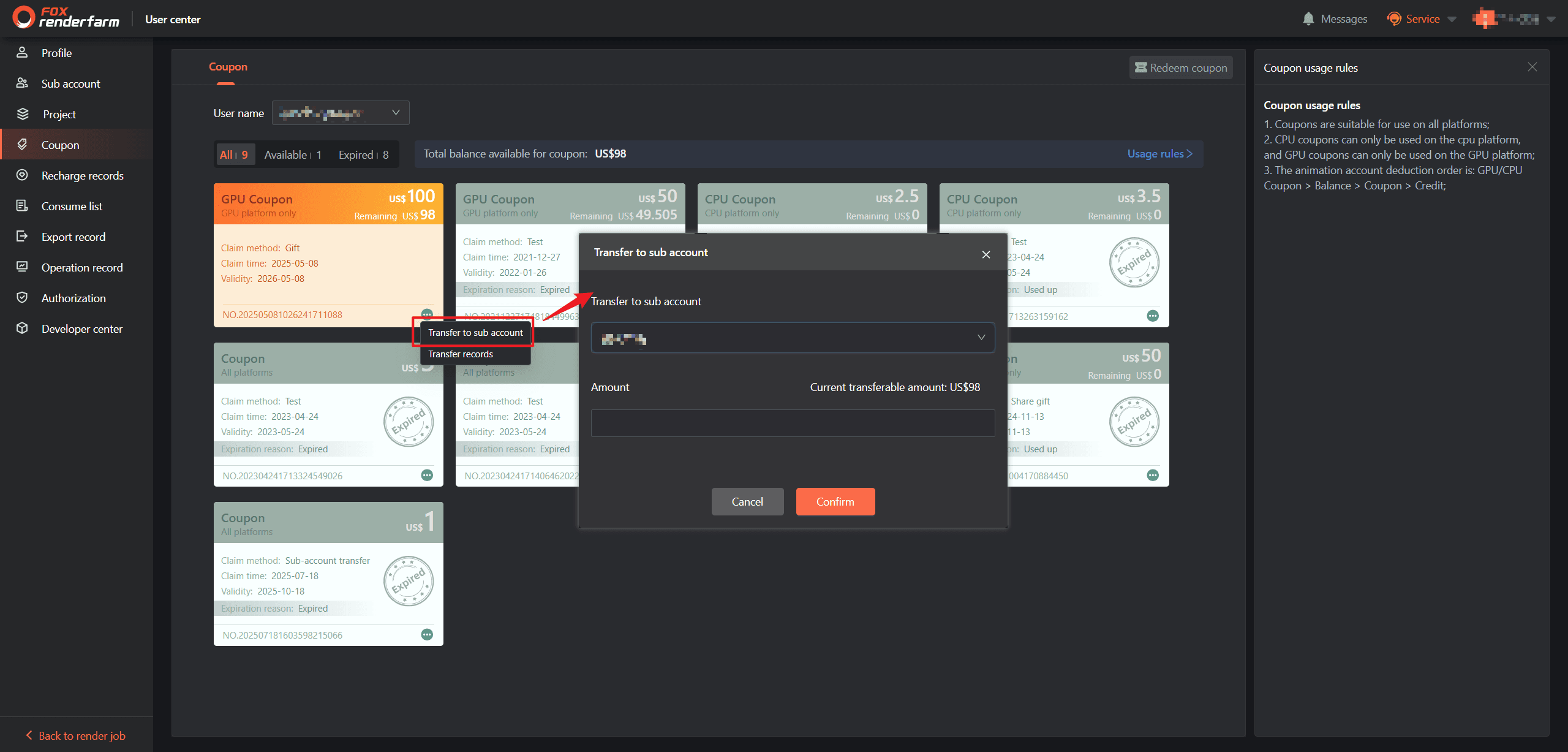
How to transfer coupons from the master account to sub-accounts?
To transfer coupons from a master account to a sub-account, the operator needs to first select the type of coupons for transfer, click the Transfer to Sub-account button, select the target sub-account in the pop-up window, input the transfer amount, and then the operation will be completed.
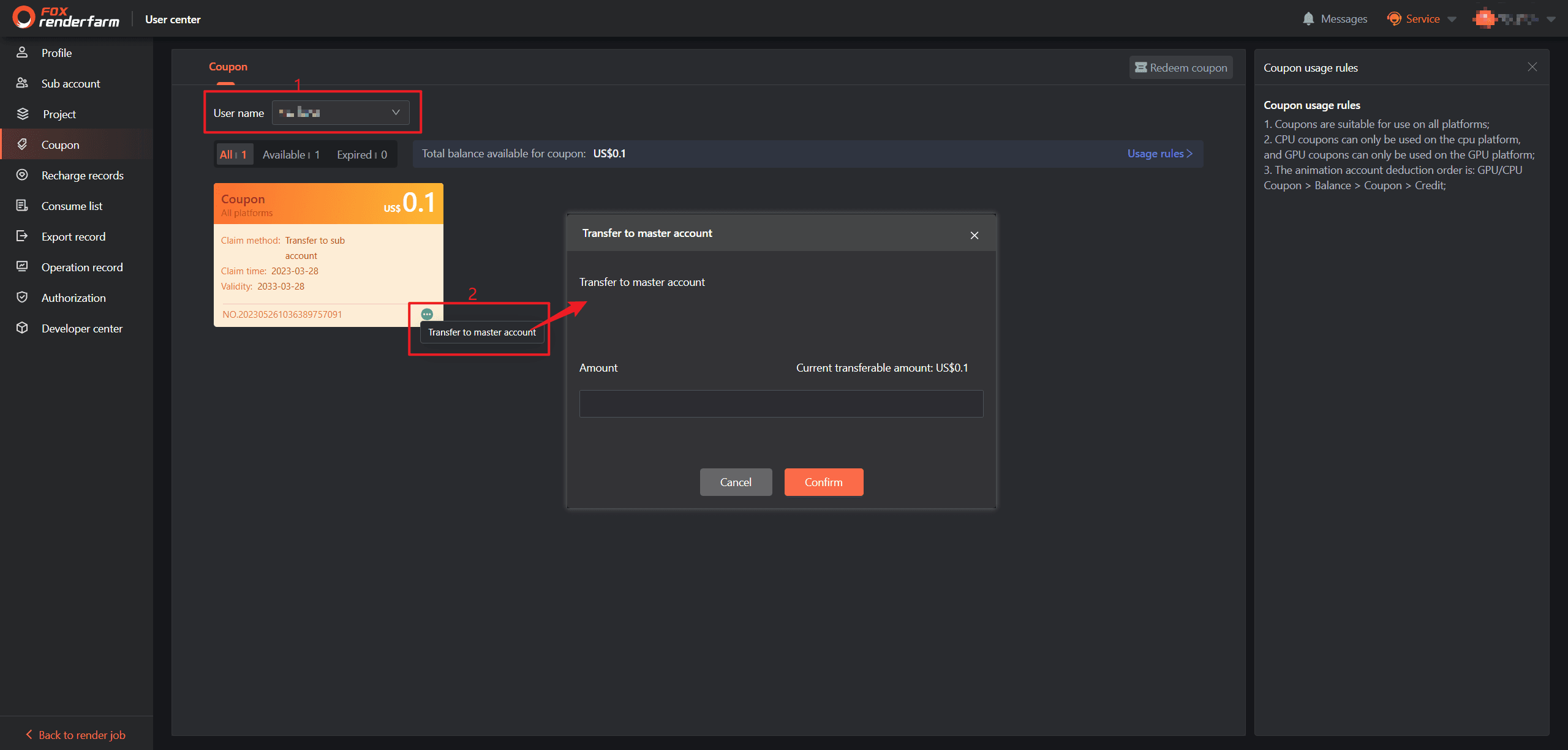
How can the master account transfer the coupons from sub-accounts back to itself?
To transfer coupons from a sub-account back to the master account, the master account first selects the target sub-account from the drop-down menu, locates the corresponding coupons under the sub-account, clicks the Transfer to Master Account button, enters the amount of coupons to be transferred back, and confirms to complete the operation.
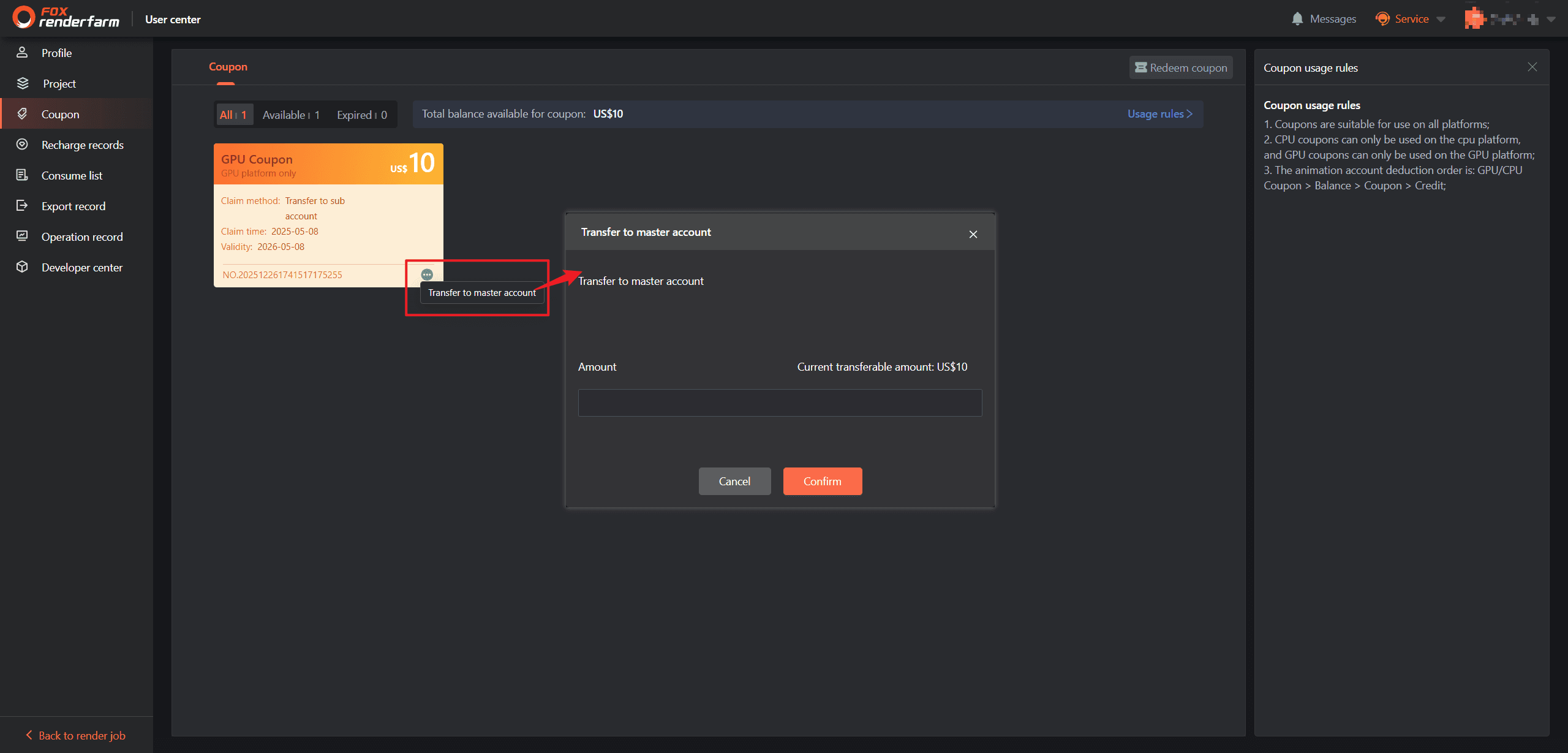
How to transfer coupons from sub-accounts to the master account?
To transfer coupons from a sub-account to the master account, first select the type of coupons for transfer, click the Transfer to Master Account button, input the transfer amount in the pop-up window, and the operation will be finalized.