Blender
 Cinema 4D
 Arnold
 3ds Max
 Houdini
 V-Ray
V-Ray Maya
Maya Unreal Engine
 Nuke
NukeTop 8 V-Ray Render Farms to Accelerate Your Workflow in 2026
 Ryan Thompson
Rendering with V-Ray can quickly slow down your workflow when scenes become complex. Large textures, detailed lighting, and high-resolution outputs often push a single workstation beyond its limits. This is why many artists use V-Ray render farm to speed up rendering without upgrading local hardware.
In this guide, we'll review the top 8 V-Ray render farms in 2026, and compare their performance, pricing, and software support to help you choose the right solution for your workflow.
Part 1. V-Ray CPU vs GPU Rendering in the Cloud
Choosing the right V-Ray cloud rendering service depends entirely on whether your project prioritizes raw speed or total feature compatibility. The following comparison table highlights how these engines perform when scaled across a professional cloud environment:
|
Scenario |
Better Choice |
Why It Fits Cloud Use |
|
Various Stills or Heavy Look-dev |
V-Ray GPU |
Offers fast iterations and great IPR, resulting in fewer billable hours per test. |
|
Long Animations with Clean Noise |
GPU / Hybrid |
Provides high throughput per frame, while hybrid mode squeezes more from each node. |
|
Very Heavy Scenes (Huge Textures) |
V-Ray CPU |
Leverages large RAM on CPU nodes to avoid VRAM limits with full feature support. |
|
Niche V-Ray Features |
V-Ray CPU |
Necessary since the GPU engine lacks support for some specialized V-Ray effects. |
|
Mixed Workloads |
Hybrid CUDA |
Uses both CPUs and GPUs to optimize cloud resource utilization. |
Part 2. Top 8 V-Ray Render Farms in 2026
Finding the best V-Ray render farm 2026 requires a balance between speedy hardware and pricing models. So, the list breaks down the top industry providers currently optimized for the latest V-Ray features and workflows:
1. Fox Renderfarm
Best For: Professional 3D artists who need a powerful V-Ray render farm for product visualization.
Fox Renderfarm offers a large-scale cloud infrastructure with 30,000+ CPU and GPU nodes, powered by high-performance multi-core Xeon processors and NVIDIA RTX-series GPUs such as RTX 3090 and 4090. This render farm ensures your V-Ray projects start rendering quickly without queue delays. You can utilize both CPU and GPU rendering engines for maximum flexibility across different scene requirements.
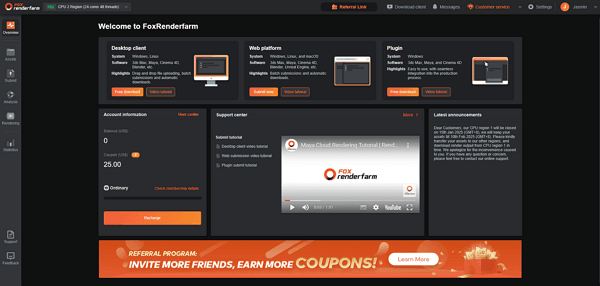
In addition, Fox Renderfarm‘s integrated system automatically detects missing textures to prevent costly upload errors. This dedicated V-Ray render farm also processes scenes from major tools like 3ds Max and Maya without compatibility issues. Moreover, heavy scenes and slow V-Ray rendering demand scalable resources, which Fox Renderfarm delivers efficiently with high-RAM nodes and optimized parallel processing.
Key Features
- Supports major V-Ray plugins, including Forest Pack and TyFlow, ensuring smooth and reliable scene processing.
- Automates job submissions within production pipelines, streamlining workflows and reducing manual effort.
- Delivers high-speed storage that loads large V-Ray textures quickly across nodes, minimizing delays.
- Offers secure private networks to protect sensitive projects and maintain full control over data transfer.
- Enables fast, real-time file uploads through an optimized high-speed transfer protocol for efficient delivery.
Pricing Model
- Offers a pay-as-you-go model that includes convenient online cost estimation tools.
- CPU rendering starts from $0.0306 per core-hour, competitively priced.
- In addition, GPU nodes are available on a $0.90 per GPU-hour basis.
2. Chaos Cloud Rendering
Best For: Small studios and freelancers needing fast, fully integrated Chaos Cloud V-Ray rendering solutions.
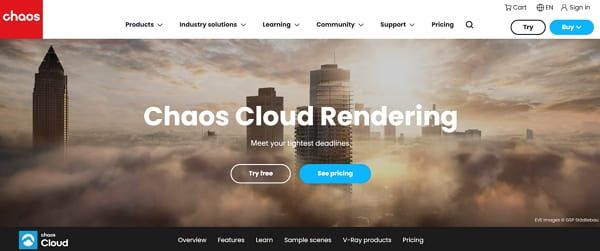
This official service allows you to submit complex 3D scenes directly from your V-Ray interface. It automatically handles all licensing and asset collection to ensure perfectly matched cloud output. Alongside that, scalable infrastructure renders multiple frames simultaneously across Chaos-managed cloud nodes. Moreover, the platform’s web dashboard provides real-time monitoring of the V-Ray render farm for interior design progress.
Key Features
- Utilizes standardized .vrscene exports to maintain complete visual consistency across different local machines.
- Offers cutting-edge noise reduction tools integrated directly into the cloud rendering compute process.
- Allows you to review finished frames online and share them with remote design clients.
Pricing Model
- It uses a credit-based system, including infrastructure and V-Ray licensing.
- V-Ray Premium subscriptions include monthly credits, with additional packs available for purchase.
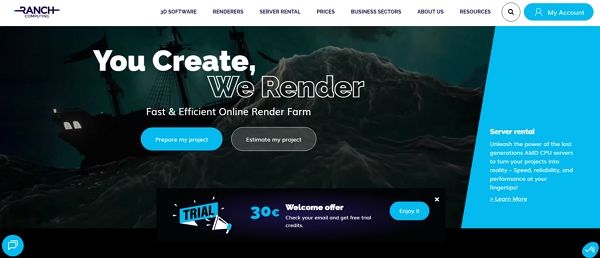
3. RANCH Computing
Best For: Animation projects needing powerful CPU/GPU nodes for HD V-Ray stills and animations.
RANCH Computing provides 20,000 CPU cores to handle your most demanding rendering tasks. You can utilize specialized strip rendering features to process ultra-high-resolution V-Ray still images effectively. In addition, their optimized system allows a month of local rendering to finish in just one hour. Additionally, each node offers up to 256 gigabytes of RAM for complex geometry.
Key Features
- Provides official support for V-Ray across major software like 3ds Max and Cinema 4D.
- Features high-performance AMD EPYC processors to deliver maximum stability for every 3D project.
- Includes a digital safe system to manage your rendering credits and active project history.
Pricing Model
- Uses a credit-based “Safe” system to pay as CPU/GPU time is consumed.
- CPU/GPU hourly tiers vary; some GPU tiers cost around 0.005–0.009 € per OBh.
- New users receive ~30 € free credits for a V-Ray render farm free trial.
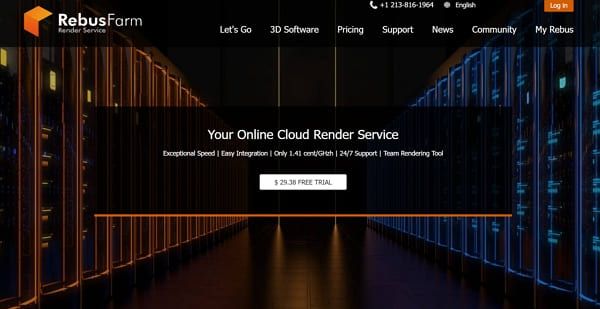
4. RebusFarm
Best For: Freelancers seeking a cheap V-Ray render farm with simple plugin-based submission.
This German-based provider installs the RebusDrop plugin for direct V-Ray submission from 3ds Max. You can even leverage thousands of Xeon CPU cores and modern GPUs to handle demanding animation workloads efficiently. Besides, the system supports V-Ray proxies for managing heavy scene geometry, while automatic asset repathing resolves file paths during export without manual adjustments.
Key Features
- Submits scenes directly from 3D software, minimizing manual setup and speeding up cloud rendering processes.
- Features one-click automatic asset repathing to ensure all textures remain perfectly linked during upload.
- Provides 24/7 human technical support to assist with any urgent V-Ray plugin configuration issues.
Pricing Model
- Uses RenderPoints (RP) currency, as one RP costs approximately 1.18 USD by default.
- New users receive around 30 USD worth of RP free credits for testing.
- Base usage is about 1.41 cents per GHz-hour, varying by machine type.
- Pay-as-you-go SaaS system, so no subscription or minimum purchase is required.
- You can save up to 60% by buying 50,000 RenderPoints for major studio productions.
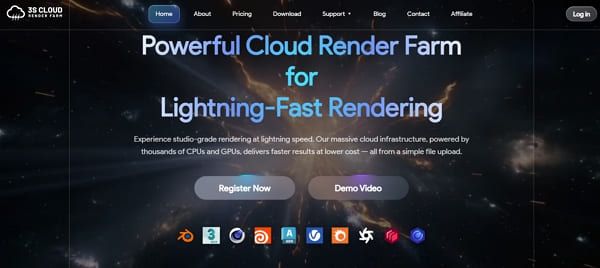
5. 3S Cloud Render Farm
Best For: Studios needing V-Ray Cloud rendering service with a strong GPU acceleration focus.
It provides high-performance NVIDIA A10 GPU instances for all your rendering needs, including V-Ray jobs. 3S Cloud also provides optional CPU nodes to handle complex geometry and large texture scenes efficiently. Users can even submit projects directly from supported DCCs via the web dashboard or the desktop client. Plus, their automated project packaging system effectively reduces common errors caused by any missing files.
Key Features
- This advanced service provides up to 128 gigabytes of RAM for memory-intensive 3D scenes.
- Eliminates long queue times to help you meet even the tightest project deadlines.
- Supports major creative software, including Blender and Maya, for a versatile production workflow.
Pricing Model
- The pay-as-you-go model ensures your budget remains completely under your own control.
- A basic GPU node costs approximately $1.40 per hour.
- Mid-range server options with more memory start at around $1.80.
- High-end instances for complex scenes are priced at $2.50.
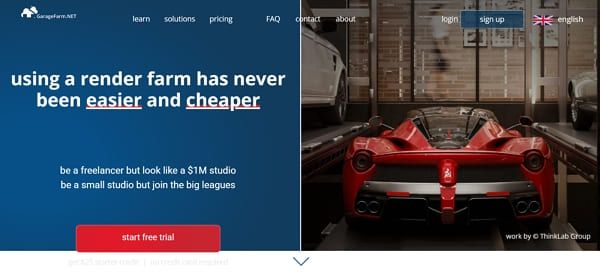
6. GarageFarm.NET
Best For: Freelancers and studios needing fully automated CPU/GPU V-Ray rendering with expert plugin support.
While exploring the top tools, GarageFarm.NET plugins allow you to submit V-Ray scenes directly from 3ds Max and Rhino. It provides 20,000 CPU cores and millions of CUDA cores for your projects. Furthermore, this render farm offers an integrated asset relinker that automatically handles all your external file paths during the upload. Besides, the system supports complex GI setups, including irradiance maps and light caches for quality visuals.
Key Features
- Supports advanced V-Ray elements, including proxies and volume grids for highly complex 3D scenes.
- This service also provides high-memory nodes equipped with up to 256 gigabytes of RAM.
- Includes specialized support for multilayer EXR files and raw V-Ray frame buffer image outputs.
Pricing Model
- CPU rendering starts around 0.024 USD per GHz-hour, standard base rate applied.
- GPU pricing starts around 0.004 USD per OB hour, depending on priority, node type, and discounts.
- Volume discounts reduce hourly rates for larger projects reaching $12,500–$15,000 thresholds.
7. GridMarkets
Best For: VFX studios and freelancers requiring a high-performance V-Ray render farm for interior design and complex animations.
GridMarkets provides plugin-based submissions for all major tools, such as Maya and Cinema 4D. Besides, it supports V-Ray alongside multiple render engines, offering flexibility for diverse production workflows. The scalable infrastructure allows projects to run across up to 180 machines for faster rendering. You can even utilize high-RAM configurations with nearly 400 gigabytes of memory per node.
Key Features
- Features specialized Ultra High-Performance nodes for the most demanding 3D rendering and simulations.
- Includes all data transfer and storage costs within the transparent hourly machine rates.
- Allows you to view your frames in real-time while they are still rendering.
Pricing Model
- Uses hourly machine pricing billed per second, including storage, transfer, and software licenses.
- High-performance nodes cost approximately $10–$20 per hour, depending on configuration and software.
- Dynamic pricing allows users to select Economy or Standard plans based on budget needs.
8. Super Renders Farm
Best For: Artists needing affordable managed V-Ray rendering with strong GPU support for product visualization workflows.
This official Chaos partner provides native support for all major V-Ray software versions. While utilizing its service, you can utilize 3,000 dual-Xeon CPU nodes for your most intensive rendering tasks. Alongside that, it supports both CPU and GPU nodes to ensure flexibility for different V-Ray project requirements. Moreover, the fully managed pipeline handles all licensing and plugin configurations for your 3D scenes.
Key Features
- Provides high-performance 3.0 GHz processors to deliver maximum stability for every V-Ray project.
- Offers a specialized Super Renders application that installs plugins directly into your 3D software.
- Features version-pinned configurations to avoid potential mismatches during cloud rendering.
Pricing Model
- Uses credit-based pricing where users only pay for the actual rendering time consumed during projects.
- CPU rendering starts at approximately 0.004 USD per GHz-hour, depending on the selected priority levels.
- GPU rendering costs start at around 0.003 USD per OB-hour, offering highly competitive pricing.
Part 3. Step-by-Step Workflow: Simplify Rendering Your V-Ray Project
Learning how to use a V-Ray render farm is the fastest way to scale your creative production. The following guide explains the standard process for submitting a professional project to a high-performance environment:
Step 1. Prepare Your V-Ray Scene for Cloud Rendering
You must first clean your 3D scene by removing all unused assets and freezing transformations. Set your final V-Ray resolution and GI methods before performing a single local test frame. Besides, create a dedicated project folder to keep all your textures and scene files organized together.
Step 2. Submit Your Project Using a V-Ray Render Farm
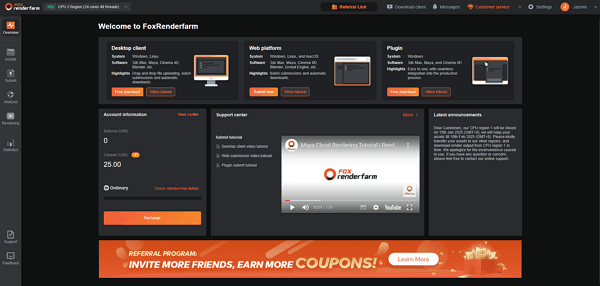
Submit your project through a cloud render farm like Fox Renderfarm using its dedicated client. Open your project and select the correct software version to perform a quick preflight check. Afterward, fix any reported errors or missing textures before confirming the final submission of your job. The system automatically packages textures, lighting, and geometry to prevent missing asset errors.
Step 3. Analyze and Start Rendering Your V-Ray Project
After submission, the platform analyzes your V-Ray project and distributes rendering tasks across multiple nodes. At this point, testing is vital when utilizing a V-Ray render farm for product visualization to ensure accuracy. So, trigger a short test of 3 frames to inspect the noise levels and visual quality. Plus, cloud render nodes process multiple frames simultaneously, drastically improving turnaround time for animation projects.
Step 4. Download and Verify Final V-Ray Render Outputs
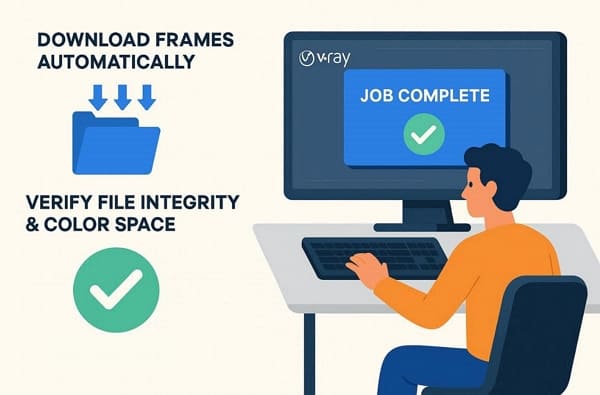
Open your project inside Fox Renderfarm once you receive an email notification that your project is finished. You can enable the auto-download feature to save all frames directly to a local folder. Moreover, verify the file integrity and color space of your renders before archiving the final project.
Part 4. Tips to Optimize Your V-Ray Scenes for Cloud Rendering
You must optimize your scene to get the most from the best V-Ray render farm 2026. So, these professional tips will ensure your project remains within your planned budget:
- Asset Paths: You must ensure all your textures and proxies use relative file paths now. This simple step prevents the rendering nodes from missing any essential project data.
- Scene Cleanup: Remove every unused material and hidden object from your 3D scene file immediately. In addition, keeping the file size small will speed up the initial cloud upload process.
- Resolution Check: Double-check your final output resolution before you confirm the cloud submission. Correct dimensions prevent you from wasting money on frames that are too large.
- GI Settings: Use the brute force method to avoid flickering issues in your final animations. Furthermore, standardize your global illumination settings to maintain visual consistency across all the nodes.
- Memory Management: Monitor your VRAM usage carefully when you are using the GPU rendering engine. Plus, high memory efficiency ensures your project does not crash during the rendering phase.
FAQs about V-Ray Render Farm
Q1. What happens if my V-Ray render job fails overnight?
Most modern systems will automatically pause your billing if a fatal system error occurs. You can review the error logs in your dashboard to fix the scene problems. Moreover, reliable platforms offer 24/7 technical support to resolve any sudden job processing issues.
Q2. Is it possible to render V-Ray scenes created in SketchUp Pro?
Tools like Fox Renderfarm provide full native support for V-Ray scenes exported directly from SketchUp Pro. You can utilize their powerful infrastructure to handle your most complex building model details. This service also ensures your architectural visualizations meet every tight deadline with extreme hardware speed.
Q3. How can I estimate the final cost of my V-Ray animation?
Most platforms provide an online calculator where you enter your local test render times. Such a tool uses your hardware specifications to predict the total cost of the project. It helps you maintain a profitable studio while using a cheap V-Ray render farm service.
Conclusion
To conclude, choosing the right V-Ray render farm depends on your project size, budget, and performance requirements. Each platform offers different strengths, from faster rendering speeds to better software compatibility.
By comparing these options, you can find a cloud solution that balances performance and cost for your workflow. For more demanding projects, a reliable V-Ray render farm like Fox Renderfarm can help you render complex scenes faster without being limited by local hardware.