
 Blender
 Cinema 4D
 Arnold
 3ds Max
 Houdini
 V-Ray
 Maya
 Unreal Engine
 Nuke
 Pricing
 New User Bonus
 Cost Estimator
 Christmas Sale


Create and activate your account
Overview
Everything starts with one account, and it stays inactive until you open the activation link. This page walks you through registration, activation and your first sign-in; the two onboarding screens that follow are covered at the end.
All of these screens share the same layout: marketing copy on the left, the form on the right. The left panel is promotional and can be ignored.
Before you start
- An email address you can access — unless you sign up with Google.
- Whether you sign in as a master account or a sub-account — sub-accounts are created by the studio's master account, not here.
Steps
Create the account
1、Go to foxrenderfarm.com and click Register, or use Continue with Google below the divider to sign up with a Google account instead of filling in the form.
2、Enter your email and a username. The username is your login name — 6–20 characters, letters, numbers or underscores — and can be changed later in User center → Profile.
3、Set a password: 8–18 characters, upper- and lowercase letters, at least one number, no spaces at either end.
4、(Optional) Add a phone number so support can reach you.
5、Tick the agreement box, then click Register.
6、Open the activation email and click the link. Until you do, the account stays inactive and sign-in fails. If the email is missing, check spam and resend it from the confirmation screen — do not register a second account.

After registration
Two onboarding screens follow registration. Both are optional, and neither is required to start rendering.
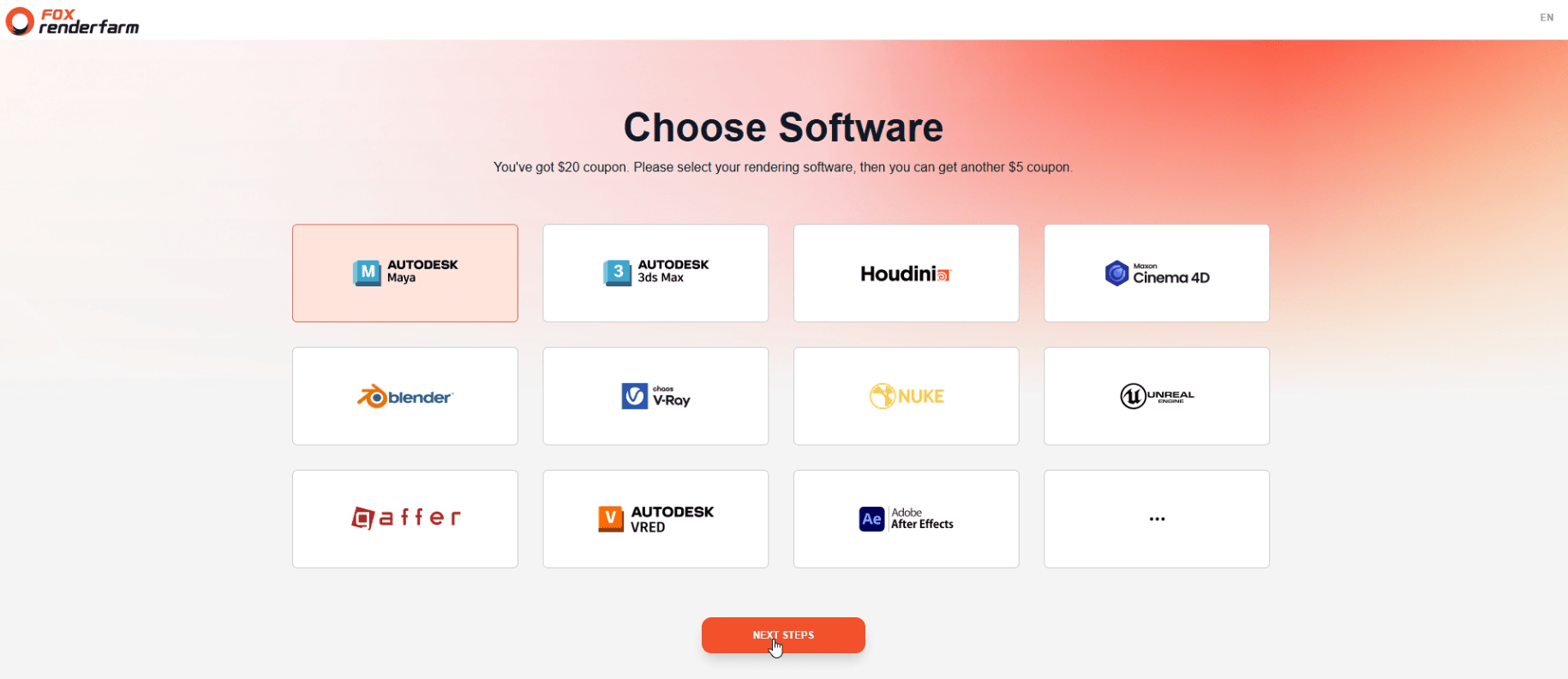
1、Choose Software
Select the software you render with most — the tile marked with three dots (•••) opens the rest. Click NEXT STEPS: this grants a coupon and tells the console which plugins and tutorials to show first.
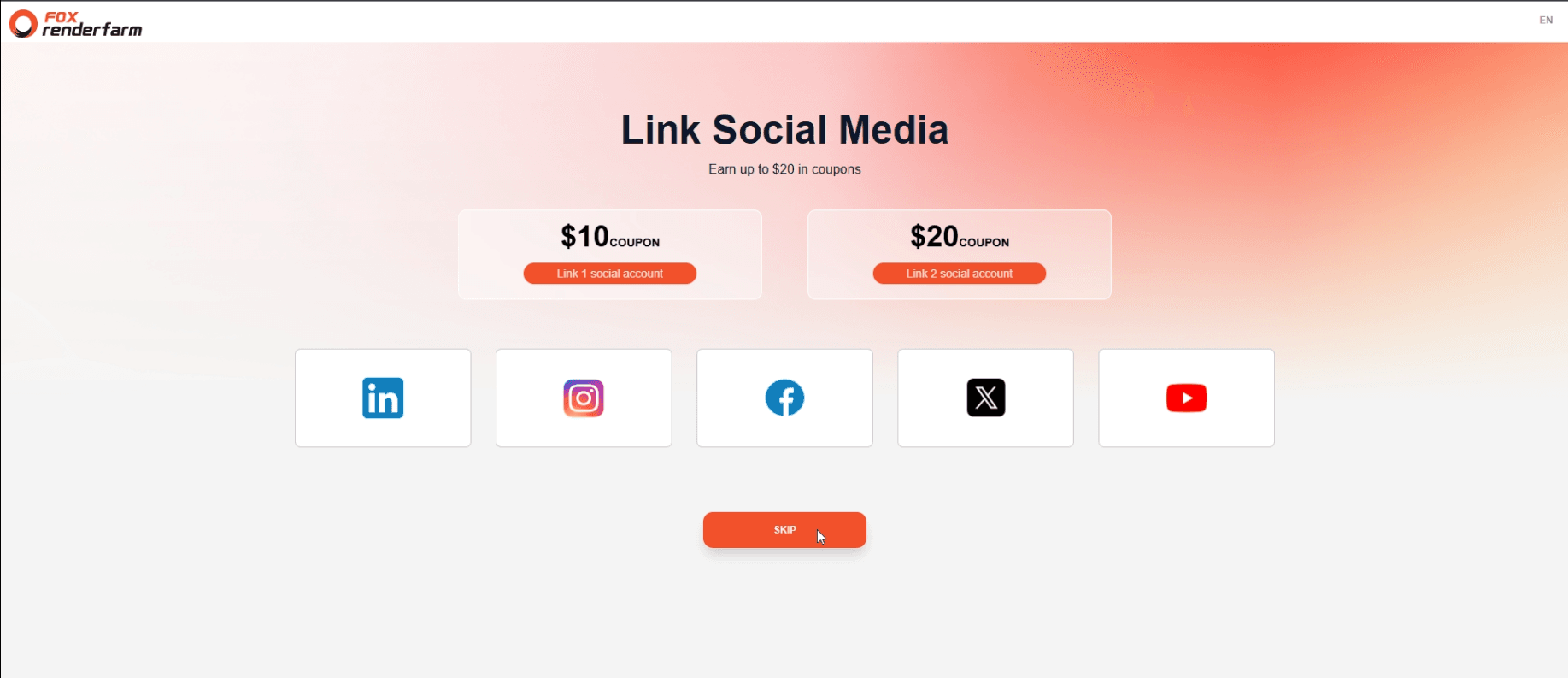
2、Link Social Media
Link a LinkedIn, Instagram, Facebook, X or YouTube account for a $10 coupon; a second one reaches $20, and linking more than two earns nothing. Click SKIP to move on.
These are render coupons, valid for one year from the date of issue.
Prefer to skip this now? Link the accounts later in User center → Profile → Linked Account and receive the same reward — see Profile and account security.
Sign in
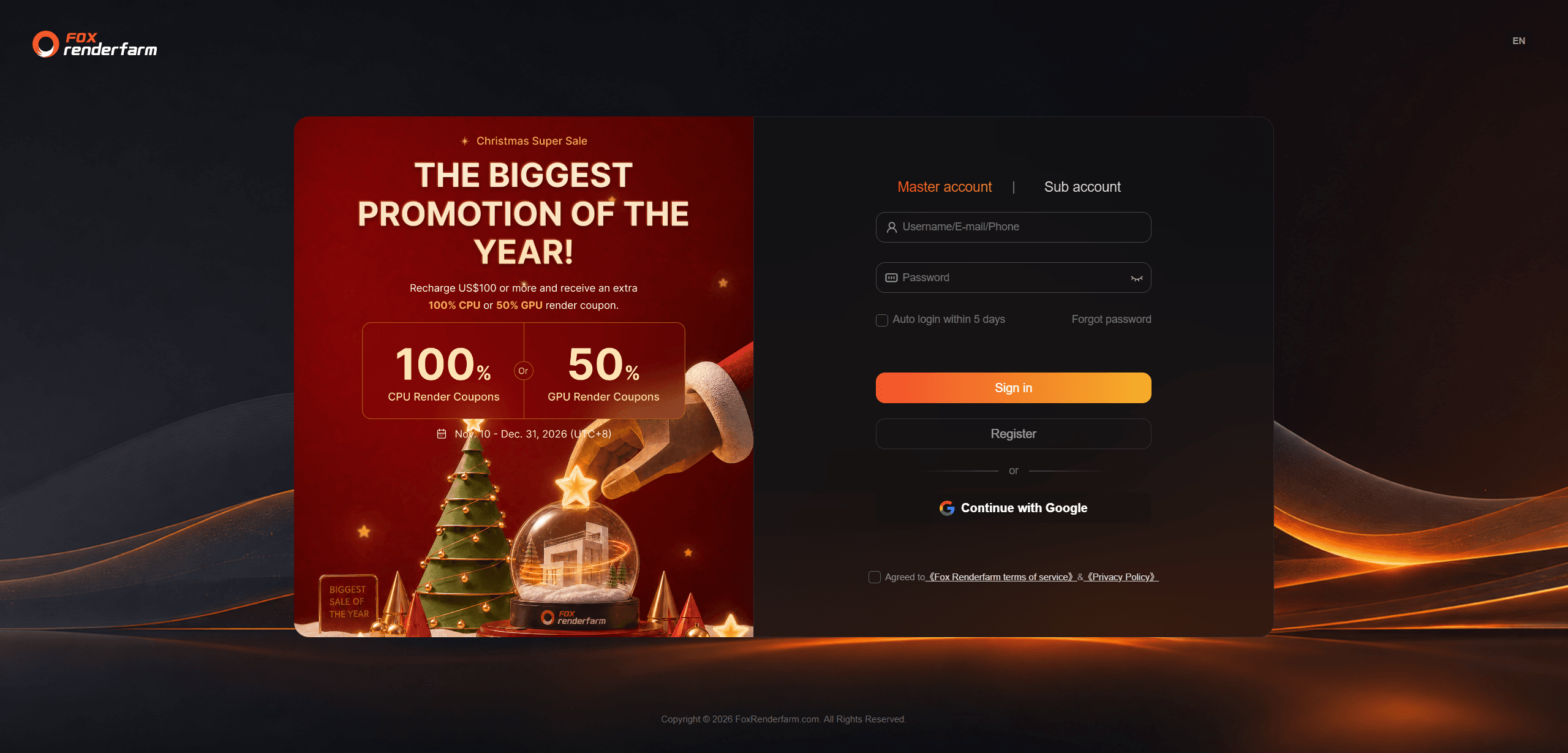
1、Go to the Signin page.
2、Choose Master account (the default) or Sub account — the latter only if your studio assigned you one. Continue with Google appears in master-account mode only.
3、Enter your username, email or phone, then your password.
4、Optional: tick Auto login within 5 days; leave it off on shared devices.
Forgot password
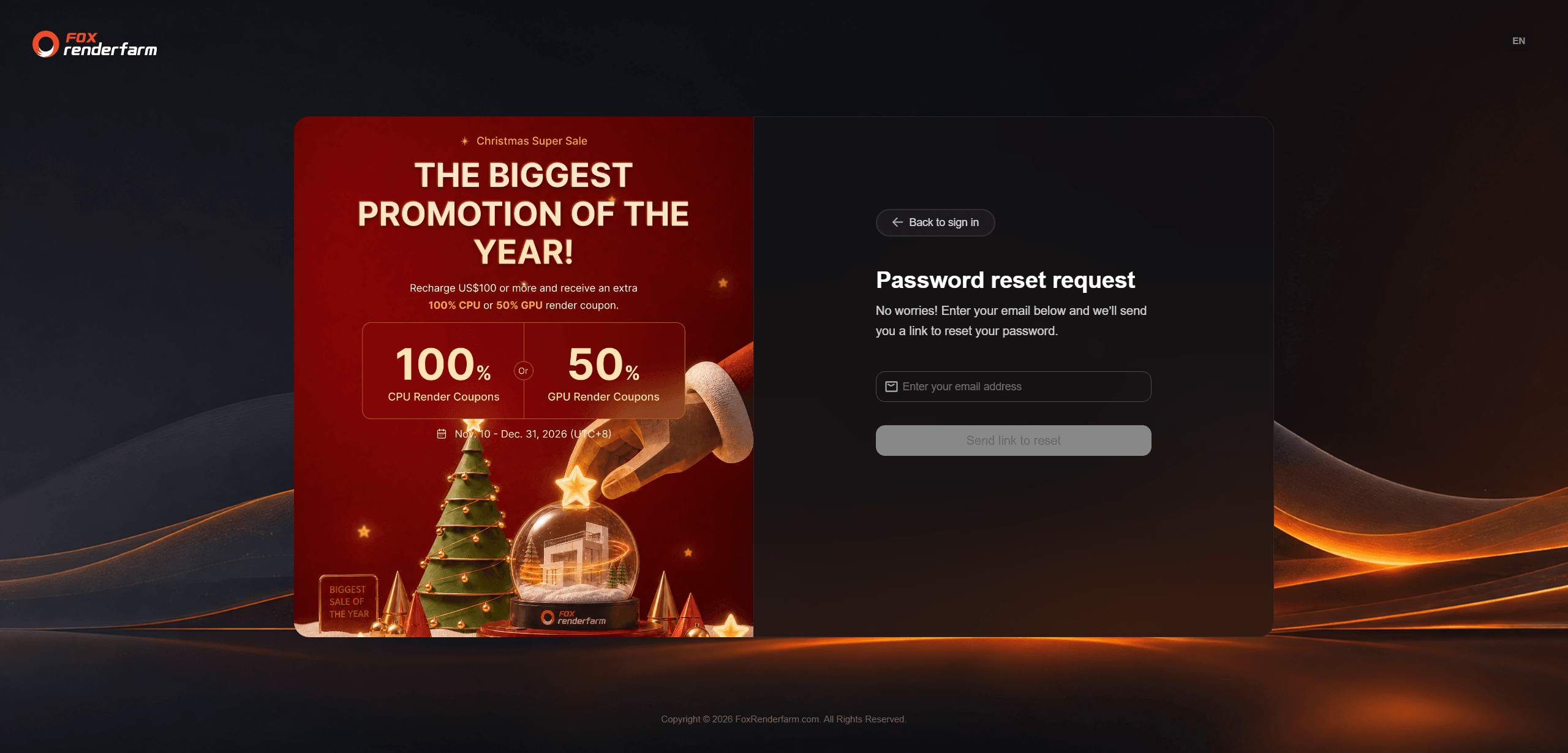
1、On the sign-in page, click Forgot password. A sub-account cannot use it — the master account resets its password.
2、Enter the account email and click Send link to reset.
3、Open that mailbox and find the email from Fox Renderfarm Team.
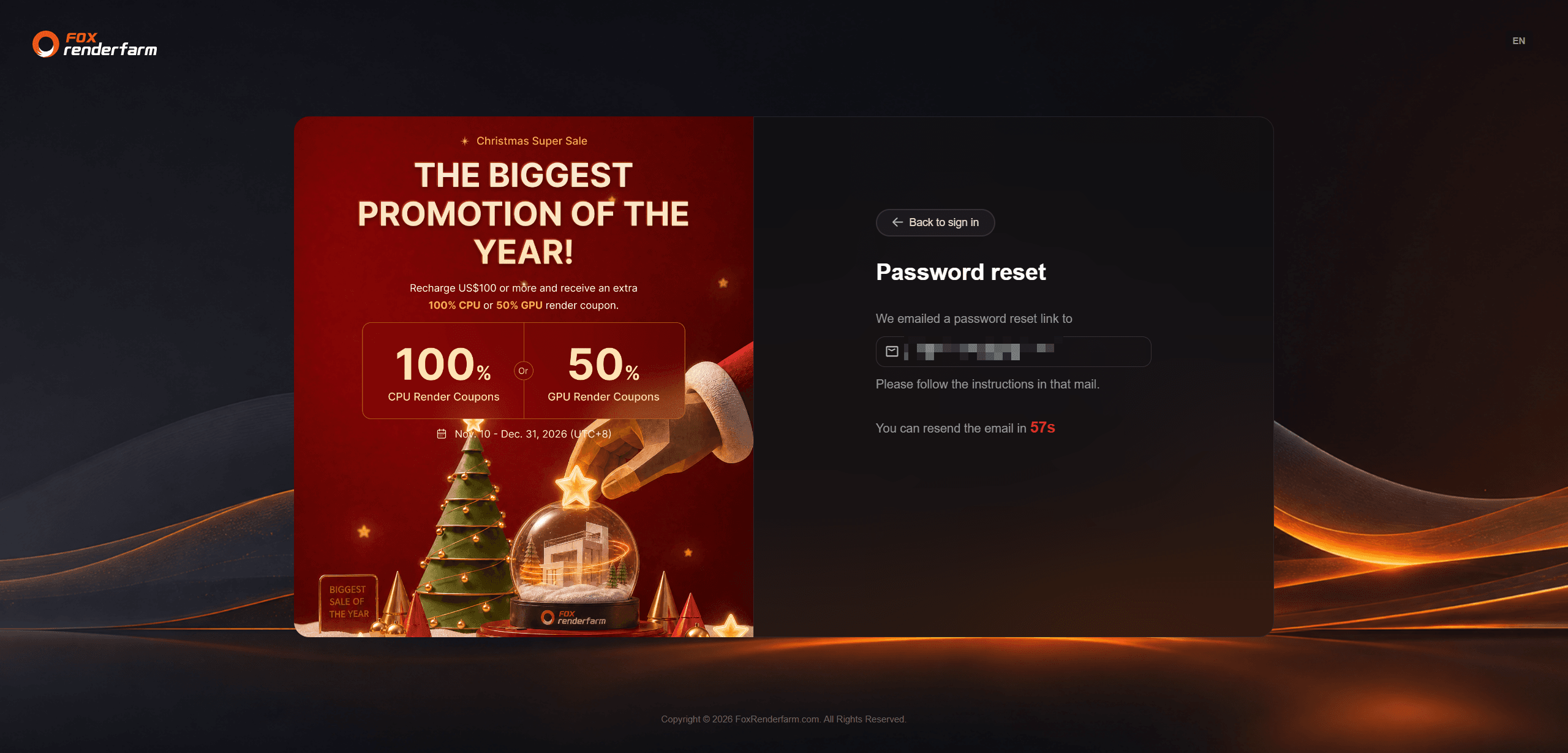
4、Click the link in the email, set a new password as required and submit.
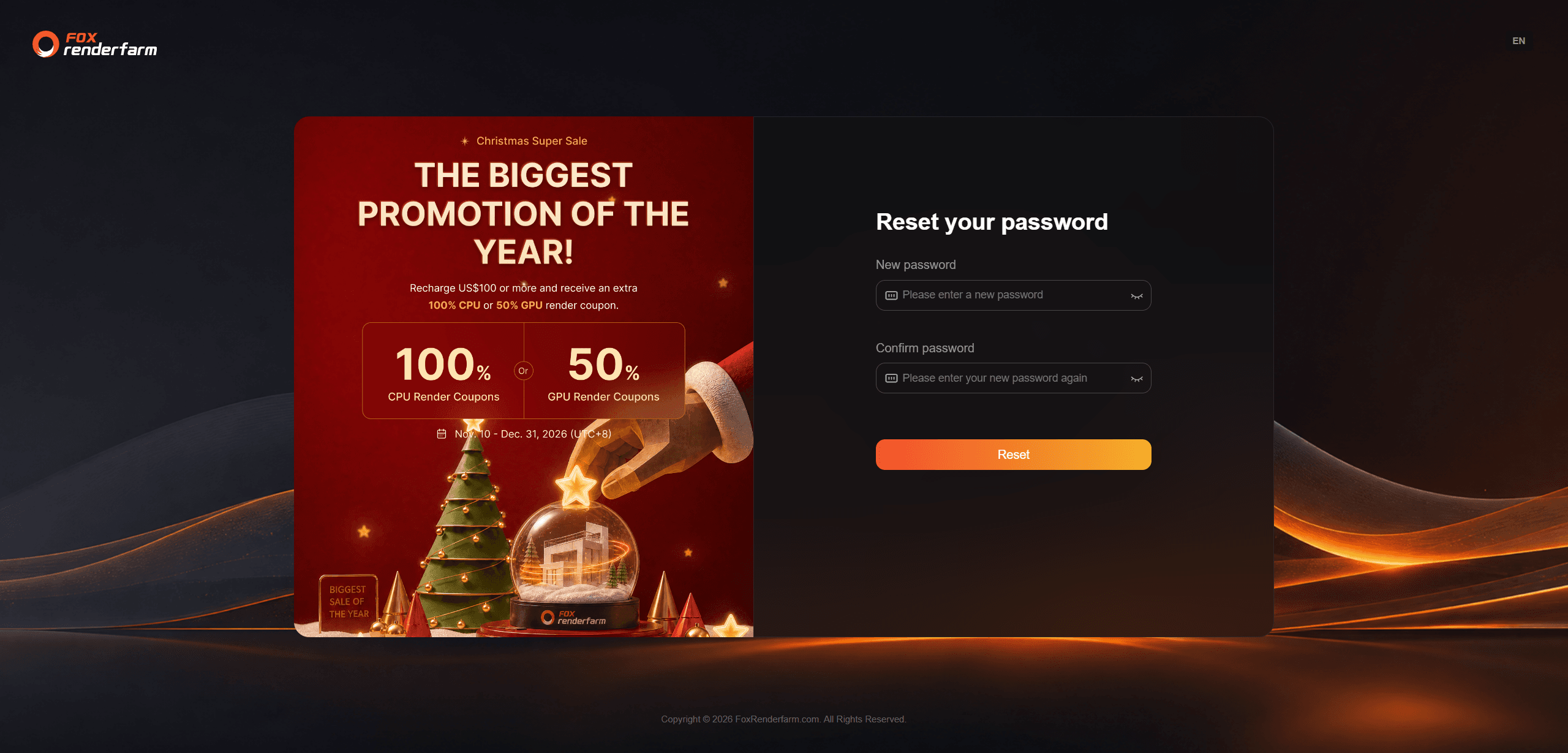
5、Sign in again with the new password.
The link expires in 20 minutes and works once.
FAQ
Can I register without an email address?
Use Continue with Google — it is the only third-party sign-up option; WeChat, QQ and SMS sign-in exist on other platforms.
The email is already registered.
Use Forgot password, or sign in if you remember the password — do not register again.
The username is taken.
Pick another: 6–20 characters, letters, numbers or underscores.
No activation or reset email arrives.
Check spam first, then resend from the confirmation screen; a mistyped address is the other common cause.
I cannot reset a sub-account password.
Only the master account can do it.


