 Blender
 Cinema 4D
 Arnold
 3ds Max
 Houdini
 V-Ray
V-Ray Maya
Maya Unreal Engine
 Nuke
NukeTop 5 Render Farms for Interior Design Professionals in 2026
 Ryan Thompson
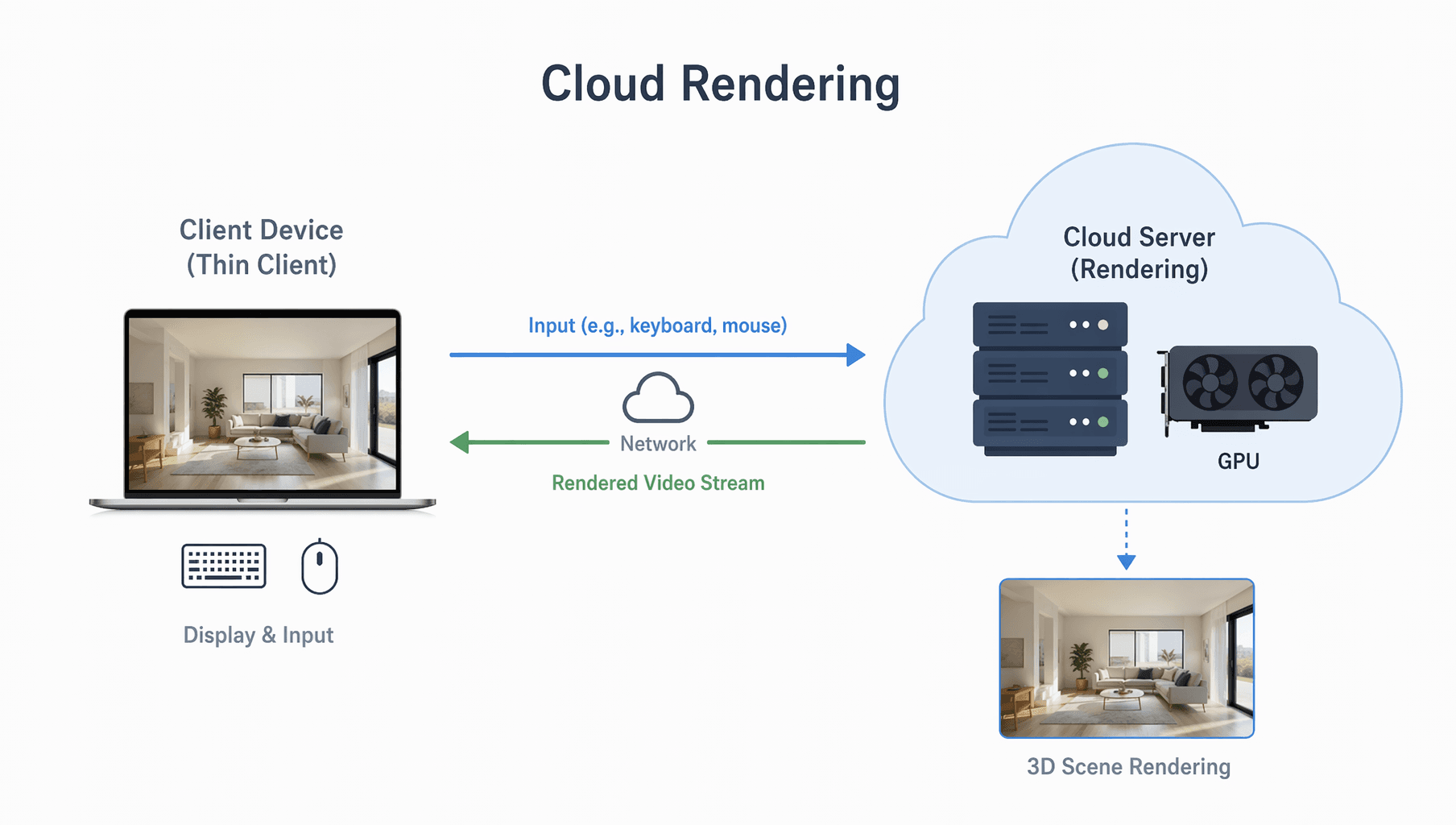
Interior design rendering often needs more than a fast workstation. Large 3ds Max, SketchUp, Blender, or Cinema 4D scenes can include high-resolution textures, complex lighting, reflective materials, glass, vegetation assets, furniture libraries, and multiple camera views. A render farm for interior design helps process those scenes on remote CPU or GPU servers so designers can deliver still images, walkthroughs, and client revisions faster.
This guide compares 5 render farm and cloud rendering services for interior visualization. The focus is not only raw speed, but also software support, V-Ray and Corona compatibility, scene checking, pricing transparency, security, support, and how well each platform fits real interior design workflows.

Part 1. Why Choose a Render Farm for Interior Design Projects?
An interior designer, architect, or visualization artist usually needs a render farm when local rendering starts slowing down project delivery. This often happens when a scene becomes too heavy for one workstation, when a client needs multiple camera angles, or when a walkthrough animation has hundreds of frames.
A render farm is most useful for interior design projects such as:
- high-resolution still images for presentations, listings, competitions, or marketing
- 3ds Max and V-Ray interiors with detailed lighting, textures, and proxies
- Corona Renderer scenes with large furniture libraries and multiple cameras
- SketchUp, Blender, or Cinema 4D interiors that need final-quality rendering
- walkthrough animations where frame-by-frame local rendering would take too long
- urgent revisions after client feedback, material changes, or lighting adjustments
For small draft previews, a local computer may be enough. For final images, batch camera views, large 4K or 8K renders, and animation deadlines, cloud rendering can keep the project moving while the designer continues modeling, revising, or preparing client materials.

Part 2. How to Choose the Best Render Farm for Interior Design
The best render farm for interior design is not always the one with the largest number of servers. Interior visualization has specific requirements: accurate lighting, material consistency, plugin compatibility, predictable cost, and reliable handling of large assets.
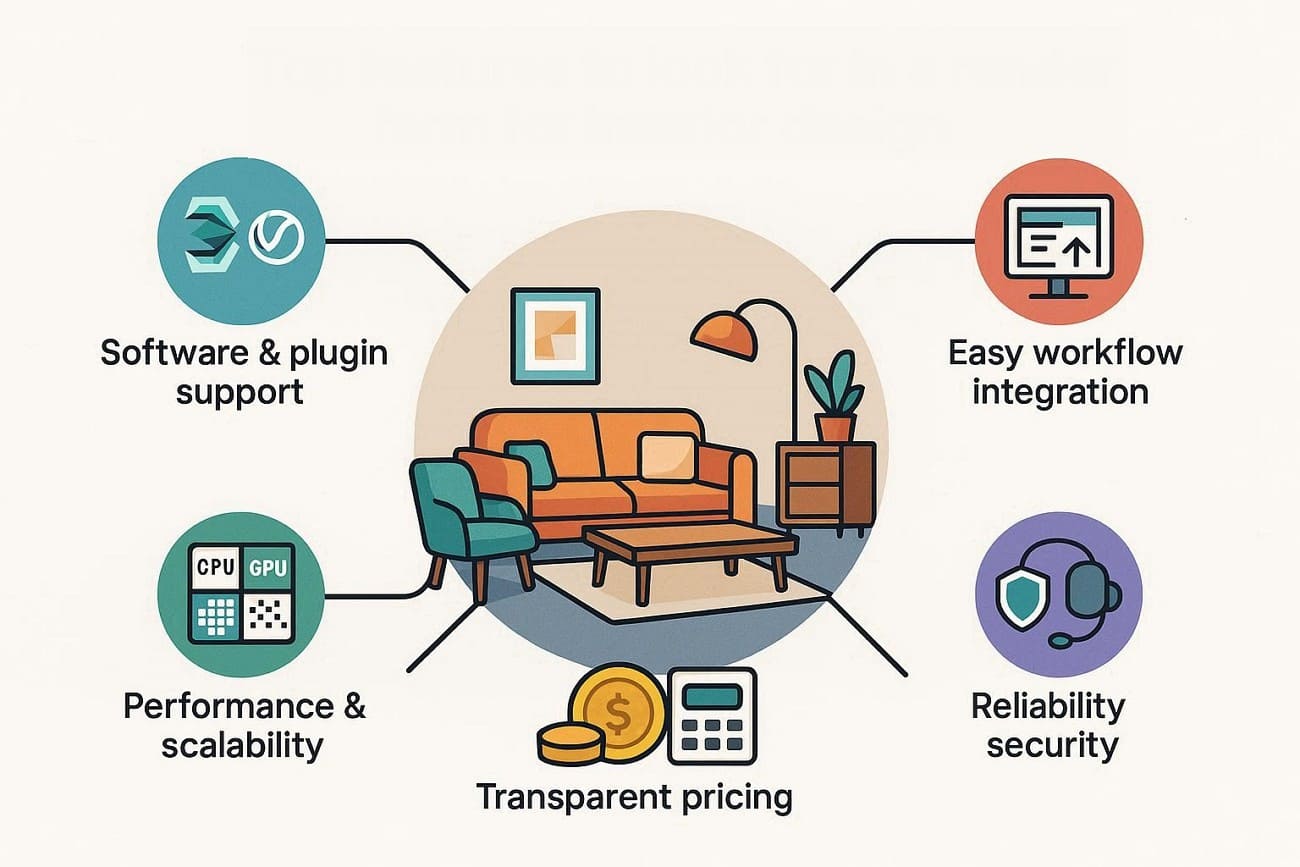
Before choosing a render farm, check these factors:
- Software and Plugin Support: Make sure the render farm supports your software, such as 3ds Max, SketchUp, Blender, or Cinema 4D. In addition, check that your render engines and common plugins like V‑Ray, Corona, or Redshift work properly.
- Easy Workflow Integration: Look for a simple upload method like a desktop app, live sync, or a plug-in to send scenes fast. A clear dashboard helps track jobs, see previews, pause or restart, and download results easily.
- Performance and Scalability: The farm should have sufficient CPU/GPU power to handle heavy interiors, high-resolution textures, and complex lighting. Likewise, check queue handling, node availability, and priority options to meet deadlines for stills and walkthroughs.
- Transparent Pricing: Always choose a farm with clear per-minute or per-node pricing and cost estimates before starting the job. Extras like test renders, cost calculators, and spending limits help control the budget and client invoicing.
- Reliability and Security: Pick a provider with fast support that understands interior design rendering problems and fixes errors. Additionally, ensure secure file handling, BDAs, and data deletion policies for client and project information.
Part 3. Top 5 Render Farms for Interior Design
In 2026, these render farms will become even better, helping artists work more efficiently. Not just that, animators and VFX creators can get the most from render services and finish projects faster. So, those seeking a reputable photorealistic interior render farm service, review the 5 options listed below:
1. Fox Renderfarm
Best For: High-end studios and architectural visualizers who need large-scale, top security, and 24/7 support.
Fox Renderfarm is a TPN-accredited cloud rendering service that has provided secure, high-speed CPU and GPU rendering for 3D animation and VFX. Furthermore, it supports major software and serves studios in 100 countries while offering scalable, pay-as-you-go rendering solutions.

Software and Plugin Support
- Core Software: Supports 3ds Max, Maya, Cinema 4D, Blender, Houdini, and more 3D softwares.
- Render Engines: Compatible with V-Ray, Corona, Redshift, Arnold, RenderMan, Unreal Engine, and more.
- Plugins: 250+ common plugins, including Forest Pack, RailClone, X-Particles, and TyFlow.
Easy Workflow Integration
- Submission Tools: Provides a Desktop Client and a Web dashboard for easy use. The desktop app includes Maya and 3ds Max plugins for one-click job submission.
- Fast Transfer: Uses Raysync tech up to 100x faster than FTP and resumes transfers after connection drops.
- Job Management: The dashboard shows real-time previews, status updates, and lets you pause, restart, or change job priorities.
- Scene Packaging: Automatically collects assets such as textures, proxies, and caches before submission.
Performance and Scalability
- Massive Power: Provides access to over 30,000 physical servers globally.
- High-End Hardware: CPU nodes provide 36+ cores, and GPU regions include high-VRAM clusters with NVIDIA RTX 4090 and 5090 cards.
- Queue Handling: Offers tiered priority from Standard to Diamond.
Transparent Pricing
- Pricing Model: Uses a tiered Membership system where rates drop as you charge more credits.
- Estimators: Includes a cost calculator and offers $25 free trials for new users.
Reliability and Security
- Certifications: Includes TPN-accredited and ISO 27001.
- Legal Protection: NDAs can be downloaded and signed directly from the platform.
- 24/7 Support: 24/7 human support is available via Live Chat, WhatsApp, and Skype.
2. GarageFarm
Best For: Freelancers and mid-sized architects who need a simple setup and reliable human technical support.
It's another fast render farm for architectural interiors, also known as a commercial, cloud-based render farm service. Designed for 3D artists and studios, it helps accelerate the rendering animation by providing thousands of CPU and GPU nodes.
Software and Plugin Support
- Core Software: Offers support for 3ds Max, Blender, Cinema 4D, Maya, SketchUp, and Rhino.
- Render Engines: Has integration for V-Ray, Corona (up to v14), Redshift, Arnold, Cycles, and Eevee.
- Plugins: Features Forest Pack, RailClone, X-Particles, Greyscalegorilla, and Anima.
Easy Workflow Integration
- The renderBeamer Plugin: It works as a bridge, letting you “Beam” projects directly from your 3D software menu.
- Smart Scene Check: The plugin automatically checks your scenes before upload and finds issues such as missing XRefs, incorrect gamma, or unsupported shaders.
- Auto-Download: Finished frames download automatically to a local folder, ready for composting or client review without manual work.
Performance and Scalability
- Node Capacity: Thousands of CPU and GPU nodes. CPU nodes feature high-core AMD Epyc or Intel Xeon processors.
- GPU Power: Has NVIDIA RTX 4090/5090 and A5000 cards for heavy GPU walkthroughs in Redshift or V-Ray.
- Scalability: 3 priority tiers: Low, Medium, and High, with immediate access to nodes.
Transparent Pricing
- Pricing Structure: Uses a GHz-hour (CPU) and OB-hour (GPU) model, with CPU $0.024–$0.072 and GPU $0.004–$0.012.
- Discounts: Permanent 33% discount for Blender users and up to 50% off for large projects.
- Free Trial: New users usually get $25–$50 in free credits to test the workflow and estimate costs.
Reliability and Security
- Compliance: This affordable render farm for interior designers is ISO/IEC 27001-certified.
- Data Handling: Offers binding NDAs upon request, with files stored on secure, encrypted servers and strict data-deletion policies.
- 24/7 Human Support: Offers 24/7 live chat with real 3D artists who help fix rendering problems in real-time.
3. Super Renders Farm
Best For: Solo artists and mid-sized studios seeking powerful NVIDIA GPUs with a simple, fully managed workflow.
As a California-based cloud rendering service, Super Renders Farm specializes in fast and cost-effective GPU and CPU rendering. With the support for major software, it provides access to 3,000+ servers to speed up rendering up to 20X.
Software and Plugin Support
- Core Software: Supports 3ds Max, Maya, Blender, Cinema 4D, and Houdini.
- Render Engines: Comes with V-Ray, Corona, Redshift, Arnold, Cycles, and Octane.
- Plugins: Features Forest Pack Pro, RailClone Pro, GrowFX (rendernode), Anima, and FumeFX.
Easy Workflow Integration
- Fully Managed SaaS: You can upload the scene through its Desktop Client or Web Portal, and its system handles setup automatically.
- Automatic Asset Gathering: Its Desktop Client checks the projects, packs textures, lights, and proxies, and fixes the farm path.
- Sync & Download: Cloud sync stores projects online to reduce upload time, and finished frames download automatically for quick review.
Performance and Scalability
- Massive Infrastructure: 3,000+ nodes, including Dual XEON servers (16-64 cores, 96GB-1TB RAM) and NVIDIA RTX 4090 GPUs.
- Speed: This render farm for interior design is 20x to 1000x faster than a local workstation.
Transparent Pricing
- Pricing Model: Pay-per-use starting at $0.004 per GHz-hour for CPU and $0.003 per OctaneBench-hour for GPU.
- Discounts: Offers 40%- 70% off large recharges and a $30 free trial for new users.
Reliability and Security
- Security: This farm is NDA compliant with encrypted data transfers.
- 24/7 Support: Human technical support is available via live chat and Email.
4. GridMarkets
Best For: Advanced VFX artists and large studios who are using Houdini for complex simulations and high-end animations.
GridMarkets is a cloud-based service that provides high-performance computing and enables users to access scalable GPU and CPU resources. Furthermore, this farm has MPAA-compliant infrastructure and provides per-second billing for 3D rendering, simulations, and data-intensive tasks.

Software and Plugin Support
- Core Software: Supports Houdini, Maya, Cinema 4D, 3ds Max, Blender, and Unreal Engine.
- Render Engines: Comes with Redshift, Arnold, V-Ray, Karma, Mantra, RenderMan, and simulation solvers like Axiom.
- Plugins: Supports Axiom, Golaem, and SideFX Labs.
Easy Workflow Integration
- Envoy App: Uses Envoy render manager to submit projects directly from your DCC software.
- Direct In-App Submission: Offers one-click submission from your 3D software, automatically collecting all dependencies, such as textures, caches, and HDAs.
- Real-time Management: Envoy dashboard lets you track simulations, see frame previews, and manage secure file transfers with encryption.
Performance and Scalability
- Simulation Power: In terms of cloud rendering for interior visualization, this farm is optimized for large simulations. It lets you run multiple iterations in parallel, not just rendering.
- Node Hardware: Uses 32 virtual CPUs @3ghz/core with 60 Gb RAM and Tesla K80 or P100 GPUs.
Transparent Pricing
- Pricing Model: Offers On-Demand and Reserved pricing, with CPU at $1.00–$1.50 per node-hour and GPU rates by tier.
- Cost Predictability: Feature cost calculator and 5% to 15% bonus deals for new users.
Reliability and Security
- Enterprise-Grade Security: This cloud render farm is MPAA-compliant.
- Data Protection: Features end-to-end encryption for both data at rest and in transit.
- Technical Support: Comes with global VFX experts, including ex-DreamWorks and Weta artists, to offer 24/7 support for pipeline issues.
5. MyArchitectAI
Best For: Architects and interior designers needing fast, high-quality photorealistic renders without 3D or hardware skills.
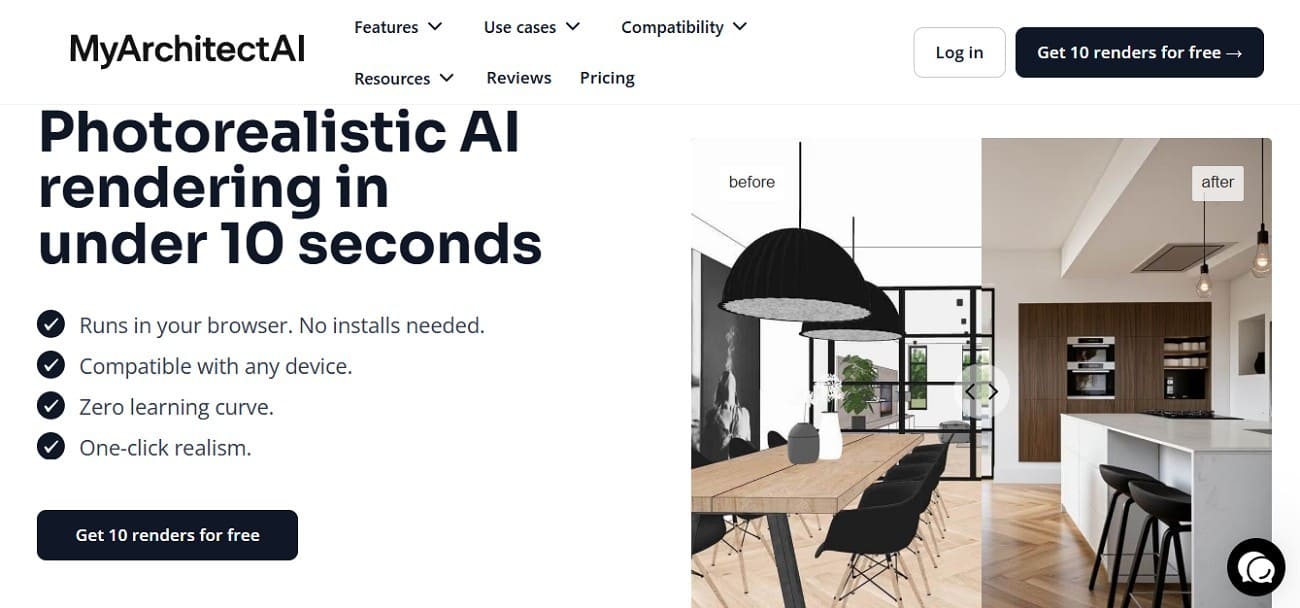
Those who prefer to generate photorealistic 4K visualizations from sketches, 2D drawings, or 3D models in 10 seconds, MyArchitectAI is the right choice. This photorealistic interior AI render farm service operates in the browser and features AI style transfer and prompt-based editing.
Software and Plugin Support
- Core Software: Universally compatible, supports SketchUp, Revit, Archicad, Rhino, Chief Architect, and Vectorworks
- File Formats: Features upload in JPEG, PNG, and WEBP formats and processes 3D model screenshots, 2D elevations, and even hand-drawn sketches.
- AI Engines: Has an AI engine to handle texturing and lighting automatically, and removes the need for V-Ray or Corona.
Easy Workflow Integration
- Zero-Install Browser App: No software or plugin required, everything runs in the browser and works on Macs, iPads, and older laptops.
- One-Click Rendering: Offers a 10-second workflow; upload a screenshot, pick a style or custom prompt, and render quickly.
- AI Editor: Includes tools to change material, add or remove objects, and refine details without returning to CAD software.
Performance and Scalability
- Cloud GPU Power: Rendering runs on MyArchitectAI’s remote high-end GPUs, so local computers stay unaffected.
- Speed: Delivers 4K photorealistic renders consistently in under 10 seconds per image.
- Scalability: This fast render farm for architectural interiors has Team plans with centralized billing and analytics.
Transparent Pricing
- Pricing Model: Flat-rate subscription with Free (10 watermarked renders), Pro ($29/month unlimited 4K), and Team ($25/seat) plans.
Reliability and Security
- IP Ownership: You retain 100% ownership of all generated images and designs.
- Support: Provides 24/7 human support via live chat and Email.
Part 4. Comparing the Best Render Farm for Interior Design Platforms
Use the existing comparison table, but revise the framing so it does not read like a generic ranking table. Interior designers usually compare platforms by workflow fit, not only by infrastructure size.
|
Metrics |
Fox Renderfarm |
GarageFarm |
Super Renders Farm |
GridMarkets |
MyArchitectAI |
|
Primary Focus |
Archviz, animation, VFX |
General 3D, archviz |
General 3D, budget users |
Simulation, VFX, 3D |
AI architectural stills |
|
Best Use Case |
High-quality interiors & walkthroughs |
Mixed stills and animations |
Cost-sensitive interiors |
Heavy simulations and FX-driven interiors |
Fast concept interiors and mood renders |
|
Free Credits |
~ $25 trial credits |
Promotional credits at times |
~ $25 free credits |
Occasional promotional bonuses |
10 free AI renders |
|
Software Support |
Major DCC apps and archviz tools |
Wide multi-app support |
Broad DCC support and plugins |
Houdini, Maya, Cinema 4D, Blender |
Works from image uploads or models, not a full DCC render farm |
|
Interior-friendly Engines |
V-Ray, Corona, Redshift, Arnold |
V-Ray, Corona, Redshift, Arnold |
V-Ray, Corona, Redshift |
V-Ray, Arnold, Mantra, Karma |
AI photoreal styles without GI controls |
|
Ease Of Setup |
Guided onboarding with plugins |
App and plugins (RenderBeamer) |
App, plugins, and smart scene checks |
Custom integration tools |
Browser-based with minimal setup |
|
Project Check / Smart Tools |
Scene checks and workflow validation |
Basic checks through app tools |
Smart Check, sync, and tile rendering |
Project validation on demand |
AI auto-optimization and editing tools |
|
Queue And Scaling |
Large render farm with fast scaling |
Multiple priorities with a large cluster |
3000+ nodes with scalable rendering |
1–100+ machines with strong scaling |
Cloud AI with near-instant images |
|
Ideal For Interior Designers? |
Yes – best all-round choice |
Yes – good but slightly more technical |
Yes – great for tight budgets |
Niche – complex simulations or FX work |
Yes – concept and marketing stills |
For most production interior visualization projects, Fox Renderfarm stands out as a strong render farm for interior design. It supports common 3D software and render engines used by artists and studios. For early concept visuals, a browser-based AI rendering tool may be faster. For technical pipelines, compare plugin support and scene submission carefully before committing a full client project.
Part 5. Tips to Maximize Efficiency with a Render Farm for Interior Design
Before sending an interior scene to a render farm, prepare the file carefully. Many failed or expensive jobs are caused by missing textures, unsupported plugins, heavy assets, or settings that were never tested at low resolution.
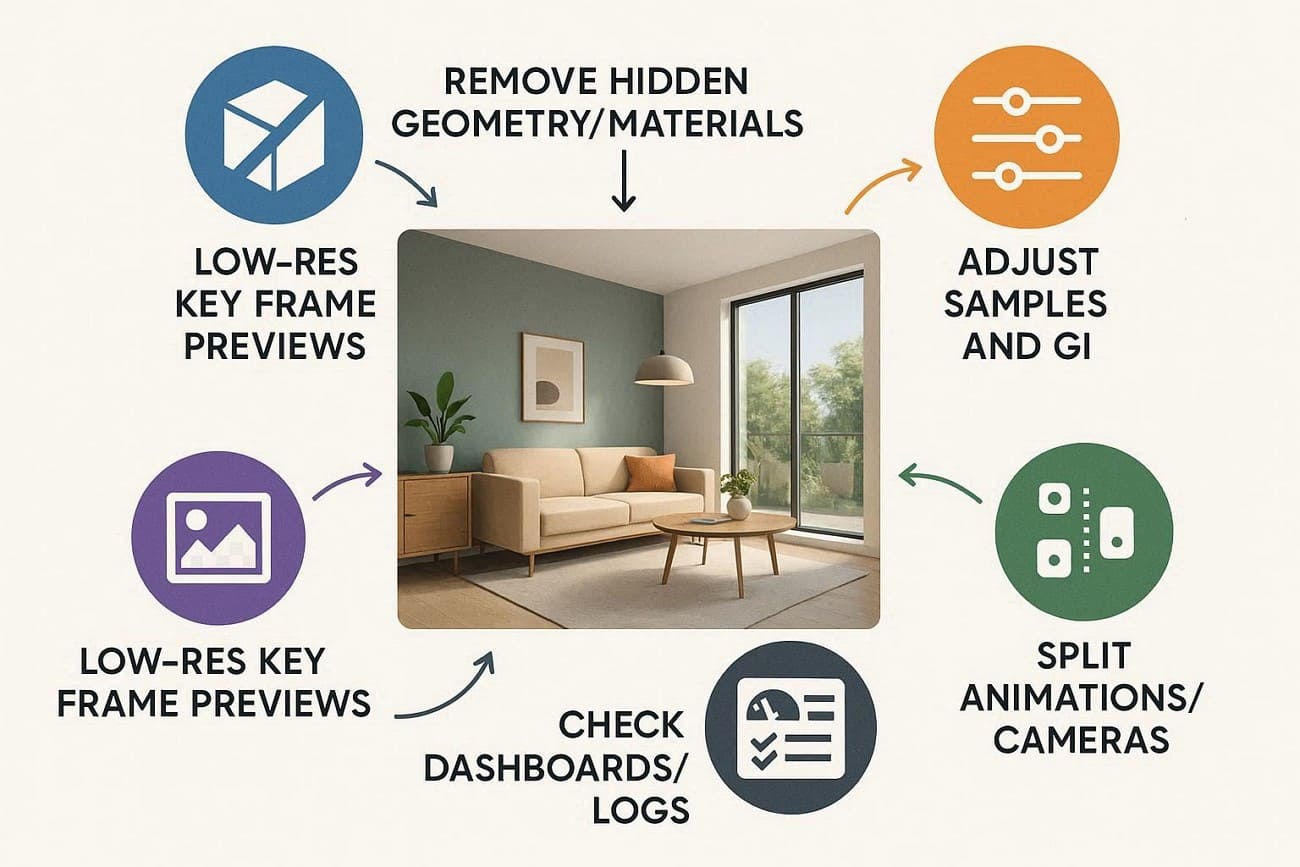
- Remove hidden geometry, unused lights, proxies, and materials to reduce render load and errors.
- Render key frames at low resolution to check lighting, materials, and GI before full renders.
- Adjust samples, noise, GI, and resolution to reach good quality without over-rendering interiors.
- Split animations or cameras and send urgent shots first to avoid farm bottlenecks.
- Check dashboards, logs, and previews to prevent errors and easily reuse reliable settings.
FAQs about Render Farms for Interior Design
1. What is the best render farm for interior design?
The best render farm for interior design depends on your software, render engine, scene complexity, deadline, and budget. For production interiors, prioritize support for tools such as 3ds Max, V-Ray, Corona, SketchUp, Blender, Cinema 4D, and common plugins. Also check scene validation, cost estimates, security, and support.
2. Can I use a render farm with software like 3ds Max or SketchUp?
Yes, most render farms like Fox Renderfarm support popular interior design software and major render engines with plugin compatibility. This allows designers to upload scenes directly from their 3D software without changing the workflow.
3. How much does a render farm cost for interior projects?
Costs depend on CPU/GPU usage, resolution, and job size, with pricing options including per-hour, per-node, and subscription. Many platforms also provide cost estimators to help users predict expenses before submitting a job.
4. How secure is my project data on a render farm?
Reputable farms like Fox Renderfarm use encrypted storage, secure transfers, and offer NDAs with optional automatic file deletion. These measures help protect confidential architectural or interior design project files.
Conclusion
A good render farm for interior design should match the way you actually work. For final client images, large camera batches, and walkthrough animations, look for software compatibility, render engine support, scene checking, pricing clarity, security, and responsive support. For quick concept visuals, an AI-based architectural rendering tool may be useful, but it should be treated differently from a full DCC render farm.
Fox Renderfarm is a practical option for interior visualization teams that need scalable cloud rendering for detailed scenes, high-resolution stills, and time-sensitive delivery. Before submitting any full project, test one frame or one camera first, confirm plugin support, and estimate the cost so the final render does not become a deadline problem.

 Ryan Thompson