
 Blender
 Cinema 4D
 Arnold
 3ds Max
 Houdini
 V-Ray
V-Ray Maya
Maya Unreal Engine
 Nuke
NukeHow to Make High-precision Models For Motorcycle Tire Patterns And Wheels in 3ds Max and Zbrush(2)
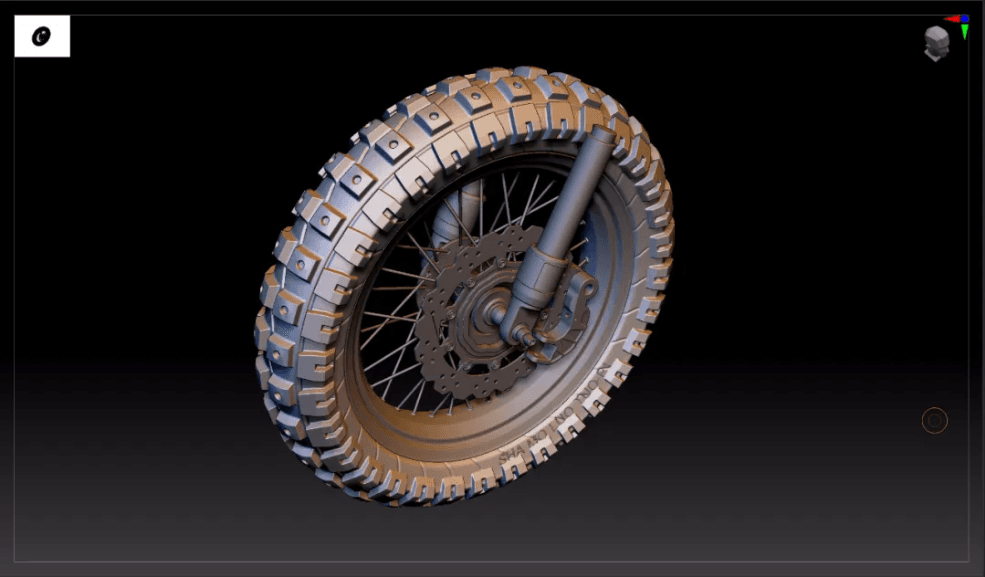
In this tutorial, Fox Renderfarm, your TPN-Accredited cloud rendering service provider and renderfarm, will still bring a set of vehicle model making skills.
C. Wheel production

- The production of the wheel: firstly outline the cross-sectional structure;
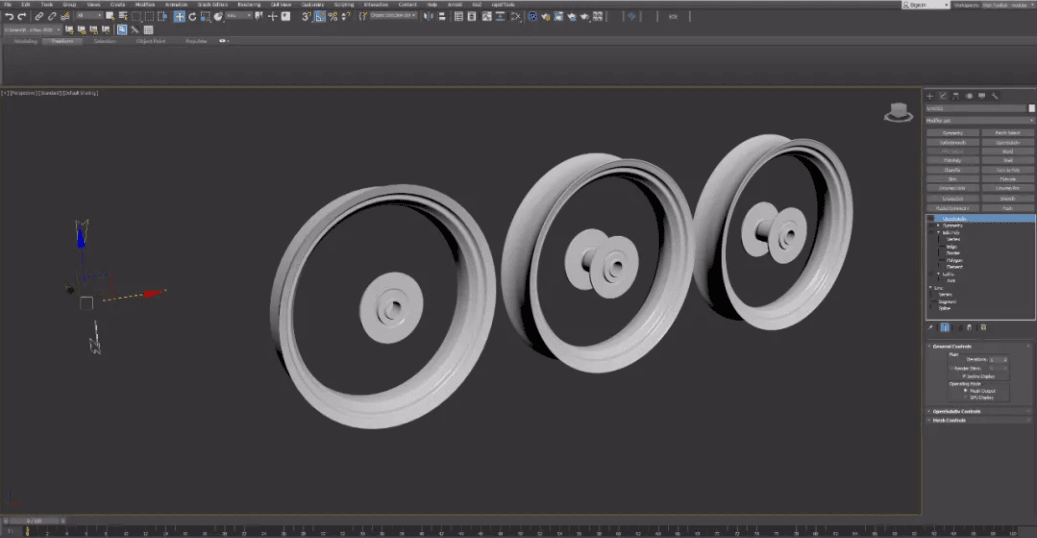
- Add a lathe, an angle of 360, a number of segments of 60, and click on a subset to adjust the radius of the wheel;

- Add symmetry to bilateral symmetry \Edit poly card line\ Turbo smoothing
D. Brake pads

-
The idea of making brake pads: use 2D graphics (star and round) and use 2D Boolean tools to adjust the graphics;
-
Process: large-scale adjustments \ add circular hole \ circular copy \ extrusion thickness

- The final extrusion effect: before importing Zbrush, the model needs to be converted to poly, so that the model will not appear broken;
E. Spoke structure

- Use the spline to make a spoke, and replicate it according to the reference picture;


-
Select the spline to display the solid model: add Edit poly\ and turn to poly
-
The final effect in 3ds Max.
Boolean operation pattern and drawing in Zbrush

-
The whole model is imported into Zbrush in the form of obj or GoZ;
-
Create a tire folder; select the sub tool under split \ split by group; select the difference pattern; open the preview of Boolean rendering;

- After the preview effect goes well, select the gear icon of the tire folder, the Boolean operation folder, and generate a new Boolean model;

- Dynamesh: the resolution can be set to 1024 or 1280, the higher the resolution, the finer the model;

- Mask: According to the characteristics, the mask will be generated according to the edge of the group, the mask will be expanded once and blurred once;

- Inversely select the mask and select the lower polishing command. The value should be 2-3. If you want the edge to be softer, you can polish twice.

- Add pattern details; select the groove brush; click x key to turn on symmetry; turn on the R ring symmetry value to 10; increase pattern details;

- The final effect of the first pattern;

- The operations of the second pattern are the same as above.
Note: the Boolean operation needs to select a collection and merge the model into a whole. The next steps are to dynamesh, polish, use the groove brush to increase the pattern details;

- The final effect of the tire









