
 Blender
 Cinema 4D
 Arnold
 3ds Max
 Houdini
 V-Ray
V-Ray Maya
Maya Unreal Engine
 Nuke
NukeWhat Is Product Visualization? 3D Rendering Guide
 Ryan Thompson
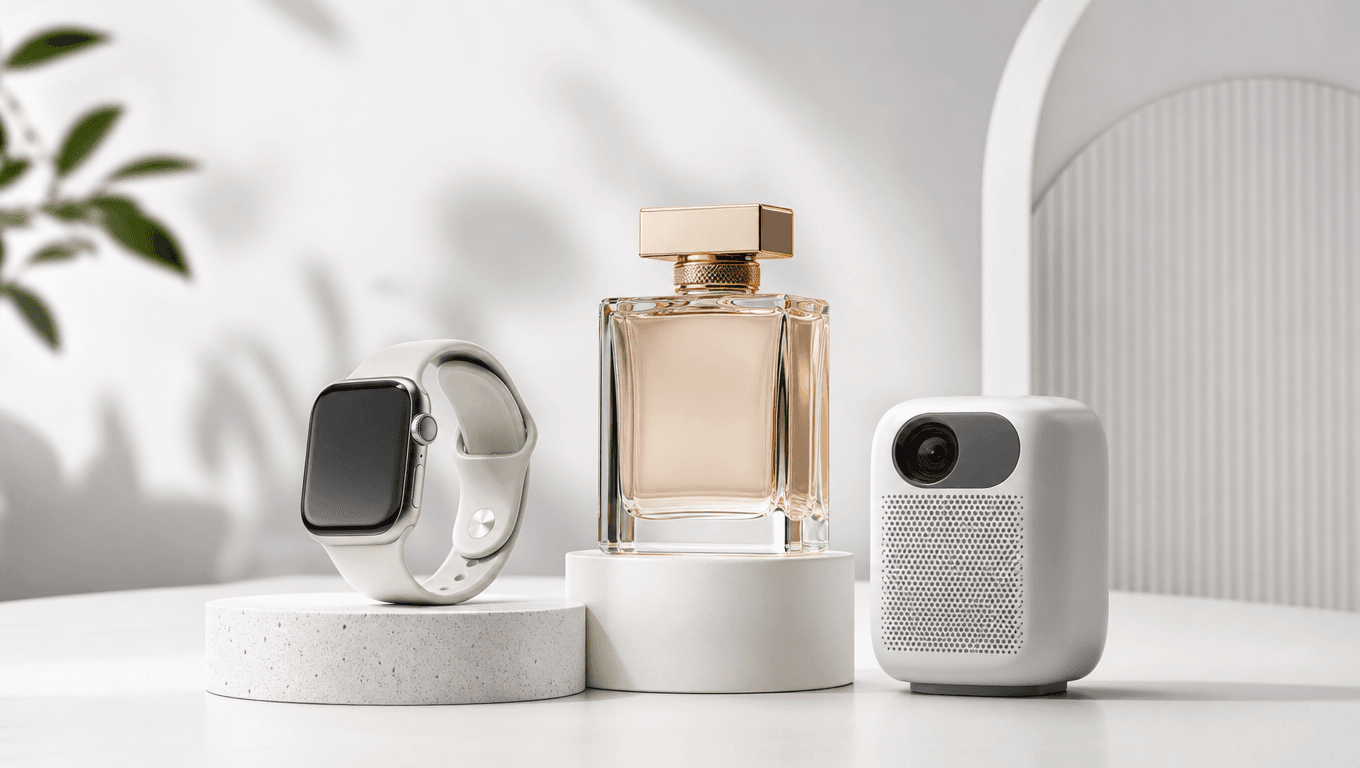
Product visualization is what helps a customer “see” a product before it exists in their hands. Maybe you’re launching a chair, a smartwatch, a perfume bottle, or a whole set of color variants, and regular photography is already giving you a headache.
With 3D product visualization, you can turn CAD files or 3D models into clean product rendering, 360 views, animations, or even an interactive 3D product visualizer. In this guide, we'll break down how product visualization works, where it fits in e-commerce and marketing, and when cloud rendering can save your deadline.
What Is Product Visualization?
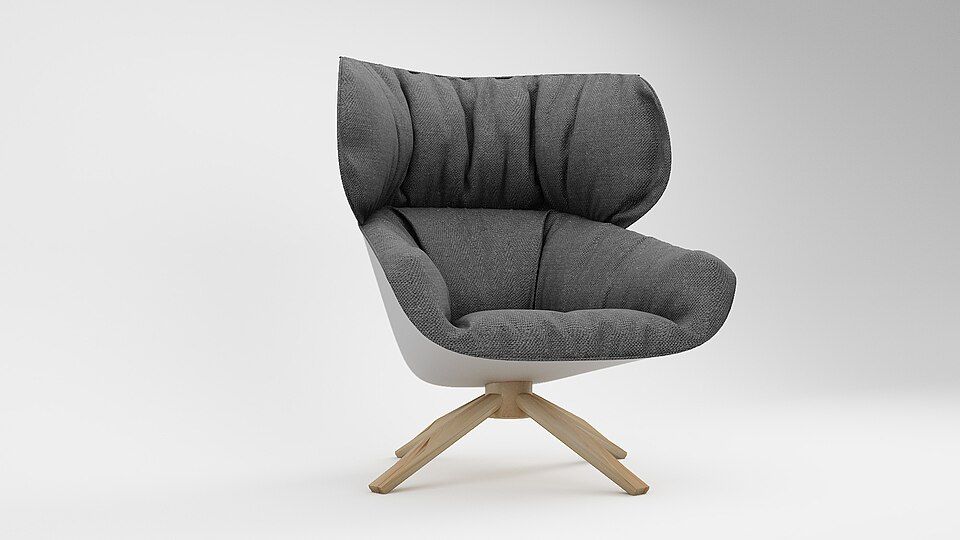
Product visualization is the process of creating visual content that shows what a product looks like, how it works, and how it might feel in real life before a customer sees it in person. It can be a clean studio render of a skincare bottle, a 3D model of a sofa, a 360 view of a sneaker, a short product animation, or an AR preview that lets someone place a chair in their living room through a phone screen.
At its core, product visualization helps you turn an idea, CAD file, sketch, or finished product into visuals people can understand quickly. Instead of relying only on traditional photography, you can use 3D product visualization to create flexible digital assets for product pages, ads, catalogs, pitch decks, social media, and launch campaigns. Need the same product in five colors, three materials, and ten camera angles. With product rendering, that is much easier to manage than setting up a new photoshoot every time.
Product visualization is especially useful for e-commerce brands, product designers, manufacturers, 3D artists, advertising teams, and marketing teams. If you sell physical products online, it helps shoppers see details that flat photos often miss. If you design products, it helps you present ideas before production. If you are a 3D artist or studio, it gives you a way to create polished, photorealistic product images and animations from 3D models.
© Sushmita Roy / Wikimedia Commons
Why Product Visualization Matters
© Pexels
Product visualization matters because people want to understand a product before they commit to it. That sounds obvious, but it affects almost every part of selling, designing, and launching a product. If a shopper cannot tell how big a lamp is, how glossy a watch face looks, or how a chair might fit in a room, they hesitate. Good product visualization removes some of that guesswork.
One of the biggest benefits is speed. You do not always need to wait for a physical sample before creating marketing images. With 3D product visualization, you can start from CAD files, design data, or 3D models and build product rendering assets before manufacturing is finished. That is a big deal for product launches, ads, and early sales campaigns where timing is everything.
It also gives you more flexibility than traditional photography. Changing a color, material, camera angle, background, or lighting setup is much easier in a 3D scene than in a real studio. If your product has ten fabric options, four finishes, and different versions for different markets, product visualization keeps the whole thing from turning into a scheduling headache.
For e-commerce, this flexibility is especially useful. You can create:
- Clean product rendering images for product pages
- Lifestyle visuals for ads and social media
- 360 views that let shoppers inspect details
- Product animations that explain features
- AR preview assets for furniture, decor, and other spatial products
For marketing teams, product designers, manufacturers, and 3D artists, product visualization is not just a nice visual upgrade. It is a practical way to create better content, move faster, and keep product visuals consistent across e-commerce, advertising, catalogs, product launches, and global campaigns.
Main Types of Product Visualization
Product visualization can take a lot of forms, from simple product images to interactive 3D product visualizer experiences. The right format depends on where the visual will be used, how much detail the customer needs, and how flexible your marketing content has to be.
3D Product Rendering

© Pexels
3D product rendering is one of the most common forms of 3D product visualization. It uses 3D models, materials, lighting, and camera settings to create polished images of a product. These images can look clean, realistic, and ready for e-commerce, even if the product has not been physically produced yet.
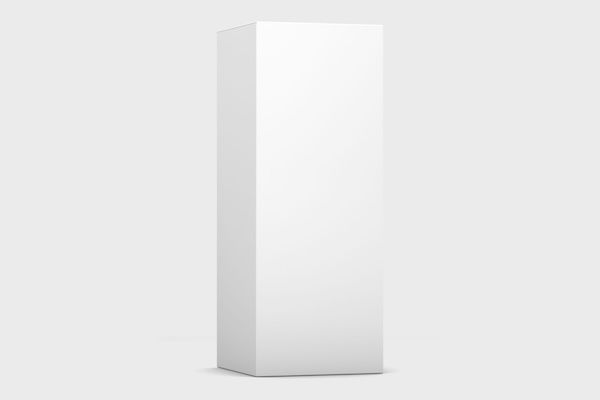
The simplest version is a still product image, often shown on a plain or white background for online stores, catalogs, and marketplace listings. It keeps the focus on the shape, color, texture, and details of the product. You can also create lifestyle renders, where the product appears in a real-looking environment, like a sofa in a living room or a smartwatch on a desk.
For ads and product pages, 3D product rendering is often used to create hero images. These are the bold, polished visuals that make a product feel premium at first glance. Since the scene is digital, you can adjust colors, angles, backgrounds, and lighting without rebuilding a physical studio setup.
360 Product Views and Product Animations
© Hubertl / Wikimedia Commons
A 360 product view gives shoppers a better feel for the product because they can see it from every side, not just the best angle. It is often created as a 360-degree product spin or a turntable animation, where the product rotates smoothly in place. This works well for shoes, electronics, furniture, packaging, jewelry, and any item where shape and detail matter.
Product animation goes a step further. Instead of showing only the outside, it can explain how a product opens, folds, connects, or moves. Exploded views are useful here because they show parts, layers, or internal components without making the visual feel like a dry manual.
For e-commerce and launch campaigns, short product videos can make product visualization more engaging and easier to understand. They help you show key features fast, keep attention longer, and give customers a clearer sense of what they are buying.
Interactive 3D Product Visualizers and AR
© Pexels
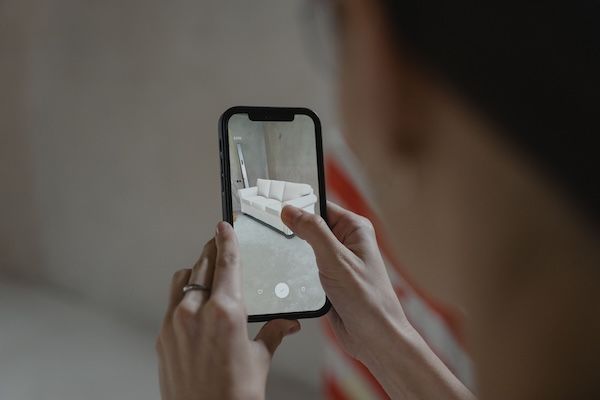
A 3D product visualizer lets you interact with a product instead of just looking at a flat image. You can rotate it, zoom in on small details, switch colors, change materials, and sometimes view different product parts or options in real time. This kind of interactive product visualization is especially useful when a product has many versions, finishes, or custom choices.
AR product visualization takes the idea one step further. It lets you place a digital product into a real space through a phone, tablet, or AR device. For furniture and home decor, that means you can see how a sofa, lamp, or table might look in your room. For consumer electronics, it can help show size, design, and fit before purchase.
Product Visualization vs Product Photography
© Pexels
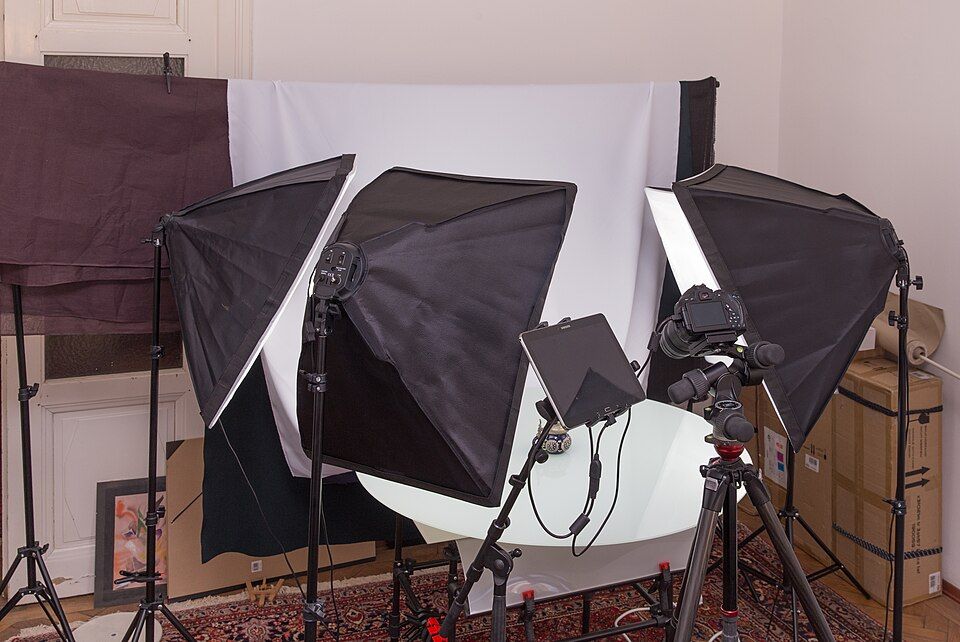
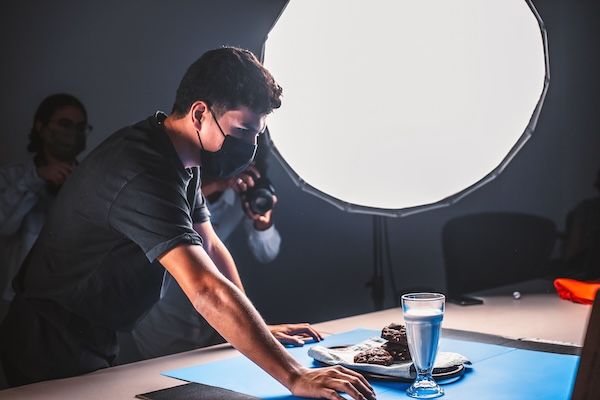
Product visualization and product photography both help you show a product clearly, but they work in different ways. Product photography captures a real item with a camera. Product visualization creates digital visuals from 3D models, CAD files, materials, lighting, and rendering tools. The end goal is similar, but the workflow is very different.
Product photography is great when you already have a finished sample and want to show real texture, scale, and small physical details. It can feel very natural, especially for handmade goods, food, fashion, or products where real-world imperfections matter. The downside is that every change can take time. A new color, surface finish, angle, or background may mean another shoot, more retouching, and more coordination.
Product visualization gives you more control. With 3D product visualization, you can adjust colors, materials, lighting, camera angles, and environments inside a digital scene. Product rendering also makes it easier to create white background images, lifestyle scenes, 360 views, product animations, and interactive 3D product visualizer assets from the same base model.
|
Factor |
Product Visualization |
Product Photography |
|
Physical sample |
Not always needed |
Usually needed |
|
Color and material changes |
Easy to update |
Often needs reshoot or editing |
|
Best use |
Variants, concepts, 3D assets, animations |
Finished products and natural details |
|
Scaling for many SKUs |
More efficient |
Can get expensive fast |
|
Output options |
Renders, 360 views, AR, animations |
Photos and videos |
It’s worth mentioning that this is not an either-or choice. Many brands use both. Photography can capture the real product, while product visualization fills the gaps with flexible digital content.
How 3D Product Visualization Works
A 3D product visualization workflow usually starts with product data and ends with polished visual assets you can use across e-commerce, ads, and so on. The process depends on the product. A cosmetic bottle only need a few product rendering images. A complex electronic device may need 3D models, close-up shots, exploded views, animations, and AR-ready files.
When the scene gets heavier, a step-by-step render farm workflow helps keep the handoff clean.
© Pexels
From CAD Files to 3D Models
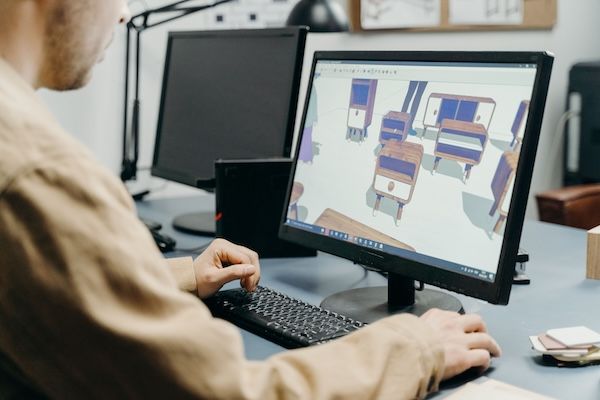
Most 3D product visualization projects begin with a source file. That might be a CAD file from an engineer, a rough 3D model from a designer, product sketches, or measurements from a real sample. This step is to turn raw information into a clean 3D model that can be rendered well.
This step often includes cleaning up geometry, fixing scale, adding missing details, and making sure the model looks good from all the angles. Tiny bevels, smooth edges, screws, seams, labels, and surface details need extra care.
For products with many versions, this base model also becomes the foundation for future visuals. Once the 3D model is built properly, you can create color variants, material options, 360 views, product animations, and interactive product visualization assets.
Materials, Lighting, and Cameras
Materials, lighting, and cameras are what make a 3D product rendering feel believable instead of flat. Once the model is ready, the next job is to give it the right surface, the right light, and the right angle.
Materials do a lot of the heavy lifting. A polished metal watch, a soft fabric sofa, a glass bottle, and a matte plastic speaker all need different treatment. If the material setup is off, the product can look fake fast.
Lighting matters just as much. Good lighting shapes the form, shows detail, and gives the product a clean mood, whether you want a studio look or a more natural lifestyle scene.
Cameras finish the job by choosing how the product is framed, how much detail you show, and which features stand out first. In product rendering, that combination is what turns a simple 3D model into a visual that feels ready for marketing.
Rendering, Review, and Export
Rendering is the part where the whole 3D product visualization finally becomes visible. At this stage, the scene gets calculated frame by frame, and the product turns into the polished image, spin, or animation you can actually use.
Review usually comes right after that. You check the image for material issues, lighting problems, strange reflections, bad camera framing, or any detail that feels off. In product visualization, this part matters a lot because small mistakes can make the product look cheap or unreal.
Once everything looks right, you export the files in the formats you need, like high-res images for e-commerce, video files for ads, or optimized assets for web and interactive product visualization. If your project needs a lot of frames or versions, this is also where cloud rendering can save a lot of time and keep the workflow moving.
For a visual look at how a product rendering workflow comes together, this YouTube tutorial shows how scene setup, materials, lighting, render settings, and final output work in practice:
When Do You Need Cloud Rendering for Product Visualization?
Cloud rendering is useful when you want to keep the work moving while the renders run somewhere else. For product visualization, that usually means a project with lots of frames, multiple versions, or a scene that is too heavy for one local machine to handle comfortably.
For a broader look at the market, 8 Best Render Farms for Product Visualization is a useful comparison piece.
Fox Renderfarm gives you a few practical ways to submit that work. You can use the desktop client, the web rendering platform, or plugin submission depending on your setup. The desktop client supports drag-and-drop batch submission, automatic analysis, and automatic download, which makes repetitive product rendering jobs easier to manage. It also integrates with common 3D software like 3ds Max, Maya, Cinema 4D, Blender, and Unreal Engine. If you work on macOS, the web platform is a useful option too.
That flexibility matters in real production work. You might be sending out a set of white background stills, a 360 product view, or a full product animation, and you do not want your local machine tied up the whole time. With Fox Renderfarm, you can upload the job, let the system process it, and keep working on the next revision or the next product.

For product teams, that means a cleaner workflow. For 3D artists, it means less waiting and more time spent on the actual visuals. And when the schedule gets tight, that extra rendering capacity is often the difference between a calm delivery and a messy one.
FAQs about Product Visualization
What is product visualization?
Product visualization is the process of creating digital visuals that show a product clearly before or after it exists in real life. It can include product rendering, 3D models, 360 views, animations, and AR previews.
What is 3D product visualization?
3D product visualization uses a 3D model, materials, lighting, and camera setup to create realistic product images or motion. It is often used for e-commerce, ads, product launches, and design review.
What is a 3D product visualizer?
A 3D product visualizer is usually an interactive tool that lets you rotate a product, zoom in, and switch colors or materials. It helps shoppers and teams explore the product without needing a physical sample.
Is product visualization better than photography?
It depends on the job. Photography is great for real products with natural texture and detail. Product visualization is better when you need flexibility, fast changes, multiple versions, or visuals before the product is physically made.
What software is used for product visualization?
Common tools include Blender, Cinema 4D, Maya, 3ds Max, KeyShot, V-Ray, Redshift, Arnold, and Octane. For heavy final renders, teams often use Fox Renderfarm to keep production moving.
Do you need a render farm for product visualization?
Not for every project. But if you are rendering many angles, variants, or animation frames, a render farm can save a lot of time. Fox Renderfarm is a practical option when local rendering starts slowing the workflow down.



 Ryan Thompson