Blender
 Cinema 4D
 Arnold
 3ds Max
 Houdini
 V-Ray
V-Ray Maya
Maya Unreal Engine
 Nuke
NukeZBrush Tutorials: How to Build Facial Muscles and Facial Features with ZBrush?(2)

Fox Renderfarm, the best ZBrush render farm in the CG industry, will still share with you the ZBrush tutorial on how to use ZBrush to build facial muscles and facial features. The tutorial we are sharing this time is how to use ZBrush to build facial muscles, ears, and eyes, and this is also part two of the shares, part one please click here.
- Facial muscle carving
The next step is to adjust the muscles of the entire face. This step of sculpting should be as precise as possible. First, adjust the direction of the facial muscles, and then refine the details in detail.
This part of the work focuses on the muscles, shaping the main muscles around the mouth and eyes. They look like circles and move with the other muscles attached to them to make various facial expressions and mouth shapes.
When sculpting, I try to understand the role of each muscle. For example, the small cheekbone muscles protrude, and the other major cheekbone muscles play the same role. Except for the corners of the mouth, this is why you smile or laugh them are essential, around the eyes. The muscles are used to close our eyes. We need them when we blink or close our eyes or smile.
Next, sharpen each facial muscle to improve the clarity of the facial model. This step can be achieved by using a brush with a smaller radius.
- Muscle definition and refinement

Next, make the muscles of the chin and cheeks. These two muscles are very strong, and people will use them when chewing and talking. Next are the areas of the skull and temples, and then the main muscles of the neck. If you feel that the number of polygons is not enough, you can use the DynaMesh function to increase the resolution of the polygon and update the mesh (Ctrl-click and drag the canvas).
In some cases, the Lazy Mouse option may also be activated, which can help us carve very smooth and precise lines.
- Beautiful eyes

In this step, continue to perfect the eye and face part, use the Append button to import a sphere as a new sub tool, then hide the face, select the skull, place the sphere on the eyeball position, check the grid and adjust the eye face on the sphere.
- Nose carving

The final processing focus is on the muscles near the nose. You need to draw stripes for each muscle to make the muscles more morphological and remember the function of each muscle.
Now continue to perfect the entire face, draw bigger stripes of muscles in stronger areas, such as the jaw, it will help you understand and better understand the entire muscular system.
Carve the main cartilage on the nose. If you feel that you have done something wrong or do not meet your requirements, you can re-carve the muscles. The nose is composed of bones, muscles, and cartilage.
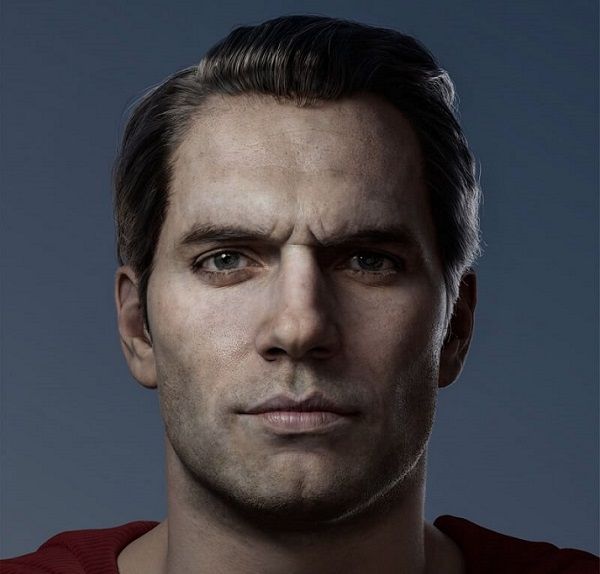
Finally, adjust the final sculpted muscles and add stripes, and the face model is completed.