
 Blender
 Cinema 4D
 Arnold
 3ds Max
 Houdini
 V-Ray
V-Ray Maya
Maya Unreal Engine
 Nuke
NukeBest GPU for Gaming: Top Graphics Cards for 1080p, 1440p, 4K
 Ryan Thompson
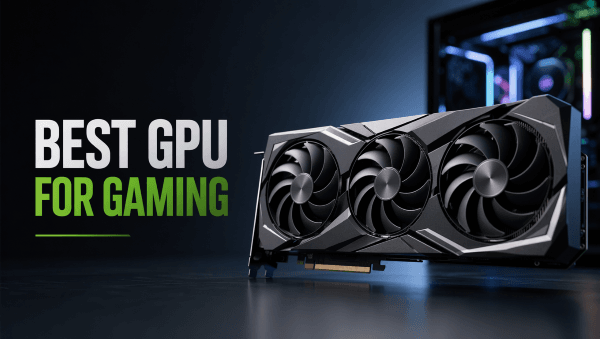
Choosing the best GPU for gaming in 2026 depends on more than raw performance. Your ideal graphics card should match your monitor resolution, game library, budget, and whether you also use your PC for streaming, video editing, 3D work, or rendering.
For most gamers, the best choice is not always the most expensive card. A good gaming GPU should deliver smooth frame rates, enough VRAM for modern titles, reliable driver support, and useful features such as ray tracing, DLSS, FSR, or frame generation. This guide breaks down the best GPU choices for 1080p, 1440p, 4K, budget gaming, and creative workflows.
Best GPUs for Gaming in 2026: Quick Picks
If you want a fast answer, start here. The best GPU for gaming depends mainly on your resolution, budget, and whether your PC is used only for games or also for creative work such as 3D rendering, animation, or video production.
|
Use Case |
Recommended GPU |
Best For |
|
Best overall GPU for gaming |
Nvidia GeForce RTX 5070 Ti |
High-refresh 1440p gaming, entry-level 4K, and strong all-around performance |
|
Best value AMD GPU |
AMD Radeon RX 9070 XT |
Gamers who want strong raster performance and better price-to-performance |
|
Best GPU for 1080p gaming |
AMD Radeon RX 9060 XT 16GB |
Smooth Full HD gaming with better long-term VRAM headroom |
|
Best Nvidia GPU for 1080p / 1440p |
Nvidia GeForce RTX 5060 Ti 16GB |
Gamers who want DLSS support and better creator software compatibility |
|
Best GPU for 4K gaming |
Nvidia GeForce RTX 5080 |
Premium 4K gaming, ray tracing, and high-end visual settings |
|
Best budget GPU |
Nvidia GeForce RTX 5050 |
Entry-level gaming PCs and esports-focused builds |
|
Best GPU for gaming and rendering |
Nvidia GeForce RTX 5070 Ti or RTX 5080 |
Gamers who also use Blender, Cinema 4D, Maya, Unreal Engine, or GPU rendering tools |
How to Choose the Best GPU for Gaming
The best GPU for gaming is the one that fits your actual setup. Before comparing model names, start with three basic questions: what resolution do you play at, what frame rate do you want, and how much are you willing to spend?
A powerful graphics card can improve performance, but it will not always solve every problem. If your CPU is too weak, your monitor is limited to 60Hz, or your power supply cannot support the card, you may not get the full benefit of a GPU upgrade.
Choose Based on Your Resolution
Resolution is the most important starting point. A GPU that is excellent for 1080p may struggle at 4K, while a 4K-ready card may be unnecessary for a basic Full HD monitor.
|
Resolution |
What You Need |
Best For |
|
1080p |
Budget or mid-range GPU |
Esports, casual gaming, high FPS on a smaller budget |
|
1440p |
Mid-range to high-end GPU |
Modern AAA games, sharper visuals, high-refresh monitors |
|
4K |
High-end GPU |
Premium visuals, ray tracing, cinematic single-player games |
For 1080p gaming, prioritize value and stable performance. For 1440p, look for stronger performance and more VRAM. For 4K, you need a high-end GPU with enough memory, good cooling, and strong upscaling support.
Check VRAM, Ray Tracing, and Upscaling Support
VRAM affects how well a GPU handles modern textures, large game worlds, high resolutions, and demanding graphics settings. For many gamers, 8GB can still work for 1080p, but 12GB or 16GB is safer for 1440p, 4K, and future games.
Ray tracing is another factor. It can make lighting, reflections, and shadows look more realistic, but it also puts much more pressure on the GPU. If you care about ray tracing, look closely at real game benchmarks instead of only reading the spec sheet.
Upscaling technologies such as Nvidia DLSS and AMD FSR can also make a major difference. They help improve frame rates by rendering games more efficiently, which is especially useful at 1440p and 4K.
Match Your GPU With Your CPU, Monitor, and Power Supply
A GPU upgrade should fit the rest of your PC. If your CPU is too old or too slow, it may hold back your graphics card, especially in competitive games that rely on high frame rates.
Your monitor also matters. If you use a 1080p 60Hz display, a high-end 4K GPU will be overkill. But if you have a 1440p 165Hz monitor or a 4K display, a stronger GPU makes much more sense.
Finally, check your power supply before buying. High-end graphics cards can require more power, better cooling, and enough physical space inside your case. A good GPU choice is not only fast; it should also be practical for your current build.
Best GPU for 1080p, 1440p, and 4K Gaming
The best GPU for gaming depends heavily on your resolution. A graphics card that is perfect for 1080p may not be powerful enough for 4K, while a high-end 4K GPU can be unnecessary if you only play competitive games on a Full HD monitor.
For most buyers, resolution is the easiest way to narrow the choice. Start with your monitor, then choose a GPU that can deliver the frame rate and visual quality you actually need.
Best GPU for 1080p Gaming
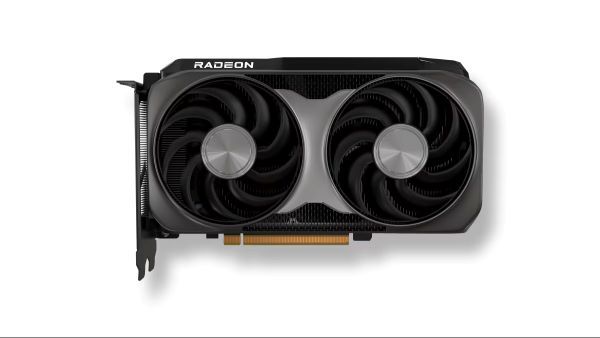
For 1080p gaming, the AMD Radeon RX 9060 XT 16GB and Nvidia GeForce RTX 5060 Ti 16GB are strong options. Both are better suited to Full HD gaming than cheaper entry-level cards because they offer more VRAM headroom for modern games.
The RX 9060 XT 16GB is a practical pick if you want good value and enough memory for newer titles. The RTX 5060 Ti 16GB is a better fit if you prefer Nvidia features such as DLSS, stronger ray tracing support, and broader compatibility with some creator tools.
Choose this category if you:
- Use a 1080p monitor
- Play esports or mainstream games
- Want high FPS without overspending
- Care about long-term VRAM headroom
- Do not need full 4K performance
Best GPU for 1440p Gaming
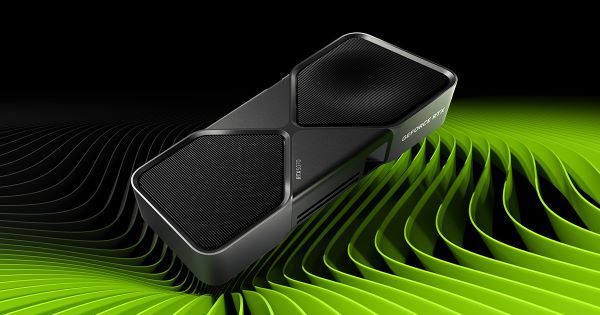
For 1440p gaming, the Nvidia GeForce RTX 5070 Ti and AMD Radeon RX 9070 XT are better choices. This resolution is sharper than 1080p but less demanding than 4K, making it the sweet spot for many PC gamers.
The RTX 5070 Ti is a strong all-around choice if you want ray tracing, DLSS, and better support in many creative applications. The RX 9070 XT is worth considering if you care more about raw raster performance and price-to-performance in traditional games.
Choose this category if you:
- Use a 1440p monitor
- Play modern AAA games
- Want high or ultra settings
- Use a high-refresh display
- Want a GPU that can also support light creative work
Best GPU for 4K Gaming
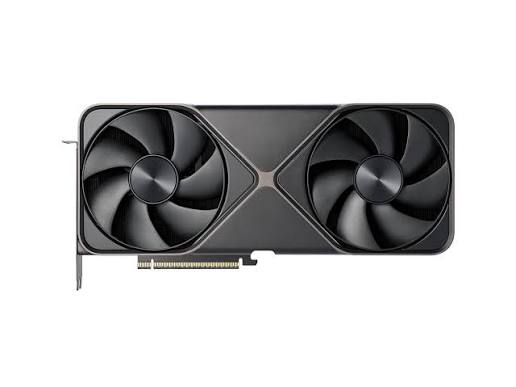
For 4K gaming, the Nvidia GeForce RTX 5080 is a stronger fit. 4K pushes far more pixels than 1080p or 1440p, so you need a high-end GPU with strong performance, enough VRAM, good cooling, and advanced upscaling support.
This category makes the most sense if you play visually demanding single-player games, use ray tracing, or want cinematic image quality on a 4K monitor or TV. It is also a better choice for users who run creative workloads alongside gaming.
Choose this category if you:
- Use a 4K monitor or TV
- Play demanding AAA games
- Want ray tracing or path tracing
- Prefer cinematic visual quality
- Also use your GPU for video editing, 3D previews, or rendering-related work
If your main challenge is rendering large final projects, upgrading to a high-end local GPU may not always be the most cost-effective answer. A render farm can help handle heavy rendering tasks without forcing you to rely only on your workstation.
AMD vs Nvidia: Which Is Better for Gaming?
AMD and Nvidia both make excellent gaming GPUs, but they are strong in different areas. The better choice depends on what you value more: raw performance for the price, ray tracing, upscaling quality, creator software support, or overall ecosystem.
For many gamers, AMD Radeon cards are attractive because they often deliver strong traditional gaming performance at competitive prices. Nvidia GeForce cards usually cost more, but they tend to lead in ray tracing, DLSS, frame generation, and support across many creative applications.
|
Factor |
AMD Radeon |
Nvidia GeForce |
|
Traditional gaming performance |
Often strong for the price |
Strong across most tiers |
|
Ray tracing |
Improving, but usually behind Nvidia |
Usually stronger |
|
Upscaling |
FSR |
DLSS |
|
Frame generation |
FSR Frame Generation |
DLSS Frame Generation |
|
Creator software support |
Good, but depends on the app |
Often stronger because of CUDA and OptiX |
|
Best for |
Value-focused gamers |
Gamers who want ray tracing, DLSS, and creator tools |
AMD GPUs: Better Value for Many Gamers
AMD GPUs are often a smart choice if you care most about standard gaming performance and price-to-performance. Cards such as the Radeon RX 9070 XT can be especially appealing for 1440p gaming, where raw raster performance matters more than advanced ray tracing.
AMD is also a good option if you play competitive games, esports titles, or AAA games without turning on the heaviest ray-traced settings. In these cases, you may get excellent frame rates without paying the Nvidia premium.
Choose AMD if you:
- Want strong performance for the price
- Mainly play traditional rasterized games
- Care less about heavy ray tracing
- Want good 1440p gaming value
- Prefer a more budget-conscious build
Nvidia GPUs: Stronger Ray Tracing, DLSS, and Creator Support
Nvidia GPUs are usually the better choice if you care about ray tracing, DLSS, frame generation, and creative software compatibility. For gamers who play visually demanding AAA titles, these features can make a major difference, especially at 1440p and 4K.
Nvidia also has an advantage for many creators. Applications such as Blender, Cinema 4D, Maya, Unreal Engine, and other 3D or rendering tools often benefit from CUDA, OptiX, or Nvidia-focused GPU acceleration. This makes Nvidia a safer pick if your PC is used for both gaming and production work.
Choose Nvidia if you:
- Want stronger ray tracing performance
- Use DLSS and frame generation
- Play demanding AAA games at 1440p or 4K
- Also use 3D, rendering, video, or AI tools
- Want broader creator software support
Which One Should You Choose, AMD vs Nvidia?
If you only care about gaming performance for the money, AMD can be the better value. If you want stronger ray tracing, better upscaling, and more creator-friendly support, Nvidia is usually the safer choice.
For a pure gaming PC, compare real benchmarks and current prices before deciding. For a gaming and creative workstation, Nvidia often has the edge because many production tools are optimized around its ecosystem.
The best answer is not simply “AMD or Nvidia.” It is the GPU that gives you the right balance of performance, features, price, and software support for the way you actually use your PC.
Gaming GPU vs Rendering GPU: What Creators Should Know
A good gaming GPU and a good rendering GPU are not always the same thing. Gaming performance is mainly about real-time frame rates, resolution, visual settings, and features such as ray tracing or upscaling. Rendering performance depends more on VRAM, GPU acceleration, software compatibility, scene complexity, and how long the GPU can handle heavy workloads.
If you only play games, choose the GPU that gives you the best frame rate for your monitor and budget. If you also work with 3D software, animation, architectural visualization, product rendering, or visual effects, you should think beyond gaming benchmarks.
What Makes a Good Gaming GPU?
A good gaming GPU should deliver smooth performance at your target resolution. For 1080p, that usually means strong value and stable FPS. For 1440p, you need more power and more VRAM. For 4K, you need a high-end card with strong upscaling and enough memory for high-resolution textures.
For gaming, the most important factors are:
- Frame rate
- Resolution
- Ray tracing performance
- Upscaling support
- VRAM
- Power consumption
- Driver stability
A gaming GPU does not need to be the most powerful card available. It only needs to match your monitor, the games you play, and the visual settings you want.
What Makes a Good GPU for 3D Rendering?
For 3D rendering, the GPU has a different job. Instead of drawing frames in real time for gameplay, it may need to calculate lighting, shadows, reflections, textures, simulations, and final image output. Large scenes can use a lot of VRAM, and complex projects can keep the GPU under heavy load for a long time.
For rendering, the most important factors are:
- VRAM capacity
- CUDA, OptiX, or other GPU acceleration support
- Compatibility with software such as Blender, Cinema 4D, Maya, Houdini, Unreal Engine, or 3ds Max
- Stability under long workloads
- Performance in final rendering, not only viewport previews
This is why many creators prefer Nvidia GPUs for rendering-related work. Nvidia cards often have stronger support in GPU render engines and creative applications, especially when CUDA or OptiX acceleration is involved.
When Cloud Rendering Makes More Sense Than Upgrading
Upgrading your local GPU can improve gaming performance and help with smaller creative projects. But if your main problem is long final render times, heavy animation sequences, or large production files, buying a more expensive GPU may not always be the best solution.
Cloud rendering makes more sense when:
- Your scene is too heavy for your local GPU
- You need to render many frames for animation
- You have a tight deadline
- Your workstation becomes unusable during rendering
- You only need extra rendering power for certain projects
- You do not want to buy a flagship GPU just for occasional peak workloads
For creators who also game, a balanced approach often works best: use a strong local GPU for gaming, previews, look development, and small renders, then use a cloud render farm for large final outputs. This keeps your workstation flexible without forcing every project to depend on one local graphics card.
Should You Upgrade Your GPU Now?
You should upgrade your GPU if your current graphics card can no longer deliver the resolution, frame rate, or visual quality you want. For many gamers, the biggest signs are unstable FPS, reduced graphics settings, limited VRAM, or poor performance in newer AAA games.
However, upgrading is not always necessary. If your current GPU still runs your favorite games smoothly, and you do not plan to move to a higher-resolution monitor, you may get better value by waiting for prices to drop or for the next generation of cards to become more widely available.
When It Is Worth Upgrading GPU?
A GPU upgrade is worth considering if your current card is holding back your gaming experience or creative workflow.
You should consider upgrading if:
- You want to move from 1080p to 1440p or 4K
- You cannot reach stable FPS in the games you play most
- You want to use ray tracing or higher visual settings
- Your GPU does not have enough VRAM for newer games
- Your current card is too slow for 3D previews, video work, or GPU rendering
- Your system meets the power and cooling requirements for a stronger card
For gamers, the clearest reason to upgrade is a monitor change. If you buy a 1440p high-refresh display or a 4K monitor, your old GPU may not be able to keep up. For creators, the reason may be different: larger scenes, longer render times, or software that benefits from newer GPU acceleration.
Should You Upgrade for Gaming, Rendering, or Both?
If you only game, upgrade based on resolution and frame rate. If you also create 3D content, edit video, or render animations, think about your full workflow.
A stronger GPU can help with viewport previews, GPU-accelerated effects, and smaller local renders. But for large final renders, animation sequences, and deadline-driven projects, local hardware can still become a bottleneck. In that case, you may not need to buy the most expensive GPU available. A balanced GPU for daily work plus cloud rendering for heavy projects can be a more flexible setup.
FAQ about Best GPU for Gaming
What is the best GPU for gaming in 2026?
The best GPU for gaming in 2026 depends on your resolution and budget. For 1080p gaming, a budget or mid-range GPU is usually enough. For 1440p, choose a stronger card with at least 12GB to 16GB of VRAM. For 4K gaming, a high-end GPU with strong upscaling and ray tracing support is the better choice.
What is the best graphics card for 1080p gaming?
For 1080p gaming, the AMD Radeon RX 9060 XT 16GB and Nvidia GeForce RTX 5060 Ti 16GB are both strong options. They offer enough performance for Full HD gaming and more VRAM headroom than many cheaper entry-level cards.
Is AMD or Nvidia better for gaming?
AMD is often better for gamers who want strong performance for the price, especially in traditional rasterized games. Nvidia is usually better for ray tracing, DLSS, frame generation, and creator software support. If you only care about value, AMD is worth considering. If you also use 3D, rendering, video, or AI tools, Nvidia may be the safer choice.
How much VRAM do I need for gaming?
For 1080p gaming, 8GB can still work, but 12GB or more is a safer choice for newer games. For 1440p gaming, 12GB to 16GB is a better target. For 4K gaming, 16GB or more is recommended, especially if you play demanding AAA games with high-resolution textures.
Is a gaming GPU good for rendering?
A gaming GPU can be good for rendering, especially if it has enough VRAM and strong software support. Nvidia GPUs are often preferred in many rendering workflows because of CUDA and OptiX support. However, large 3D scenes, animation sequences, and final production renders may still take a long time on a local GPU.
Should I buy a better GPU or use a render farm?
If you need better gaming performance every day, upgrading your GPU makes sense. If your main problem is long final render times, heavy 3D scenes, or animation deadlines, a render farm can be more efficient. Many creators use a local GPU for gaming, previews, and smaller renders, then use cloud rendering for larger final projects.
What is the difference between a GPU and a graphics card?
A GPU is the graphics processing unit, the chip that handles visual calculations. A graphics card is the full hardware component that includes the GPU, VRAM, cooling system, power connectors, and circuit board. In everyday buying guides, people often use “GPU” and “graphics card” to mean the same thing.
Conclusion
The best GPU for gaming is the one that fits your resolution, frame rate goals, budget, and daily workflow. A 1080p gamer does not need the same card as a 4K player, and a creator who also renders 3D projects may need to think beyond gaming benchmarks.
If you want the best value, choose a GPU that matches your monitor and gives you enough VRAM for the next few years. If you care about ray tracing, upscaling, and creator software support, Nvidia is often the safer option. If you want strong traditional gaming performance for the price, AMD can be a very competitive choice.
For gamers who also work with 3D rendering, animation, architectural visualization, or visual effects, a powerful local GPU is useful, but it does not have to carry every workload alone. A balanced graphics card for daily gaming and creative work, combined with cloud rendering for heavy final projects, can be a smarter and more flexible setup.