
 Blender
 Cinema 4D
 Arnold
 3ds Max
 Houdini
 V-Ray
V-Ray Maya
Maya Unreal Engine
 Nuke
Nuke10 Best Free 3D Modeling Software by Use Case
Last edited on: 2026-09-03
Top News | Trending
3D Tool

This guide is written for students, hobbyists, indie creators, designers, and 3D artists who want to start modeling without paying for professional software right away. We compare free 3D modeling tools by use case, learning curve, platform, free access type, and practical workflow limits, so you can choose the right software before spending hours learning the wrong one.
Quick Picks: Best Free 3D Modeling Software by Use Case
If you just need a fast answer, the best free 3D modeling software depends on the kind of work you want to do. Blender is the strongest all-around option, Tinkercad is the easiest for absolute beginners, FreeCAD is better for parametric and engineering-style modeling, and SketchUp Free works well for quick architectural concepts. If you want procedural or simulation-driven workflows, Houdini Apprentice is the more advanced choice.
|
Use Case |
Best Free Pick |
Why It Fits |
|
Best overall |
Blender |
Covers modeling, sculpting, animation, rendering, and UV work in one package |
|
Easiest for beginners |
Tinkercad |
Browser-based, simple interface, and low learning curve |
|
Best for CAD and engineering |
FreeCAD |
Parametric modeling, dimension-driven workflows, and technical design |
|
Best for architecture concepts |
SketchUp Free |
Fast for spatial layouts, room blocks, and rough design studies |
|
Best for 3D printing |
FreeCAD or Tinkercad |
Simple export to print-friendly formats and easy shape control |
|
Best for animation and game assets |
Blender |
Strong polygon modeling, sculpting, and export support |
|
Best for procedural/VFX workflows |
Houdini Apprentice |
Node-based workflow for users who want more technical control |
|
Best for quick mesh cleanup |
MeshLab |
Useful for repairing and editing scanned or messy mesh files |
A good rule of thumb is this: choose the simplest tool that fits the job. If you are learning, start with Tinkercad or Blender. If you are designing parts or products, go with FreeCAD. If you are testing architecture ideas, SketchUp Free is usually the fastest way to start. And if the project may later move into animation or final rendering, Blender gives you the smoothest path forward.
Comparison Table: Best Free 3D Modeling Software in 2026
| Software | Best For | Skill Level | Platform | Free Type |
|---|---|---|---|---|
| Blender | Animation, sculpting, game assets, general 3D work | Intermediate to advanced | Windows, macOS, Linux | Free and open-source |
| Houdini Apprentice | Procedural modeling, VFX, simulations | Advanced | Windows, macOS, Linux | Free for non-commercial use |
| SketchUp Free | Architecture concepts, simple spatial design | Beginner | Web | Free web version |
| Tinkercad | Education, 3D printing basics, simple modeling | Beginner | Web | Free |
| Wings 3D | Polygon modeling and low-poly workflows | Beginner to intermediate | Windows, macOS, Linux | Free and open-source |
| Autodesk Fusion for Personal Use | Product design, CAD, maker workflows | Beginner to intermediate | Windows, macOS | Free for qualifying personal use |
| FreeCAD | Parametric modeling, engineering, mechanical design | Intermediate | Windows, macOS, Linux |
Free and open-source |
|
Onshape Free |
Cloud CAD, mechanical design, collaboration |
Beginner to intermediate |
Web, iOS, Android |
Free for non-commercial use; public documents |
|
MeshLab |
Mesh cleanup, 3D scan processing, model repair |
Intermediate |
Windows, macOS, Linux |
Free and open-source |
|
Blockbench |
Low-poly models, Minecraft-style assets, game assets |
Beginner |
Windows, macOS, Linux, Web |
Free and open-source |
Can You Do 3D Modeling for Free?
Yes, you can absolutely do 3D modeling for free. Today’s free 3D modeling software ranges from beginner-friendly web apps to advanced open-source tools used in real production workflows. Depending on the program, you can model hard-surface objects, sculpt characters, create printable parts, design mechanical components, or even prepare assets for animation and rendering.
The key difference is not whether the software is free, but what kind of work it is best for. For example, Blender is one of the strongest free choices for general 3D creation, while FreeCAD is better for parametric design and Tinkercad is better for absolute beginners.
10 Best Free 3D Modeling Software
1. Blender
Blender remains one of the best free 3D modeling software options in 2026 because it covers far more than modeling alone. It supports polygon modeling, sculpting, UV editing, animation, rigging, shading, rendering, compositing, and video editing in one package. That makes it a strong choice for artists who want an all-in-one 3D pipeline.
It is especially useful for character artists, motion designers, generalists, and indie game creators. The main downside is that Blender can feel overwhelming at first, especially if you are completely new to 3D. However, once you understand the interface, it becomes one of the most flexible free tools available.

Compatibility
Windows, macOS, Linux
Free Access Type
Free and open-source under the GNU GPL; free for personal and commercial projects.
Key Features
- Facilitates individuals with Dynamic Topology, a dynamic tessellation sculpting method.
- Offers an impressive set of rigging tools, including easy-weight painting and mirror functionality.
- Allows you to draw in a 3D environment with this tool.
Pros
- The software offers an array of video editing tools.
- You can control an object's animation properties.
Con
- The extensive number of features can be overwhelming for beginners
- Provides a steep learning curve for new designers.
If your next step after modeling is animation output, this guide on how to render an animation in Blender is a practical follow-up.
2. Houdini Apprentice
Houdini Apprentice is a free non-commercial version of Houdini that gives learners access to an advanced procedural workflow. It is ideal for users interested in node-based modeling, VFX, motion graphics, and simulation-heavy scenes. If you want to build effects-driven assets or learn the logic behind procedural systems, Houdini is one of the most powerful options on this list.
That said, Houdini Apprentice is not the easiest choice for beginners. It requires a more technical mindset, and the non-commercial version includes limitations such as watermarking on rendered output. Still, for students and artists learning professional VFX workflows, it is a very valuable free tool.

Compatibility
Window, macOS, Linux
Free Access Type
Free for students, artists, and hobbyists working on personal non-commercial projects.
Key Features
- It facilitates users in creating virtual and augmented reality games.
- Creates high-quality films with dynamic sets of tools.
- This software uses different techniques for shaping and blending fluids.
Pros
- Designed to let students work from home for free
- Offers a robust and innovative set of VFX tools.
Cons
- It's restricted to 1289x720 when rendering.
- Rendering projects in other file formats will be watermarked.
3. Sketchup Free
SketchUp Free is a strong option for users who want fast, intuitive 3D design in a browser. It is widely used for spatial concepts, architectural blocking, interior layouts, and simple product visualization. Its biggest advantage is accessibility. You can get started quickly without dealing with a complex interface or heavy installation process.
Compared with more advanced 3D modeling software, SketchUp Free is less suitable for high-end organic modeling or advanced parametric workflows. Still, if your goal is easy concept modeling, it remains one of the best free 3D modeling software for beginners.

Compatibility
Web, Windows, macOS
Free Access Type
Free browser-based version for personal/non-commercial 3D modeling.
Key Features
- You can create construction documents for 2D modeling with this tool.
- This software enables you to generate floor plans and visualize rooms in 3D.
- It facilitates individuals with 4 million pre-build 3D models in a 3D warehouse.
Pros
- Produces detailed line drawings with stunning rendering.
- Users can create a library of custom textures and material swatches.
Cons
- Limitation to models in the free trial.
- It's not ideal for parametric models.
4. Tinkercad
Tinkercad is one of the easiest free 3D modeling software tools for beginners, students, and makers. It runs in the browser and uses a drag-and-drop workflow that makes 3D design feel approachable from the start. It is especially useful for simple printable objects, classroom projects, and learning basic modeling logic.
Its simplicity is both its biggest strength and its main limitation. Tinkercad is excellent for learning and fast prototyping, but it is not designed for complex scenes, detailed hard-surface modeling, or production-level asset work. For absolute beginners, though, it is still one of the best entry points into 3D.

Compatibility
Windows, macOS, Chromebook, iPad, Android, iPhone
Free Access Type
Free browser-based app for 3D design, electronics, and coding.
Key Features
- Coding foundations can be built by dropping blocks of codes and snapping them together.
- Assists users in adding editable properties to turn static 3D creation into customizable shapes.
- With this platform, individuals can adjust objects to change the shape's view.
Pros
- Allows users to create custom shapes and build detailed models.
- You can prototype your circuit design with a 1:1 representation of Arduino.
Cons
- This program isn't suitable for complex designs
- For complex designs, the editing process might get slow.
5. Wings 3D
Wings 3D is a lightweight polygon modeler focused on traditional subdivision modeling. It is a solid choice for users who want a dedicated modeling tool without the broader complexity of all-in-one packages. The interface is cleaner than many larger tools, and it includes useful modeling functions such as extrude, bevel, cut, and AutoUV support.
Because Wings 3D focuses mainly on modeling, it is not meant to replace a full animation or rendering suite. It is better viewed as a focused modeling tool for users who care about mesh editing and form-building more than full pipeline features.

Compatibility
Windows, Linux, macOS
Free Access Type
Free and open-source subdivision modeler for personal and commercial projects.
Key Features
- The platform provides advanced tools like sweep, plane cut, and many others.
- Users can add various textures to their models using its AutoUV facility.
- For painting and texturing, it helps you to cut and unfold images for the model’s surface.
Pros
- Supports a wide range of interface languages.
- After creating a model, you can preview the results.
Cons
- Exports to only standard 3D file formats like .obj.
- This platform does not support 3D animation.
6. Autodesk Fusion 360 for Personal Use
Autodesk Fusion for Personal Use is one of the strongest free options for product design, CAD, and maker workflows. It is especially useful for users building functional parts, prototypes, and mechanical designs. Compared with sculpting- or animation-focused tools, Fusion is much better for dimensionally accurate modeling and engineering-oriented workflows.
The personal-use version includes basic functionality for qualifying non-commercial users, so it is a good fit for hobbyists and learners rather than commercial teams. If you want to design precise objects for fabrication, modeling practice, or technical prototyping, Fusion is a smart choice.
>> If you are struggle with Blender and Fusion 360, check: Blender vs Fusion 360: Full Comparison for Beginners in 2025

Compatibility
Windows, macOS, Web
Free Access Type
Free limited version for qualifying personal, home-based, non-commercial projects.
Key Features
- With this platform, individuals can prototype and fabricate quickly without compromising quality.
- To lessen costly defects, you can also leverage data and quality management tools.
- From 2D to multi-axis, it provides professional-grade tools for all fabrication needs.
Pros
- You can export and import all types of files.
- It provides Cloud stimulation and advanced machining upgrades.
Cons
- For personal use, it has limited CAM functionality.
- Restricted 2D documentation and drawings for personal use.
7. FreeCAD
FreeCAD is a free and open-source parametric modeler designed mainly for real-world objects. It is often recommended to users who want a no-cost CAD tool for engineering, mechanical design, and precise part creation. Since it is parametric, you can revise dimensions and modeling history more easily than in purely direct-modeling software.
FreeCAD is highly capable, but it is not always the smoothest beginner experience. The interface can feel less polished than commercial CAD platforms, and new users may need time to understand its workbench-based structure. Even so, it remains one of the best free CAD-oriented tools available today.

Compatibility
Windows, Mac, Linux
Free Access Type
Free and open-source parametric 3D modeler under LGPL; free for private, commercial, and institutional use.
Key Features
- It provides tools to produce and edit full-precision models for exporting them as 3D printing.
- You can also create 2D models and view them for analyses, such as Finite Element Analyses.
- All the shapes can be recalculated on demand and are allowed for precise modeling history.
Pros
- Supports many file formats, including DXF, OBJ, and others.
- Analyses and quantities data from various formats, including DWG and OBJ.
Cons
- This platform lacks fast rendering functionality.
- Limited various advanced analysis tools.
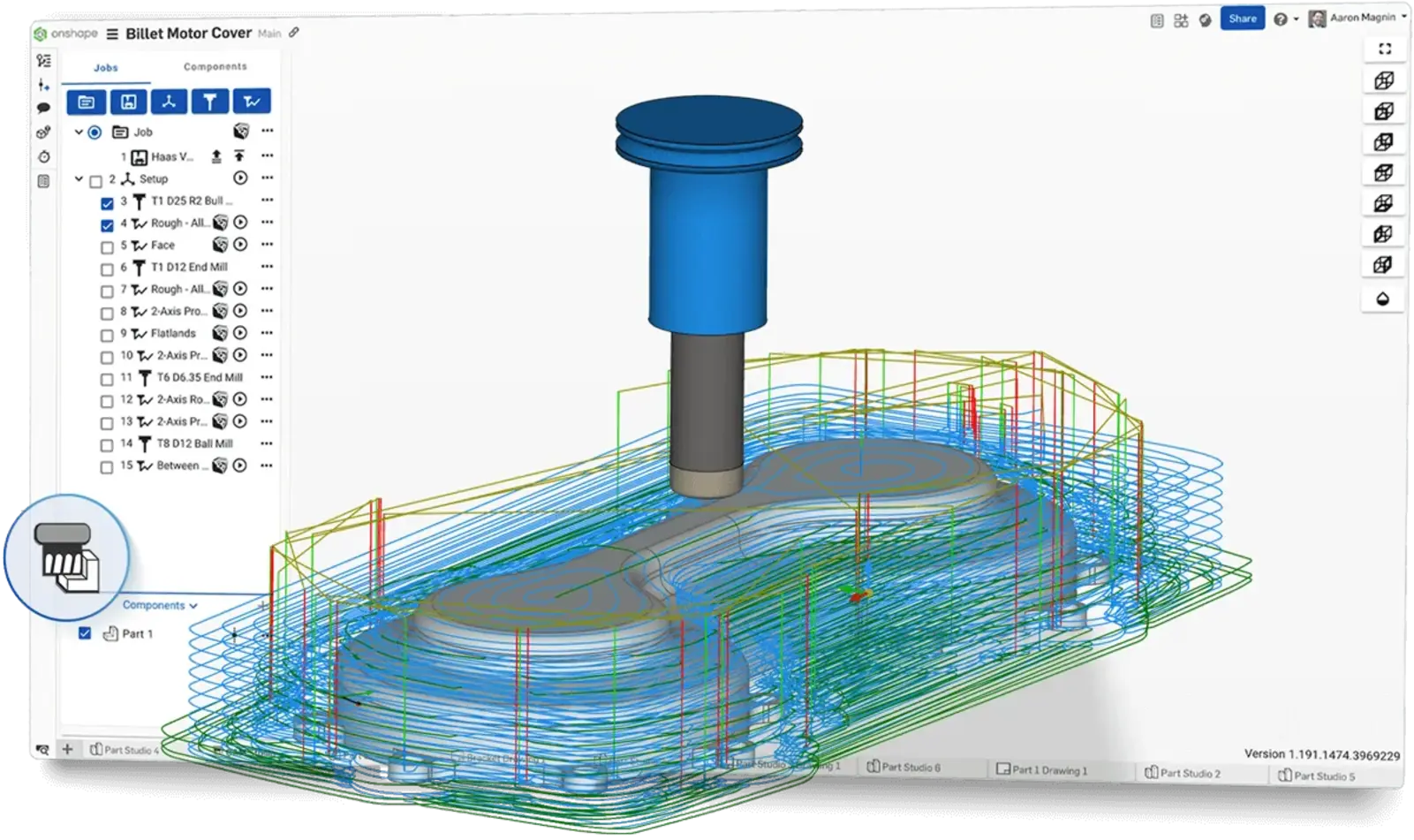
8. Onshape Free
Onshape Free is a browser-based 3D CAD tool for makers, students, and hobbyists who want parametric modeling without installing desktop software. It is especially useful for product design, mechanical parts, assemblies, and collaborative CAD projects. Since Onshape runs in the cloud, you can work from different devices and keep versions organized more easily than with a local-only workflow.
The main thing to know is that Onshape Free is for non-commercial use, and documents created with the free plan are public. That makes it a good choice for personal learning, open projects, and CAD practice, but not for confidential client work.
Compatibility
Web browser, iOS, Android
Free Access Type
Free cloud-based CAD plan for non-commercial personal projects; documents are public.
Key Features
- Supports part modeling, assembly modeling, and drawing workflows.
- Offers real-time collaboration for shared CAD projects.
- Includes version control, which helps track design changes.
- Runs in the browser, so there is no heavy desktop installation.
Pros
- Good free CAD option for learning product and mechanical design.
- Cloud-based workflow makes collaboration easier.
- Works across devices through a browser.
- Useful for students, makers, and open-source hardware projects.
Cons
- Free plan is for non-commercial use only.
- Free documents are public, so it is not suitable for private client projects.
- Requires an internet connection for normal use.
9. MeshLab
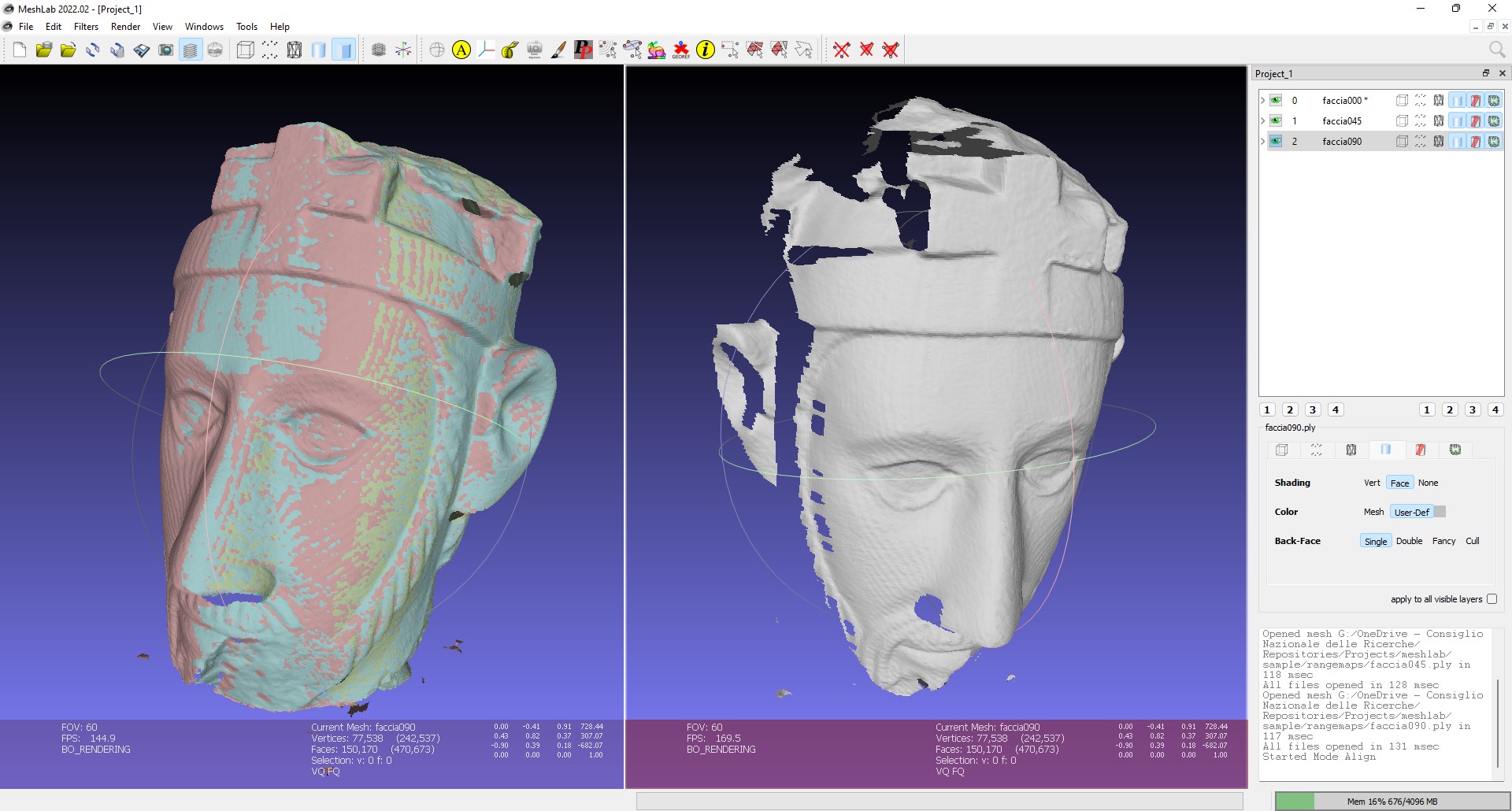
MeshLab is not a traditional 3D modeling program for building objects from scratch. Instead, it is a free, open-source tool for processing, cleaning, repairing, inspecting, and converting 3D mesh files. It is especially useful if you work with 3D scans, downloaded models, photogrammetry data, or messy mesh files that need cleanup before printing, editing, or rendering.
For 3D printing workflows, MeshLab can be a practical companion to tools like FreeCAD, Blender, or Tinkercad. You can use it to check mesh quality, simplify heavy geometry, repair surface problems, and prepare models for the next step in your pipeline.
Compatibility
Windows, macOS, Linux
Free Access Type
Free and open-source mesh processing tool under GPL 3.0.
Key Features
- Helps clean, repair, inspect, and convert triangular mesh files.
- Useful for 3D scanning, photogrammetry, and mesh cleanup.
- Supports many mesh processing filters and editing tools.
- Can help prepare models for 3D printing or further editing.
Pros
- Free and open-source.
- Strong choice for mesh repair and cleanup.
- Helpful for scanned models and large unstructured mesh files.
- Works well as a supporting tool in a 3D production workflow.
Cons
- Not designed for beginner-friendly modeling from scratch.
- Interface can feel technical for new users.
- Better as a mesh processing tool than as an all-in-one 3D creation package.
10. Blockbench
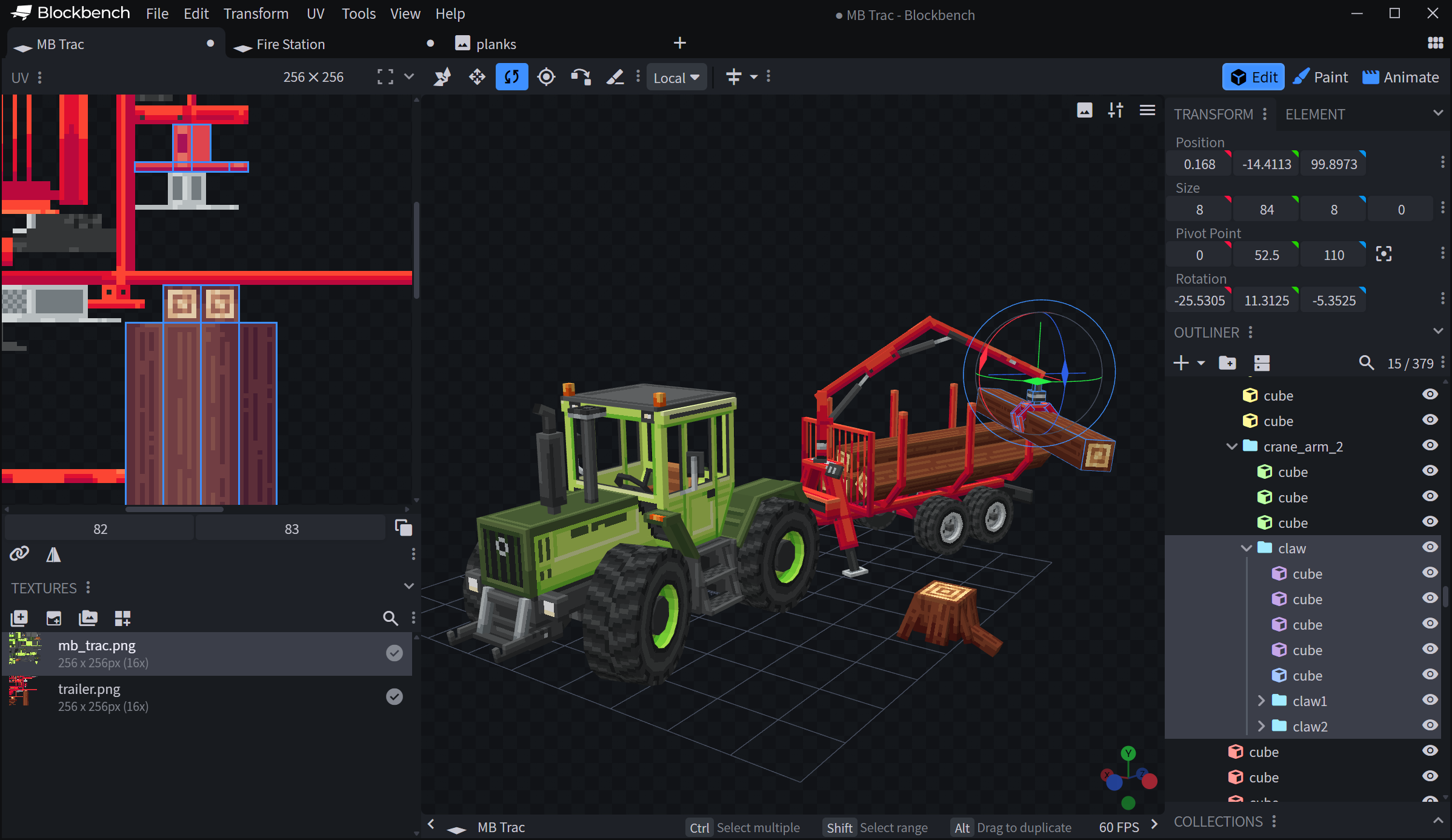
Blockbench is a free and open-source 3D model editor designed for low-poly models, pixel-art textures, and game assets. It is especially popular among Minecraft creators, indie game artists, students, and beginners who want a lighter tool than Blender. Instead of overwhelming users with a full DCC pipeline, Blockbench focuses on modeling, texturing, simple animation, and export workflows for stylized assets.
If your goal is low-poly props, voxel-style characters, Minecraft models, or lightweight game assets, Blockbench is one of the easiest free 3D modeling tools to start with. It is less suitable for advanced sculpting, CAD, or realistic rendering, but very strong for fast asset creation.
Compatibility
Windows, macOS, Linux, Web App
Free Access Type
Free and open-source low-poly model editor; free to use for any type of project.
Key Features
- Designed for low-poly modeling and pixel-art textures.
- Includes tools for UV editing, texture painting, and simple animation.
- Supports plugins for extra tools, formats, and workflow extensions.
- Can export models for sharing, rendering, 3D printing, or game engines.
Pros
- Free and open-source.
- Much easier to learn than larger 3D software.
- Great for Minecraft-style models and low-poly game assets.
- Web app is useful for quick editing or lightweight projects.
Cons
- Not ideal for complex sculpting or realistic character modeling.
- Not a CAD tool, so it is not suitable for precise engineering design.
- Advanced artists may outgrow it and move to Blender or another full 3D package.
How to Choose the Right Free 3D Modeling Software
The best free 3D modeling software depends on what you actually want to create.
- Choose Blender if you want a complete creative tool for modeling, sculpting, animation, and rendering.
- Choose Tinkercad if you are just starting and want something simple.
- Choose SketchUp Free if your work involves spaces, buildings, or layout concepts.
- Choose Fusion for Personal Use or FreeCAD if you care more about precision, measurements, and real-world fabrication.
- Choose Houdini Apprentice if you want procedural control and are willing to invest more time in learning.
A good rule is to match the software to the workflow, not just the feature list. The best tool is the one that helps you finish projects faster, not the one with the longest capability sheet.
If you are still deciding between free and paid tools, start with this broader guide on choosing the best software for 3D modeling before narrowing your options by budget.
FAQs About Free 3D Modeling Software
Q1. Why is my render taking so long?
Long render times usually come from heavy geometry, large textures, complex lighting, high sample settings, or limited hardware performance. This becomes more noticeable when you move from modeling into animation or photorealistic output.
If your local machine is slowing you down, Fox Renderfarm can help offload rendering work to high-performance cloud infrastructure. It supports CPU and GPU rendering, high-speed transmission, and secure production workflows.
Q2. How good of a computer do I need for 3D modeling?
For most 3D modeling workflows, a good starting point is a modern multi-core CPU, at least 16 GB of RAM, SSD storage, and a capable GPU if your software benefits from graphics acceleration. More demanding scenes, simulations, and rendering tasks will naturally need stronger hardware.
For more detailed information, check: How to Choose the Best PC for Modeling and Rendering? Ultimate Guide
While high-end machines are ideal for complex projects, you can still work with free 3D software through a render farm, which requires minimal performance from your local device.
Q3. Does 3D modeling require drawing skills?
Not necessarily. Drawing skills can help with design sense, shape awareness, and composition, but they are not required to start 3D modeling. Many successful 3D artists begin by learning form, proportion, reference use, and technical workflows rather than traditional sketching.
Conclusion
The best free 3D modeling software in 2026 is not the same for everyone. Blender is still the most versatile all-around choice, Tinkercad is the easiest place to start, SketchUp Free works well for quick architectural ideas, and Fusion or FreeCAD are better for precise CAD-style work. Houdini Apprentice and Wings 3D also remain valuable for more specialized workflows.
If your goal is to learn 3D modeling without spending money, there has never been a better time to start. If you need faster rendering for your 3D projects, you can always use Fox RenderFarm, which supports the major 3D software and helps you speed up final production.
Latest News

Keywords
3D Art Competitions3D ToolTrailerFox Renderfarm PromotionCloud Rendering FarmAnnecy FestivalMILESTONESFox RenderfarmDesktop ClientBlenderBollywood films3DModels ContestNVIDIASilkroad Digital VisionMalaysian Animated FilmsIndiajoyArchitectural VisualizationCGarchitect Architectural 3DawardsBest cloud rendering servicesRender cloudVFXUpin & IpinGreen BookFox Renderfarm InterviewMission MangalKre8tif!Fox Renderfarm Mini ProgramCGCG Tech Summit Malaysiafilm workscloud renderingGolden Horse AwardShadowVFX BreakdownMorrigan FlebotteVWArtclub Annual *ContestAsswad Mouhamadanimation worksIMax StudioBoonie BearsRenderosityGary S. KennedyEvermotion Challenge 2018Brian BeaudryBobby BalaMohit SanchaniyaKatapix MediaFlying Car ProductionsRazerThe ShipmentFoxRenderfarmCG Tech SummitAlpacalypse ProductionsUnreal Enginepwnisher 3D ChallengeFederico CiuffoliniRalf SczepanIavor TrifonovClarisseCGTS MalaysiaIsotropixC4DTomasz BednarzV-RayCinema 4DMAXONsiggraph cafEvermotion challenge 2017CGTrader Space Competitionfilm of the yearLe Anh NhanPlanet UnknownFox Renderfarm 2017 AchievementsCSFFJulio Sotoboar 2017DeepUnreal Engine render farmChris SunGlass CageMaking Life of Bri' n Chrisanthem studiosThe RookiesPeter DraperMakuta VFXBaahubali 2CG CompetitionenchantedmobCG StudiosAcademy AwardsCGVrayweeklycgchallengeSketchUpsiggraph 2017Chris BuchalSIGGRAPH AsiaLightWaveIndigo RendererStop Motion AnimationV-Ray RTCPU RenderingNVIDIA IrayChaos GroupOctaneRenderRedshiftSTAR CORECICAFVRMr. HublotRibbitGPU RenderingLinuxMonkey IslandLuxRenderHPCRender FarmUnityWORLD LABMichael Wakelam3D RenderingOnline Render FarmAlibabaBaahubaliVAXMalaysia3D AnimationOscarSIGGRAPHCGTraderKunming Asia Animation ExhibitionEvermotionRenderMan

Categories
Fox Renderfarm InterviewFox Renderfarm NewsFox Renderfarm ProjectsCloud Rendering TutorialRender Farm TutorialCG ChallengesCG NewsTop NewsTrendingRecent News List

Fox Renderfarm is Compatible with Blender Submission Plugin!
2026-10-21

Light Up Your Renders This Diwali with Fox Renderfarm’s Exclusive Offer!
2026-10-14

What Is Unreal Engine? Uses, Features, Cost, and Rendering
2026-10-01

Empowering the Next Era of Content Creation: Fox Renderfarm at BCWW 2026
2026-09-22

Fox Renderfarm Heading to BCWW 2026 in Seoul, Korea
2026-09-14

3D Architectural Animation Guide: Process, Cost, and Software
2026-09-08

Best GPU for Blender in 2026: Benchmarks and VRAM Guide
2026-08-19

The Battle Begins: Join the 13th Pwnisher Community Challenge – Gauntlet of Gods
2026-08-03

6 Best 3D Render Farms in 2026: Comparison Guide
2026-08-03



