
 Blender
 Cinema 4D
 Arnold
 3ds Max
 Houdini
 V-Ray
V-Ray Maya
Maya Unreal Engine
 Nuke
NukeWhat Is Motion Capture? Types, Uses, and How It Works

If you have ever seen an actor performing in a special suit covered with markers and wondered how that performance turns into a digital creature, superhero, or game character, you have already seen motion capture in action. Motion capture, often called mocap, records real-world movement and converts it into digital data that can drive a 3D character, camera, or object.
For filmmakers, animators, and game developers, motion capture is more than a technical shortcut. It helps preserve timing, weight, posture, and subtle human behavior that are difficult to recreate by hand. In this guide, you will learn what motion capture is, the main types of motion capture, how motion capture works in film and animation, and why cloud rendering for animation matters when turning captured performances into final shots.
Part 1. What Is Motion Capture?
Motion capture is a technology used to record the movement of people, props, or objects and translate that movement into digital data. The data is then applied to a rigged 3D model, allowing a digital character to move in a way that feels more lifelike and believable.
In animation and VFX, motion capture is widely used to create realistic body movement for human characters, creatures, and stunt-heavy scenes. In advanced productions, studios may also capture facial expressions and finger movements, which is why the term performance capture is sometimes used as well.
Motion capture does not replace animators. Instead, it gives artists a strong performance base that they can refine, clean up, stylize, and integrate into a larger visual storytelling pipeline.

Part 2. Types of Motion Capture
Understanding the types of motion capture is important because each method serves different production needs, budgets, and accuracy requirements.
1. Optical Motion Capture
Optical motion capture is the most widely known mocap method. Performers wear suits with reflective or LED markers, and multiple cameras track those markers in a controlled capture space. The system then reconstructs the movement in 3D.
This method is popular in high-end film, TV, and AAA game production because it delivers highly accurate body motion. It is especially useful for cinematic animation, creature work, and complex action sequences.
2. Inertial Motion Capture
Inertial motion capture uses sensor-based suits rather than camera arrays. Instead of tracking markers through external cameras, the suit records motion through internal sensors attached to the body.
This setup is more portable than optical mocap and is often used for indie productions, previs, virtual production, and smaller animation teams. It can be faster to deploy, though it may require more cleanup depending on the shot and environment.
3. Markerless Motion Capture
Markerless motion capture uses cameras and AI-based software to analyze body movement without physical markers. This approach is becoming more popular because it reduces setup time and allows performers to move more naturally.
Markerless motion capture is especially promising for virtual production, sports analysis, and fast iteration workflows. While it may not always match the precision of a high-end optical stage, it continues to improve quickly.
4. Facial Motion Capture
Facial motion capture focuses on expressions, lip movement, and micro-performance details. It is commonly used for digital humans, cinematic close-ups, and emotionally driven scenes where facial realism matters as much as body motion.
In many modern pipelines, body mocap and facial capture are combined to create a more complete digital performance.
Part 3. What Is Motion Capture Used For?
Motion capture is used across many industries, but it plays its biggest role in digital entertainment and real-time content creation.
Film and TV
Motion capture in film helps directors and VFX teams create realistic character movement for digital doubles, fantasy creatures, and action-heavy scenes. It is also used in previs to block scenes before final animation and rendering begin.

Video Games
Motion capture animation helps game studios build natural movement libraries for walking, running, combat, climbing, and cutscenes. It speeds up production while improving realism and consistency across characters.
VR and AR
In VR and AR experiences, mocap helps digital characters respond more naturally to users. This makes immersive experiences feel more believable and interactive.
Sports and Biomechanics
Athletes, coaches, and sports scientists use motion capture to study posture, balance, and technique. It helps identify inefficiencies, reduce injury risk, and improve performance.

Healthcare and Rehabilitation
Clinicians use motion capture to evaluate gait, track recovery, and understand movement disorders. It can support rehabilitation planning and help patients regain mobility more effectively.
Robotics and Product Development
Engineers also use motion capture to study human movement and apply those insights to robotics, prosthetics, ergonomic design, and human-machine interaction.

Part 4. How Does Motion Capture Work in Film and Animation?
If you are wondering how motion capture works in real production, the process usually follows a structured pipeline from capture to final render.
Step 1. Prepare the Capture Environment
The team first prepares the capture stage, cameras, suits, sensors, and calibration tools. Performers are fitted with markers or suits, and the capture space is tested to make sure the system can read movement accurately.
At this stage, planning matters. The team must consider the kind of performance being captured, whether props are involved, and how the motion data will later connect to the 3D rig.
Step 2. Record the Performance
Once the setup is ready, the performer acts out the scene while cameras or sensors record body movement in real time. If the production includes facial performance capture, head-mounted cameras or facial rigs may be used as well.
This is the stage where motion capture becomes storytelling. Strong acting, clean staging, and clear direction all affect the quality of the final animation.
Step 3. Clean and Solve the Data
Raw mocap data usually needs cleanup. Technicians remove noise, correct tracking errors, fill missing data, and stabilize movement. The cleaned performance is then solved into a digital skeleton.
This step is essential because even a strong capture session can produce occlusion issues, marker swaps, or small tracking inconsistencies that would look unnatural in the final shot.
Step 4. Retarget the Motion to a 3D Character
After cleanup, the motion data is applied to a rigged 3D model. This process is called retargeting. The team maps the recorded movement onto the character skeleton so the digital model can follow the performer’s motion.
Animators often refine the result at this stage. They may exaggerate poses, adjust timing, improve hand contact, or add secondary motion to match the style of the project.
Step 5. Animate, Light, and Render the Final Scene
Once the character performance is approved, the mocap-driven animation moves into the broader production pipeline. Artists add environment integration, camera work, textures, lighting, cloth simulation, hair simulation, and effects before rendering the shot.
This is where production can become resource-intensive. High-resolution characters, complex lighting, and simulation-heavy scenes can quickly overwhelm local workstations, especially in film and 3D animation projects.
Part 5. Why Rendering Efficiency Matters for Mocap Projects
Motion capture speeds up animation, but it does not reduce the computational load of final rendering. In fact, mocap-heavy productions often move faster into downstream stages, which means studios must process more shots, more revisions, and more complex scenes in less time.
That is why cloud rendering for animation is especially valuable in mocap workflows. Instead of tying up local machines for long render jobs, teams can offload final frames to remote render infrastructure and keep production moving.
How Fox Renderfarm Supports Motion Capture and 3D Animation
For studios and creators working with motion capture animation, Fox Renderfarm can help reduce rendering pressure during look development, shot production, and final delivery. This render farm is designed to handle demanding CG workloads without forcing artists to rely only on local hardware.

CPU and GPU Rendering Flexibility
Different projects have different technical needs. Fox Renderfarm supports both CPU and GPU rendering, which gives teams more flexibility when working with animated characters, VFX shots, and simulation-heavy scenes.
Faster Data Throughput
Large mocap and animation projects often involve heavy caches, textures, and scene files. With high-speed transfer and massive SSD storage, teams can reduce I/O bottlenecks and move assets more efficiently.
Pipeline-Friendly Workflow
Fox Renderfarm supports Windows, Mac, and Linux environments and also offers API integration for production pipelines. That makes it easier for studios to connect cloud rendering to existing workflows.
Security for Professional Projects
For commercial animation and VFX work, data protection matters. Fox Renderfarm highlights ISO27001-certified security workflows and NDA support, which is useful for teams handling confidential assets.
Well-known Projects Rendered by Fox Renderfarm
Fox Renderfarm has supported a range of animation and film projects, which helps reinforce its relevance for production-ready rendering workflows.
- The Shipment: This award-winning project is a strong example of how cloud rendering can help smaller teams complete visually demanding work on schedule.
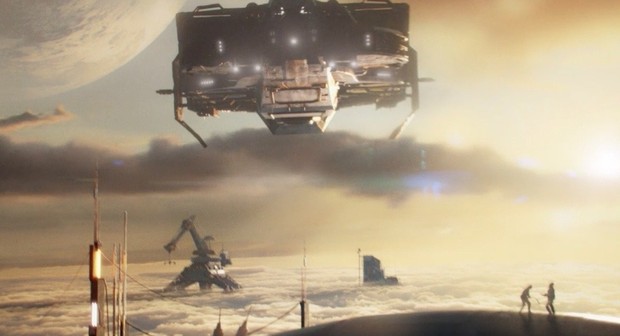
- Mr. Hublot: This Oscar-winning animated short demonstrates the level of quality that can be supported through efficient rendering pipelines.

- Wolf Warrior 2: This large-scale action film shows how cloud rendering can support VFX-heavy productions that require both scale and speed.

If you are interested, click here to learn more about projects rendered by Fox Renderfarm.
Part 6. Explore the Future of Motion Capture
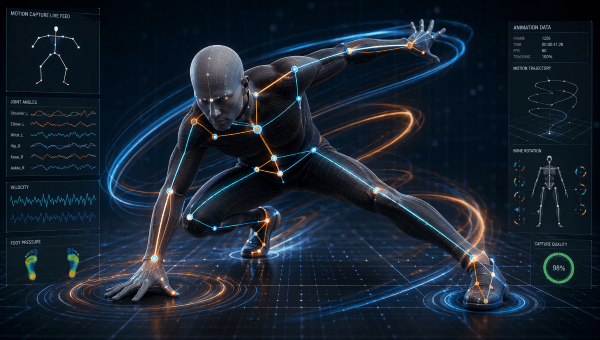
The future of motion capture is moving toward faster, smarter, and more flexible production. Markerless motion capture is improving quickly, AI-assisted cleanup is reducing manual work, and real-time workflows are making it easier for directors and animators to see results earlier in production.
At the same time, motion capture is expanding beyond film and games. It is becoming more valuable in virtual production, digital humans, sports science, healthcare, and robotics. As these tools become more accessible, more studios of every size will be able to use motion capture to create high-quality animation.
Conclusion
Motion capture is one of the most effective ways to turn real performance into believable digital movement. From film and games to VR, sports, and healthcare, its applications continue to grow as tools become more accurate and easier to use.
If you are building a motion capture animation pipeline, it is not enough to understand capture alone. You also need an efficient path to final rendering. With the right workflow and scalable support from render farm, teams can move from performance to polished final frames faster and more reliably.